






































Better Messages

Real-time messaging for WordPress

Private and group conversations, chat rooms, voice and video calls, AI chat bots and your own mobile apps. Works with BuddyPress, BuddyBoss, PeepSo, WooCommerce and many more.

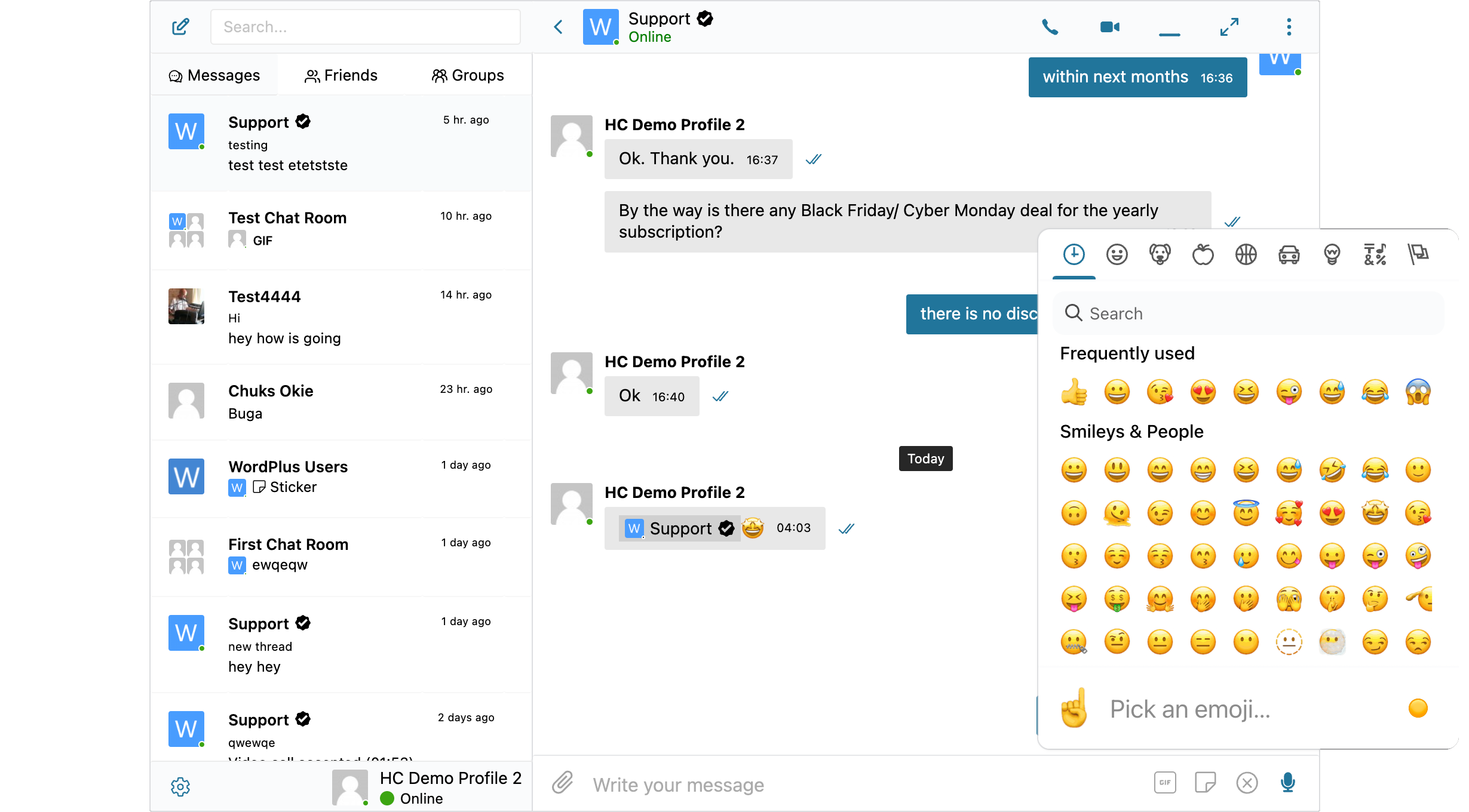
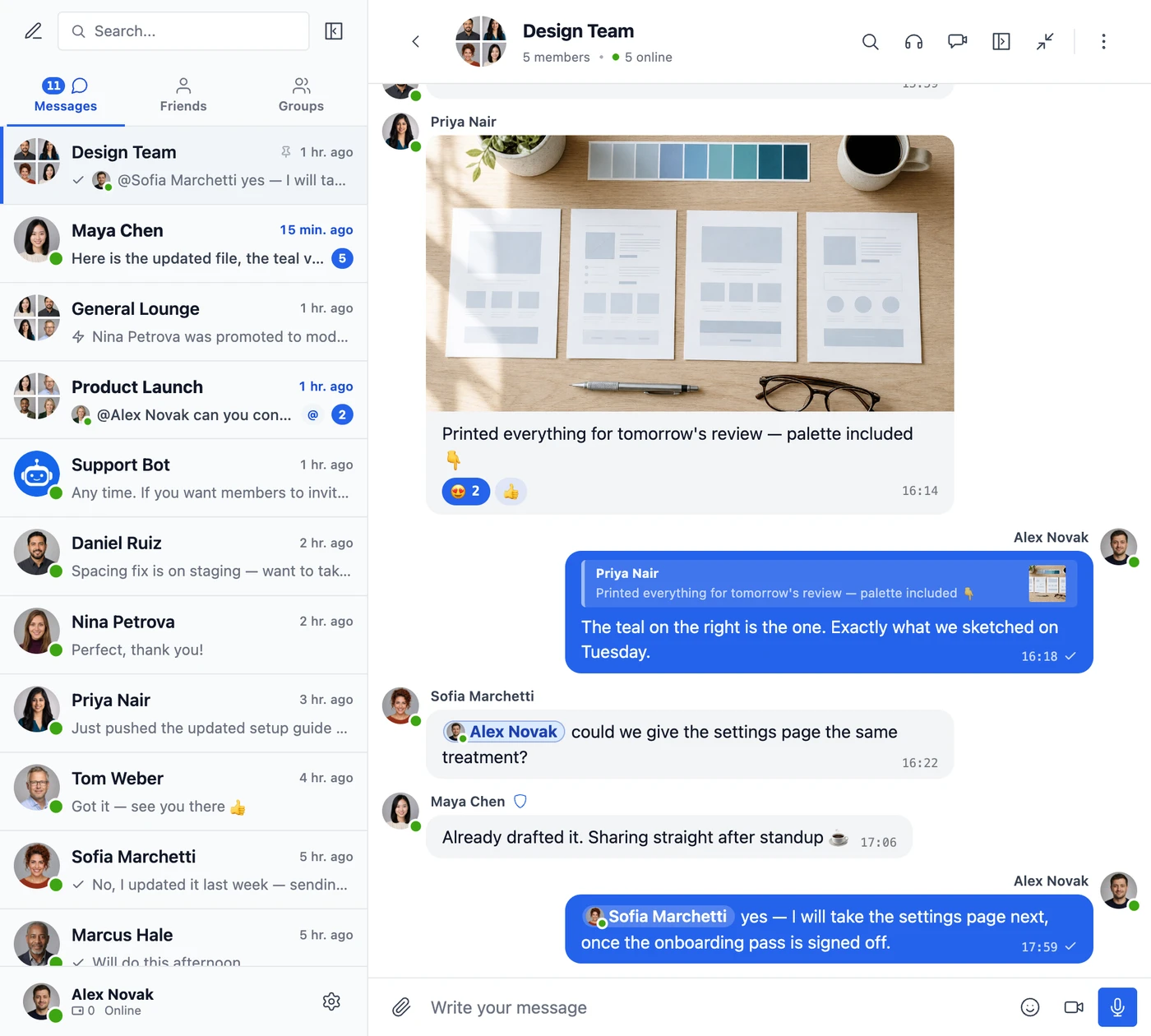
The Better Messages messenger: the conversation list, a group conversation and the emoji picker

Works with the plugins your site already runs

See all integrations and themes →

Free on WordPress.org

Everything your members need to talk

The free version covers messaging, chat rooms, moderation and design, on any number of sites. New messages arrive within 3 to 10 seconds.

Private chats, groups and chat rooms

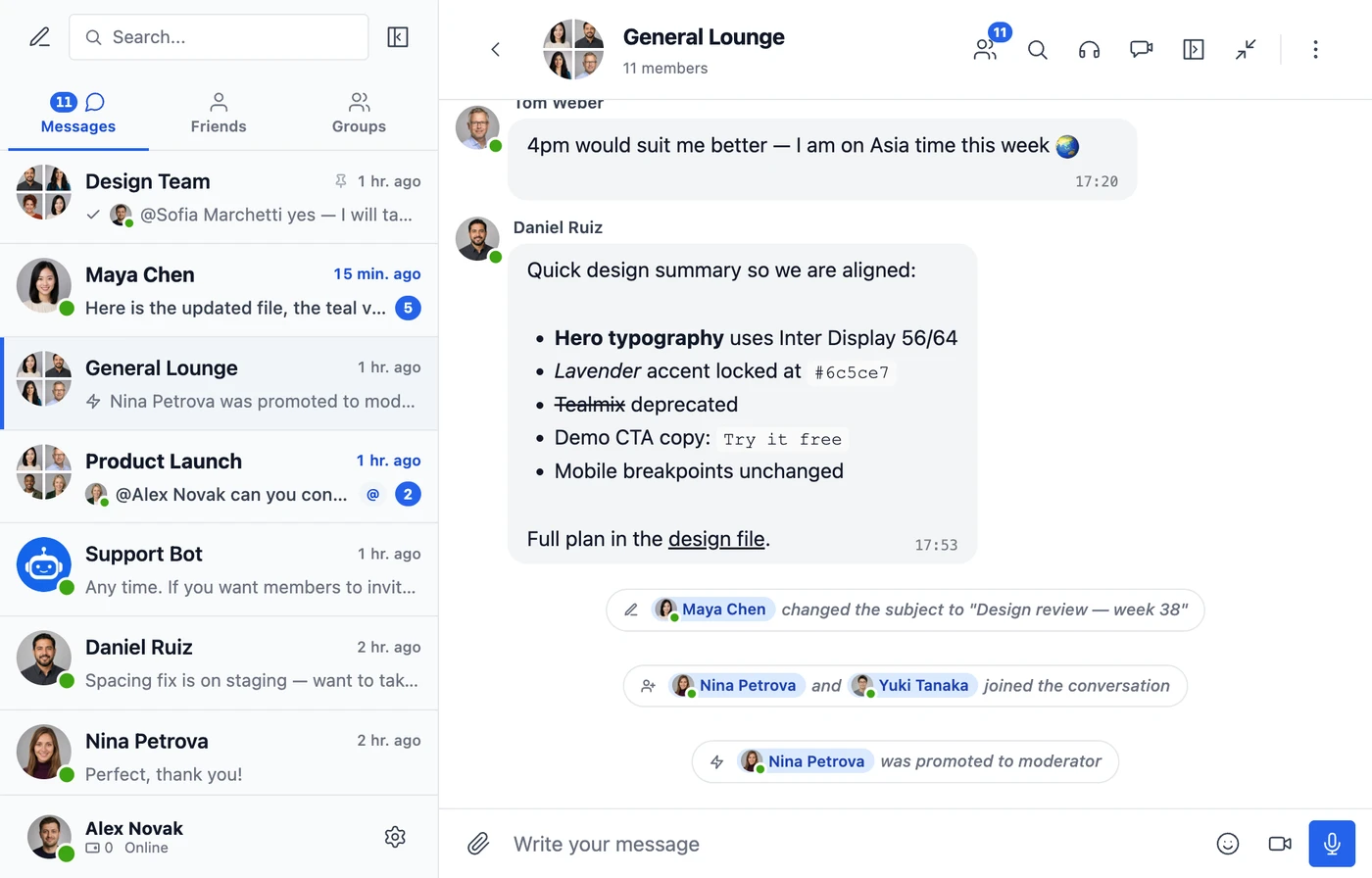
One-to-one chats, group conversations with a subject, and chat rooms you open to the whole site, guests included if you want. Messages support formatting, and a room keeps a note when someone joins or becomes a moderator.

The General Lounge chat room with 11 members: a formatted design summary, and notes that two people joined and one became a moderator

Photos, reactions, replies and mentions

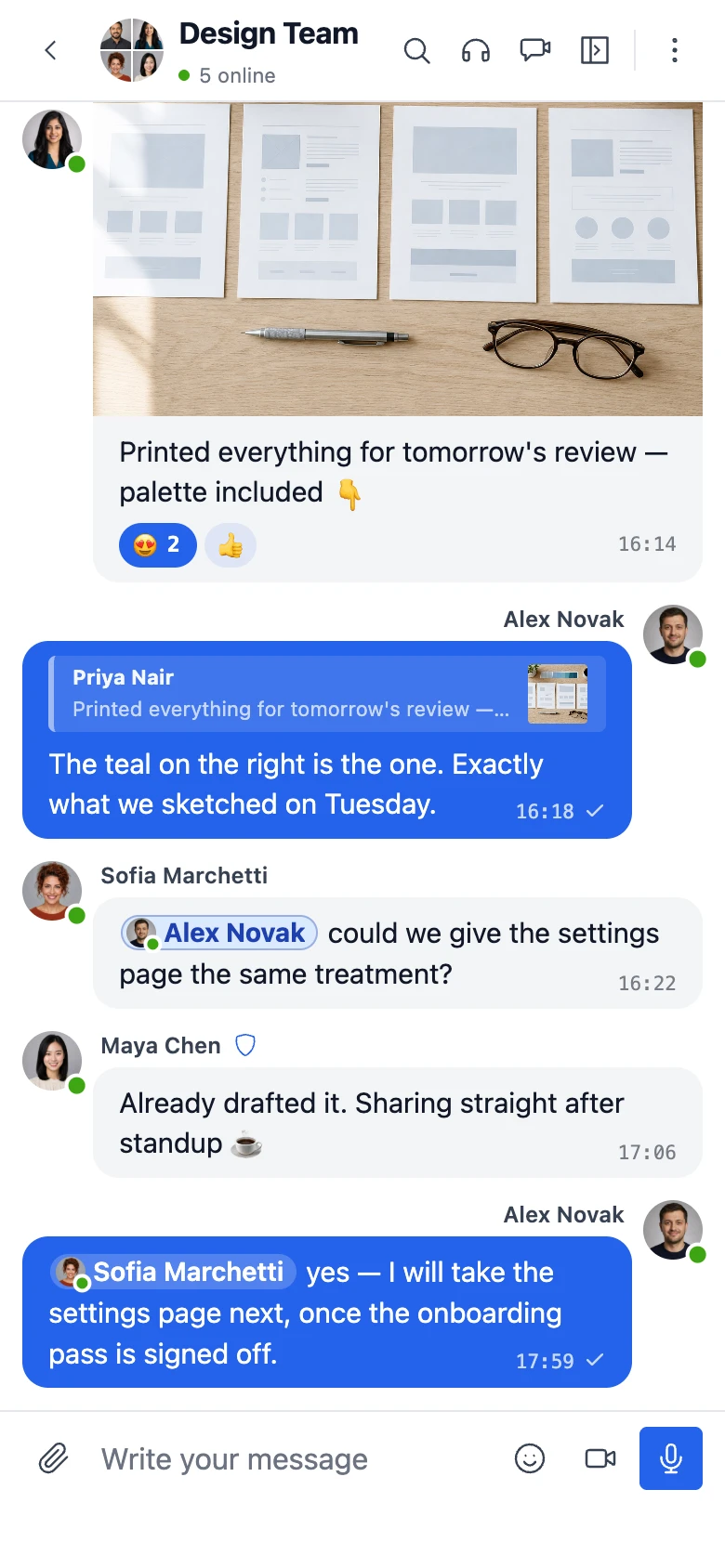
Share photos and files, react with emoji, reply to a message and mention people by name. Stickers, GIFs, shared locations and link previews are built in too, and the voice and video messages add-on records right in the conversation.

A group conversation: a shared photo with emoji reactions, a reply quoting it, and messages that mention people by name

Notifications that bring people back

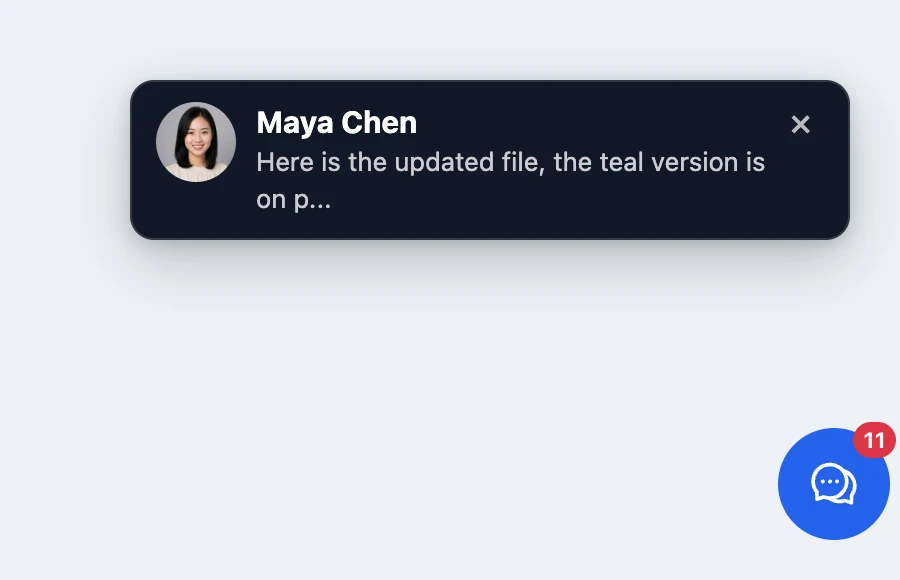
A notice appears on any page of the site when a message arrives, with a sound and an unread count on the messenger button. Unread messages are also grouped into an email, each conversation can be muted, and messages written offline send themselves when the network returns.

A new message notification from Maya Chen in the corner of a page, above the messenger button showing 11 unread

AI chat bots

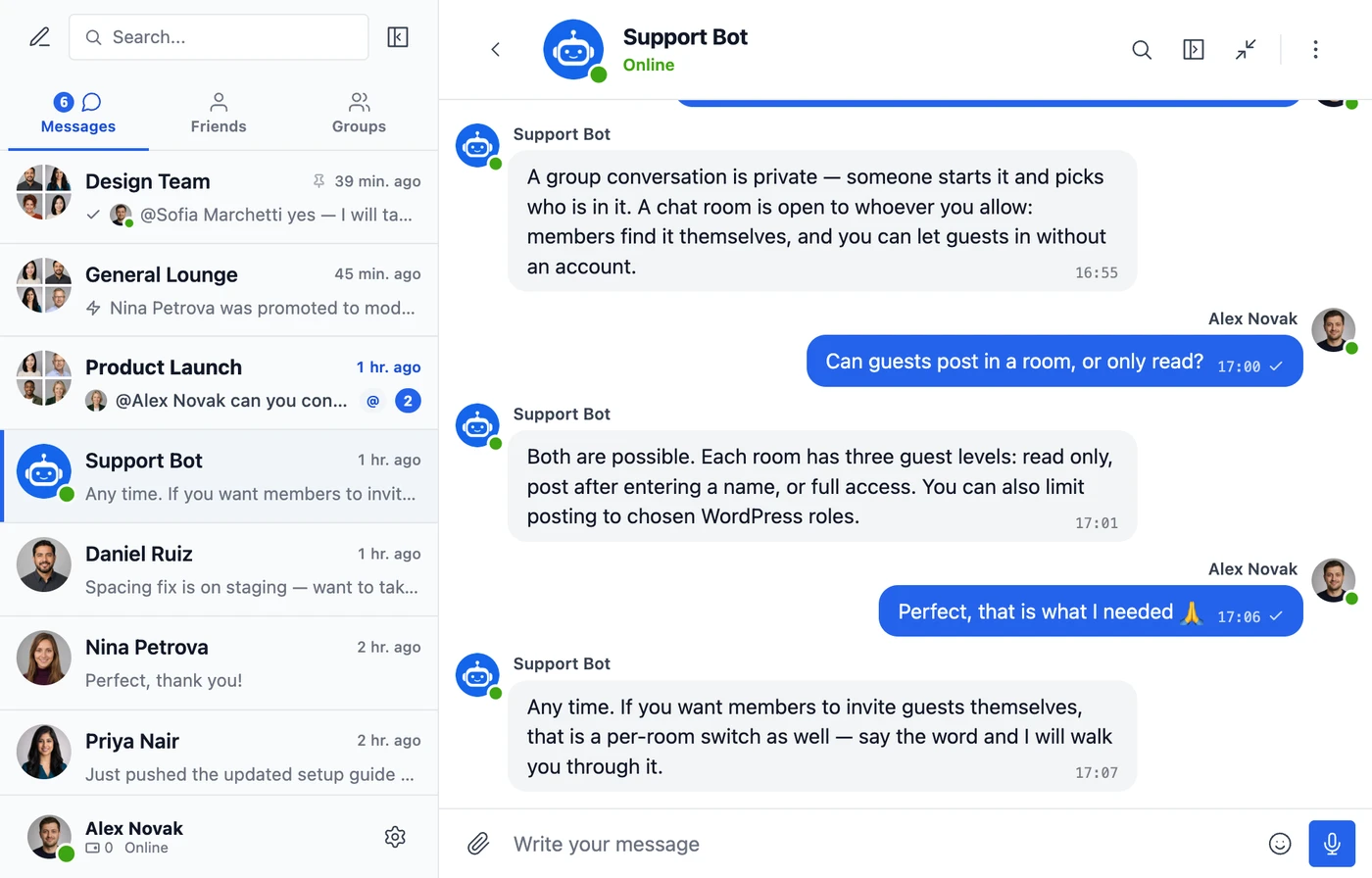
Create chat bots on OpenAI, Anthropic Claude or Google Gemini with your own API key. They answer in private and group conversations, and can search the web and your files or create images.

A conversation with Support Bot, an AI chat bot, answering questions about chat rooms and guest access

Moderation and safety

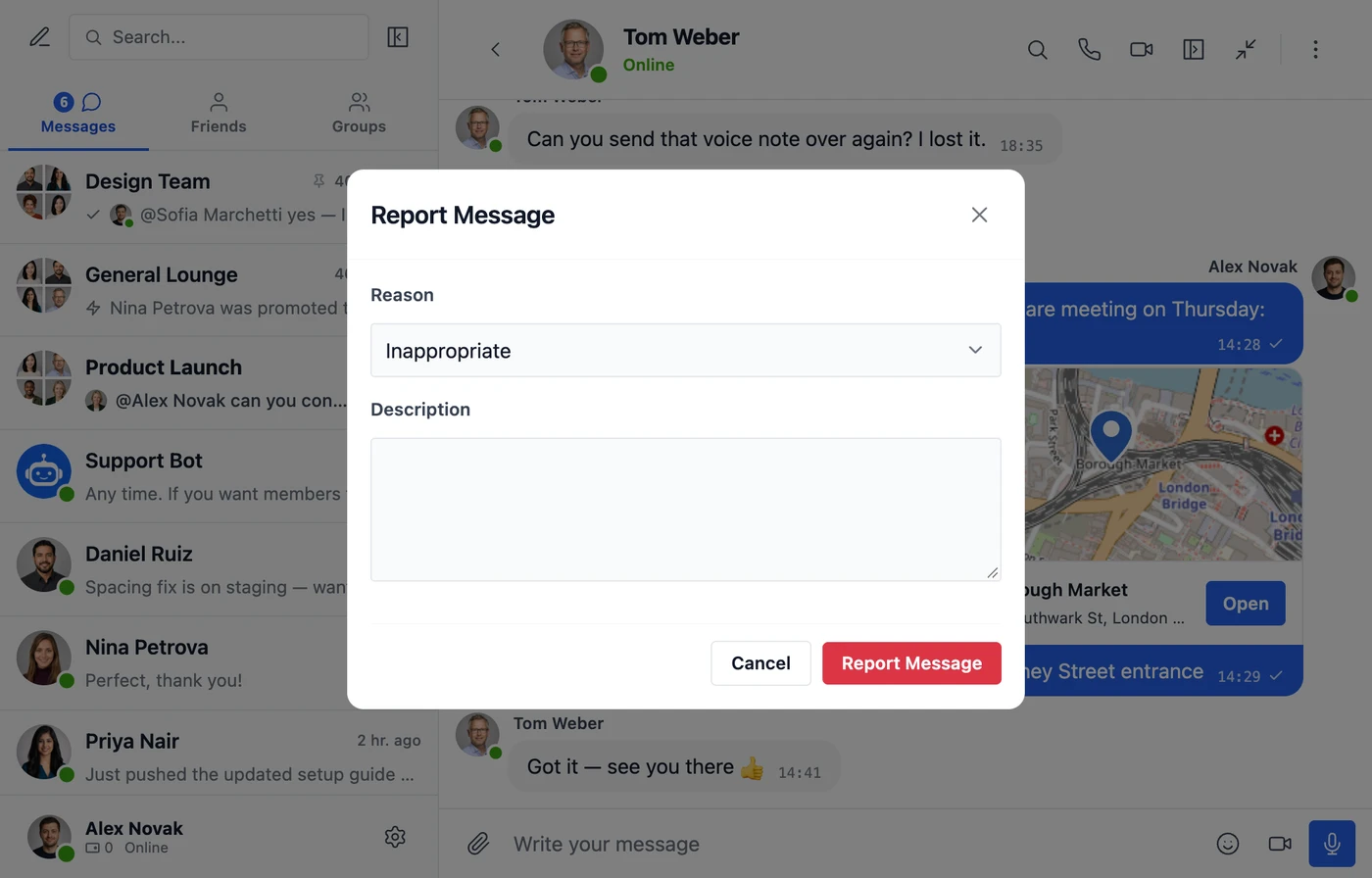
Hold messages from new senders or chosen roles until a moderator approves them, let members report messages and block each other, and filter bad words. AI moderation holds harmful messages by itself, and GDPR export and erasure are built in.

The Report Message dialog over a conversation, with a reason and a description

Designed to fit your site

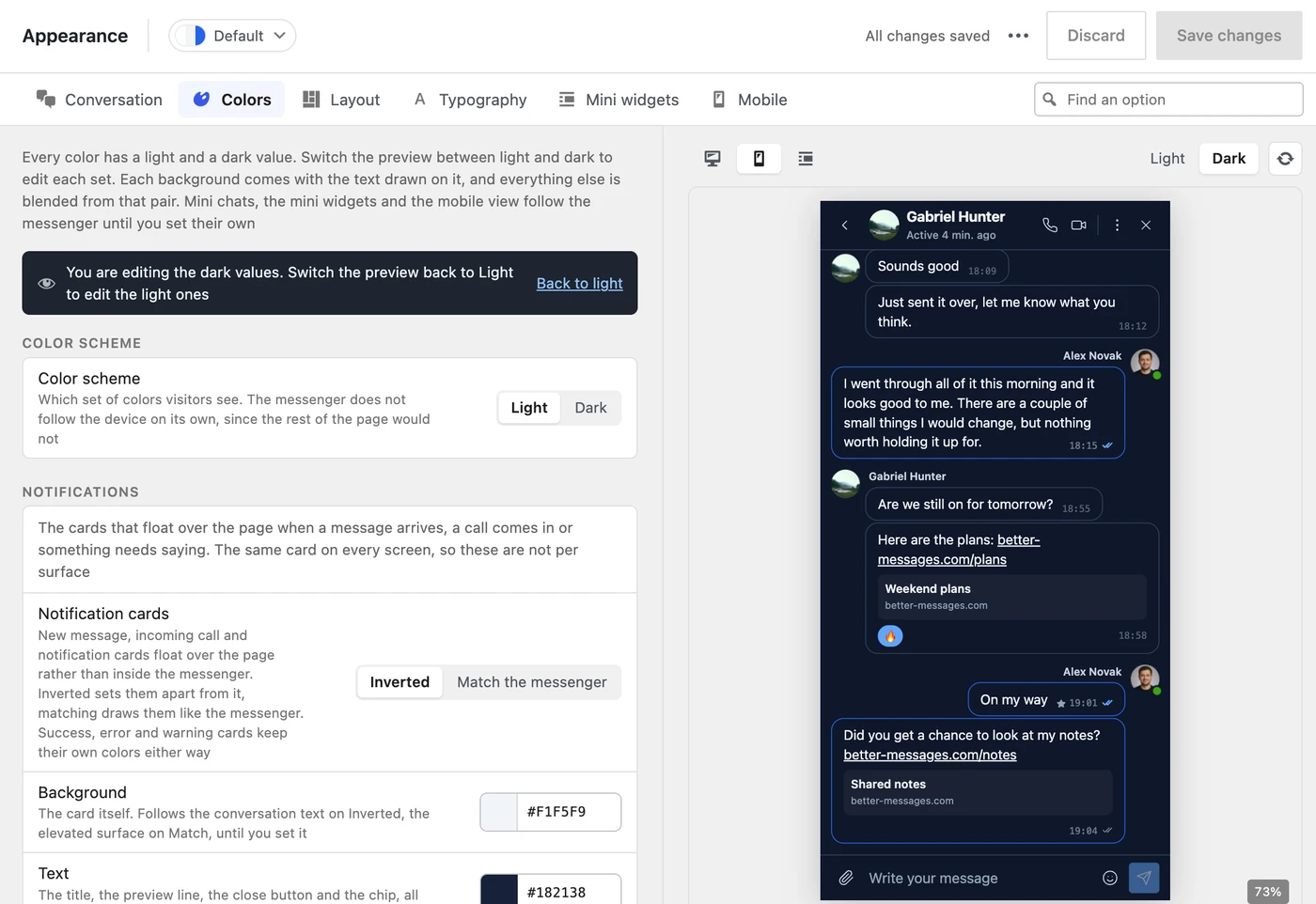
Set colors, corners, spacing and fonts in Settings → Appearance and see every change in the live preview, in light and dark, on desktop and phone. Mini widgets and a floating bubble put conversations on every page.

Settings, Appearance, Colors in WP Admin, with the live preview of the messenger on a phone in dark mode

Points for messages

Charge myCred or GamiPress points for messages and calls, with prices per role and the balance shown in the messenger. Points

Built the WordPress way

Actions, filters and a REST API to build on, translations through the standard WordPress system, and right-to-left layouts. Hooks and API

See all 69 features →

WebSocket version

Instant messages, calls and your own app

Everything in the free version, plus a realtime connection that delivers each message the moment it is sent. $11.99 a month for one site, billed yearly.

Realtime delivery, with no limits

Instead of asking your server for new messages every few seconds, each member's browser stays connected, so messages arrive the moment they are sent and your server stops answering those checks. There are no limits or extra fees for connections, members or messages.

A new message shows up after

AJAX3 to 10 s
WebSocketInstantly

Checks for new messages with 1,000 members online

AJAX6,000 a minute
WebSocketNone

AJAX at its default intervals: a check every 3 seconds in an open conversation and every 10 seconds elsewhere on the site. With WebSocket, the messenger asks your server for updates once when a page opens, then only when a member sends a message or opens a conversation.

Voice and video calls

Unlimited one-to-one HD video and audio calls, with screen sharing. The call servers are included in the price.

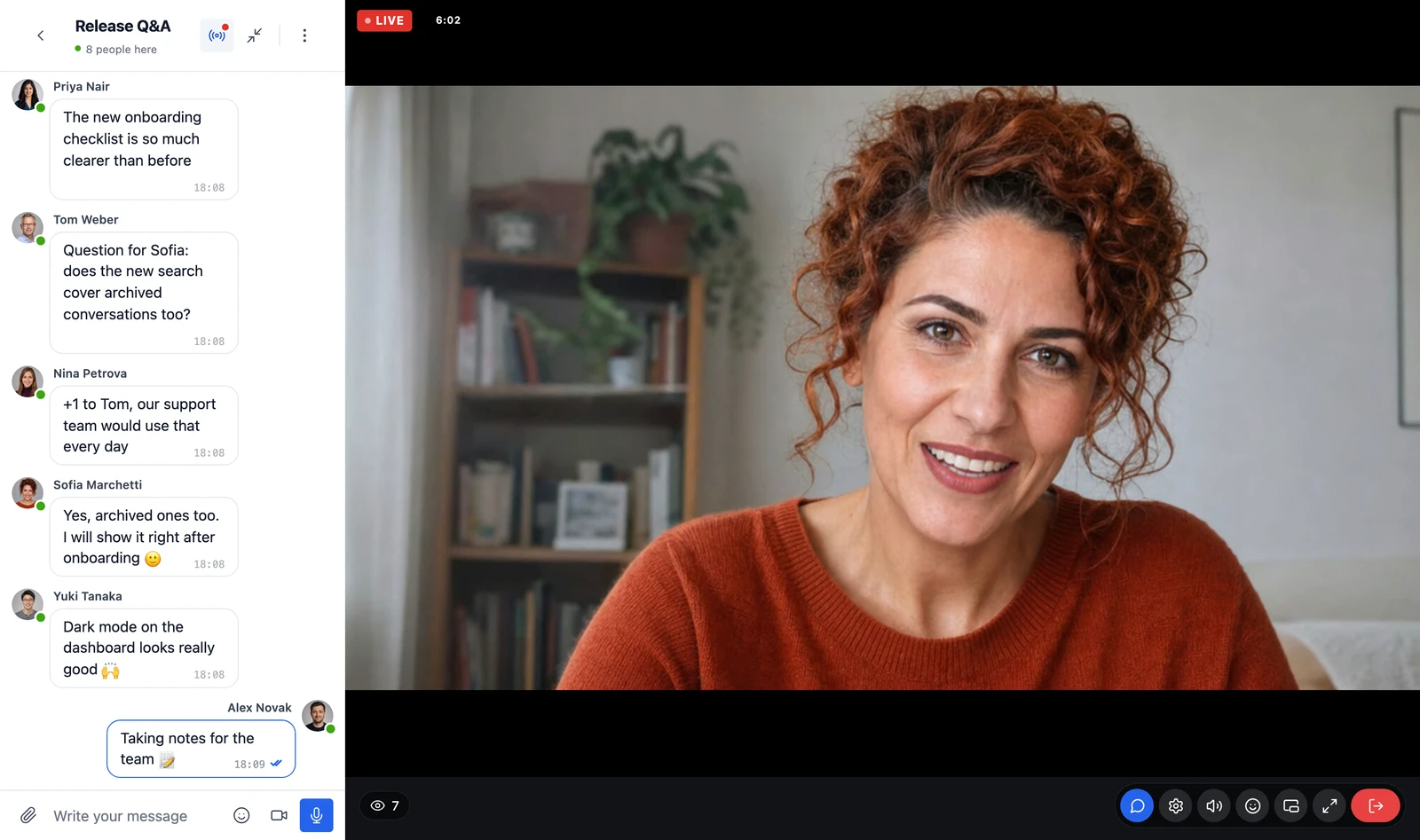
A private video call: the other person fills the screen, your own camera sits in the corner, the call controls below

Group video and audio calls

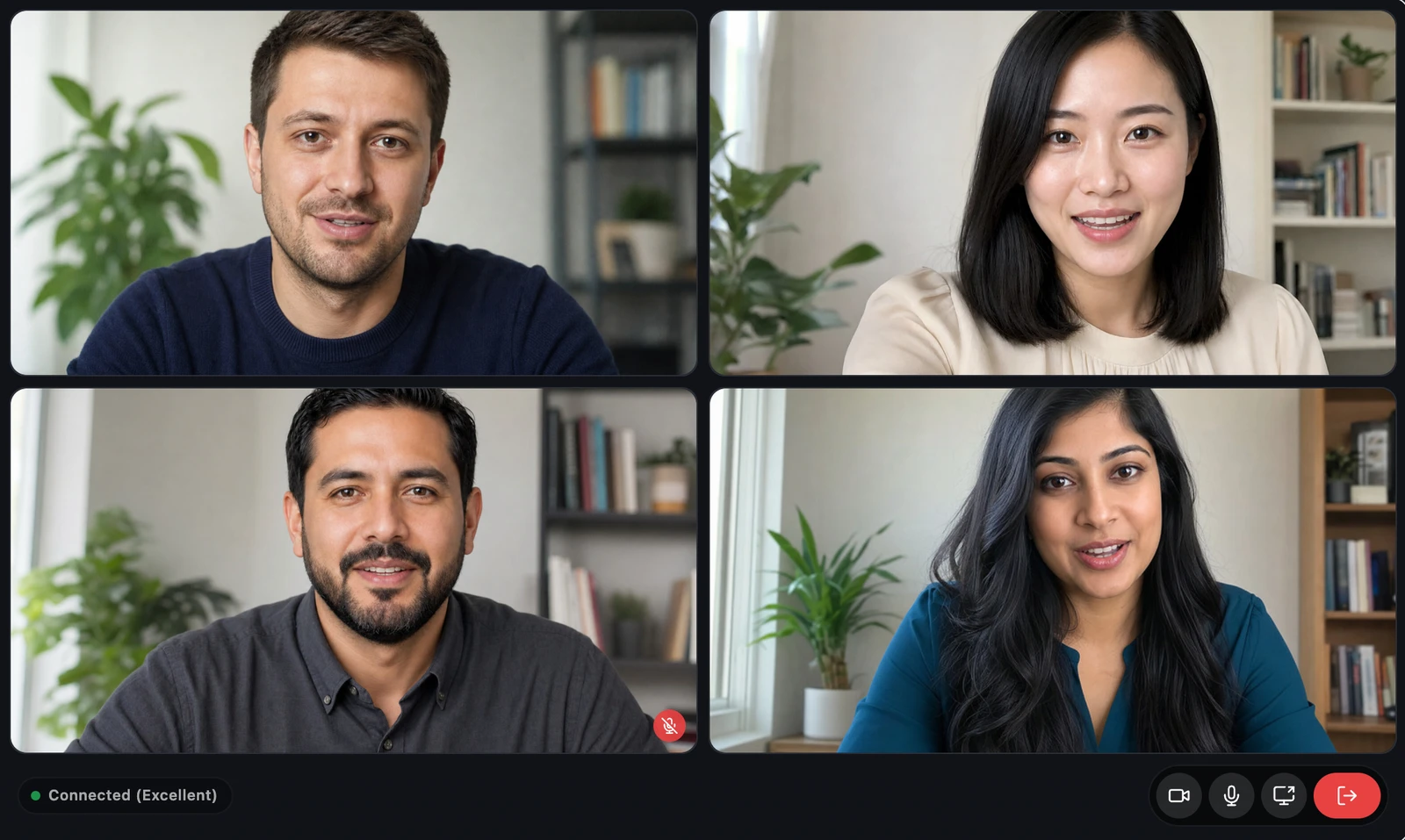
Start a group call from a group conversation or a chat room, with up to 32 people on video or 50 on audio. Screen sharing works in group calls too.

A group video call with four people on camera, one of them muted, and the call controls below

Your own iOS and Android app

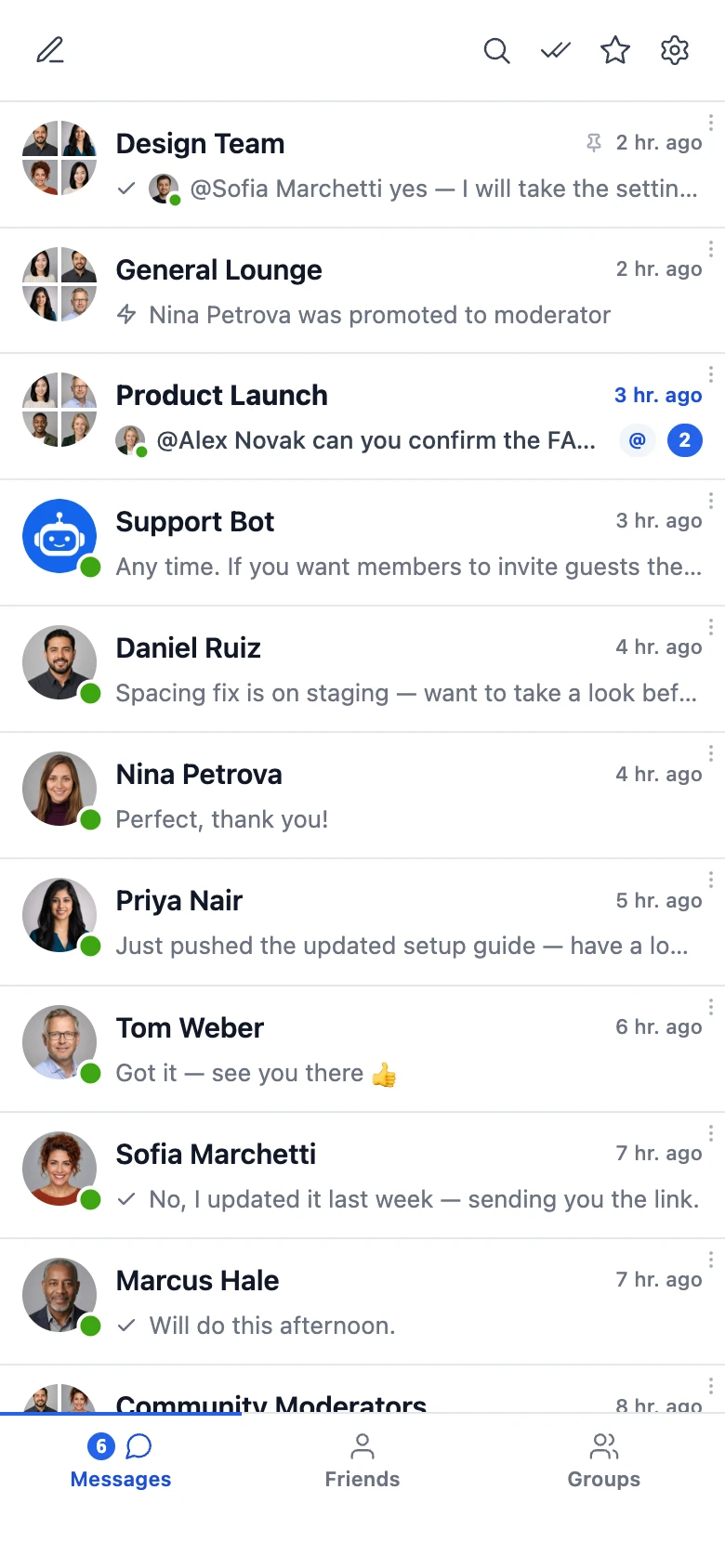
Build a messenger app with your name and icon from WP Admin, then publish it to the App Store and Google Play. It gets push notifications, and calls ring like a phone call.

The conversations list on a phone, with unread badges and people online
A group conversation on a phone, with a photo, reactions, a reply and mentions
A video call on a phone, with your own camera in the corner

See who is typing and who has read it

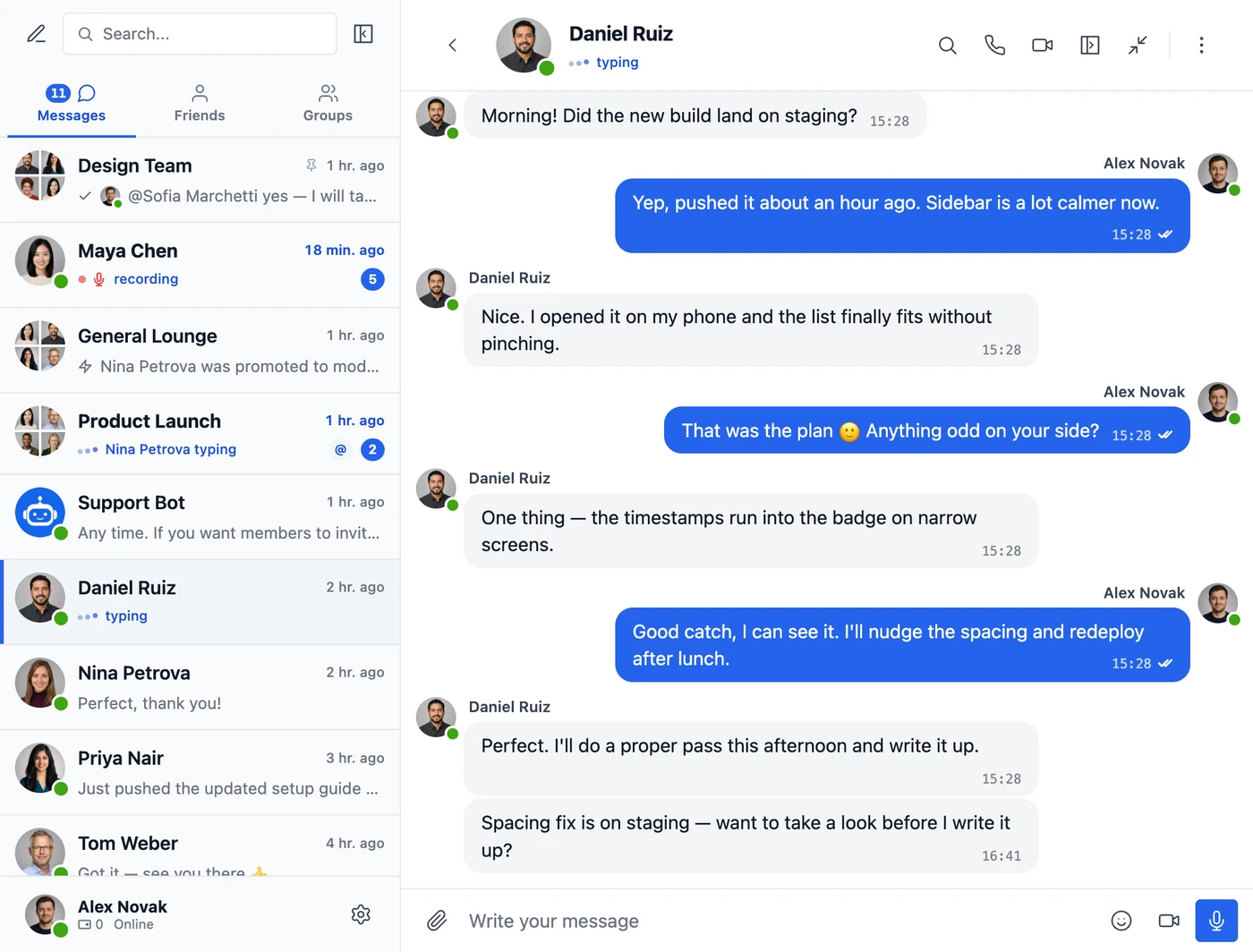
Members see when someone is typing, recording a voice message or uploading a file, who is online, and whether each message was delivered and seen, per person in group chats. Everyone can set their status to Online, Away or Do Not Disturb.

The messenger showing one person typing in the conversation, another recording a voice message and a third typing in a group, with read checks on sent messages

Chats that follow members around the site

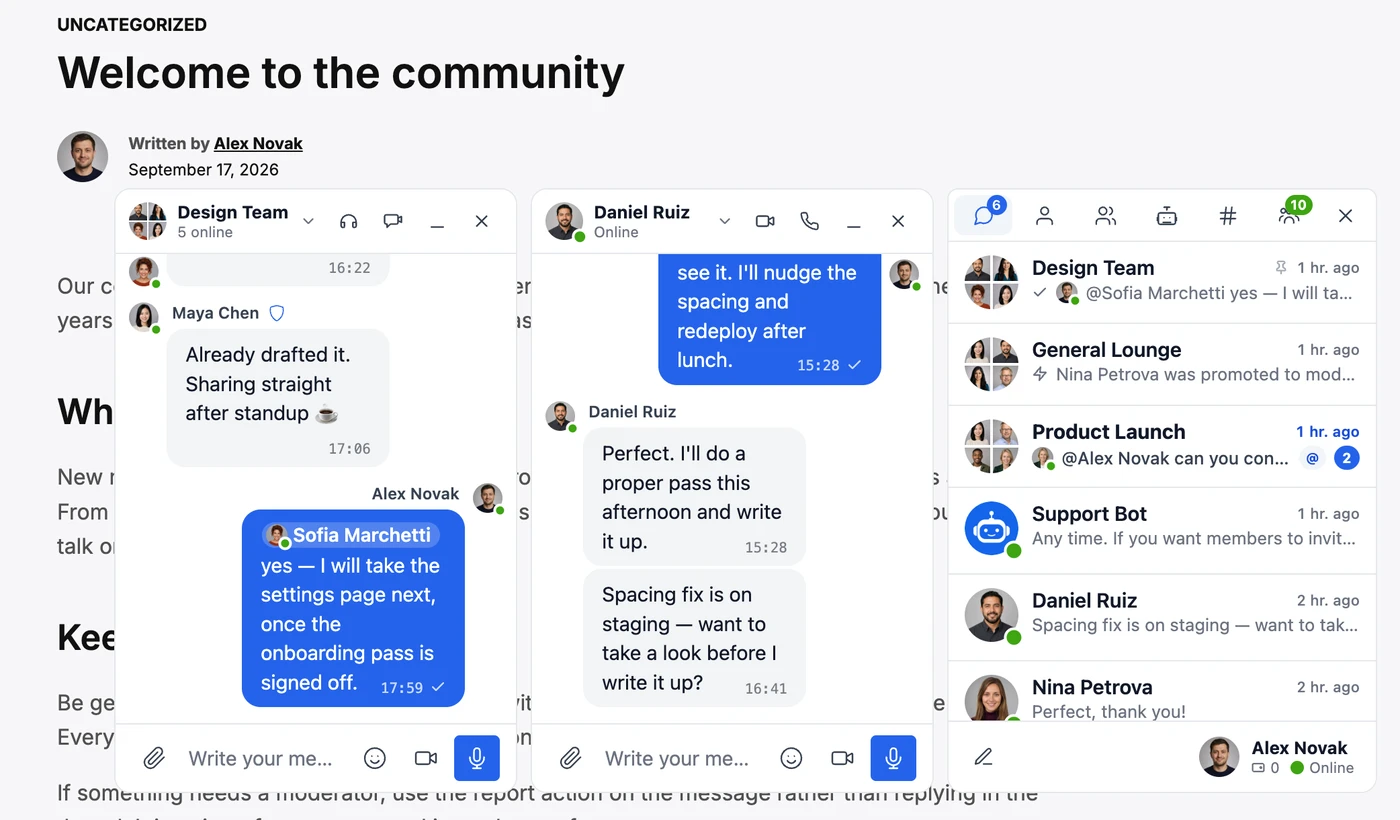
Conversations open in chat windows at the bottom of the page and stay open while members browse, next to a list of recent conversations with live unread counts.

Two chat windows and the conversations list open over a blog post

Everyone reads in their own language

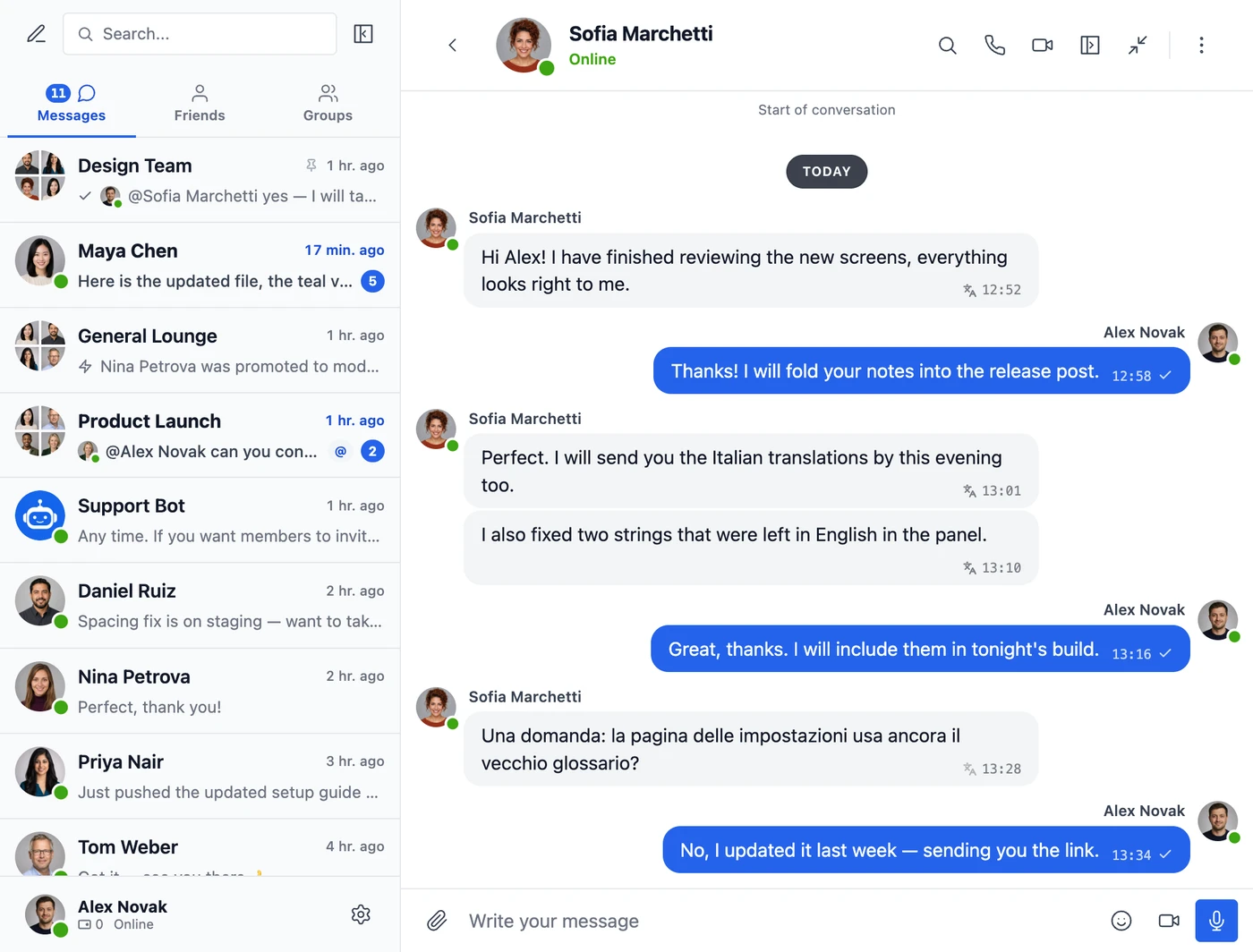
Better Messages Cloud AI translates conversations into 69 languages, checks messages with AI moderation in 23 categories and transcribes voice messages. It is included, with no API key to set up.

Sofia writes in Italian and Alex reads her messages in English, with the original shown for one of them

The relay cannot read messages

Messages are AES-256 encrypted on your server before they reach the WebSocket servers, over authenticated TLS connections. How it works

Your data stays in your database

Messages and files are stored only in your WordPress database. The WebSocket servers do not keep them. Your data

End-to-end encryption

Turn it on for a conversation, and its messages and files are encrypted in the members' browsers, so not even your server sees them. The copy kept in the browser can be encrypted too. End-to-end encryption and browser encryption

Web push notifications

Push notifications reach members on desktop and mobile even when they are away from the site. Web push

Priced per site, not per member

The price is the same at 100 members or 100,000, with no fees per message or connection. Pricing

Priority support

Every WebSocket license comes with priority email support, answered directly by the developer. Priority support

Compare all WebSocket features →

Pricing

Start free, upgrade when you need to

Priced per site, never per member. Pick up to 100 sites, and each one costs less as you add more.

AJAX

Messaging for any WordPress site, on any hosting

No license needed, use it on any number of sites.
Free

Free forever on WordPress.org

Download free
  • 35+ plugin integrationsBuddyPress, BuddyBoss, PeepSo, Ultimate Member, FluentCommunity, WooCommerce, Dokan, LearnDash and many more.
  • Private, group and chat room conversationsOne-to-one and group conversations, chat rooms open to everyone or to chosen roles, and group chats for BuddyPress, PeepSo, Ultimate Member and FluentCommunity groups.
  • Guest chat without an accountVisitors can join chat rooms as guests, without registering on the site.
  • New messages every 3–10 secondsThe free version checks for new messages over AJAX, every 3 seconds in an open conversation and every 10 seconds elsewhere, on any hosting. Messages written offline are sent once the connection returns.
  • Modern design you can restyleA clean, mobile-friendly messenger with appearance presets, colors, dark mode and right-to-left layouts, translated into many languages.
  • Files, emoji, stickers and GIFsFiles of any type with photo editing, video and link previews, location messages, text formatting, emoji, sticker packs and GIPHY or KLIPY GIFs.
  • Replies, reactions, edits and favoritesReply to a message, react with emoji, edit, delete or forward what you sent, and keep favorite messages in one list.
  • Search, pins and mentionsSearch every message, pin messages and conversations, mention people with @, filter unread conversations and keep unsent drafts.
  • Email, sound and on-site notificationsEmail about unread messages, a sound for new ones and a notice on any page of the site. Each conversation can be muted.
  • Moderation and safety toolsReport and block users, a bad-words filter, message pre-moderation, site moderators, role-based messaging rules, transcript export and AI moderation with your own OpenAI key.
  • Mass messagingSend one message to all members or to chosen groups of members from WP Admin, with scheduling and attachments.
  • Charge points for messagesCharge myCRED or GamiPress points for new conversations and messages, with a price per role.
  • AI chat bots with your own API keyOpenAI, Anthropic Claude or Google Gemini bots in private and group conversations, with web search, image generation and scheduled summaries, using your own provider key.
  • Mini widgetsFriends, groups, users, AI bots and chat rooms tabs in a bottom bar or a floating bubble, on every page.
  • Privacy and GDPR toolsPersonal data export and erasure, suggested privacy policy text, auto-delete of old messages, no cookies or tracking, and click-to-load video embeds.
  • Shortcodes, blocks and developer APIAdd messaging anywhere with shortcodes and blocks, extend it through the REST API and hooks, and connect AI assistants over MCP.
  • No Better Messages brandingMembers never see a Better Messages logo or link. The messenger looks like part of your site.

WebSocket Self-Hosted

For sites that must keep all traffic on their own servers

$25.00/ mo

$299.99 billed yearly, one site

Everything in WebSocket, plus

  • Realtime server on your own VPSThe WebSocket server runs on a VPS you provide, billed separately by your hosting provider. Most sites do not need this plan.
  • Installation includedI set up the WebSocket server on your VPS once, as part of the plan.
  • Traffic stays on your serversFor GDPR special-category data, HIPAA-adjacent workloads or company rules that forbid third-party relays.

Add-on

Voice and Video Messages

Record voice messages and short video messages in any conversation, with duration limits, auto-delete, role restrictions and optional AI transcription. Works with the free and the WebSocket version. Learn more

$11.99 / year

For one site

Secure checkout by Freemius, with cards and PayPal. Cancel any time, and your conversations stay.

Compare every feature and read the pricing FAQ →

Reviews

What site owners say

4.9 / 5 — 212 ratings
WordPress.org

Wonderful plugin

Wonderful and accessible plugin with rich features, highly extensible with powerful hooks and great support.

WordPress.org

Great tool – even better support

I am using the tool as a chatroom and messenger plugin on my site and it works very well. A lot of modifcations are possible and it can be easly adapted to the website.

What really stands out is the support. You get very quick responses and help whenever you need it. That is truly not something you can take for granted.

WordPress.org

Better Messages

Better Messages is an outstanding plugin. It works flawlessly, is fast, stable, and integrates perfectly with Ultimate Member. Even more important: whenever you have a question, the support team responds quickly, kindly, and with exceptionally clear explanations. Their help is truly excellent.

I highly recommend this plugin — it delivers great functionality and top‑level support.

fwtrader – the Netherlands

WordPress.org

PHENOMENAL

Plugins that are this well developed and supported are few and far between. The developer went above and beyond to help me with a strange (to me) site migration issue that I’m not even sure is within the scope of support. And the features are staggeringly extensive. This is THE messaging plugin for WordPress.

WordPress.org

Get It Now!

If you are looking for a Messaging plugin for your site, look no further. Better Messages is all you need! Works perfectly and backed up by outstanding support!

WebSocket review

Outstanding communication platform with excellent support

Better Messages has become an essential part of our WordPress-based training platform. We use it every day for communication between instructors, students and our management team. Real-time messaging, group chats, audio/video calls and screen sharing work reliably and provide a professional user experience. One of the biggest advantages is that everything stays within our own website, without relying on external messaging platforms. The Premium version has been well worth the upgrade. The plugin is well designed, regularly improved, and exactly what we were looking for. Highly recommended!

Read all reviews →

Maintained since 2017

Still improving, release after release

Better Messages has been in active development since 2017, and every change goes into the changelog.

Since 2017

First released on 8 January 2017

718

fixes and improvements in the last 12 months

2,637

fixes and improvements since the first release

  1. 3.0.9 – 3.0.11

    27 September 2026 · 82 changes

    Fixed New Conversation showing a reply box instead of the Recover button for a conversation you had deleted, when Messaging → Deleted Conversations is set to offer restoring it

  2. 3.0.7 – 3.0.8

    23 September 2026 · 86 changes

    Text pasted into the reply box keeps its bold, italics, underline and strikethrough, whether it was copied from a message or from another page — fonts, colours and everything else stay behind

  3. 3.0.4 – 3.0.6

    22 September 2026 · 33 changes

    A conversation full of long, heavily formatted messages opens far faster and no longer locks up a phone while it loads

  4. 3.0.0 – 3.0.3

    21 September 2026 · 26 changes

    The messenger has been redesigned from the ground up — every surface, from the conversations list to mini chats and popups, is new, while keeping the layout and workflows you know

Read the full changelog →

Questions

What people ask first

Is Better Messages free?

Yes. The free version on WordPress.org has private and group conversations, chat rooms, file sharing, AI chat bots with your own provider key and every integration, on any number of sites. It checks for new messages every 3 to 10 seconds.

What does the WebSocket version add?

Instant delivery, voice and video calls with group calls and screen sharing, typing, online and read status, web push, Cloud AI with no API key and your own iOS and Android app. It also takes the constant checking for new messages off your server. See the plans

Can the WebSocket relay read my messages?

No. Messages are AES-256 encrypted on your server before they reach the relay, and they stay in your own WordPress database. Cloud AI features, when you switch them on, read the text they translate or moderate and then discard it. Where messages are stored

Does it work with my community or store plugin?

Most likely. Better Messages works with BuddyPress, BuddyBoss, PeepSo, Ultimate Member, FluentCommunity, WooCommerce, Dokan, LearnDash and many more. See every integration

What happens if my WebSocket license expires?

Your conversations stay. The plugin goes back to the free version's checks every few seconds, and WebSocket features such as calls, Cloud AI and the mobile apps stop until you renew.

Read the pricing FAQ →