Voice and Video Messages 2.0
The voice add-on gains a camera: short round or square video messages recorded in the composer, plus automatic transcription of voice messages and AI chat bots that can be spoken to.
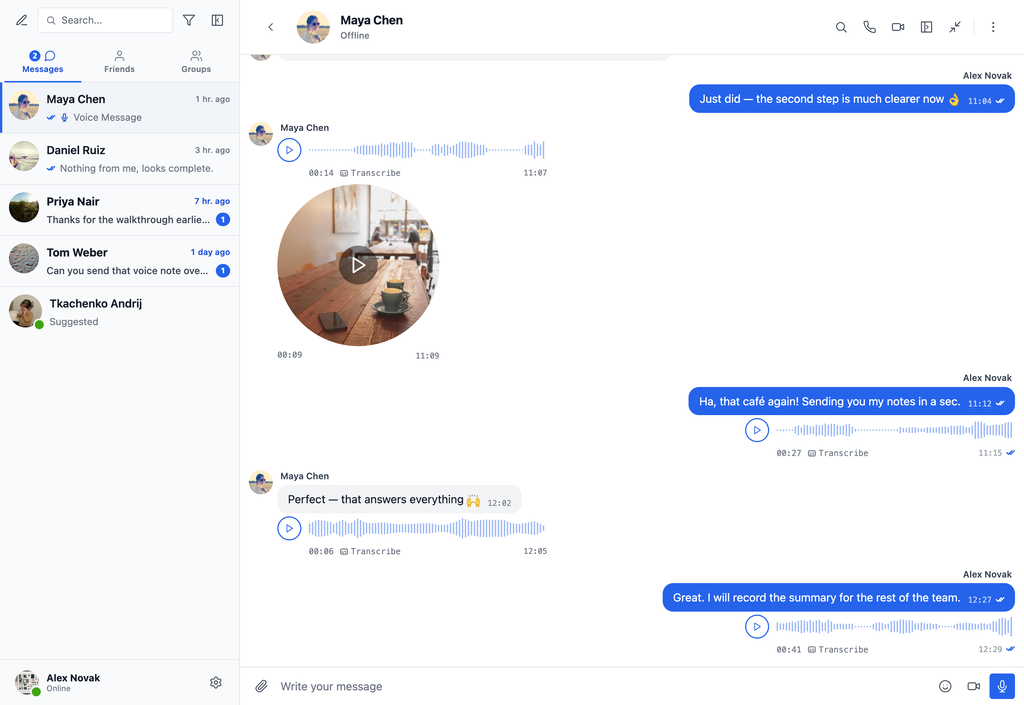
The add-on is now Better Messages – Voice and Video Messages. While the composer is empty a camera button sits next to the microphone: pressing it opens a live preview and starts recording as soon as the camera is ready, a progress ring fills toward the maximum length, and recording stops on its own at the limit. Stopping turns the circle into a replay preview with send and discard, so nothing goes out unseen. Camera and microphone are picked on the recorder and remembered.
Received video messages play in place — click to play or pause, drag around the rim to scrub — and playback continues as audio in the player bar when the conversation is scrolled away or switched.
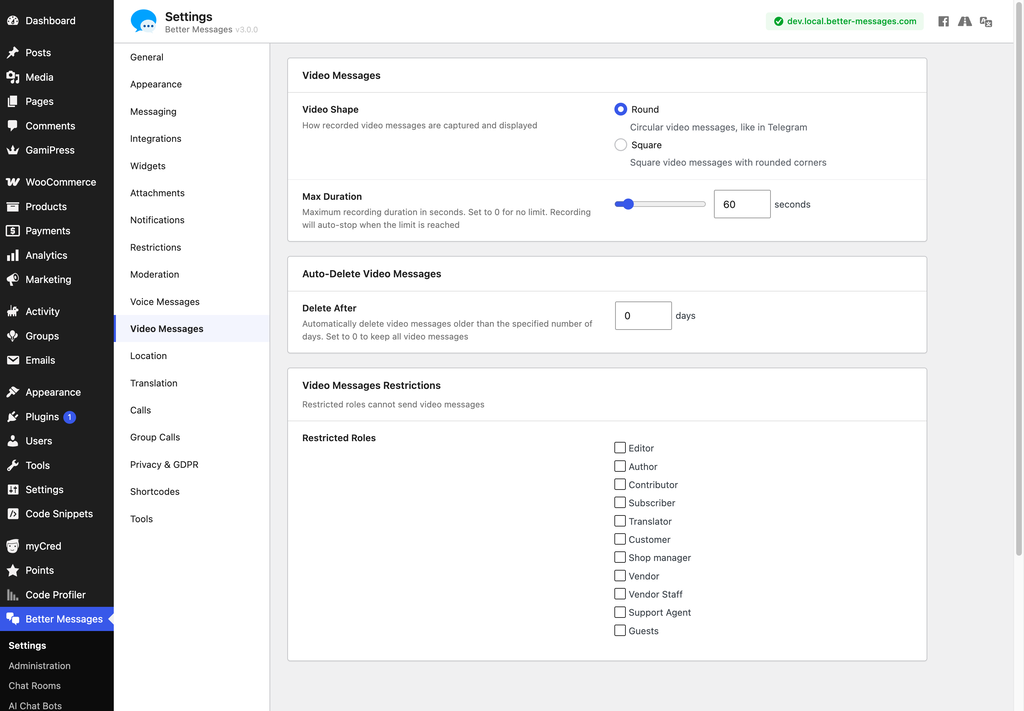
A new Video Messages settings tab sets the shape (round, like a Telegram video note, or square), the maximum duration (60 seconds by default), automatic deletion after a number of days, and which roles may send one. Voice messages keep their own tab with the same controls, set independently.
On the voice side, 3.0 adds Auto Transcription — every voice message is transcribed the moment it is sent, through Better Messages Cloud AI or your own OpenAI key — and AI chat bots can be spoken to, answering what was said whatever model they run on, with a per-bot Voice Input switch.
Video messages need Better Messages 3.0, while voice messages keep working on 2.x. Both work on the free and the WebSocket version.