Voice and Video Messages 2.0: Round Video Notes, Automatic Transcription, and Bots That Listen
The voice add-on has a new name and a new version. Better Messages – Voice and Video Messages 2.0 keeps everything the voice recorder did and adds a camera button beside the microphone: short video messages, recorded in the composer, sent like any other message.
Alongside it, Better Messages 3.0 picked up two things on the voice side that this post is the right place for — voice messages that transcribe themselves the moment they are sent, and AI chat bots you can talk to instead of typing.
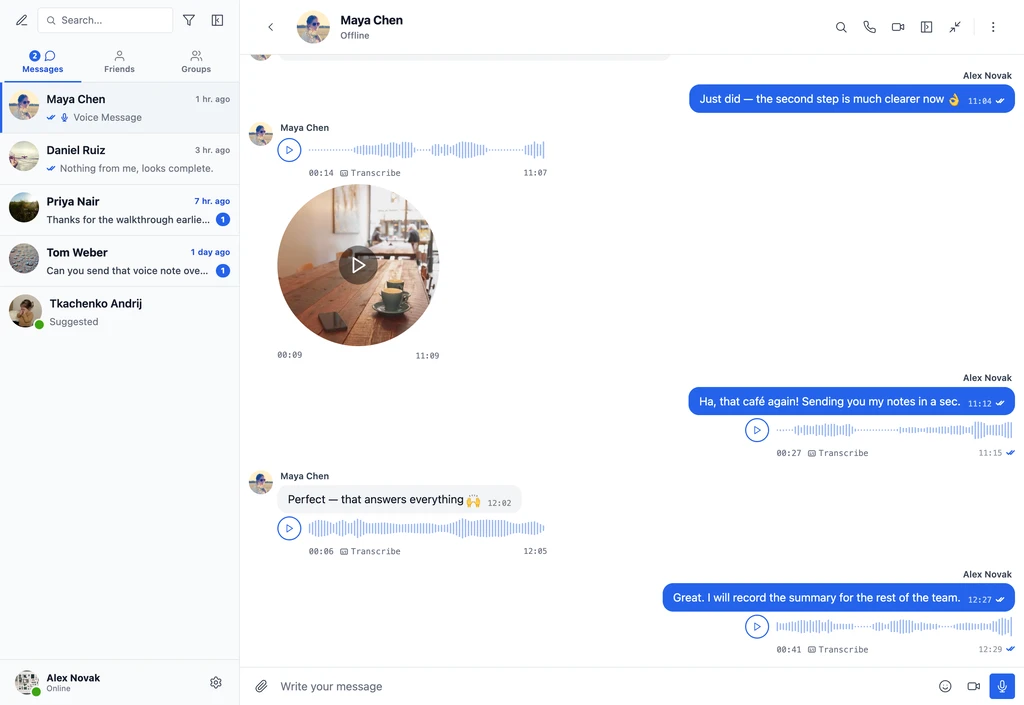
Recording a video message#
While the composer is empty, a camera button sits next to the microphone. Press it and a live preview opens above the composer, in whichever shape the site is set to use, and recording starts as soon as the camera is ready — there is no second press to hunt for. A progress ring fills around the rim toward the maximum length, and recording stops on its own when it gets there.
Stopping turns that same circle into a replay preview with send and discard, so nothing goes out that the sender has not seen first. Camera and microphone can be picked from dropdowns on the recorder, and the choice is remembered for next time.
Watching one#
Received video messages play in place. Click to play or pause, watch the progress travel around the rim, drag around that rim to scrub. Scroll away or switch conversation and playback keeps going as audio in the player bar at the top of the messenger — the same bar voice messages use, which in 3.0 also carries a playback speed control for anyone who listens to long notes at 1.5×.
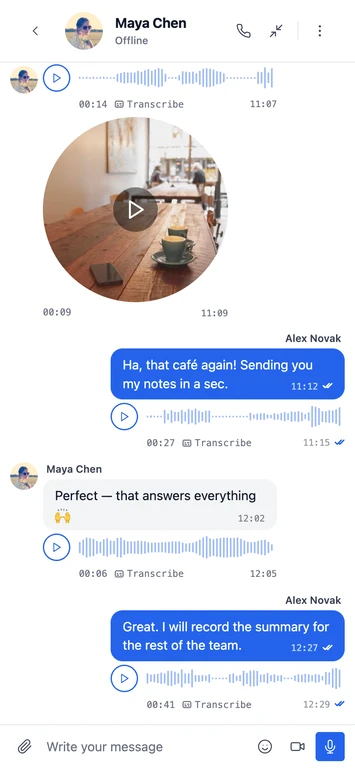
It works the same on phones, with both buttons in the same place in the composer.

Settings#
The add-on now has two settings tabs, one per message type. The new one is Better Messages → Settings → Video Messages.

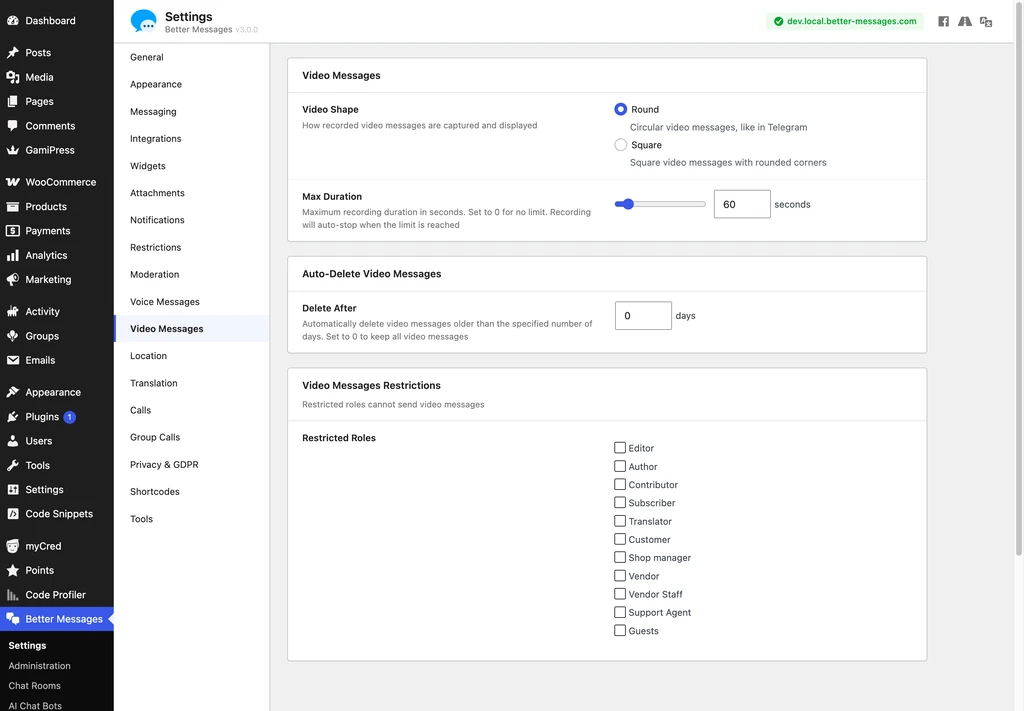
| Setting | What it does | Default |
|---|---|---|
| Video shape | Round, like a Telegram video note, or square with rounded corners | Round |
| Max duration | Recording auto-stops at the limit — 0 means no limit | 60 seconds |
| Delete after | Automatically delete video messages older than N days — 0 keeps them | 0 |
| Restricted roles | Roles that cannot send video messages | none |
Voice messages keep their own tab with the same shape of controls, set independently — a site can allow one-minute video notes and unlimited voice, or the reverse.
Recording honors the same role restrictions and thread permissions as everything else: someone who cannot write in a conversation cannot record into it either.
Voice messages that write themselves down#
Transcription is not new, but it used to wait for a tap. 3.0 adds Auto Transcription on the Voice Messages tab: switch it on and every voice message is transcribed the moment it is sent, with the bubble showing the transcription running instead of asking anyone to request it.
Transcription runs through Better Messages Cloud AI or your own OpenAI key, and you can pin the language and pass a prompt for names and jargon the model would otherwise mangle.
Bots that listen#
AI chat bots can now be spoken to. Send a voice message to a bot and it answers what was actually said — whatever model the bot runs on, not only the audio-capable ones, because the transcription happens before the model ever sees it.
Each bot has its own Voice Input switch in its editor. The one prerequisite is a transcription provider configured on the Voice Messages tab. Without it the switch stays disabled and says so.
Requirements and compatibility#
- Video messages need Better Messages 3.0. On older versions the add-on offers the microphone alone and nothing else changes — voice messages keep working on 2.x.
- Both work on the free and the WebSocket version. Neither recorder is WebSocket-gated.
- Files stay on your own hosting. Voice messages are compact Opus audio. Nothing is uploaded to a third-party service unless you turn transcription on.
- Voice messages are no longer listed by the WordPress media API. The add-on now marks its uploads as Better Messages attachments, which is what the core filter excludes, so a private voice note does not surface in the media library or in anything reading
/wp/v2/media. Administrators still see them. - Works in private conversations, group conversations and chat rooms alike.
Where to look next#
- Voice and video messages documentation — settings, transcription, playback in full
- Better Messages 3.0 — the release this add-on version was built against
- AI chat bots — what a bot can do once it can hear you
- Changelog — the full version-by-version history