GIFs
Better Messages supports GIFs through two providers — GIPHY and KLIPY — giving users a fun way to express themselves in conversations with animated images.
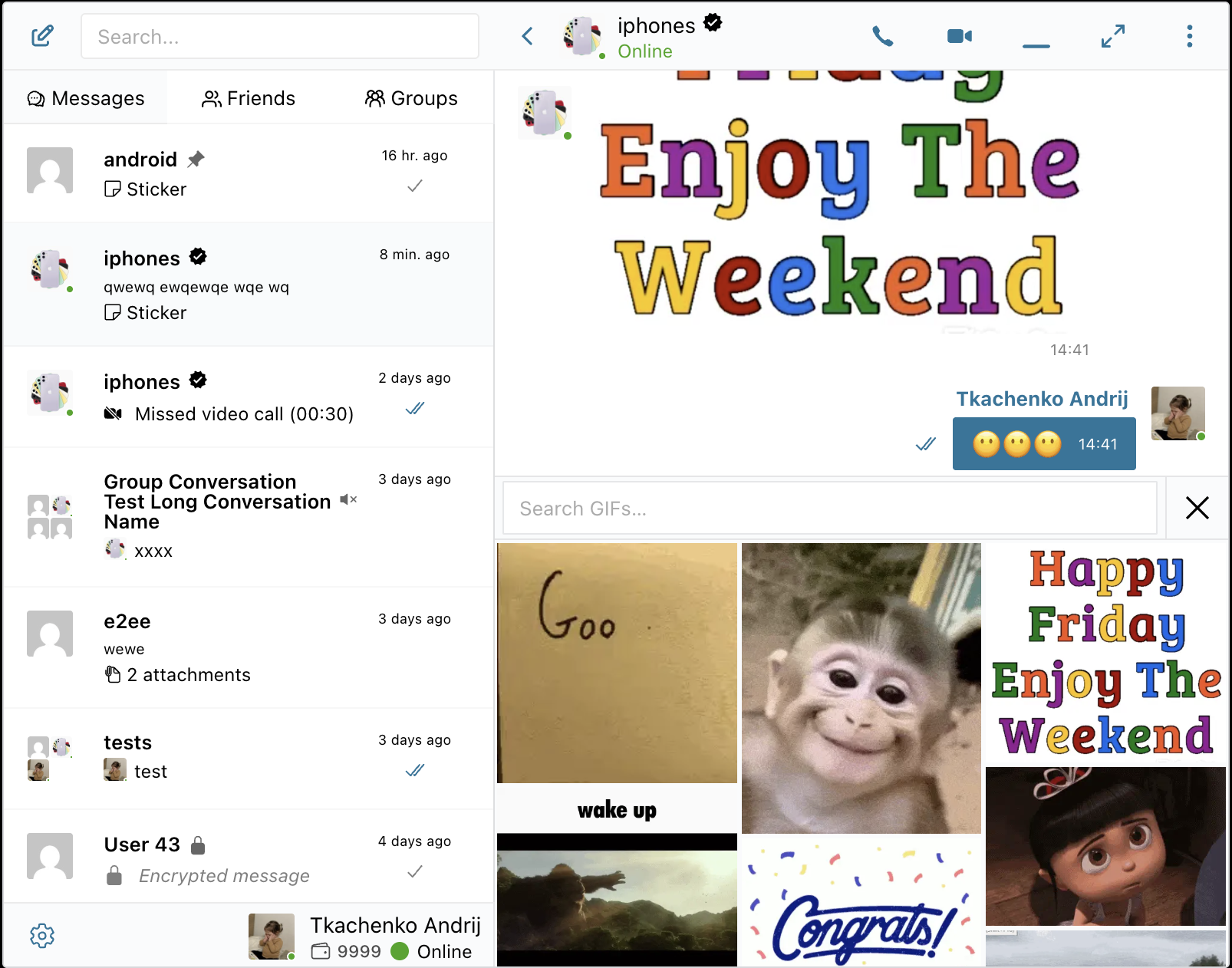
How it works
When enabled, a GIF button appears in the message input area. Clicking it opens a full-width picker at the bottom of the chat where users can:
- Browse trending GIFs — the default view shows currently popular GIFs
- Search by keyword — type in the search bar to find specific GIFs
- Send with one click — tap any GIF to send it instantly; the picker closes immediately
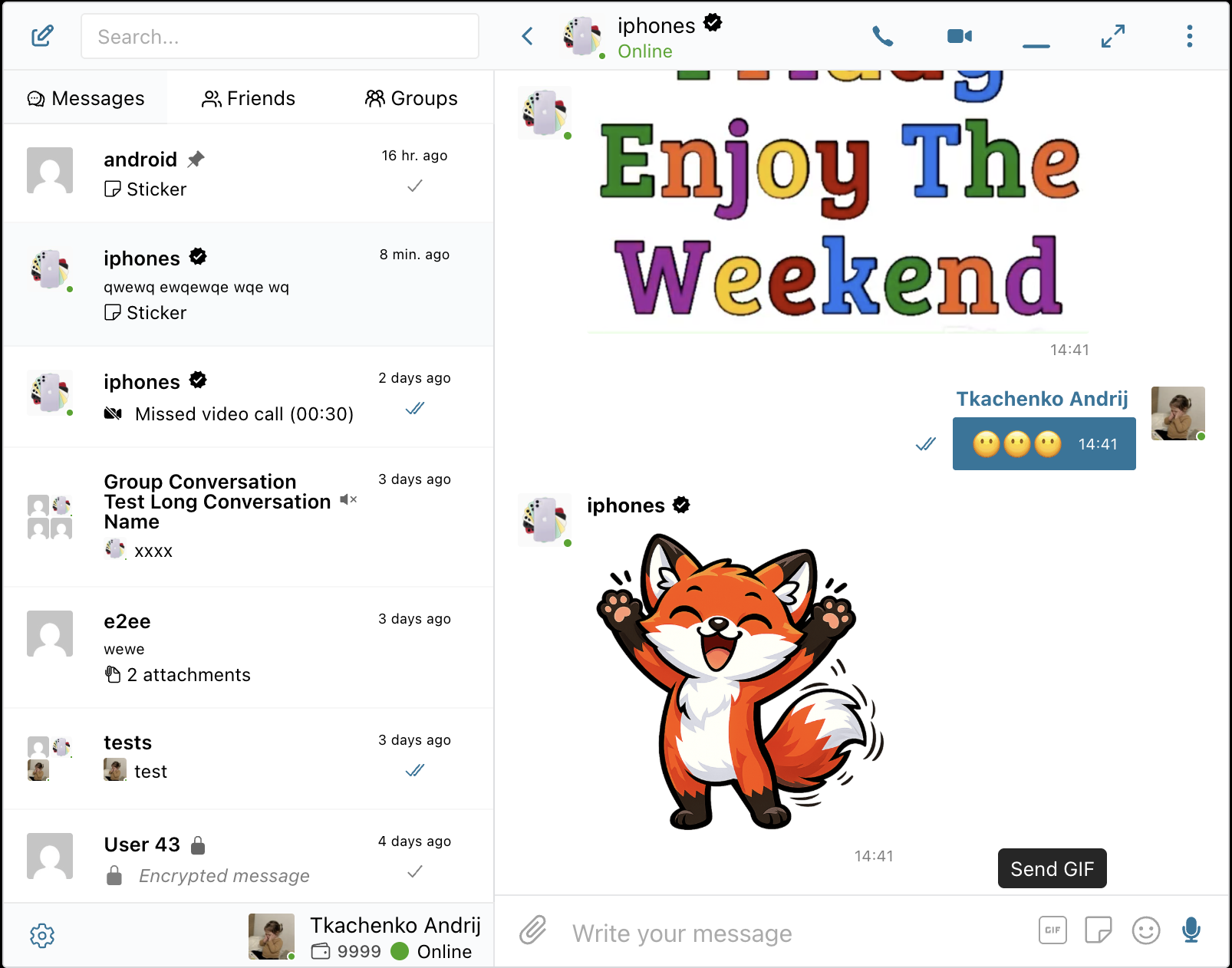
The GIF grid uses a stable masonry layout — new results load as you scroll down without repositioning existing items, so the browsing experience stays smooth.
Providers
Better Messages supports one GIF provider at a time. Choose the one that best fits your site.
GIPHY
The world's largest GIF library with billions of GIFs. Free API keys are available.
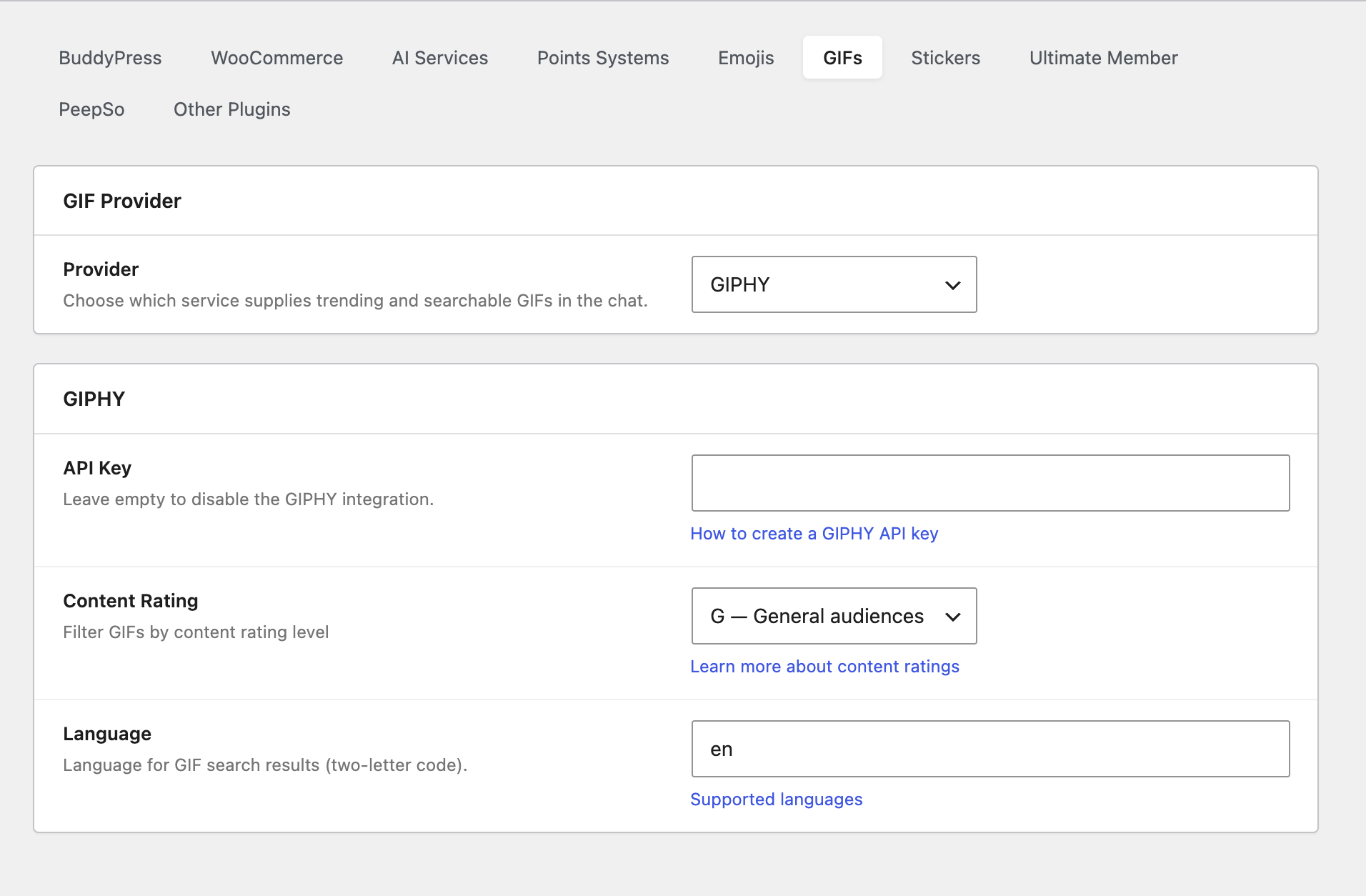
Settings (at Settings → Integrations → GIFs, select GIPHY):
| Setting | Description |
|---|---|
| API Key | Your GIPHY API key. Leave empty to disable. Get a free key |
| Content Rating | Filter GIFs by rating level. Options: G (all ages, default), PG, PG-13, R. Learn more |
| Language | Two-letter language code for search results (e.g. en, es, fr). Supported languages |
GIPHY's free tier is generous — it supports up to 1,000 API calls per hour and 42 calls per minute, which is enough for most messaging sites.
KLIPY
A newer GIF platform with curated content and optional ad-supported monetization.
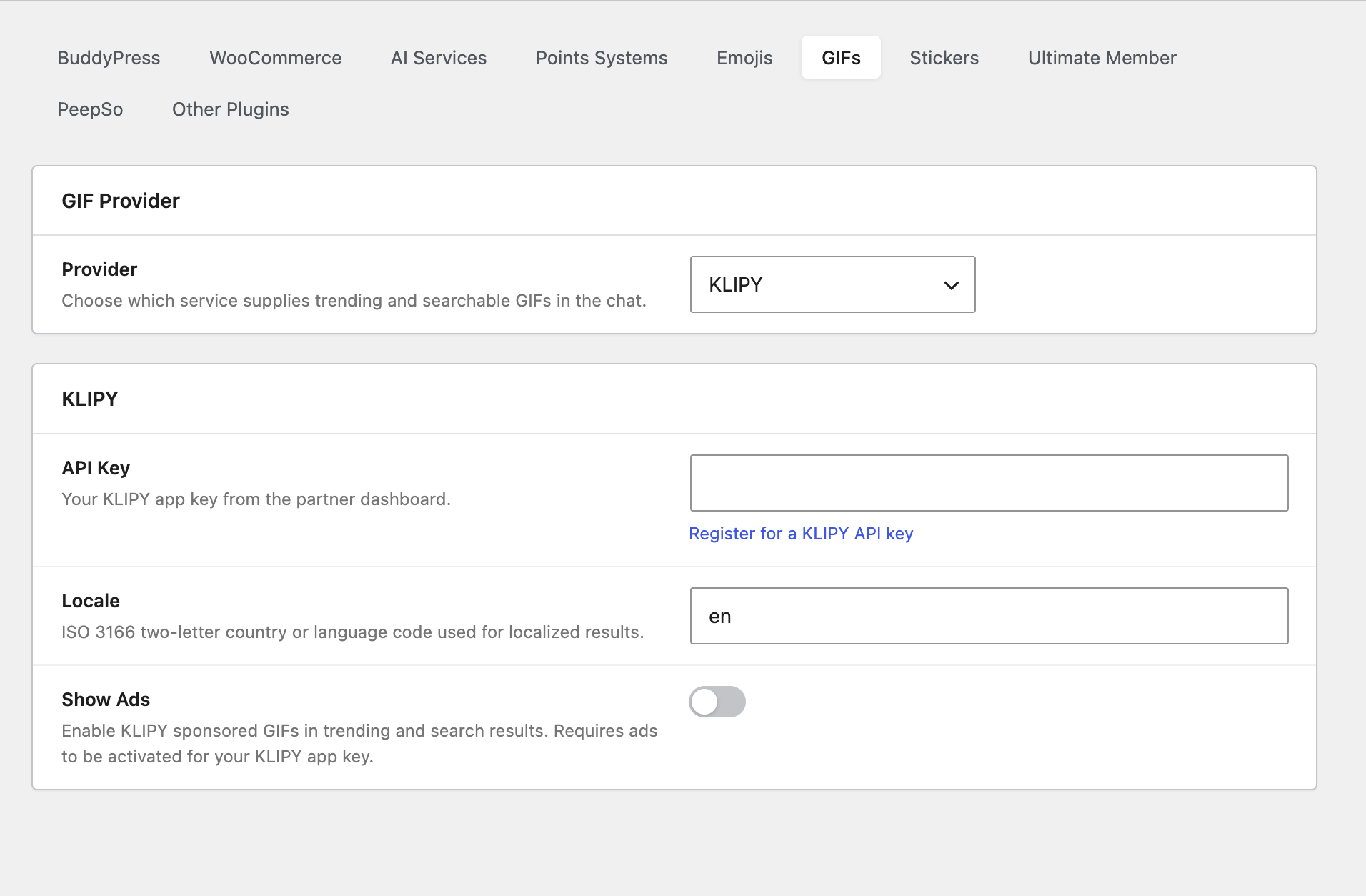
Settings (at Settings → Integrations → GIFs, select KLIPY):
| Setting | Description |
|---|---|
| API Key | Your KLIPY app key from the partner dashboard. Register for a key |
| Locale | ISO 3166 two-letter country or language code for localized results (e.g. en, fr) |
| Show Ads | Enable KLIPY-sponsored GIFs in trending and search results. Requires ads to be activated for your KLIPY app key. Off by default |
How to enable
- Navigate to WP Admin → Better Messages → Settings → Integrations → GIFs
- Select a Provider from the dropdown (GIPHY or KLIPY)
- Enter your API Key for the selected provider
- Configure content rating and language preferences
- The GIF button will appear in the chat input area for all users
Key capabilities
- Trending GIFs — popular content shown by default when the picker opens
- Keyword search — real-time search with debounced input for responsive results
- Stable masonry grid — items never reposition when new results load on scroll
- Optimistic send — the picker closes immediately on selection; the GIF appears in the conversation as soon as the server confirms
- Content filtering — GIPHY's content rating system lets you control what's appropriate for your audience
- Transient caching — trending results are cached server-side to reduce API calls (30 minutes for GIPHY trending, 15 minutes for search)
- Works everywhere — private messages, group conversations, and chat rooms
Switching providers
You can switch between GIPHY and KLIPY at any time by changing the Provider dropdown. Only one provider can be active at a time. Previously sent GIFs from either provider will continue to display correctly in chat history regardless of which provider is currently active — the GIF URLs are stored directly in the message content.