Messages Location
Every user has a personal inbox where every conversation they are part of is listed — DMs, group conversations, chat rooms, and synced group chats all show up here. The user can open any thread and reply directly from this page.
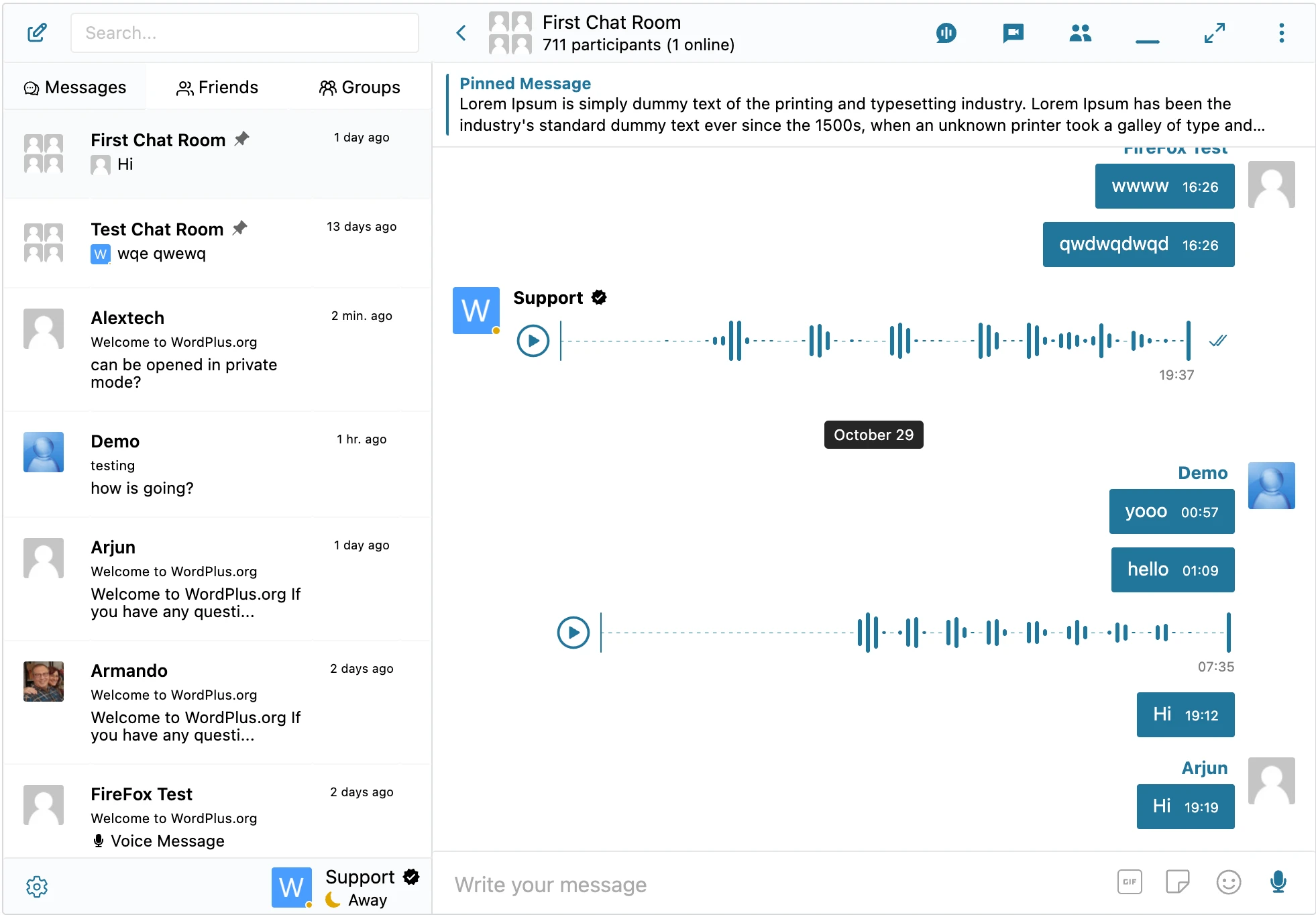
Choosing the messages location#
The messenger needs a Messages Location — the page on your site that hosts the inbox. Set it once under WP Admin → Better Messages → Settings → General:

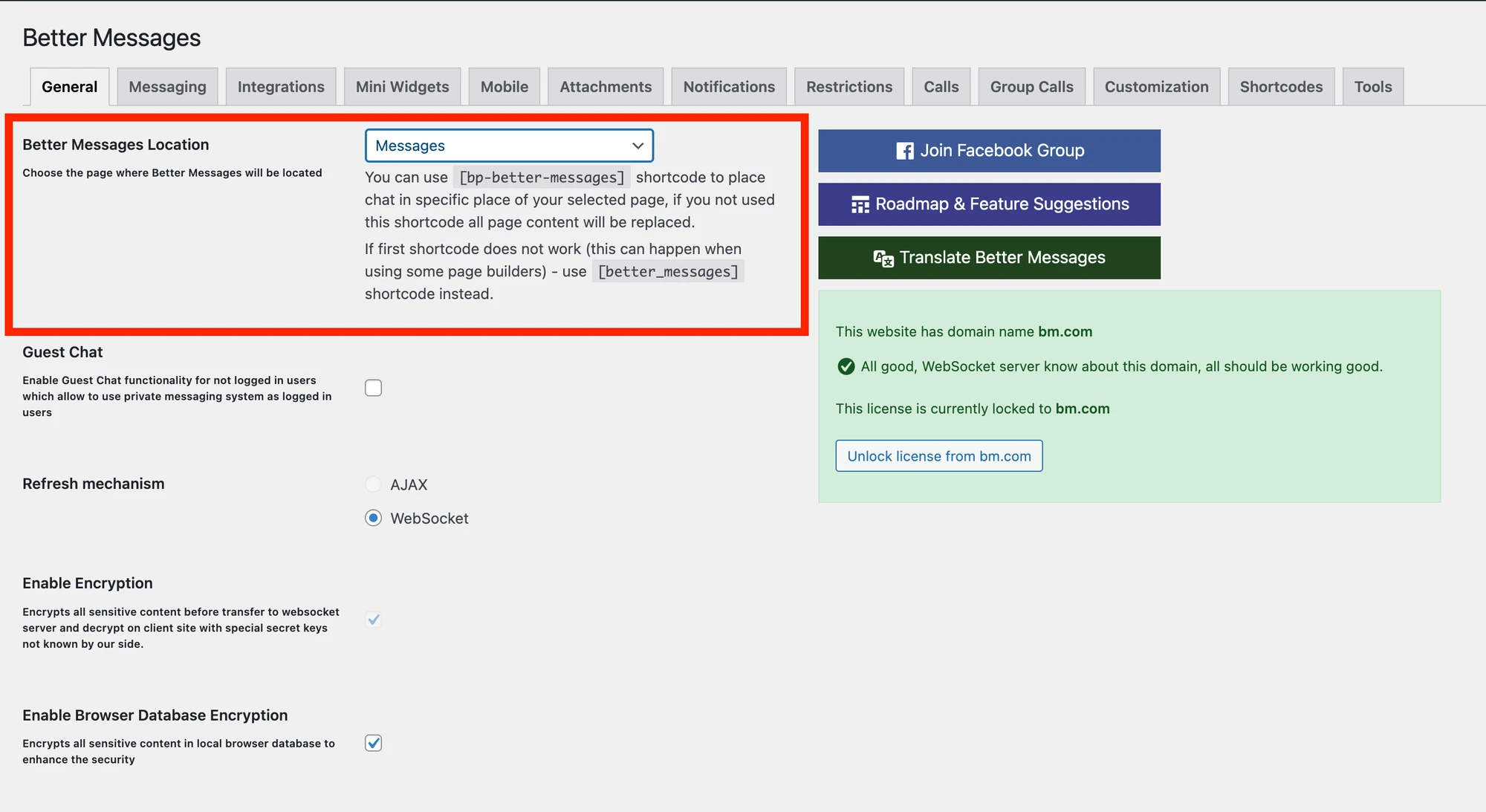
The location can be any of:
- A regular WordPress page (the page can be anywhere in your site — usually
/messages/or similar) - A community-plugin profile tab — BuddyPress, BuddyBoss, Ultimate Member, PeepSo, or FluentCommunity inject the inbox into the user's profile page
- A theme-provided account page — WooCommerce My Account, LearnPress / Tutor LMS / MasterStudy student account, Houzez / RealHomes / Directorist / Classified Listings / Motors dashboards, etc. (the specific integration page surfaces the inbox automatically)
Guest Messages Page#
If the chosen location is anything other than a regular WordPress page (i.e. an integration-embedded inbox) and Guest Chat is enabled, a second picker appears for the Guest Messages Page: a regular WordPress page where guests (and logged-in users) can reach the messenger directly without needing to navigate the host plugin's profile UI.
See Guest access → Guest Messages Page for the full setup.
See also#
- Conversation types — what shows up in the inbox
- Mini widgets — bottom-of-screen quick access to the inbox from anywhere on the site
- Guest access — letting visitors message without a WP account