Classified Listing (RTCL) Chat: Real-Time Messaging Plugin
Classified Listing (RTCL — Radius Theme Classified Listing) is the best-known classifieds plugin on WordPress, used for everything from local for-sale boards to country-wide listings sites. Better Messages adds a WordPress-native real-time chat layer to RTCL sites — running on its own WebSocket cloud, with the messenger hooking into every RTCL surface: the listing page, archive cards, author / store pages, the My Account dashboard, plus a floating header chat icon with live unread badge.
What Better Messages adds to Classified Listing
Once Better Messages is installed and the Classified Listing integration is enabled under Better Messages → Settings → Integrations → Directories:
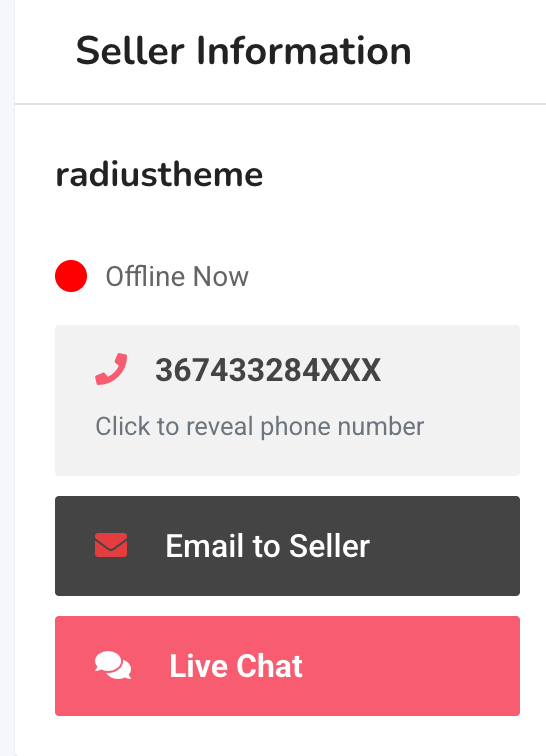
- Live Chat button on the listing page inside the Seller Information widget.
- Live Chat button on archive listing cards (opt-in).
- Live Chat button on author and store pages (Classified Listing Store add-on supported).
- Floating header chat icon with live unread-count badge.
- Messages tab inside the My Account dashboard next to My Listings, Store, Payments.
- Listing info card inside the conversation — image, title, price, location.
- Author archive links — clicking the seller's name in a conversation opens their RTCL author archive.
Floating header chat icon

Inserts a chat-bubble icon into the site header next to My Account and (when Pro is active) the native Chat icon. Inherits the theme's header-icon styling and shows a live unread count that updates in real time. Opt-in via the Header Chat Icon toggle.
Messages tab in the RTCL My Account dashboard
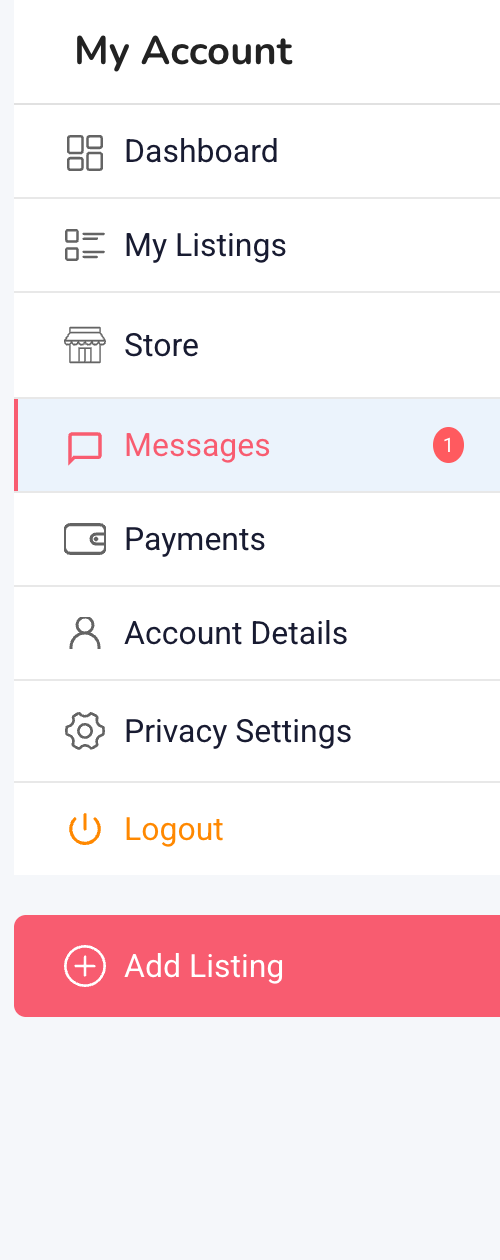
Embeds the full Better Messages inbox inside the RTCL My Account layout. Combined with Messages Location → Show in Classified Listing Account, every internal Messages link routes here.
After enabling the dashboard tab for the first time, visit Settings → Permalinks and click Save Changes to register the new endpoint. Without that step the tab will appear in the sidebar but the URL will 404.
Listing info card inside the conversation
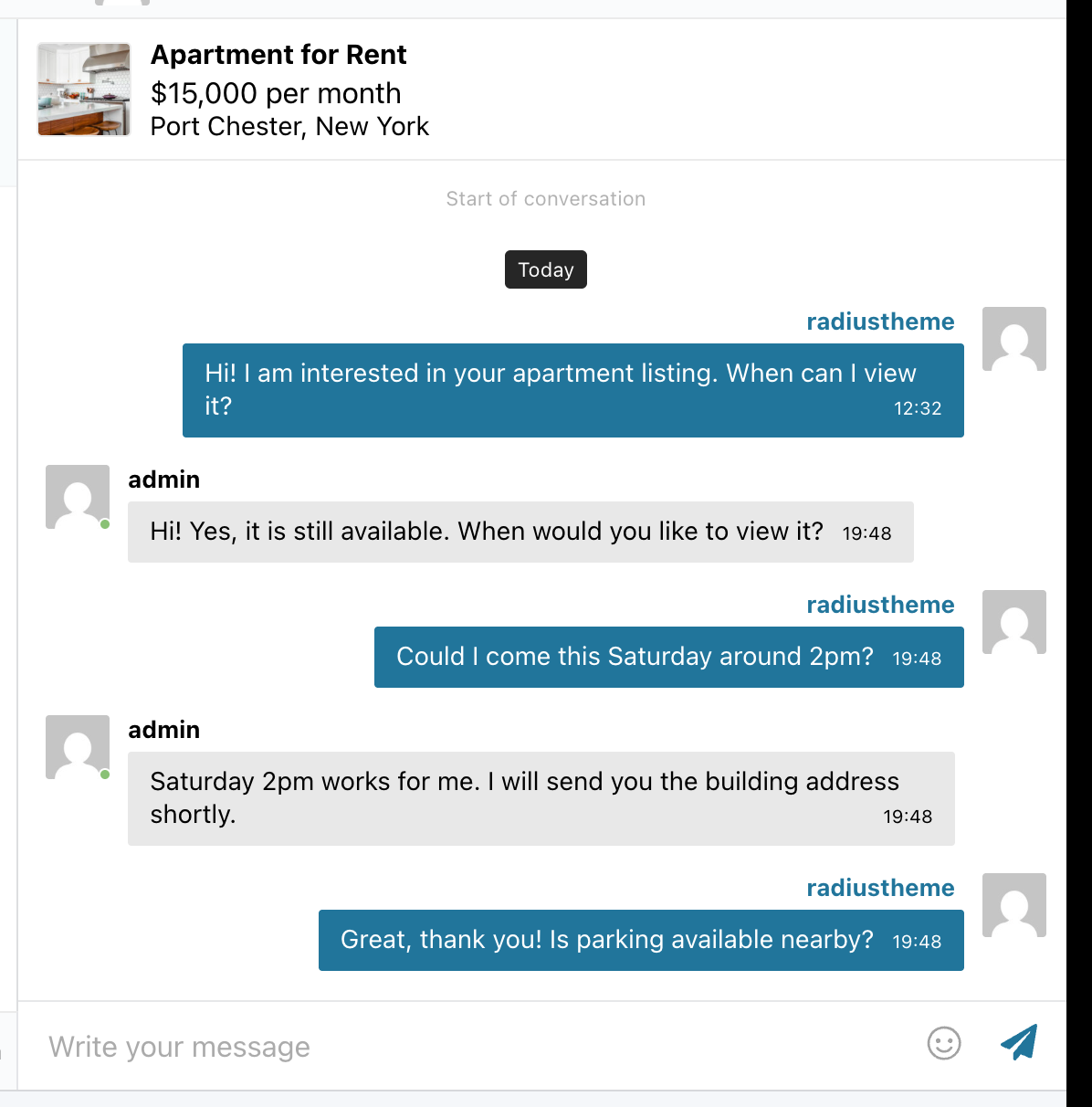
The card removes the "which listing is this about" question — the seller sees the listing image, title, and price at the top of the thread.
Using Classified Listing Pro chat alongside Better Messages
If you are running Classified Listing Pro with its built-in chat enabled, Better Messages coexists with it — both buttons render side by side on the listing page, both inboxes work independently.
For the cleanest experience, disable Pro's built-in chat under Classified Listing → Settings → Chat → uncheck Enable Chat so visitors only see one Live Chat button.
Installing Better Messages on a Classified Listing site
- Install Better Messages from WordPress.org and activate it.
- Make sure Classified Listing (RTCL) is active. Pro is optional — both work.
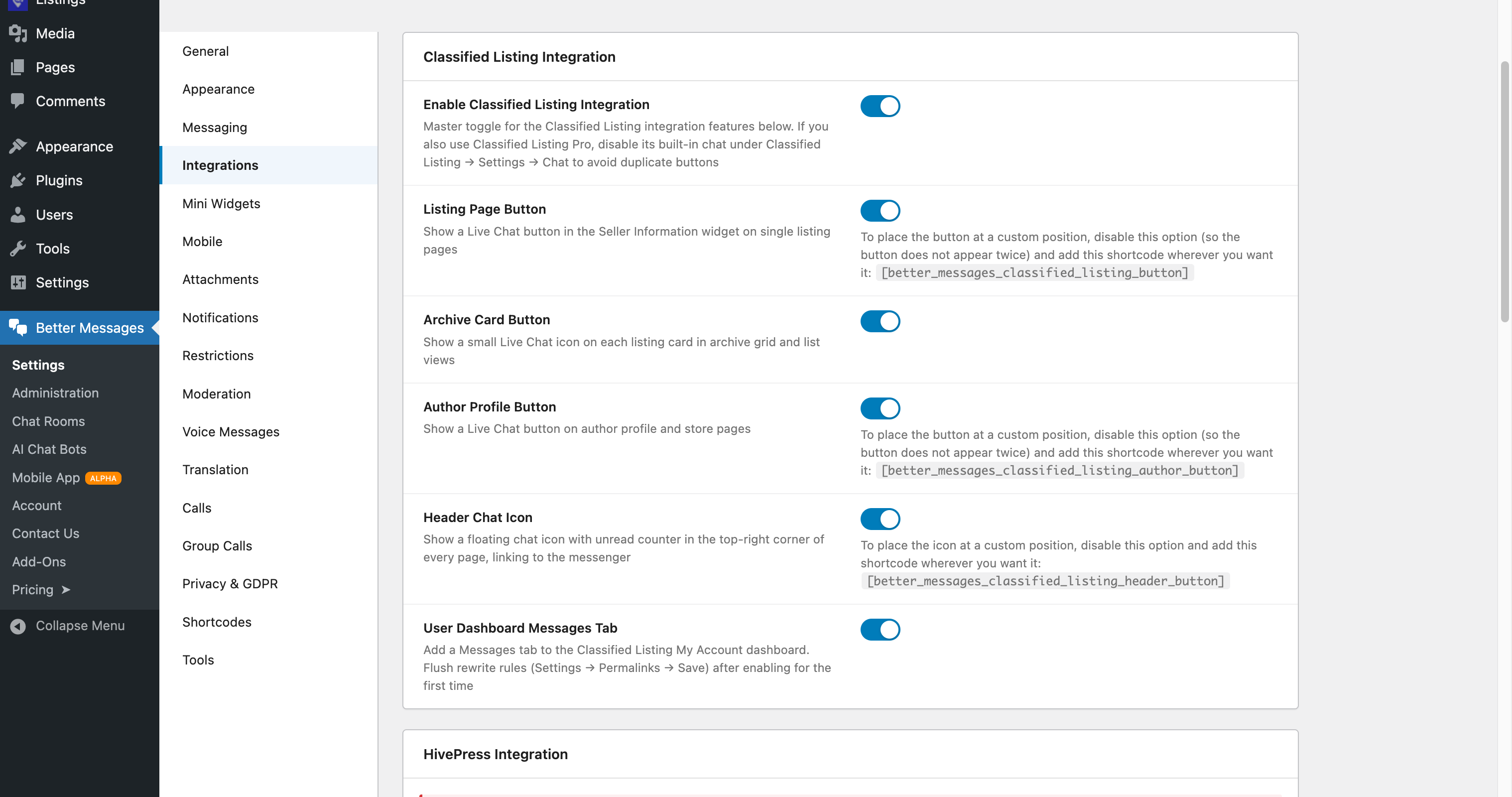
- Open WP Admin → Better Messages → Settings → Integrations → Directories → Classified Listing Integration.
- Toggle Enable Classified Listing Integration and the individual placement toggles you want.
Free vs WebSocket version for Classified Listing sites
| Feature | Free version | WebSocket version |
|---|---|---|
| Live Chat buttons on listing, archive cards, author / store pages | yes | yes |
| Floating header chat icon with unread badge | yes | yes |
| Messages tab inside RTCL My Account | yes | yes |
| Listing info card inside the thread | yes | yes |
| Real-time delivery | polling | instant |
| Mini-widget popup chat (buyer stays on the listing) | — | yes |
| One-on-one voice and video calls inside the thread | — | yes |
| Group voice and video calls | — | yes |
| Web push notifications for new messages | — | yes |
| Read receipts | — | yes |
| End-to-end encryption (optional) | — | yes |
For classified sites where the time-to-first-reply is the conversion metric, the WebSocket version's web push notifications close the gap dramatically — sellers see and reply to inquiries within minutes, not hours. The mini-widget popup keeps the buyer on the listing page they were considering.
Frequently asked questions
Does it work with Classified Listing Pro?
Yes. Pro is optional — Better Messages works with the free RTCL plugin too. With Pro, the Better Messages buttons render next to (or instead of) the Pro chat depending on whether you disable Pro's chat.
Will the dashboard tab work on commercial themes like Classima?
Yes — the Messages tab is added through RTCL's My Account endpoint registration, which commercial themes respect. The archive-card button is the only piece that depends on RTCL's default loop templates (some commercial themes replace those, and the archive button does not auto-render on those themes — listing page and header icon still work).
Can visitors message without an account?
Optional. With Guest Chat enabled, unregistered visitors can start a thread from a listing by typing a name and email.
Does the header chat icon support translation / dark mode?
Yes — the icon inherits the theme's native header-icon styling, so dark-mode flips and RTL layouts are handled by the theme automatically.
Can I place the header chat icon in a custom location?
Yes — use the shortcode [better_messages_classified_listing_header_button] inside a page-builder block or a custom header template.
See also
- Classified Listing integration documentation — full setup reference
- Directorist chat — for Directorist-driven sites
- GeoDirectory chat — for GeoDirectory-driven sites
- HivePress listing chat — for HivePress-driven sites
- Motors car dealer chat — for automotive classifieds