Better Messages for Classified Listing (RTCL): Seller ↔ Buyer Chat
The Classified Listing integration for Better Messages adds a Live Chat button on the listing page (inside Seller Information), on archive cards (opt-in), on author and store pages, plus a Messages tab inside the My Account dashboard, and a floating header chat icon with live unread badge. Conversations started from a listing show the listing's image, title, price, and location as a context card. Works on both the free and WebSocket versions.
To install the plugin ensure that your website running:
- WordPress 5.9 or newer
- PHP 7.4 or newer
Installation#
How to install Classified Listing#
Download Classified Listing from the WordPress.org plugin directory and follow the standard WordPress installation process.
How to install Better Messages with Classified Listing#
- Install the plugin through the WordPress plugins screen directly or upload the plugin files to the
/wp-content/plugins/bp-better-messagesdirectory. - Activate the plugin through the Plugins screen in WordPress.
- Use the Better Messages -> Settings menu to configure the plugin.
- Go to Integrations -> Directories and enable the Enable Classified Listing Integration toggle in the Classified Listing Integration section. Each placement below has its own toggle so you can enable only what you need.
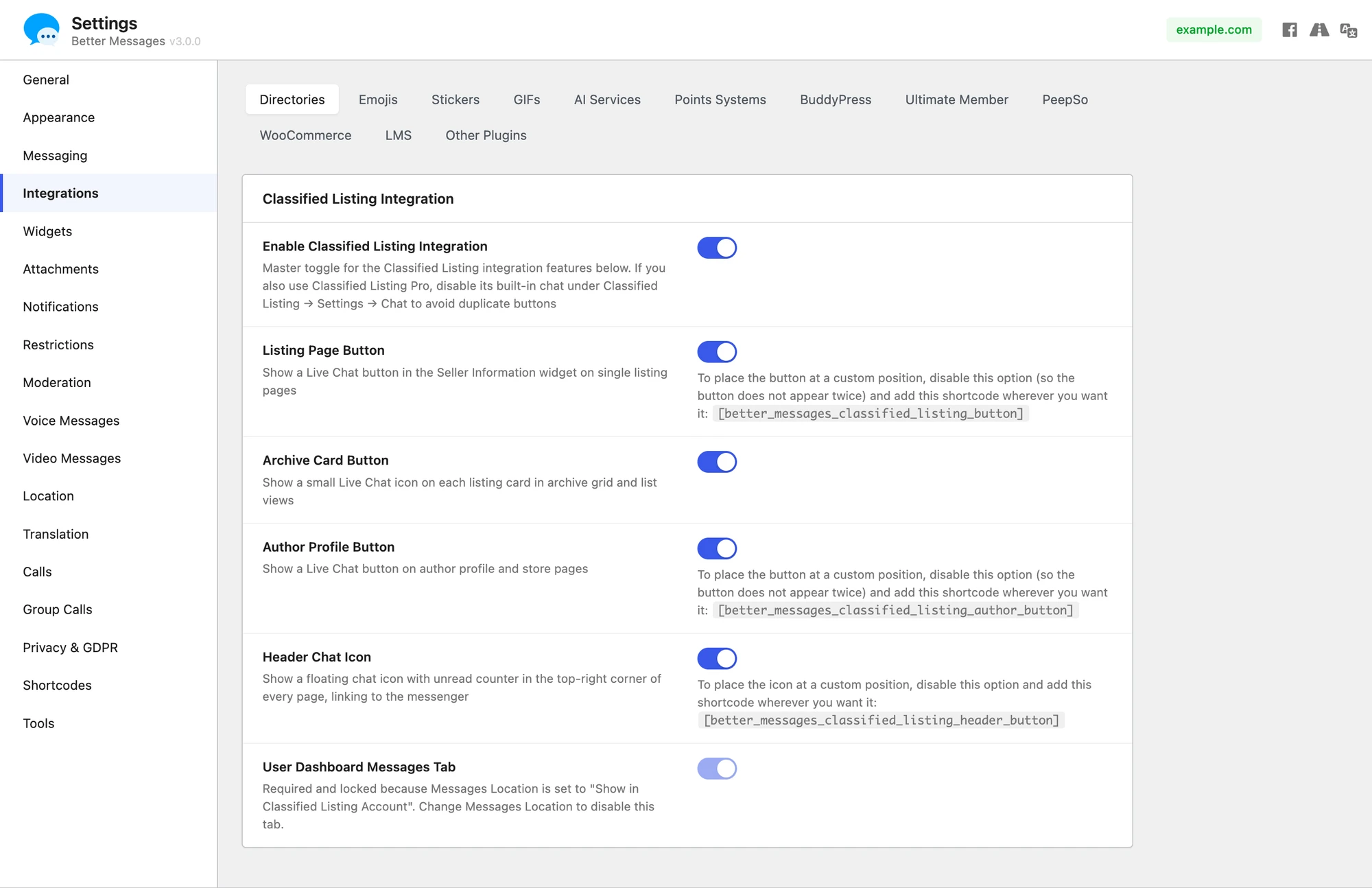
Setting Classified Listing as the messages location#
Better Messages → Settings → General has a Messages Location dropdown that controls which page hosts the user inbox. Selecting Show in Classified Listing Account routes every "open inbox" link in the plugin (notification emails, push notifications, the floating header icon, the unread-counter shortcode, etc.) into the Classified Listing My Account → Messages tab. The dashboard tab is force-enabled and locked while this option is selected — change Messages Location away from Classified Listing to unlock it again.

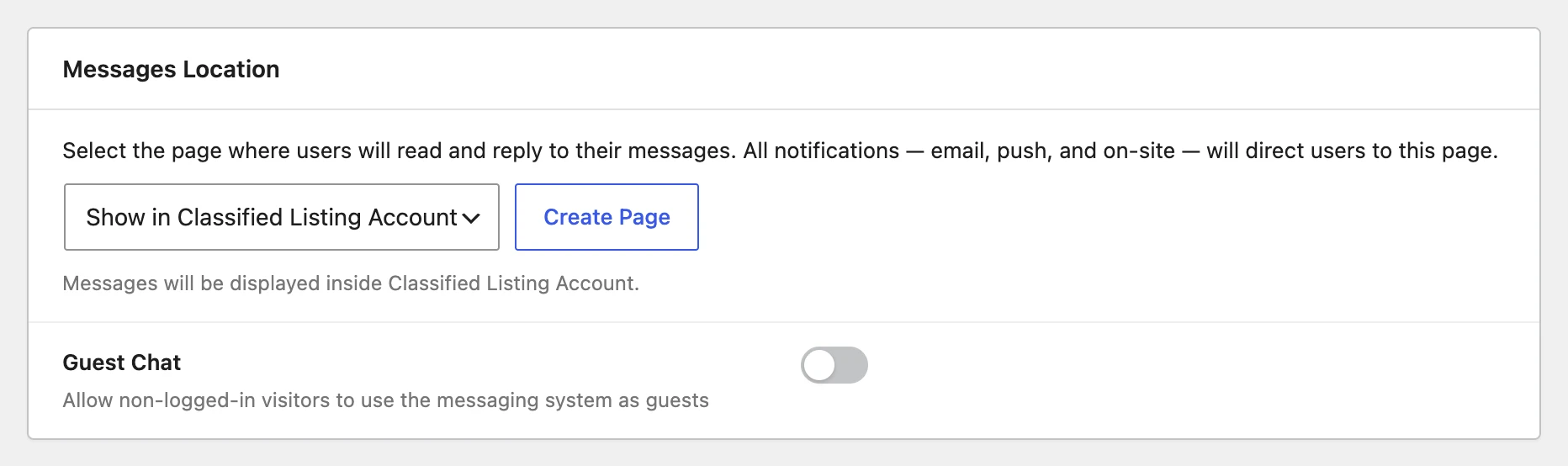
Using Classified Listing Pro alongside Better Messages#
Classified Listing Pro ships its own bundled realtime chat. Better Messages will happily coexist with it — both buttons render side by side on the listing page, and both inboxes work independently.
For the cleanest experience we recommend disabling Pro's built-in chat (Classified Listing → Settings → Chat → uncheck Enable Chat) so visitors only see one Live Chat button. Better Messages gives you a WordPress-native inbox, guest chat, attachments, calls and AI bots without any third-party dependencies.
Supported features#
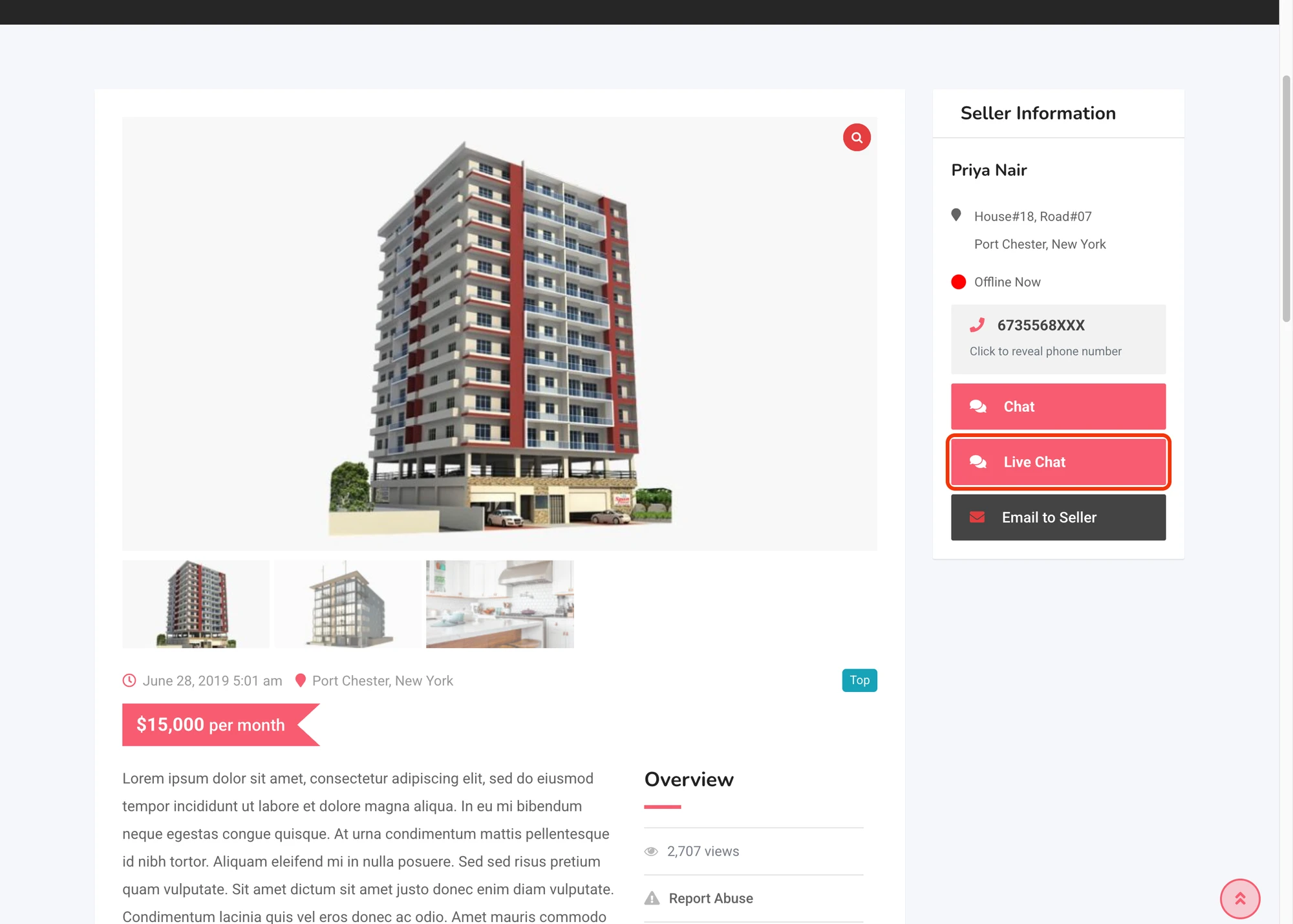
Live Chat button on the listing page#
Renders inside the Seller Information widget next to the existing Chat and Email to Seller rows. The button is hidden when the listing is not published or when the visitor is the listing's author.

Live Chat button on archive listing cards#
Adds a small icon button on each card in the archive grid and list views. Disabled by default — opt in via the Archive Card Button toggle.
Some commercial themes (e.g. Classima) replace Classified Listing's card template with their own and skip the loop hooks the integration uses, so the auto-injected card button only appears on themes that keep the default RTCL loop templates. On those themes the Listing Page Button and Header Chat Icon still work as expected.
Live Chat button on author and store pages#
Adds a Live Chat button on the listing author archive and on the store profile page (when the Classified Listing Store add-on is in use). Renders via the rtcl_author_after_info and rtcl_store_after_seller_information hooks. On themes that replace those templates use the shortcode below instead.
Header chat icon#
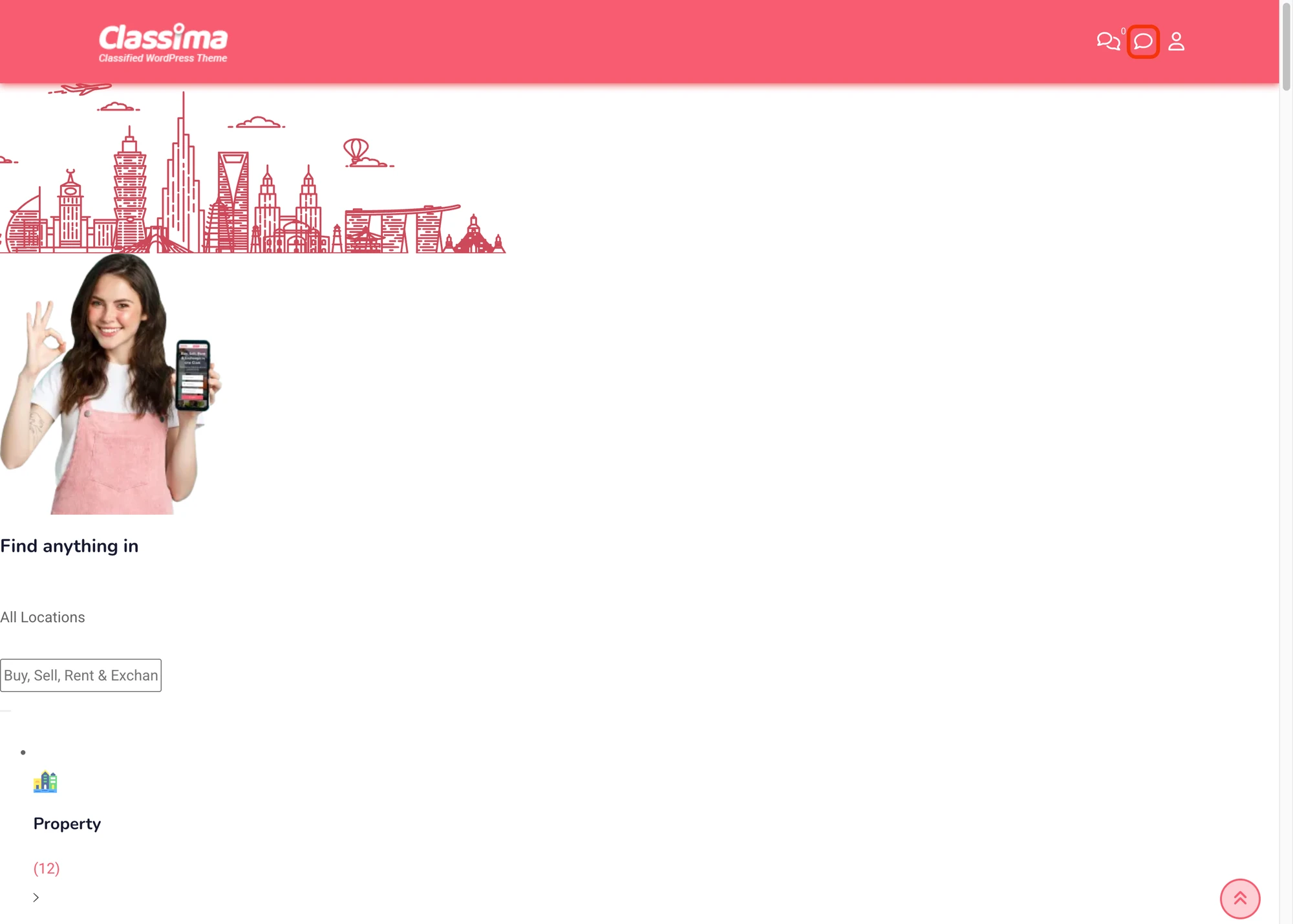
Injects a chat-bubble icon into the site header next to the existing My Account and (when Pro is active) Chat icons. Inherits the theme's native header-icon styling so it looks like a built-in menu item, and shows a live unread-count badge that updates in real time. Disabled by default — opt in via the Header Chat Icon toggle.

Messages tab inside the My Account dashboard#
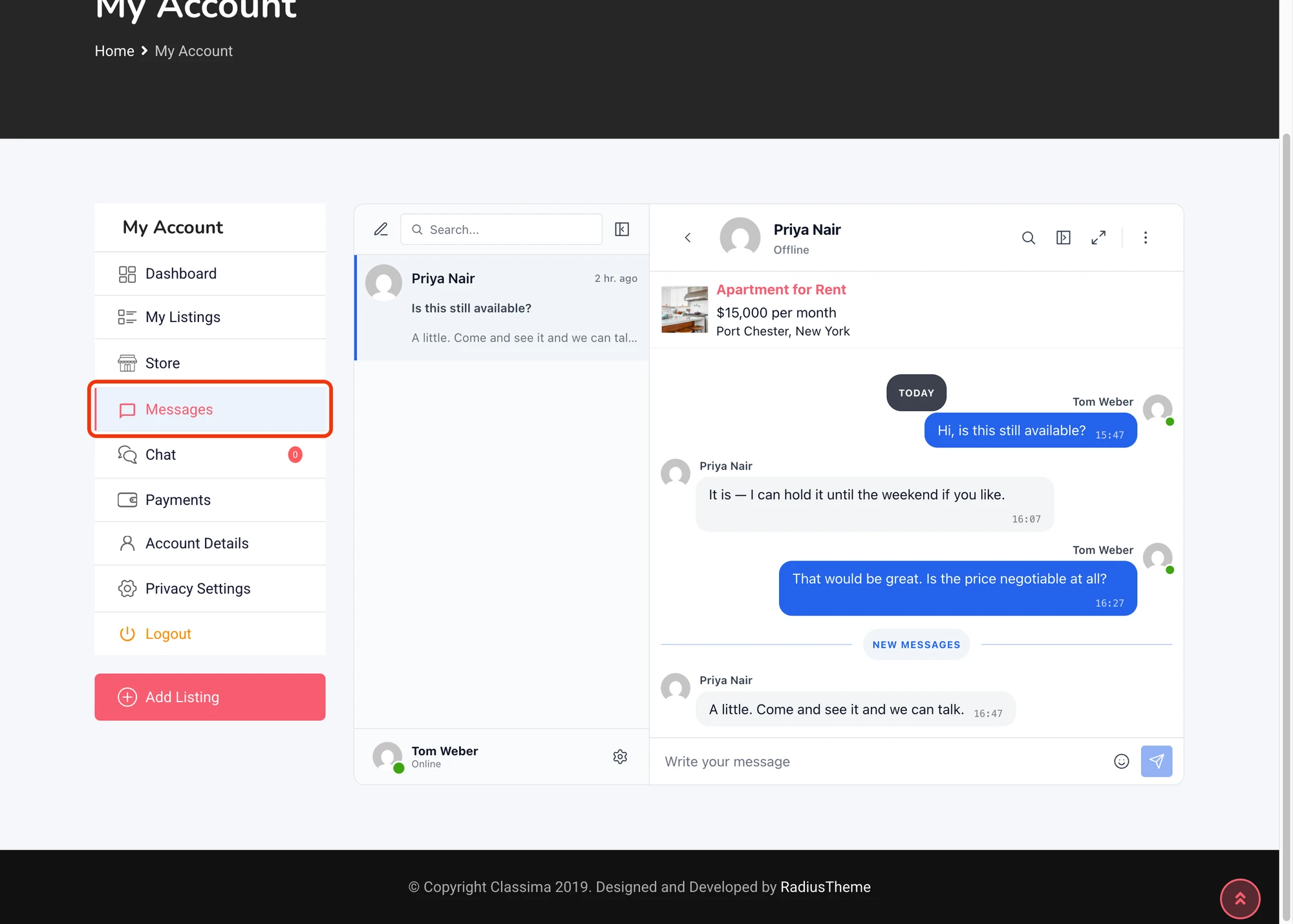
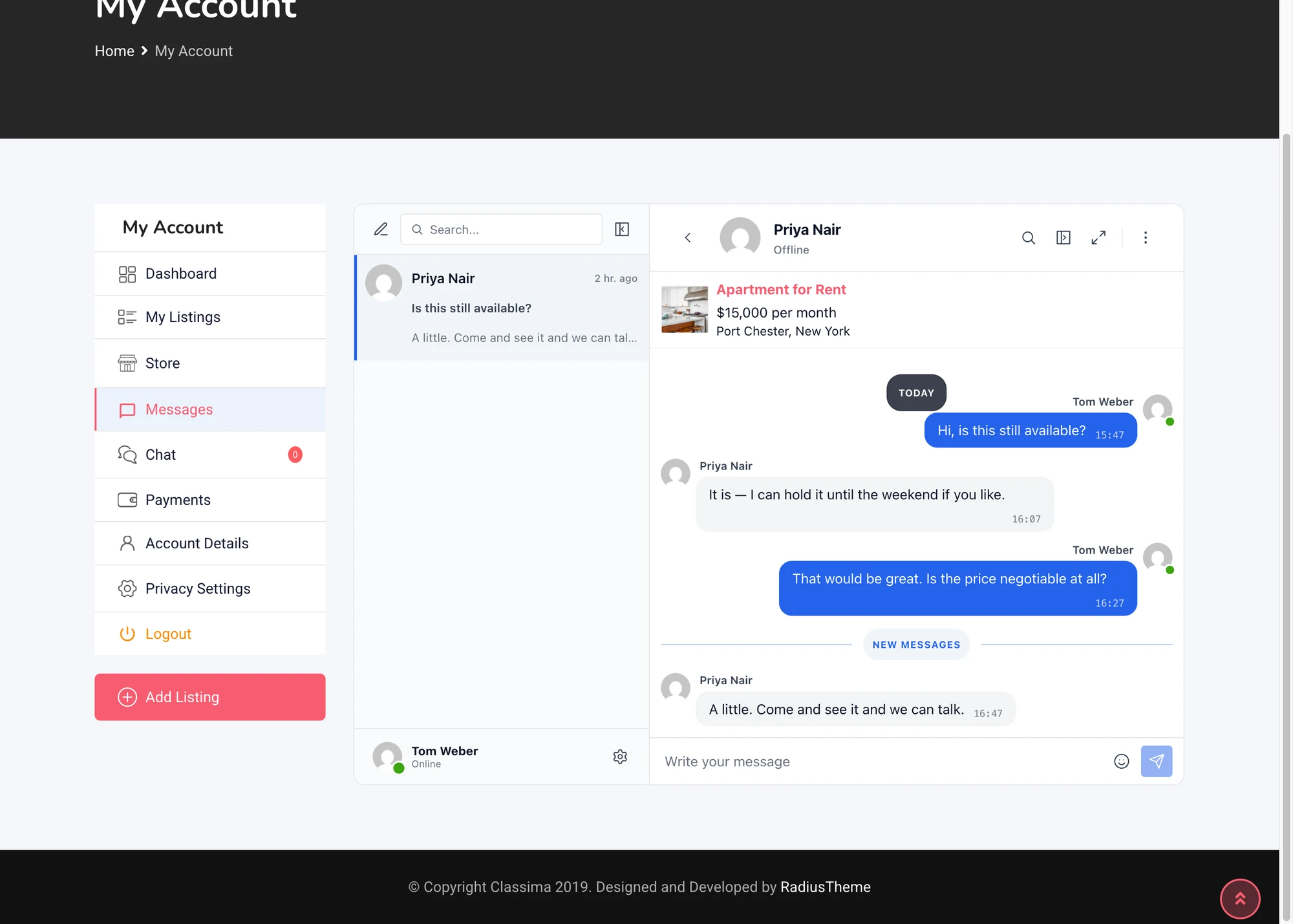
Adds a Messages tab to the Classified Listing My Account sidebar next to My Listings, Store, Payments and (when Pro is active) Chat. The full Better Messages inbox renders inside the dashboard layout.
After enabling this option for the first time, visit Settings → Permalinks and click Save Changes to register the new endpoint. Without that step the tab will appear in the sidebar but its URL will 404.

Listing info card inside the conversation#
Conversations started from a Classified Listing listing show the listing's image, title, price and location inside the Better Messages thread. The seller's name in the conversation links to their author archive on the site.

Shortcodes for custom placement#
If the auto-injected buttons don't land where you want them (custom layout, sidebar widget, page builder, etc.), drop the matching shortcode wherever you need.
Disable the corresponding toggle (Listing Page Button / Author Profile Button / Header Chat Icon) before placing the shortcode, otherwise the button will be rendered twice — once auto-injected and once by the shortcode.
[better_messages_classified_listing_button]#
Renders the Live Chat button targeted at the listing owner. Falls back to the current Classified Listing post when no listing_id is supplied.
| Attribute | Default | Notes |
|---|---|---|
listing_id | current post | Override the listing the button targets |
user_id | listing author | Override the message recipient |
class | RTCL primary button classes | Override CSS classes |
text | Live Chat | Override the button label |
[better_messages_classified_listing_button]
[better_messages_classified_listing_button listing_id="42"]
[better_messages_classified_listing_button text="Contact seller" class="rtcl-btn rtcl-btn-secondary"]
[better_messages_classified_listing_author_button]#
Renders the Live Chat button on a listing author archive or store page. Resolves the author from the queried object by default.
| Attribute | Default | Notes |
|---|---|---|
user_id | author of the page | Override the message recipient |
class | RTCL primary button classes | Override CSS classes |
text | Live Chat | Override the button label |
[better_messages_classified_listing_author_button]
[better_messages_classified_listing_author_button user_id="17"]
[better_messages_classified_listing_header_button]#
Renders the header chat icon (chat bubble + unread badge) — useful when you want to place it inside a custom header block or page-builder layout instead of letting the integration auto-inject it next to the existing Chat / My Account icons.
[better_messages_classified_listing_header_button]
Frequently asked questions#
Does it work with Classified Listing Pro?#
Yes — Pro is optional. With Pro, the Better Messages buttons render next to (or instead of) Pro's bundled chat, depending on whether you disable Pro's chat.
Will the dashboard tab work on commercial themes like Classima?#
Yes — the Messages tab uses RTCL's My Account endpoint registration, which commercial themes respect. The archive-card button depends on RTCL's default loop templates and may not auto-render on heavily-customized themes.
Can visitors message without an account?#
Optional — enable Guest Chat in Better Messages → Settings → General → Guest Chat.
Does the header chat icon support translation / dark mode?#
Yes — inherits the theme's native header-icon styling, so dark mode and RTL are handled by the theme.
Can I place the header chat icon in a custom location?#
Yes — use the shortcode [better_messages_classified_listing_header_button] inside a page-builder block.
See also#
- Classified Listing chat — full feature write-up
- Directorist integration
- HivePress integration
- GeoDirectory integration
- Motors integration — for automotive classifieds