GeoDirectory Chat: Real-Time Messaging for GeoDirectory Listings
GeoDirectory is the location-aware directory plugin for WordPress — restaurants, gyms, professionals, real estate, anywhere people search "near me." Each listing has an owner; the visitor's natural next step after finding a listing is to ask a question. Better Messages adds a real-time Send Message button to every GeoDirectory listing page, with the listing's image / title / address / price showing as a context card inside the conversation.
What Better Messages adds to GeoDirectory
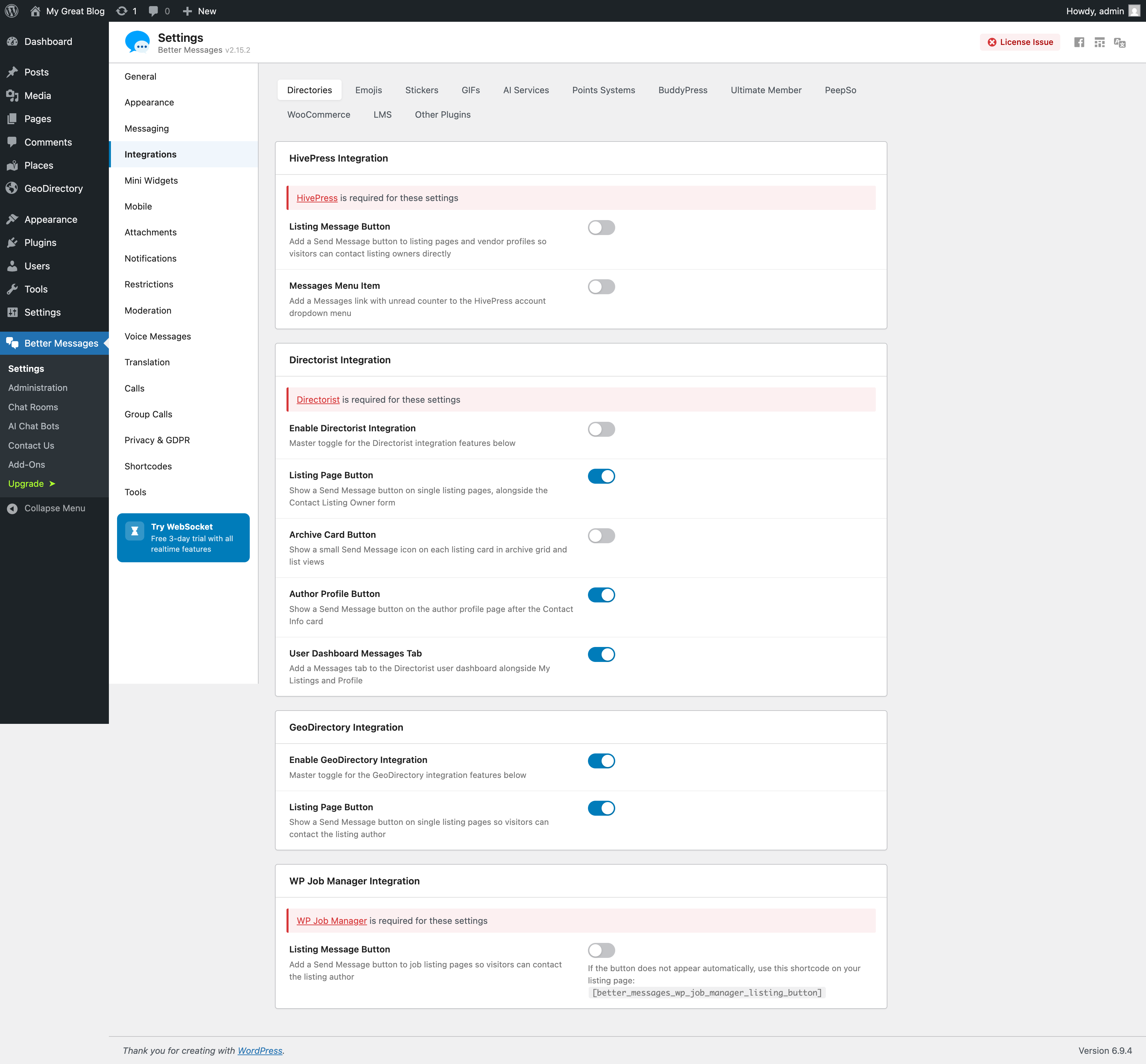
Once Better Messages is installed and the GeoDirectory integration is enabled under Better Messages → Settings → Integrations → Directories:
- Send Message button on the listing page next to GeoDirectory's author actions.
- Listing info card inside the thread — image, title, address, price.
- GeoDirectory author profile links — clicking the author's name in a conversation opens their GeoDirectory profile, not the default WordPress one.
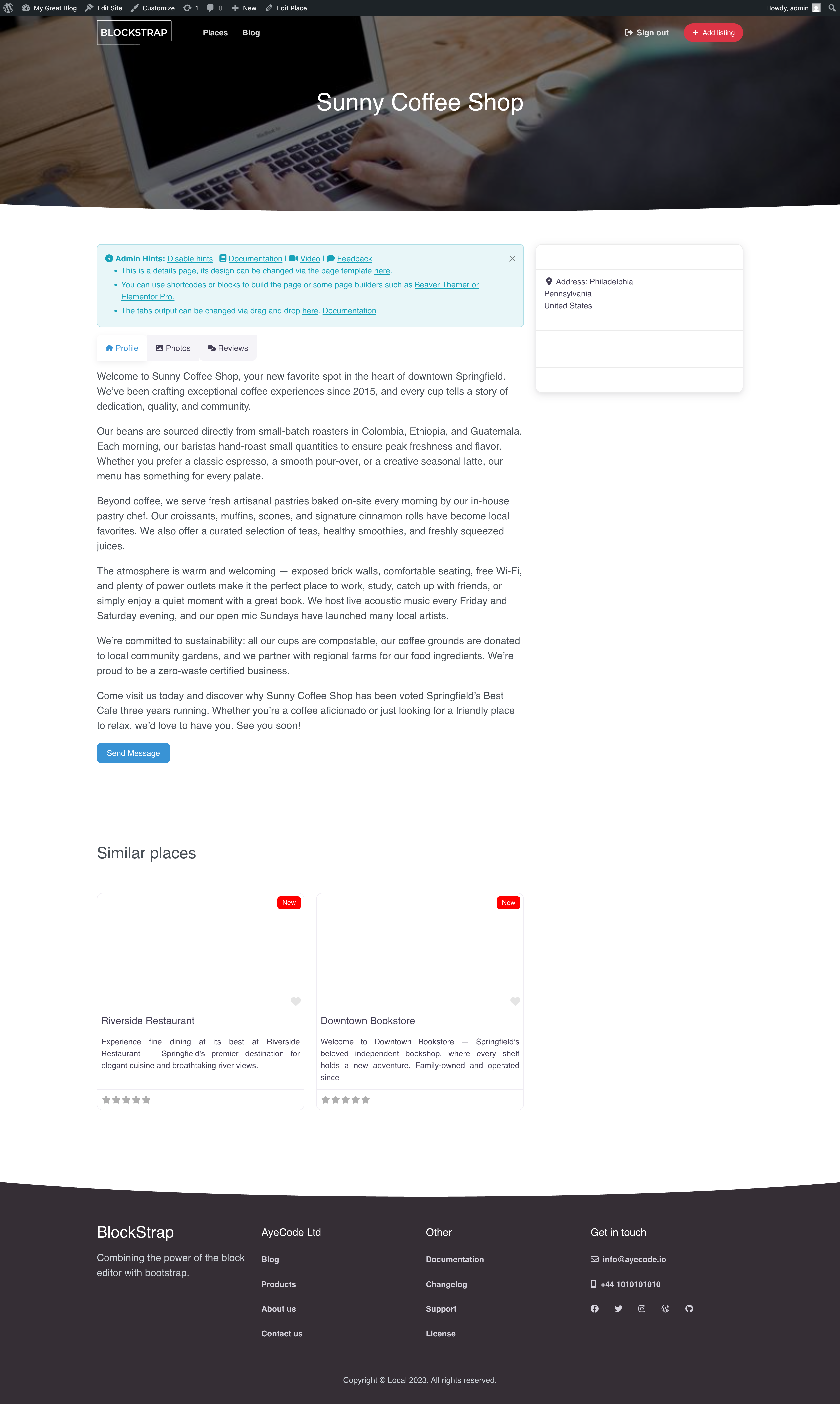
Listing info card inside the conversation
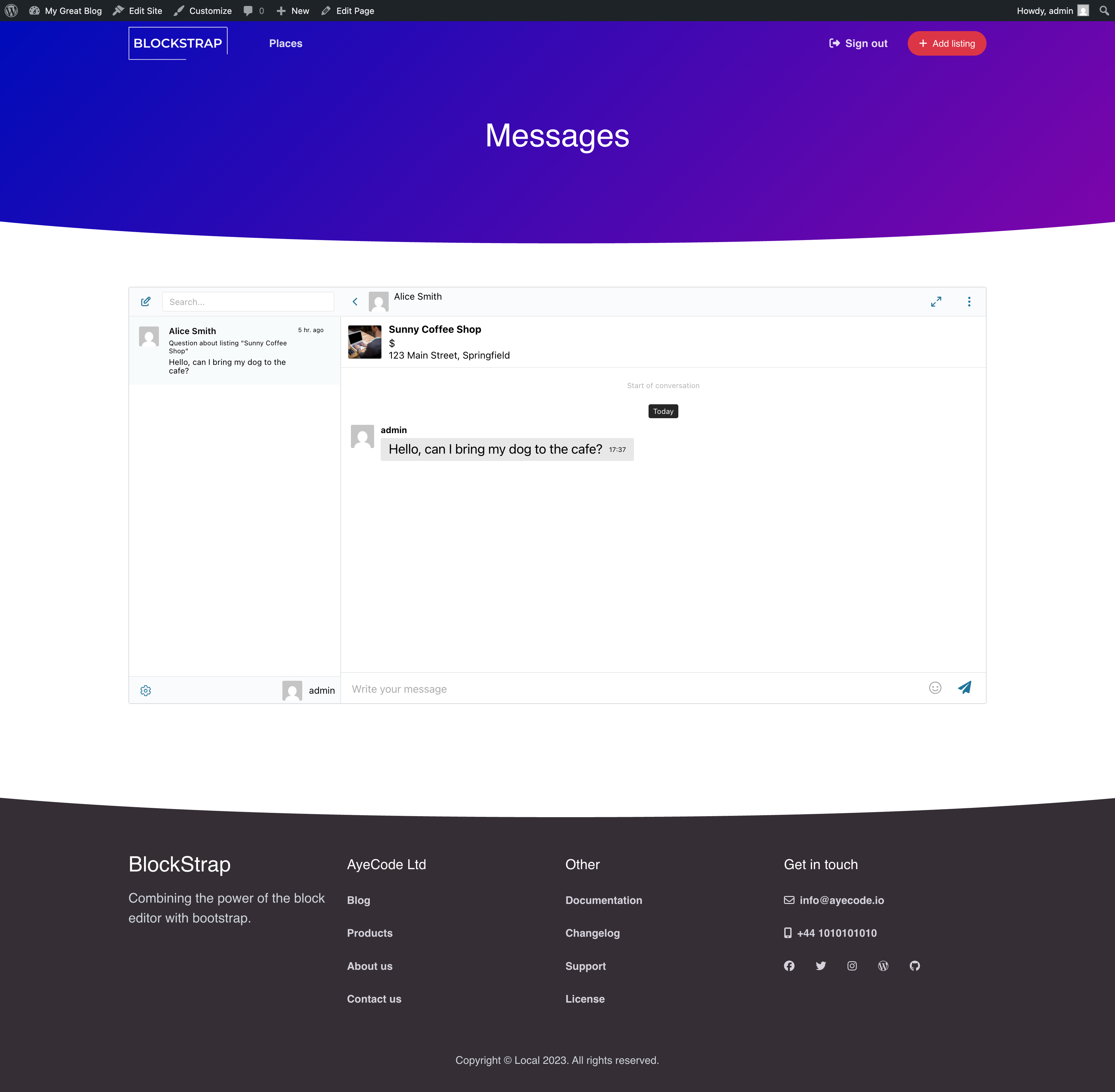
The listing owner sees exactly which listing the visitor is asking about — no "which listing was this?" question. The card is rendered automatically above the conversation.
Installing Better Messages on a GeoDirectory site
- Install Better Messages from WordPress.org and activate it.
- Make sure GeoDirectory is active.
- Open WP Admin → Better Messages → Settings → Integrations → Directories → GeoDirectory Integration.
- Toggle Enable GeoDirectory Integration.
For custom layouts or theme overrides, place the button manually:
[better_messages_geodirectory_listing_button]
[better_messages_geodirectory_listing_button listing_id="123"]
[better_messages_geodirectory_listing_button text="Contact owner"]
Free vs WebSocket version for GeoDirectory sites
| Feature | Free version | WebSocket version |
|---|---|---|
| Send Message button on listing pages | yes | yes |
| Listing info card inside the conversation | yes | yes |
| GeoDirectory author profile links | yes | yes |
| Real-time delivery | polling | instant |
| Mini-widget popup chat | — | yes |
| One-on-one voice and video calls inside the thread | — | yes |
| Group voice and video calls (e.g. listing owner + assistants) | — | yes |
| Web push notifications for new messages | — | yes |
| Read receipts | — | yes |
| End-to-end encryption (optional) | — | yes |
For GeoDirectory sites running paid listings, the WebSocket version's web push notifications close the response-time gap that paid-listing customers complain about — owners see and reply within minutes even when their dashboard tab is closed.
Frequently asked questions
Does it work with GeoDirectory's paid add-ons?
Yes — the integration uses GeoDirectory's core listing hooks, which paid add-ons extend rather than replace.
Can visitors message without an account?
Optional. With Guest Chat enabled in Better Messages → Settings → Guest Chat, unregistered visitors can start a thread from a listing.
What happens when a listing is unpublished?
The Send Message button is hidden when the listing is not published, and existing threads remain readable on both sides.
Will it work with custom GeoDirectory theme layouts?
The button auto-renders on standard layouts. For custom themes, the shortcode [better_messages_geodirectory_listing_button] works inside any page builder.
Does the listing owner get notified by email?
Yes — Better Messages' standard email-notification system applies. Owners can adjust their per-thread email preferences in their account settings.
See also
- GeoDirectory integration documentation — full setup reference
- Directorist chat — for Directorist-driven sites
- HivePress listing chat — for HivePress-driven sites
- Classified Listing chat — for Classified Listing (RTCL) sites
- Motors car dealer chat — for automotive listing sites