Directorist Chat: Real-Time Messaging for Directory Listings
Directorist turns WordPress into a directory site — a YellowPages, a restaurant guide, a coworking-space finder, a marketplace of services. Each listing has an author; the obvious bridge between a visitor and that author is a one-click Send Message button. Better Messages adds a real-time chat layer that hooks into every Directorist surface: the listing page, archive cards, the author profile, and a Messages tab inside the Directorist user dashboard.
What Better Messages adds to Directorist
Once Better Messages is installed and the Directorist integration is enabled under Better Messages → Settings → Integrations → Directories:
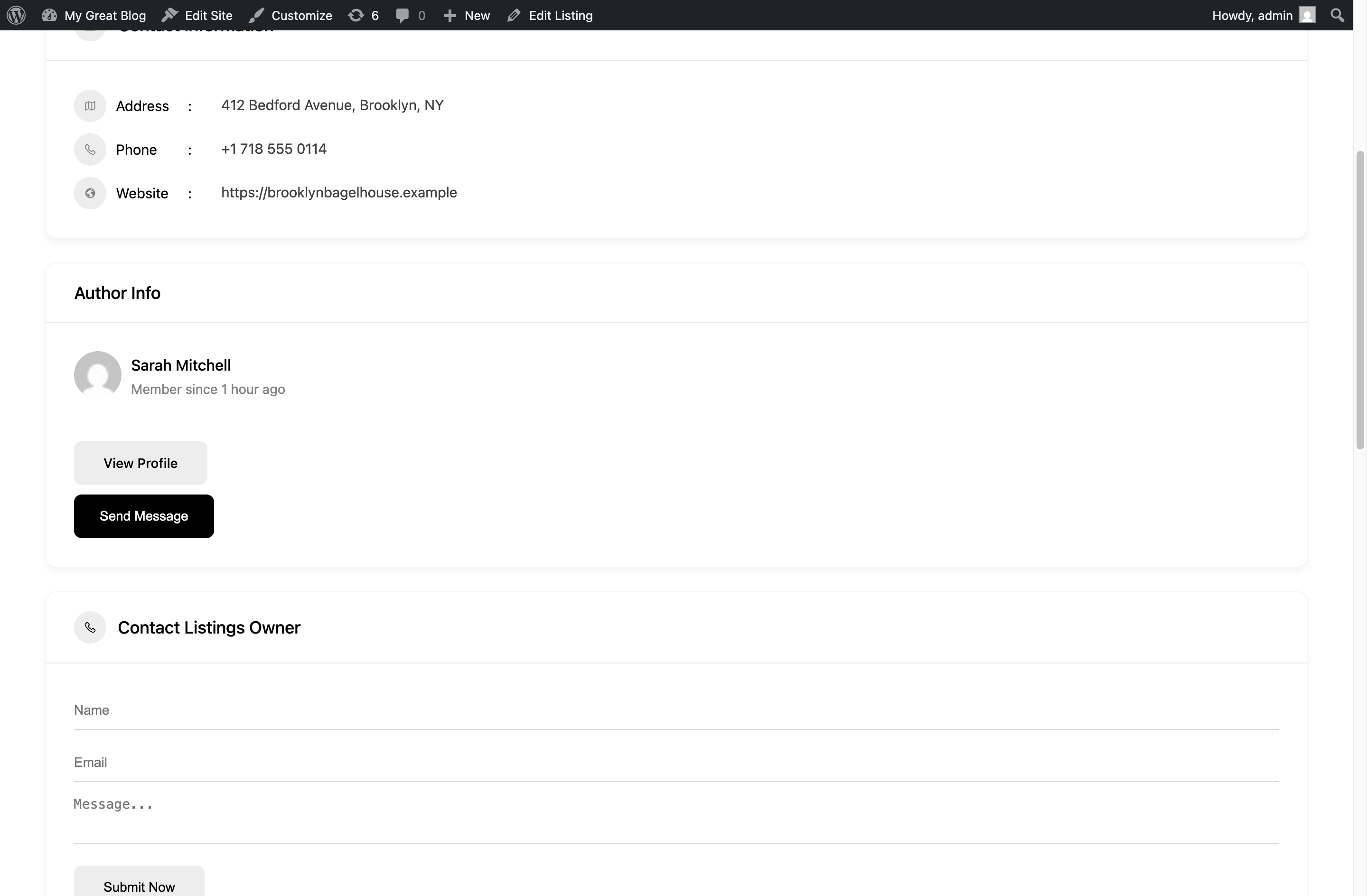
- Send Message button on the listing page inside the Author Info card.
- Send Message button on archive listing cards in the grid and list views (opt-in).
- Send Message button on the author profile page.
- Messages tab inside the Directorist user dashboard next to My Listings, My Profile, Favorite Listings.
- Listing info card — conversations started from a listing show the listing's image, title, price, and address inside the thread.
- Author profile links — clicking the author's name in a conversation opens the Directorist author profile, not the WordPress one.
Messages tab inside the user dashboard
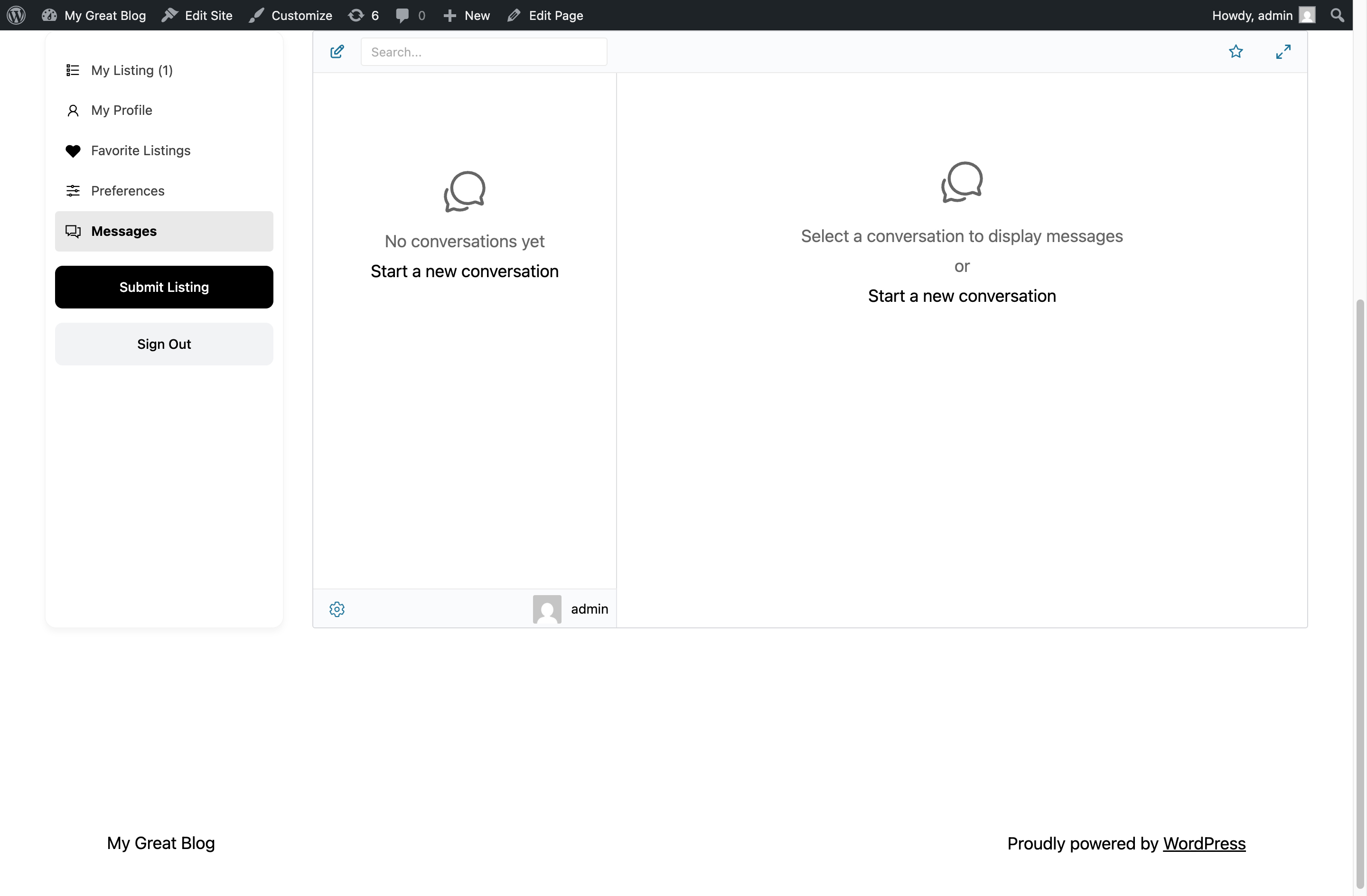
Visitors and listing owners read and reply to conversations without leaving the Directorist dashboard. Combined with Messages Location → Show in Directorist Dashboard, every internal Messages link routes to this tab.
Listing info card inside the conversation
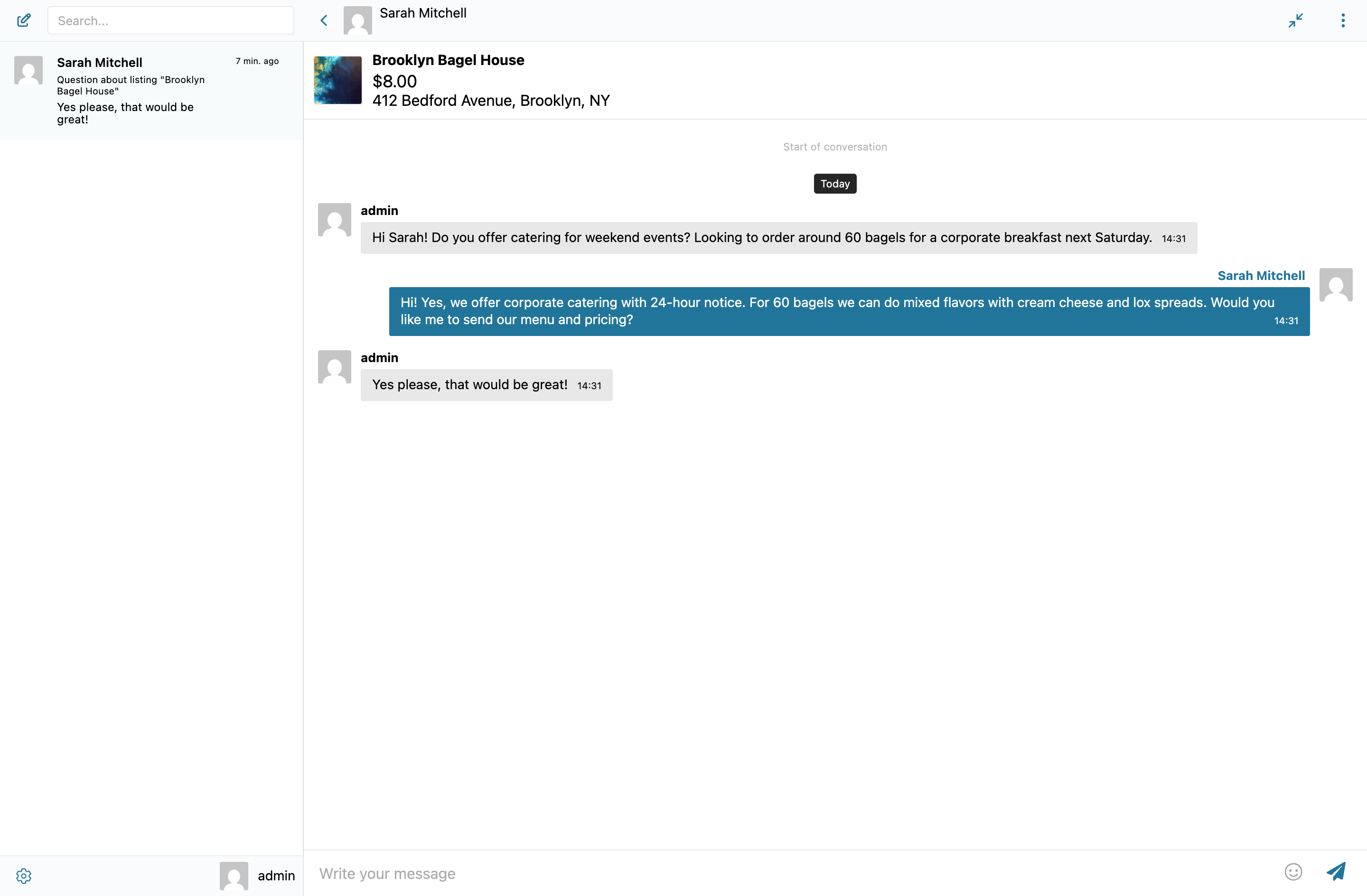
The card removes the "what listing is this about" question — the owner sees exactly which listing the visitor is asking about, with the image and price visible at the top of the thread.
Installing Better Messages on a Directorist site
- Install Better Messages from WordPress.org and activate it.
- Make sure Directorist is active.
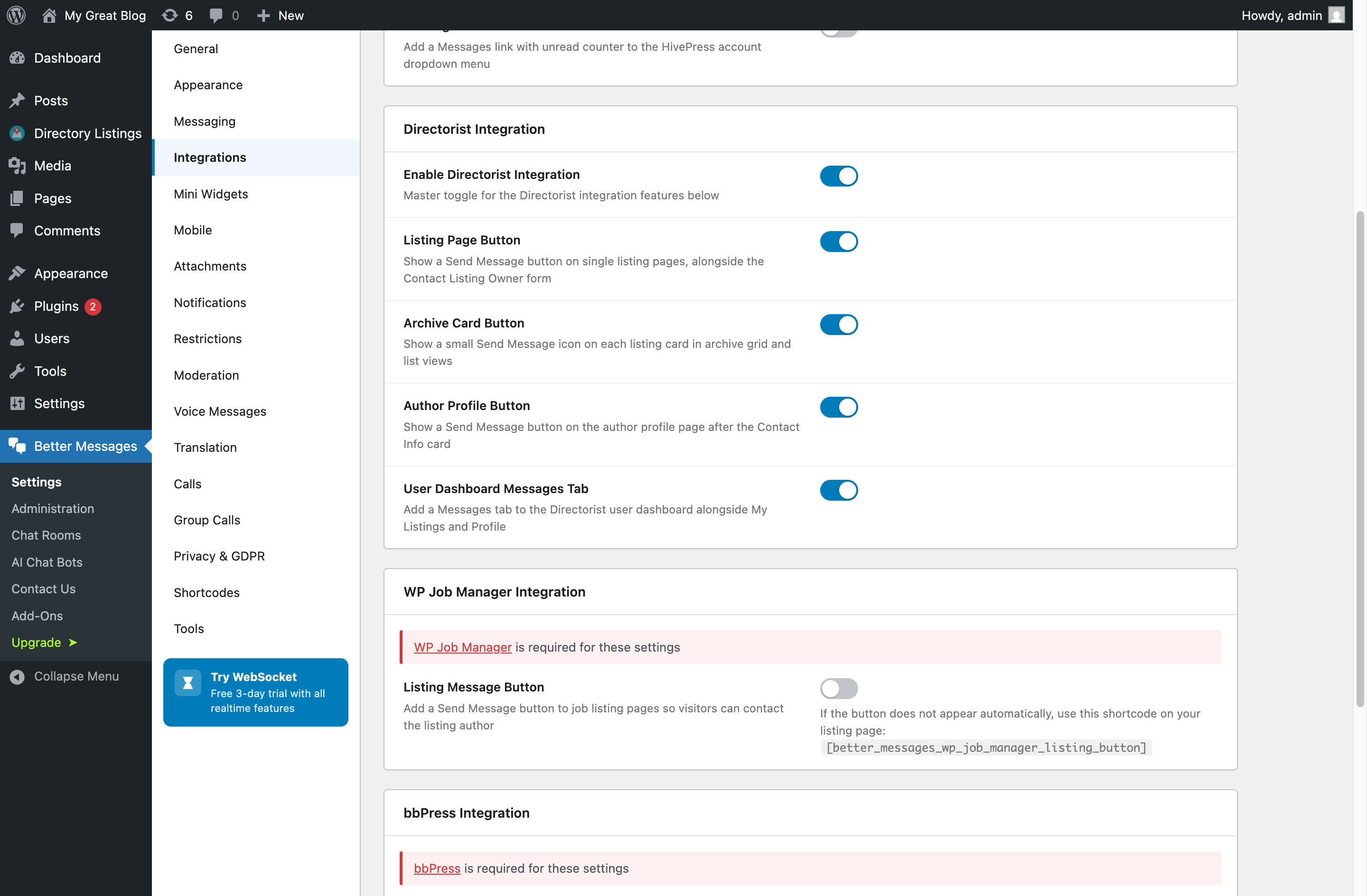
- Open WP Admin → Better Messages → Settings → Integrations → Directories → Directorist Integration.
- Toggle Enable Directorist Integration and the individual placement toggles you want.
For custom layouts, manual placement is supported via shortcodes:
[better_messages_directorist_listing_button]
[better_messages_directorist_author_button]
Free vs WebSocket version for Directorist sites
| Feature | Free version | WebSocket version |
|---|---|---|
| Send Message buttons on listing, archive cards, author profile | yes | yes |
| Messages tab inside the Directorist dashboard | yes | yes |
| Listing info card inside the conversation | yes | yes |
| Author profile links from Directorist | yes | yes |
| Real-time delivery | polling | instant |
| Mini-widget popup chat | — | yes |
| One-on-one voice and video calls inside the thread | — | yes |
| Group voice and video calls (e.g. multi-owner business team) | — | yes |
| Web push notifications for new messages | — | yes |
| Read receipts | — | yes |
| End-to-end encryption (optional) | — | yes |
For Directorist sites monetizing paid listings, the WebSocket version's web push notifications mean listing owners see and reply to inquiries within minutes, not hours — the engagement signal that paid-listing customers expect.
Frequently asked questions
Does it work with Directorist Pro extensions?
Yes — the integration listens to Directorist's core listing and author hooks, which Pro extensions extend rather than replace. Booking, claim-listing, and review extensions all coexist.
Can visitors message without registering?
Optional. With Guest Chat enabled, unregistered visitors can start a thread from a listing by typing a name and email. The thread is preserved if they later register.
Can I have a Send Message button on archive cards but not the listing page?
Yes — each placement has its own toggle in the integration settings. Enable archive cards, disable the listing page button (or vice versa).
Does it support multi-directory sites?
Yes — Better Messages does not care which Directorist directory a listing belongs to. The button appears for every listing regardless of directory.
Will it work with custom Directorist templates?
Most Directorist themes use the standard template hooks; the integration auto-renders the buttons. For heavily customized themes, place the buttons manually via shortcode (each placement has a matching shortcode).
See also
- Directorist integration documentation — full setup reference
- GeoDirectory chat — for GeoDirectory-driven sites
- HivePress listing chat — for HivePress-driven sites
- Classified Listing chat — for Classified Listing (RTCL) sites