Better Messages for GeoDirectory: Chat with Listing Owners
The GeoDirectory integration for Better Messages adds a Send Message button on every GeoDirectory listing page. Conversations started from a listing show the listing's image, title, address, and price as a context card. GeoDirectory author profile links are used throughout the messenger. Works on both the free and WebSocket versions.
To install the plugin ensure that your website running:
- WordPress 5.9 or newer
- PHP 7.4 or newer
Installation#
How to install GeoDirectory#
Download GeoDirectory from the WordPress.org plugin directory and follow the standard WordPress installation process.
How to install Better Messages with GeoDirectory#
- Install the plugin through the WordPress plugins screen directly or upload the plugin files to the
/wp-content/plugins/bp-better-messagesdirectory. - Activate the plugin through the Plugins screen in WordPress.
- Use the Better Messages -> Settings menu to configure the plugin.
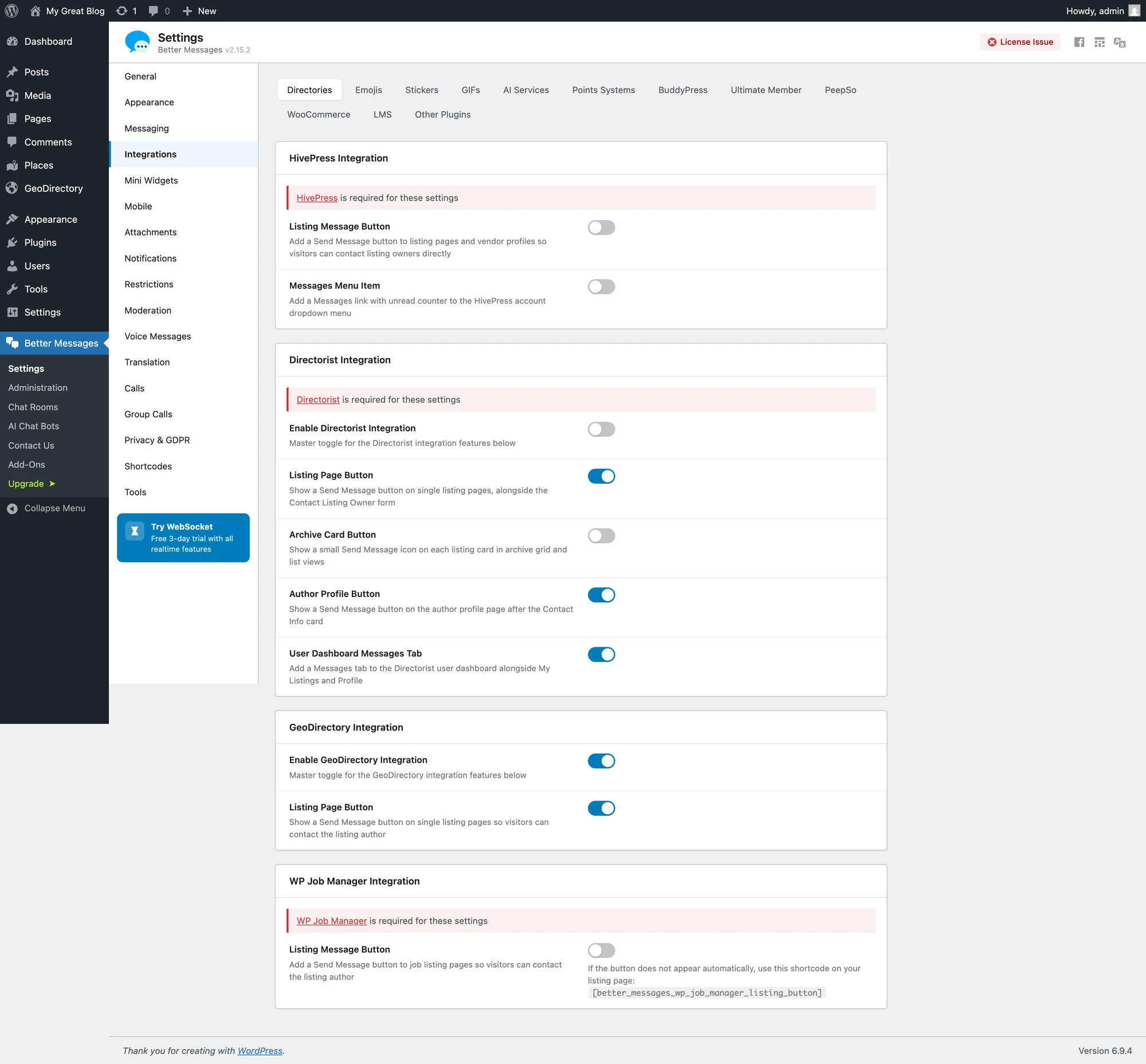
- Go to Integrations -> Directories and enable the Enable GeoDirectory Integration toggle in the GeoDirectory Integration section.
Supported features#
Send Message button on the listing page#
Renders next to GeoDirectory's author actions on single listing pages. The button is hidden when the listing is not published or when the visitor is also the listing's author.

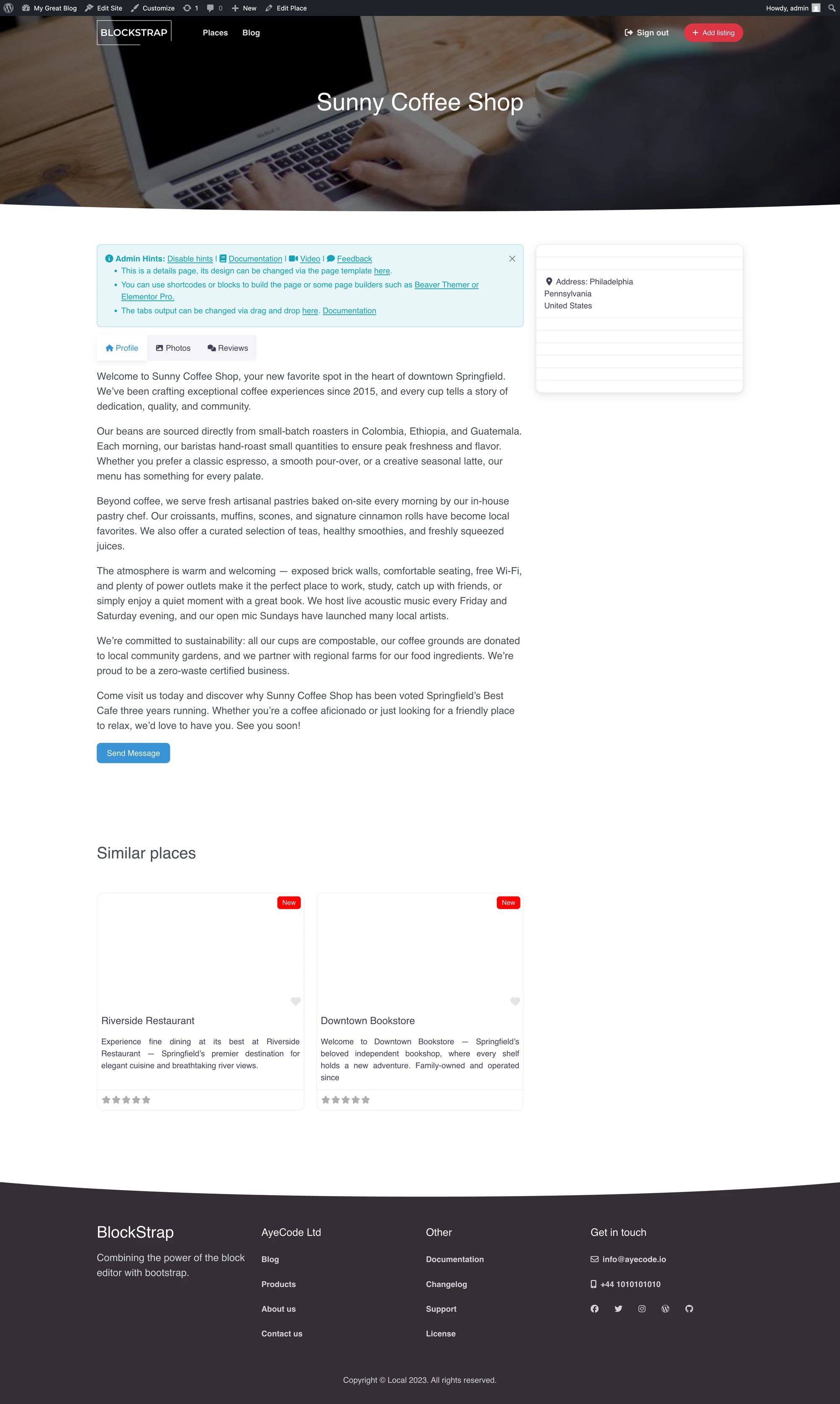
If your theme positions the button awkwardly, or you want it inside a sidebar widget or a custom layout, see Shortcodes for custom placement below.
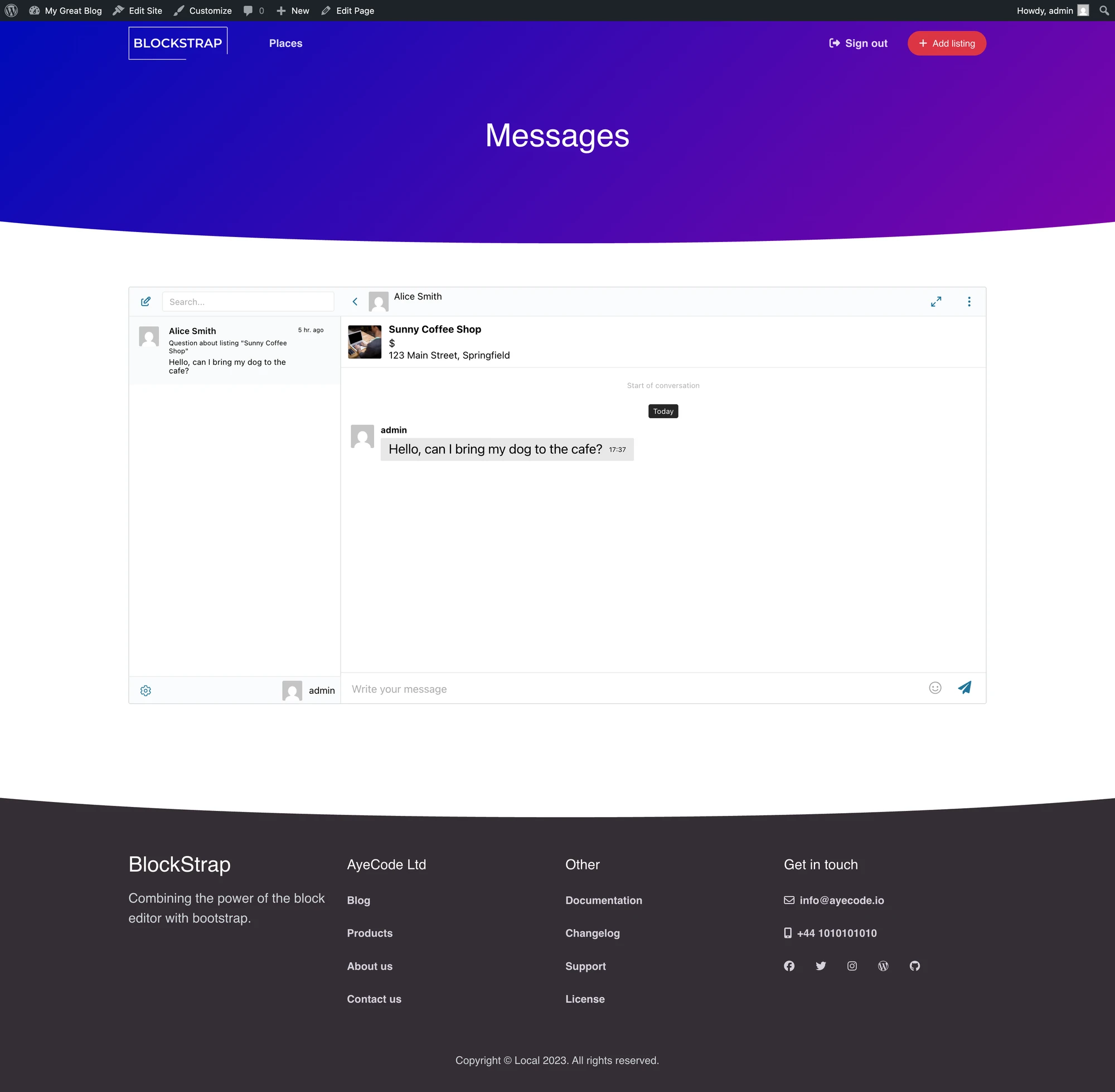
Listing info card inside the conversation#
Conversations started from a GeoDirectory listing show the listing's image, title, address, and price inside the messages UI. Clicking the author's name or avatar in a conversation opens their GeoDirectory author profile page rather than the default WordPress author archive.

Shortcodes for custom placement#
If the auto-injected button doesn't land where you want it (custom theme, sidebar, page builder, etc.), drop the shortcode wherever you need.
Disable Listing Page Button in the integration settings before placing the shortcode, otherwise the button will be rendered twice — once auto-injected and once by the shortcode.
[better_messages_geodirectory_listing_button]#
Renders the Send Message button for the current GeoDirectory listing. Falls back to the queried/current post if used inside a sidebar on a single listing page.
| Attribute | Default | Notes |
|---|---|---|
listing_id | current post | Override the listing the button targets |
user_id | listing author | Override the message recipient |
class | GeoDirectory primary button classes | Override CSS classes |
text | Send Message | Override the button label |
Examples:
[better_messages_geodirectory_listing_button]
[better_messages_geodirectory_listing_button listing_id="123"]
[better_messages_geodirectory_listing_button text="Contact owner" class="btn btn-secondary"]
Frequently asked questions#
Does it work with GeoDirectory's paid add-ons?#
Yes — the integration uses GeoDirectory's core listing hooks, which paid add-ons extend rather than replace.
Can visitors message without an account?#
Optional — enable Guest Chat in Better Messages → Settings → General → Guest Chat.
What happens when a listing is unpublished?#
The Send Message button is hidden when the listing is not published; existing threads remain readable.
Will it work with custom GeoDirectory theme layouts?#
The button auto-renders on standard layouts. For custom themes, use the shortcode inside any page builder.
Does the listing owner get notified by email?#
Yes — Better Messages' smart-batched email notifications apply.
See also#
- GeoDirectory chat — full feature write-up
- Directorist integration
- HivePress integration
- Classified Listing integration
- Motors integration — for automotive sites
- UsersWP integration — common pairing with GeoDirectory