Ultimate Member Private Messaging Plugin
Originally published when Better Messages added the first dedicated Ultimate Member integration in v1.9.9.77 (early 2021). This post has been kept up to date as the integration matured — UM Friends, UM Followers, UM Groups, and the embedded profile Messages tab were all added in later releases.
Better Messages adds a modern real-time messenger to Ultimate Member sites, taking over every Ultimate Member surface: the profile Messages tab, the Private Message button on user profiles and the members directory, and the UM Friends / UM Followers / UM Groups extensions. If you are using the Ultimate Member Messages add-on, deactivate it after installing Better Messages to avoid a double-messenger conflict.
This guide shows what Better Messages adds to an Ultimate Member site, how it ties into the UM Friends, Followers, and Groups add-ons, and what the difference is between the free and WebSocket versions.
What Better Messages adds to Ultimate Member
When Ultimate Member is detected, Better Messages turns on every UM-specific touch-point automatically:
- A Messages tab is added to the Ultimate Member profile, embedding the full messenger inside the UM profile layout — users never leave their profile.
- A live unread counter badge appears on the Messages tab whenever there are new messages, updating in real time.
- A Private Message button is added to every user profile and to every members-directory row.
- All avatars and profile links inside the messenger use Ultimate Member's data — clicking a username takes the user to the UM profile, not the WordPress one.
- UM Friends drives the Friends widget inside the messenger and the recipient search in the New Conversation popup.
- UM Followers can be used to restrict messaging to users who follow each other.
- UM Groups drives the Groups widget and can power auto-managed group chats that stay in sync with the UM group.
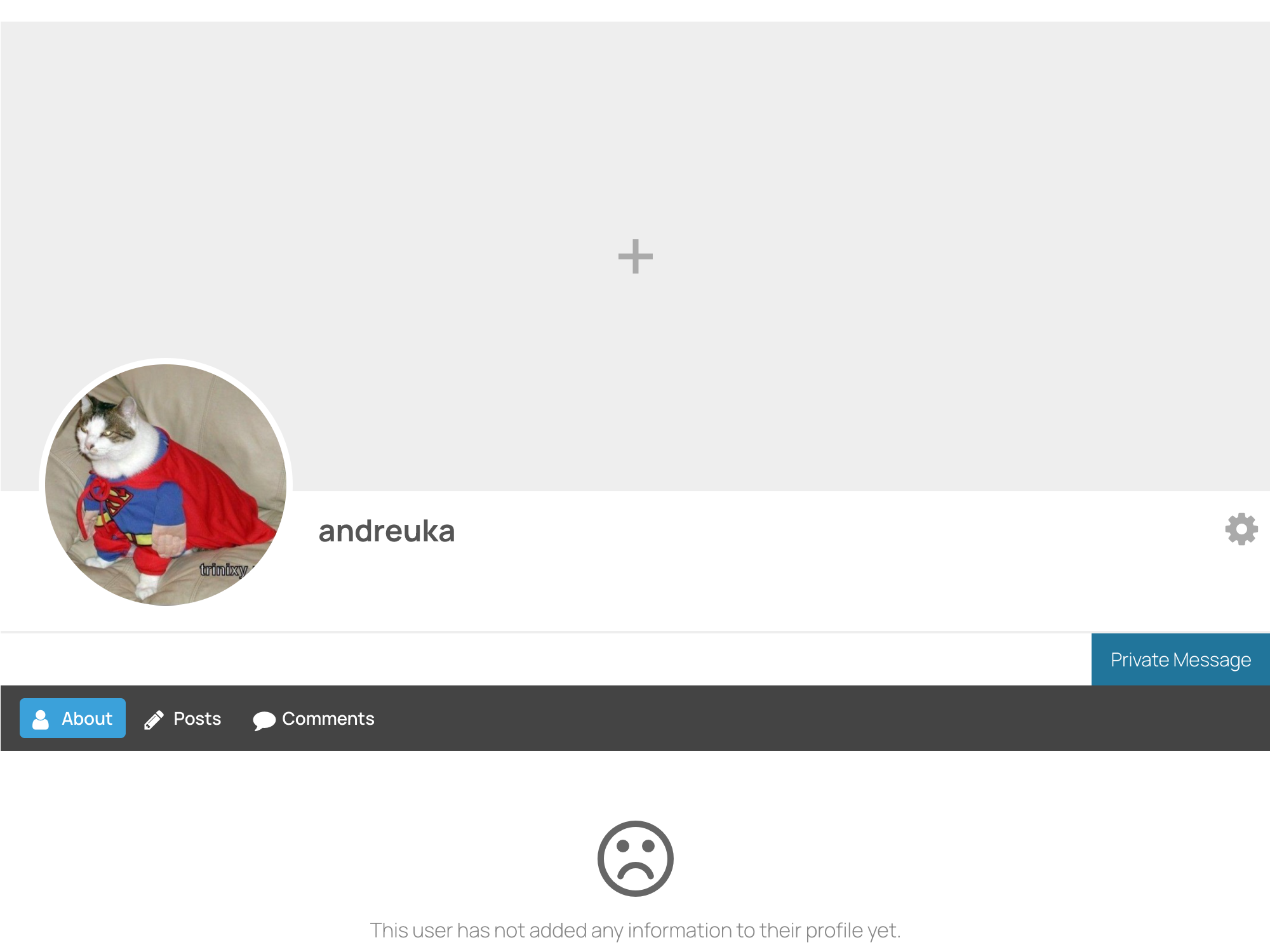
Private Message button on the profile and members directory
Every Ultimate Member user profile renders a Private Message button in the action area next to Follow / Friend / Settings. Clicking it either opens a new conversation page, or — with Advanced Mini Chats enabled on the WebSocket version — opens a mini chat window without leaving the profile.
The same button is injected into every row of the members directory through Ultimate Member's own AJAX pipeline, so pagination, search, and filtering keep working unchanged.
UM Friends and Followers as messaging gates
Two options under Better Messages → Settings → Integrations → Ultimate Member turn UM relationships into messaging gates:
- Only Friends Mode (requires UM Friends) — only friends can start a conversation. Non-friends are hidden from the recipient search.
- Only Followers Mode (requires UM Followers) — only users who follow each other can start a conversation.
These are useful for communities that want a softer alternative to full DM restrictions: members can follow or friend each other openly, but messaging requires a relationship.
UM Groups → auto-managed group chats
When UM Groups is active, the Groups widget inside the messenger lists every UM group the user belongs to. Each group can have a paired group chat:
- The chat is created the first time the group is opened in the messenger.
- Members are added when they join the UM group, removed when they leave.
- File uploads, email notifications, and push notifications can be toggled per integration.
- Group owners can disable the chat at any time.
Installing Better Messages on Ultimate Member
- Install Better Messages from WordPress.org and activate it.
- If the Ultimate Member Messages add-on is still active, deactivate it — it conflicts with Better Messages.
- Open WP Admin → Better Messages → Settings → General.
- Set Messages Location to Show in Ultimate Member profile to embed the messenger in the UM profile Messages tab — or to any WordPress page if you prefer a separate URL.
- Open Better Messages → Settings → Integrations → Ultimate Member to fine-tune the integration.
Free vs WebSocket version for Ultimate Member communities
| Feature | Free version | WebSocket version |
|---|---|---|
| UM profile Messages tab, profile and members-directory buttons | yes | yes |
| UM Friends, UM Followers, UM Groups integration | yes | yes |
| Auto-managed UM group chats | yes | yes |
| Real-time delivery | polling | instant |
| Advanced Mini Chats (mini chat window from profile / directory) | — | yes |
| One-on-one voice and video calls | — | yes |
| Group voice and video calls inside any thread | — | yes |
| Web push notifications for new messages | — | yes |
| Live unread badge updates | polling | instant |
The Advanced Mini Chats option is the single biggest UX upgrade with the WebSocket version on UM sites — clicking Private Message on a profile pops open a chat overlay instead of redirecting to the Messages page, which keeps the visitor on the profile they were exploring.
Frequently asked questions
Does Better Messages replace the Ultimate Member Messages add-on?
Yes. The UM Messages add-on should be deactivated when Better Messages is installed — they conflict. Better Messages takes over the same URLs and surfaces.
Will the profile Messages tab work if I host Better Messages on a separate page?
Yes — you can either embed Better Messages inside the UM profile Messages tab, or set Messages Location to a regular WordPress page and have the tab link to that page. Both are supported.
Can guests message UM members?
Guest Chat is supported when Better Messages is hosted on a public page. Members of the public can be allowed to start a thread without registering, depending on your Guest Chat settings.
Does it work with custom roles defined in Ultimate Member?
Yes — Better Messages respects WordPress roles, which include any custom roles UM defines. You can also restrict messaging by role from Better Messages → Settings → Permissions.
Can I add the Private Message button somewhere custom on the profile?
Yes — the position is configurable in Settings → Integrations → Ultimate Member, and the button can also be placed manually using shortcodes if you want it inside a custom UM form or tab.
See also
- Ultimate Member integration documentation — full setup reference
- BuddyPress messaging plugin — the BuddyPress alternative for sites considering migration
- Real-time messaging — what changes with the WebSocket version
- Group conversations — how group chats work