BuddyBoss Messaging Plugin: Real-Time Chat for BuddyBoss Platform
Originally published when Better Messages added the BuddyBoss Theme header replacement in v1.9.9.103–106 (early 2021). This post has been kept up to date as the integration matured — the live unread counter in the profile dropdown, the members-directory call icons, and the bbPress reply integration are all later additions.
Better Messages turns BuddyBoss Platform messaging into a modern WordPress-native messenger — real-time delivery on its own WebSocket cloud (no third-party service to manage), group conversations, file uploads, voice messages, voice and video calls, AI bots, end-to-end encryption, web push, and a native mobile app. When activated, Better Messages takes over every BuddyBoss messaging link and auto-disables BuddyBoss Live Messaging to avoid a double-messenger conflict.
This guide walks through what changes when Better Messages is installed on a BuddyBoss site, how it integrates with BuddyBoss Friends and Groups, and what the differences are between the free and WebSocket versions.
What changes on a BuddyBoss site
Once Better Messages is installed:
- BuddyBoss Live Messaging is automatically disabled to avoid a double-messenger conflict.
- Every BuddyBoss messages link — header inbox icon, profile dropdown, member-row Message button — now points at the Better Messages inbox.
- The profile dropdown unread counter goes live, updating in real time alongside the header inbox icon.
- BuddyBoss Friends drives the Friends widget inside the messenger — start a thread from the friends list with one click.
- BuddyBoss Groups can have paired group chats — members auto-join when they join the BuddyBoss group, auto-leave when they leave.
- BuddyBoss Web Push is wired in — push notifications for new messages use BuddyBoss's existing web-push setup, no extra configuration.
BuddyBoss Friends integration
The Friends widget inside the messenger is populated from BuddyBoss Friends — no separate friends list to maintain.
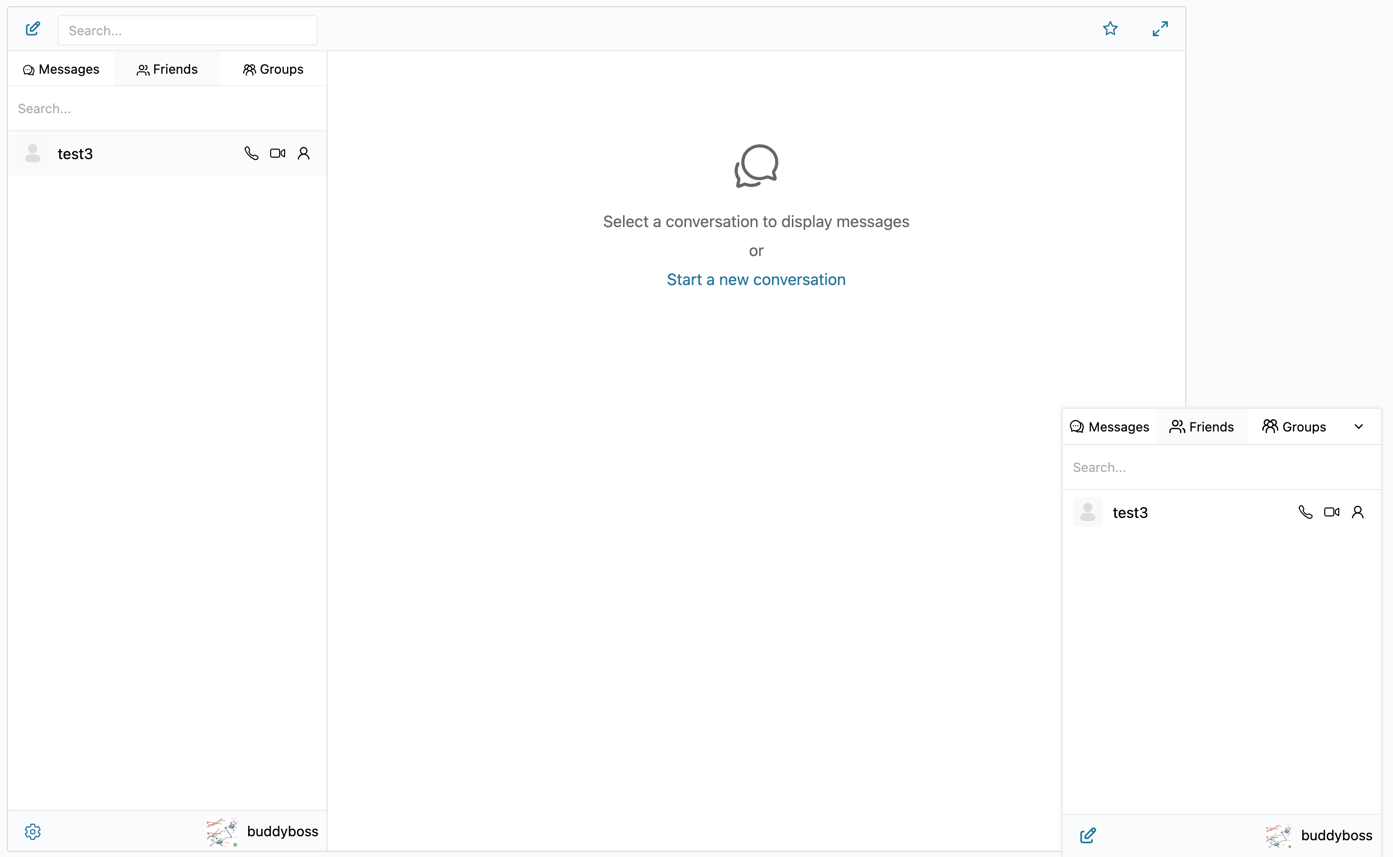
The widget supports three placements: mini bar, mobile bar, and the standard messenger sidebar. Members start a one-to-one thread by clicking a friend's name.
BuddyBoss Groups integration
Each BuddyBoss group can have an attached group chat. The chat is created the first time the group is opened in Better Messages; members are synced both ways:
- A user joins a BuddyBoss group → they are added to the group chat
- A user leaves the BuddyBoss group → they are removed from the chat
- A group admin can disable the chat for a specific group at any time
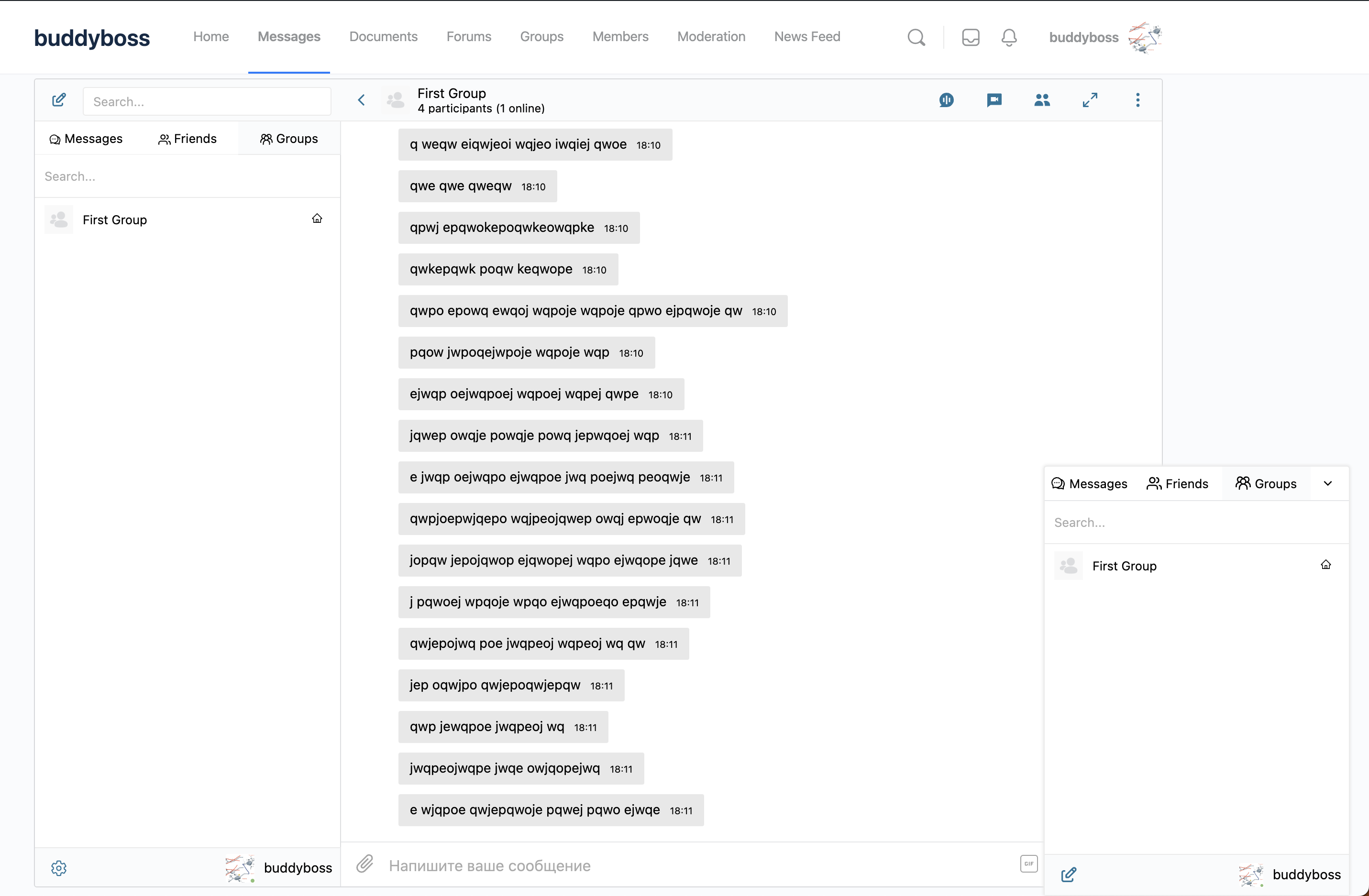
Group chats are full conversations — shared history, mentions, file uploads, reactions, and the rest.
Live unread counter in the profile dropdown
The Messages item in the BuddyBoss Theme profile dropdown (the menu under the user avatar in the top-right) carries a real-time unread badge. It uses the same blue style as the native Connections / Notifications badges and hides automatically when there is nothing new.
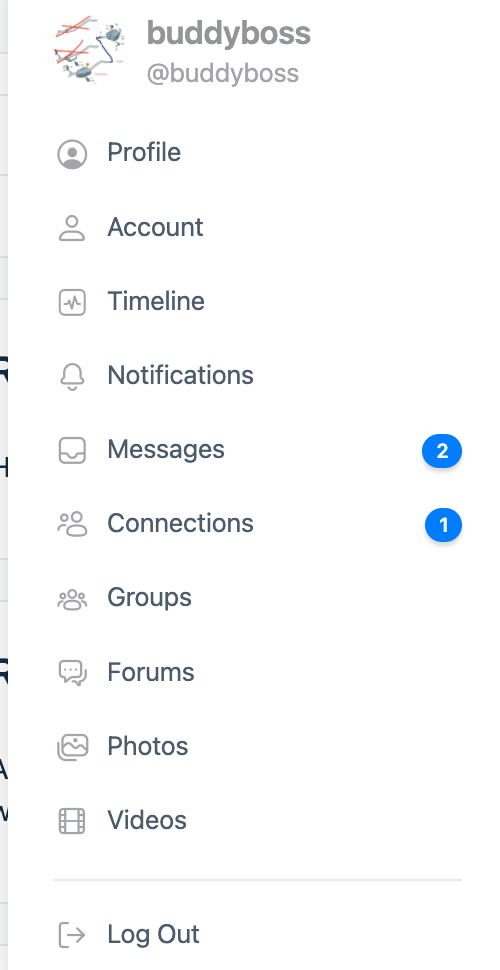
The badge updates instantly with the WebSocket version, and on a short AJAX polling interval with the free version.
Voice and video calls from the members directory (WebSocket version)
On the WebSocket version, each row in the BuddyBoss members directory and group member list gets dedicated Audio Call and Video Call icons next to the Send Message icon. Clicking the icon starts a one-to-one call without first opening a thread.
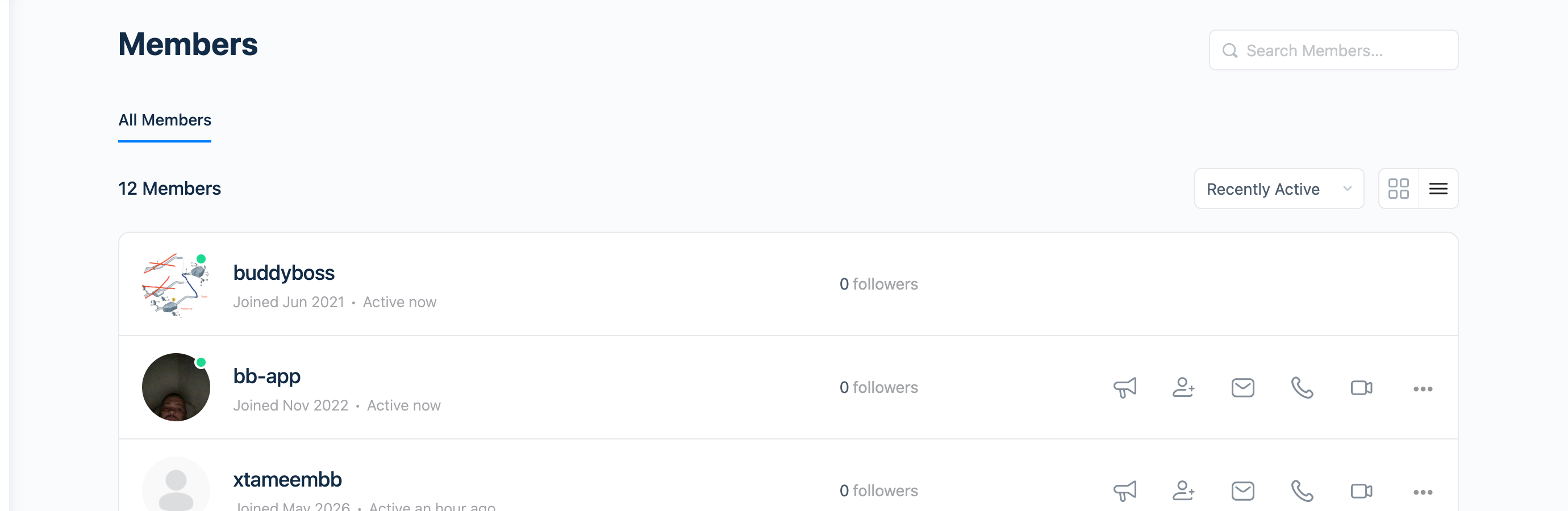
The two icons are independent toggles in Better Messages → Settings → Integrations → BuddyBoss. They respect the existing friends-only restriction: if Only Friends Can Call is enabled, non-friends do not see the buttons.
Installing Better Messages on BuddyBoss
- Install Better Messages from WordPress.org and activate it.
- Open WP Admin → Better Messages → Settings → General.
- Set Messages Location to Show in BuddyBoss profile — or to a dedicated WordPress page if you prefer a different URL.
- Save.
That is the entire setup. BuddyBoss Live Messaging is automatically deactivated, and every existing BuddyBoss messages link now points at Better Messages.
Free vs WebSocket version for BuddyBoss communities
| Feature | Free version | WebSocket version |
|---|---|---|
| BuddyBoss profile, header, members-directory integration | yes | yes |
| BuddyBoss Friends and Groups integration | yes | yes |
| Group chats with file uploads | yes | yes |
| Real-time delivery | polling | instant |
| One-on-one voice and video calls from members directory and threads | — | yes |
| Group voice and video calls inside any thread | — | yes |
| Web push notifications for new messages | — | yes |
| Live unread counter on profile dropdown | yes (polling) | yes (instant) |
| End-to-end encryption (optional) | — | yes |
For BuddyBoss sites running paid community programs, the WebSocket version is usually worth the upgrade — the call buttons in the members directory turn the community into a one-click voice/video platform without redirecting members to an external service.
Frequently asked questions
Does Better Messages replace BuddyBoss Live Messaging or coexist with it?
It replaces it. On activation, BuddyBoss Live Messaging is automatically disabled to avoid a double-messenger conflict. BuddyBoss's underlying message data is preserved.
Will the BuddyBoss header inbox icon still work?
Yes — the icon stays where it is, with the same blue badge style, but now opens the Better Messages inbox. Members do not have to learn a new location.
Does it work with the BuddyBoss app?
Better Messages has its own iOS and Android app (Capacitor-based). The BuddyBoss native app uses BuddyBoss's own messaging stack, not Better Messages.
Can members block each other?
Yes — the User Block feature lets any member block another. Blocked users cannot send new messages or see the blocker online. Admins can also globally block users from Better Messages → Reports.
Does it work with bbPress on BuddyBoss?
Yes — when bbPress is active alongside BuddyBoss, every forum reply gets an inline Private Message icon between the Reply and More actions buttons, matching the BuddyBoss action-row design.
See also
- BuddyBoss integration documentation — full setup reference
- BuddyPress messaging plugin — the BuddyPress counterpart
- Group conversations — how group chats work
- Real-time messaging — what changes with the WebSocket version