WordPress Video Call Plugin: One-on-One and Group Calls Inside Chat
WordPress sites that need video calls have three options today: link out to Zoom (loses the on-site context), embed Whereby / Daily / Twilio (third-party billing, separate UI), or roll your own (a multi-month engineering project involving a media server, TURN/STUN, signaling, and a UI). Better Messages adds a fourth path: voice and video calls inside the messenger threads members are already using, hosted on relay servers included in the WebSocket license, with both one-on-one and group call support.
Where calls live
Voice and video calls are not a separate feature — they are buttons inside the messenger thread that members already use for chat. In a 1:1 thread, a phone icon and a video icon sit next to the message composer. In a group chat or chat room, the same buttons start a group call that every thread participant can join.
This is the right shape because the call inherits the context: the call participants are the thread participants, the thread continues during the call (text-and-call hybrid), and the call recording (if you enable it) attaches to the thread for later reference.
One-on-one calls
In any 1:1 thread, either participant taps the audio or video call button. The other side gets a ringing notification (in-browser overlay + sound + web push if they have the site closed). They tap to accept; the call connects.
The call UI is full-screen on mobile, picture-in-picture on desktop (the chat stays usable below). Mute, camera on/off, screen share, and switch-camera are the standard controls. Either side can end the call.
Group calls inside threads and chat rooms
The biggest differentiator: group calls work inside any group thread or chat room, not just 1:1 DMs.
Practical use cases:
- Cohort office hours — a LearnDash course chat hosts a group video call for the week's office hours, then the chat continues asynchronously after.
- Community AMA — a BuddyBoss group with the founder host runs an AMA call inside the group's chat.
- Vendor team huddle — a Dokan vendor + 2 assistants run a quick call about a custom order from inside the customer chat.
- Marketplace candidate panel interview — a WP Job Manager chat between candidate and 3 hiring managers escalates into a panel video call.
- Study group — a membership-site chat for a peer cohort runs a weekly study session inside the chat.
Group calls support a meaningful number of participants — call out the use case (5-person cohort, 12-person AMA) and the call quality holds. Beyond ~25 participants, the call is closer to a webinar than a meeting; quality degrades by the laws of WebRTC physics, not Better Messages limits.
Restrictions and access control
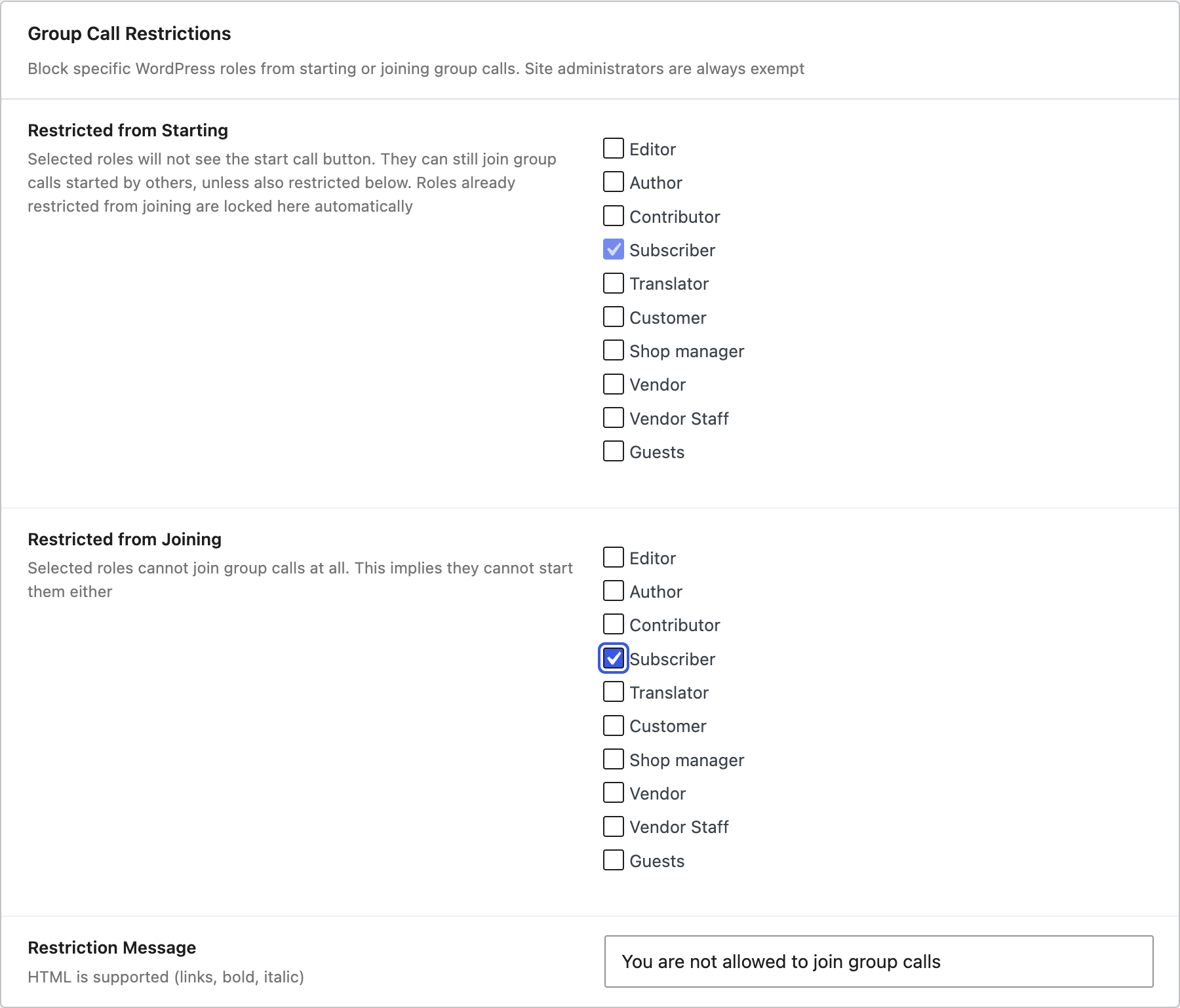
A few practical guards:
- Only Friends Can Call — restrict 1:1 calls to users who are connected (friend / follow relationship, depending on community plugin).
- Per-role call permissions — restrict who can place calls by WordPress role.
- Per-role group call permissions — restrict who can start a group call inside a thread, separately from who can join one.
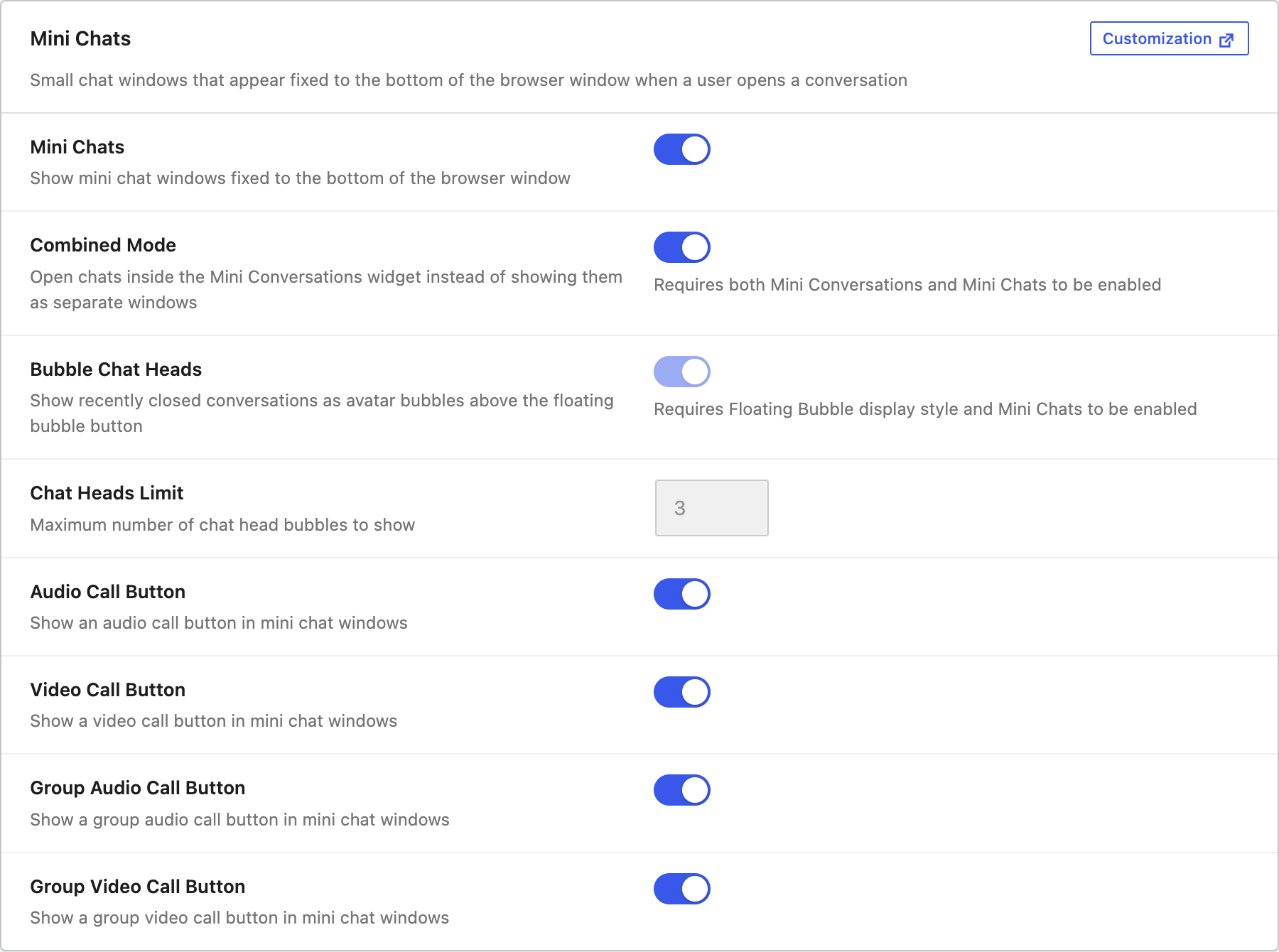
- Calls inside chat rooms — enable per chat room; useful for keeping public rooms text-only.
Hosted relay servers, no separate billing
The WebSocket license includes hosted WebSocket and media relay servers. There is no separate Twilio account, no Daily / Whereby subscription, no Zoom developer plan. The license covers the infrastructure.
For sites that need data residency (HIPAA-adjacent, GDPR Article 9 regulated data), consider upgrading to the self-hosted plan — talk to support.
Installing voice and video calls on WordPress
- Install Better Messages from WordPress.org and activate it.
- Buy the WebSocket version license from your Better Messages account dashboard.
- Activate the license in Better Messages → Account.
- Configure call permissions in Better Messages → Settings → Calls.
The audio and video call buttons appear inside the messenger automatically.
Free vs WebSocket version for calls
Calls are a WebSocket-version-only feature — the media relay runs on the WebSocket cloud. The free (AJAX) version does not have access to the relay, and call buttons are hidden there.
Frequently asked questions
What browsers are supported?
Chrome / Edge / Firefox / Safari (desktop and iOS Safari 17+). Modern WebRTC is required, which excludes very old browsers but covers >95% of real-world traffic.
Does it work in the mobile app?
Yes — the Better Messages mobile app (iOS + Android, Capacitor-based) supports calls natively.
Are calls recorded?
Call recording is opt-in per thread / chat room. When enabled, the recording is stored alongside the thread and attached as a file message at the end of the call. Configure under Better Messages → Settings → Calls → Recording.
Can a guest join a call?
Yes if guest chat is enabled and the guest is a participant in the thread. The call button is hidden for unauthenticated visitors.
What is the call participant limit?
There is no hard cap in the plugin; WebRTC mesh and SFU constraints mean call quality scales down past ~25 simultaneous video participants. For meeting-style use (under 25 cameras on), the experience is solid.
Can I disable calls for a specific role?
Yes — per-role permissions in Settings → Calls. A common pattern: paying members can place calls, free-tier members cannot.
See also
- Video calls documentation — full feature reference
- Audio calls documentation — voice call settings
- Group video chat — multi-party video
- BuddyPress messaging plugin — community sites benefit most from group calls
- WordPress LMS chat plugin — cohort office hours via group calls
- WordPress marketplace chat — vendor team and customer calls