WordPress Marketplace Chat: Buyer ↔ Vendor Messaging Compared
If you run a WordPress marketplace, the single biggest conversion gap is the moment a buyer wants to ask a vendor a question before checkout. Email is too slow, contact forms feel formal, and pushing buyers off-site to WhatsApp or Telegram is a leak in the funnel.
Better Messages adds a Live Chat button on every product page, vendor shop page, and vendor dashboard across all four marketplace plugins, from a single install. This post compares what each integration looks like and what to expect.
The four marketplace integrations at a glance
| Marketplace | Active installs (approx.) | Live Chat button on product page | Live Chat tab in vendor dashboard | Live Chat button on shop page |
|---|---|---|---|---|
| Dokan | 80,000+ | yes | yes | yes |
| WCFM Marketplace | 40,000+ | yes | yes | yes |
| MultiVendorX | 20,000+ | yes | yes | yes |
| WC Vendors | 10,000+ | yes | yes (Pro) | — |
All four use the same Better Messages core, so feature parity outside the marketplace-specific touch-points (cart snapshot in WooCommerce chat, role-aware order links, etc.) is identical.
Dokan
Dokan is the most-installed multi-vendor plugin on WordPress and was the first marketplace Better Messages integrated with natively.
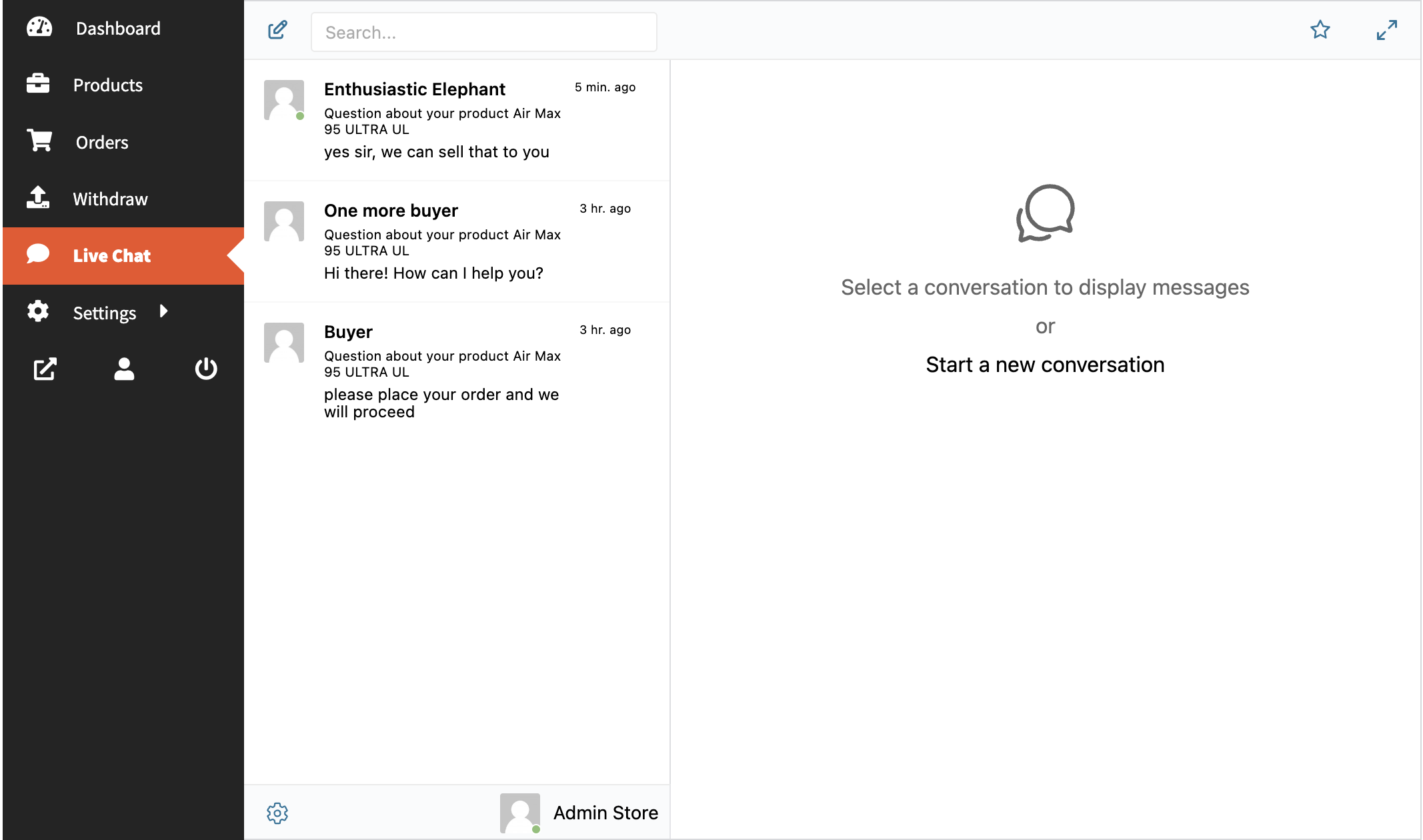
What you get: Live Chat tab in the vendor dashboard, Live Chat button on every product page, Live Chat button on the vendor shop page, and automatic use of Dokan vendor avatars / shop profile links inside the messenger. Full write-up: Dokan vendor chat plugin.
WCFM Marketplace
Better Messages adds buyer ↔ vendor chat to WCFM Marketplace — Live Chat tab in the WCFM Vendor Dashboard, Live Chat button on every product page and store page, product-card context inside threads, and WebSocket-version features like one-on-one and group calls and live unread badges.
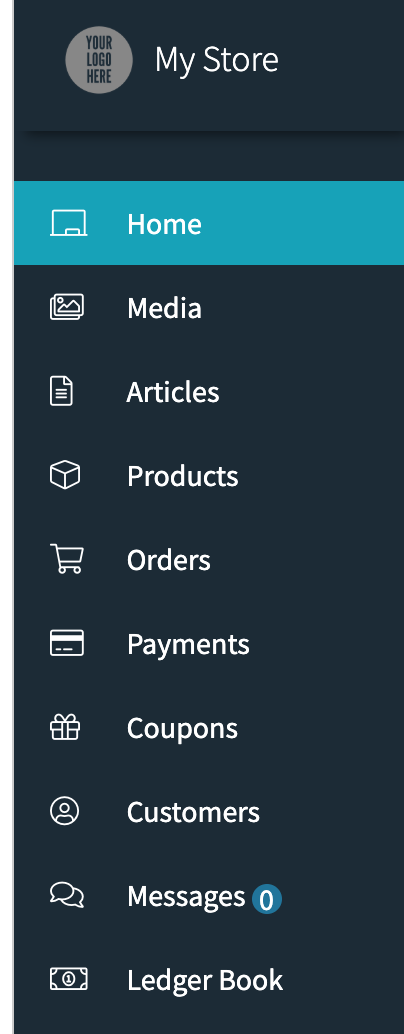
WCFM's vendor dashboard layout is more customizable than Dokan's, and the Live Chat tab slots into the standard WCFM navigation. Full reference: WCFM integration documentation.
MultiVendorX
MultiVendorX (formerly WC Marketplace) supports both v4.x and v5.0+ — Better Messages ships separate integrations for each so you do not have to migrate to the new MultiVendorX version just to get vendor chat.
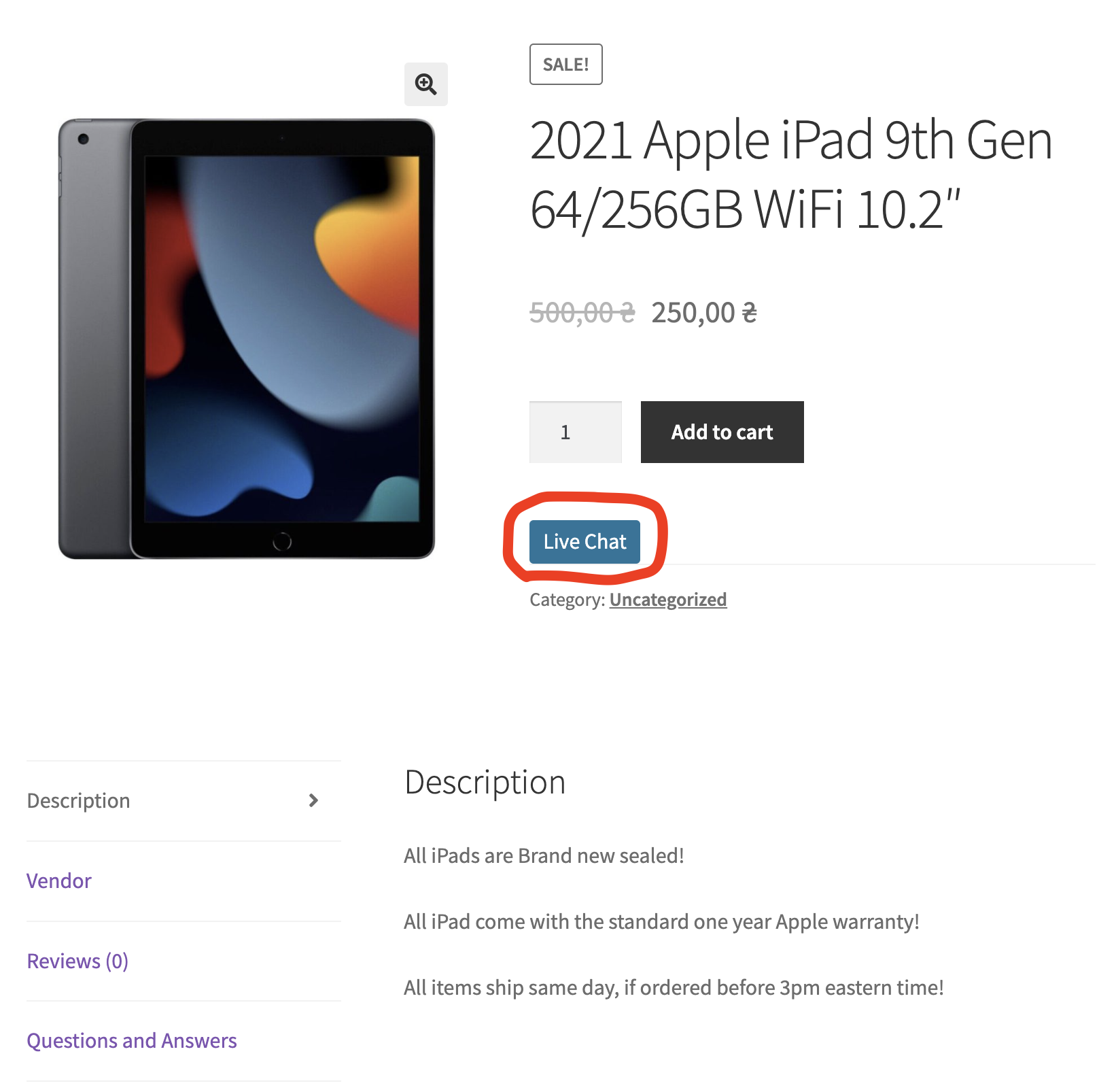
Reference: MultiVendorX integration documentation.
WC Vendors
WC Vendors is the most "ecommerce-classic" of the four — a simpler marketplace model with a smaller plugin footprint. Better Messages adds the product-page Live Chat button automatically; the vendor-dashboard tab is available on WC Vendors Pro.
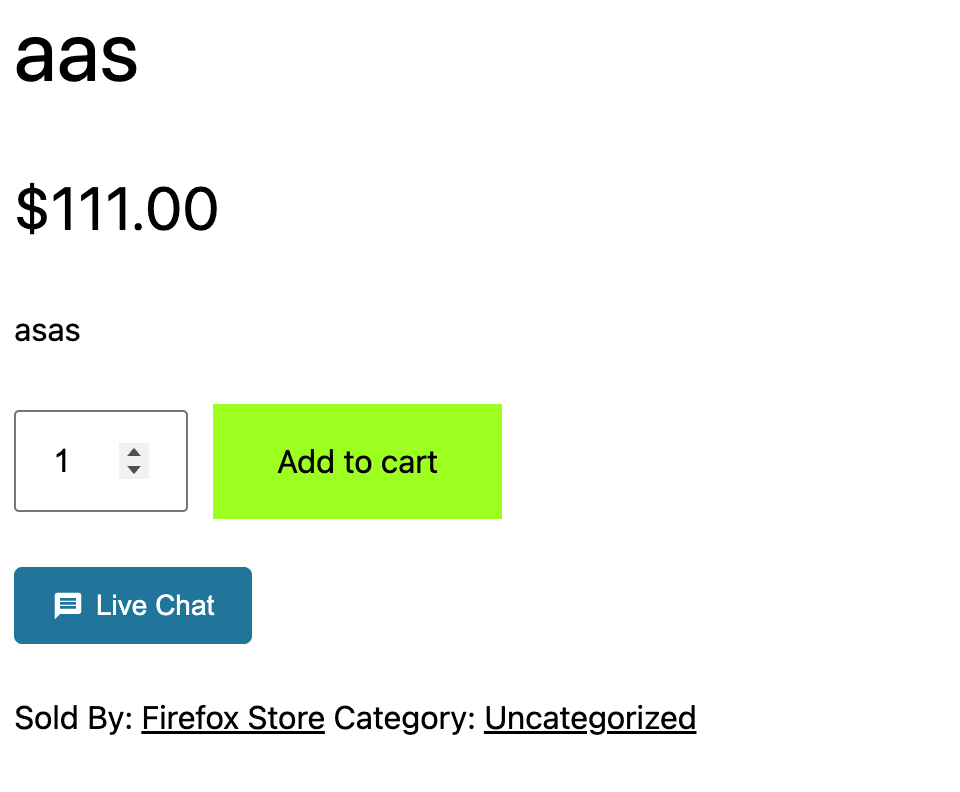
Reference: WC Vendors integration documentation.
How they compare on the customer journey
| Customer journey step | Dokan | WCFM | MultiVendorX | WC Vendors |
|---|---|---|---|---|
| Discover product → ask before buying (product-page chat) | yes | yes | yes | yes |
| Browse vendor catalog → start a thread (shop-page chat) | yes | yes | yes | — |
| Buyer-initiated thread routed to the correct vendor | yes | yes | yes | yes |
| Vendor sees inbox inside their own dashboard | yes | yes | yes | Pro |
| Vendor avatar / link in messenger = marketplace profile | yes | yes | yes | yes |
| One-click voice / video call (WebSocket version) | yes | yes | yes | yes |
| Mini-widget popup chat (WebSocket version) | yes | yes | yes | yes |
The marketplace-specific behavior is identical across all four integrations — what changes is whether your marketplace plugin supports the surface (e.g. WC Vendors shop pages do not have a chat injection point in the free plugin).
Picking the right marketplace plugin (chat is not the decision)
Better Messages supports all four, so chat is not the variable. The marketplace decision comes down to vendor-experience defaults, payout flexibility, and your tolerance for upsell modules. The chat layer is the same regardless of which one you pick.
Installing Better Messages on any marketplace
- Install Better Messages from WordPress.org and activate it.
- Install your marketplace plugin of choice (Dokan, WCFM, MultiVendorX, or WC Vendors).
- Open WP Admin → Better Messages → Settings → Integrations → Other Plugins (or Marketplaces) and enable Live Chat for your marketplace.
That is the entire setup. The same installation works regardless of which of the four marketplaces you run — Better Messages detects the active plugin and wires itself in.
Free vs WebSocket version on marketplaces
| Feature | Free (AJAX) version | WebSocket version |
|---|---|---|
| Live Chat button on product / shop / dashboard | yes | yes |
| Per-vendor inbox in the dashboard | yes | yes |
| Real-time delivery between buyer and vendor | polling | instant |
| Mini-widget popup chat (buyer never leaves the product) | — | yes |
| One-on-one voice and video calls inside the thread | — | yes |
| Group voice and video calls (vendor team huddles, buyer + multiple agents) | — | yes |
| Web push notifications for new messages | — | yes |
| Read receipts | — | yes |
| End-to-end encryption (optional) | — | yes |
For marketplaces where vendors actively use chat as a competitive advantage, the WebSocket version's instant delivery and mini-widget popup are the difference between a buyer who walks away and a buyer who finishes checkout — the chat opens as an overlay and the buyer stays on the product page they were considering.
Frequently asked questions
What if I run two marketplace plugins side by side?
Better Messages supports having multiple marketplace plugins active simultaneously — each integration loads independently. This is rare in practice but works.
Will switching marketplace plugins keep my chat history?
Yes — Better Messages stores its threads in its own tables, not in the marketplace plugin's. If you migrate from Dokan to WCFM, the threads survive; only the marketplace-specific surfaces re-bind.
Can vendors message each other?
Yes — the vendor dashboard chat is a full messenger. Vendors can also be added to group conversations for marketplace-wide announcements.
Do customers need a WordPress account to start a chat?
Optional. If you enable Guest Chat in Better Messages → Settings → Guest Chat, an unregistered buyer can start a thread by typing a name and email. Their history is preserved if they later register and place an order.
Does it work with WooCommerce Subscriptions on marketplace plugins?
Yes — the integration listens to WooCommerce product / order hooks, not subscription-specific ones, so subscription products are handled the same way as regular products.
See also
- Dokan vendor chat plugin
- WCFM Marketplace chat
- WC Vendors chat
- MultiVendorX vendor chat
- WooCommerce customer chat — for stores running WooCommerce without a multi-vendor layer
- Real-time messaging — what changes with the WebSocket version