WordPress Booking Platform Chat: Guest ↔ Host Messaging
WordPress booking platforms — vacation rentals, room bookings, equipment rentals, experience marketplaces — need a chat layer between guests and hosts at three moments: pre-booking (ask before booking), post-booking pre-check-in (logistics, key handoff, special requests), and during the stay (issues, recommendations, late requests). Better Messages adds chat to all three through the underlying booking platform's hooks, with file sharing for documents and voice / video calls for face-to-face conversation before check-in.
The booking platform stack
| Layer | Plugin |
|---|---|
| Listings + bookings | HivePress (with Bookings add-on) or a custom booking plugin |
| Payments | WooCommerce or Stripe Connect |
| Host profiles | Built into HivePress, or BuddyBoss / Ultimate Member |
| Guest ↔ host chat | Better Messages |
| Mobile app | Better Messages iOS / Android |
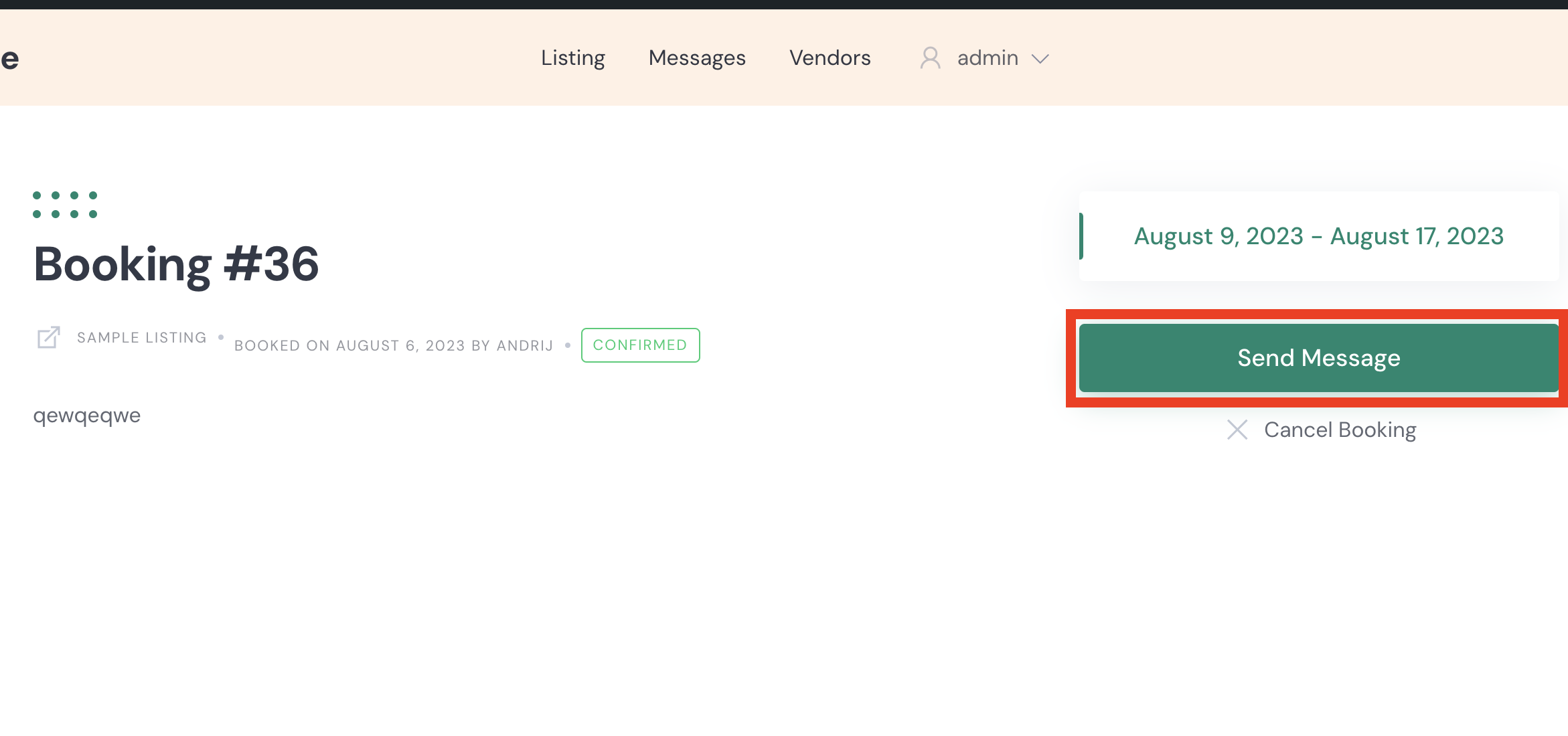
HivePress is the most-common WordPress booking platform — and it has a native Better Messages integration with Send Message buttons on listings, vendor pages, and booking pages.
Three chat moments in the booking flow
Pre-booking (the inquiry)
A guest finds a listing, has a question ("Is the kitchen stocked? Pets allowed? Wi-Fi speed?"). Better Messages adds a Send Message button on every listing — the inquiry threads with the host. If they later book, the chat continues in the same thread.
Post-booking (the logistics)
After a booking is confirmed, the chat is the natural place for check-in details, key handoff instructions, parking, special requests. The booking page also gets a Send Message button — host and guest can message each other from inside the booking record.
During the stay (the support)
Issues come up — the heat is broken, the Wi-Fi password does not work, late checkout request. The same thread persists; the guest pings the host from their phone via the mobile app.
Free vs WebSocket version for booking platforms
| Feature | Free version | WebSocket version |
|---|---|---|
| Send Message button on listings | yes | yes |
| Send Message button on bookings | yes | yes |
| Send Message button on host profiles | yes | yes |
| Listing info card inside the conversation | yes | yes |
| File sharing (rental agreements, check-in instructions, key photos) | yes | yes |
| Real-time delivery | polling | instant |
| Voice and video calls (pre-check-in face-to-face) | — | yes |
| Web push notifications when the guest pings | — | yes |
| Mobile-app native push notifications | yes | yes |
For booking platforms, response-time during a guest's stay directly affects review scores. The WebSocket version's mobile push pulls hosts into the chat within minutes of a guest message, whether the host is in the browser or just has the app installed.
Frequently asked questions
Can guests message the host before they have a booking?
Yes — the Send Message button on the listing works for any visitor (logged-in or guest, depending on settings). Enable Guest Chat to let unregistered visitors inquire.
How do hosts share check-in instructions securely?
The conversation is private to host + guest. File sharing supports PDFs (rental agreement, check-in PDF), images (key location photos), and any document type you whitelist. Files are served through the file proxy with auth checks — direct URLs are blocked. See WordPress chat file sharing.
Does it work with the HivePress Bookings add-on?
Yes — the integration adds Send Message buttons on both bookings lists and individual booking pages so the host and guest can message about a confirmed booking. See HivePress listing chat.
Will the host's phone number be exposed if they call the guest?
No — voice and video calls on the WebSocket version run through Better Messages' WebRTC layer, not through phone networks. No phone number exchange.
Can we have an admin/concierge step in to mediate disputes?
Yes — admins can be added to any thread as moderators. The Administration screen also has read access to threads for support / dispute mediation.
What about long-term rental conversations across many bookings?
The conversation is per-thread between the guest and host. Repeat guests with multiple bookings continue the same thread across stays — the per-booking context cards are added as new messages within the existing thread.
See also
- HivePress listing chat — full HivePress integration reference
- WordPress chat file sharing — sharing rental documents securely
- WordPress video call plugin — pre-check-in video calls
- WordPress chat mobile app — for hosts on the go
- WordPress guest chat — for inquiries before registration