WordPress Real Estate Chat: Buyer ↔ Agent Messaging on Listings
Real estate sites on WordPress — IDX-driven MLS listings, custom property directories, FSBO platforms — face the same conversion gap as any directory: a buyer finds a property, wants to ask a question, and either fills out a contact form (slow) or calls a phone number (high friction). Better Messages adds a real-time chat between buyers and agents on every listing, with the listing's image / address / price displayed as context inside the conversation.
The real estate site stack
| Layer | Plugin |
|---|---|
| Property listings | HivePress, Directorist, GeoDirectory, Classified Listing, or a custom CPT |
| IDX integration (US MLS) | Realtyna, dsIDXpress, or similar |
| Agent profiles | Ultimate Member or BuddyBoss |
| Buyer ↔ agent chat | Better Messages |
| Mobile app | Better Messages iOS / Android |
The directory plugin you pick determines the integration. Better Messages has first-class integrations for HivePress, Directorist, GeoDirectory, and Classified Listing — all listing-driven directories that fit the real-estate model.
What buyers see
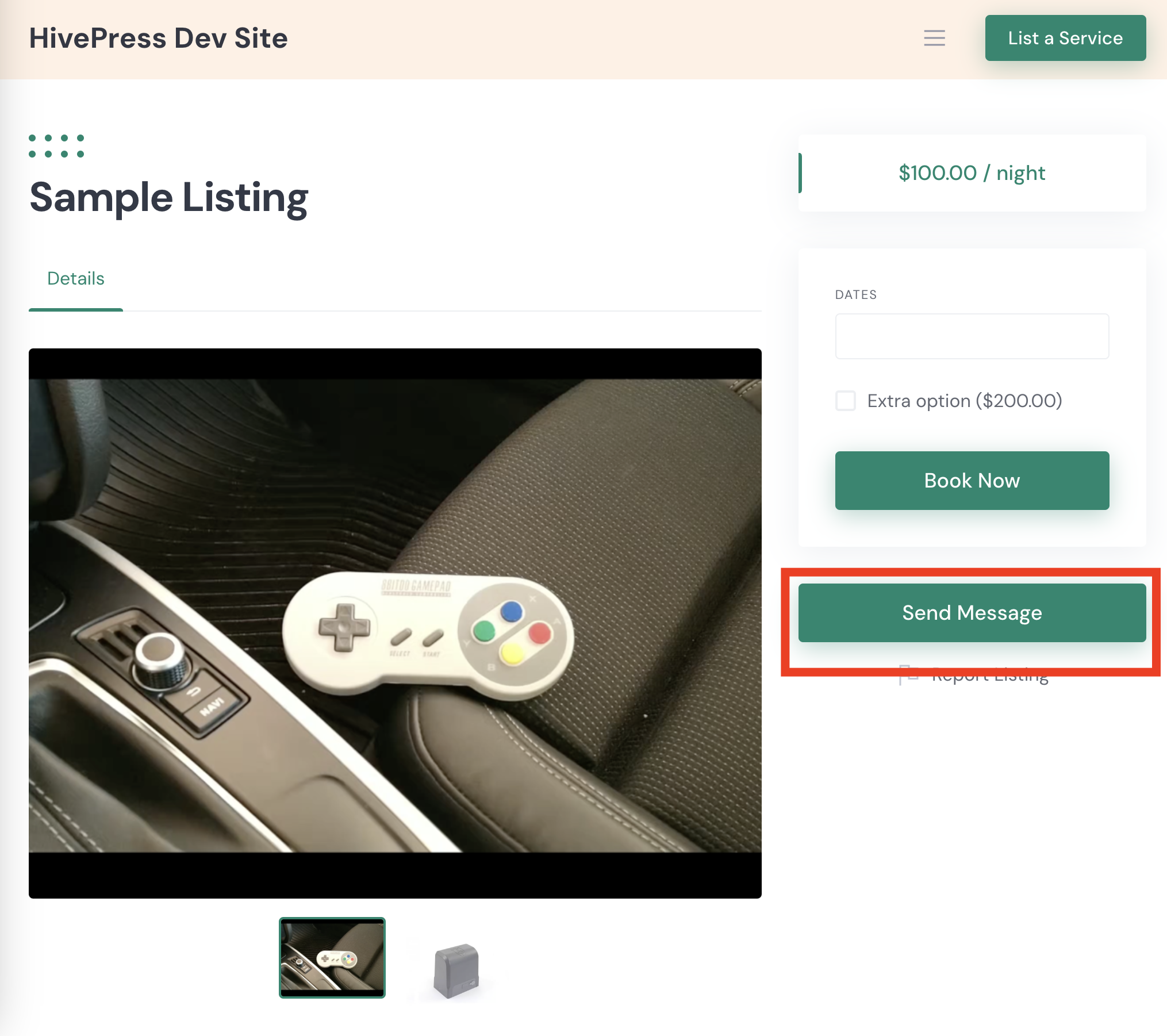
- Send Message button on every listing detail page (inside the agent info card)
- Send Message button on every archive listing card (opt-in, for "ask without opening the listing")
- Listing info card at the top of the conversation — property image, address, price, listing type (sale / rent)
- Voice and video call buttons on the agent's profile (WebSocket version) — for quick callbacks without exchanging phone numbers
What agents see
- Inbox with one thread per inquiring buyer
- Property context card at the top of each thread — agents know which listing the buyer is asking about
- Messages tab in the listing-platform dashboard (HivePress / Directorist / Classified Listing all expose this)
- Mobile app for replying on the go — most real estate inquiries happen evenings and weekends, agents are not at their desk
Free vs WebSocket version for real estate sites
| Feature | Free version | WebSocket version |
|---|---|---|
| Send Message button on every listing | yes | yes |
| Listing info card inside the conversation | yes | yes |
| Agent profile DMs | yes | yes |
| Real-time delivery | polling | instant |
| Voice and video calls (no phone number exchange) | — | yes |
| Web push notifications for new inquiries | — | yes |
| Mini-widget popup chat (buyer stays on the listing) | — | yes |
| Native mobile app | yes | yes |
For real estate sites where response time directly drives conversion (the first agent to respond often wins the buyer's attention), the WebSocket version's web push and mobile-app push are essential — they reach the agent within minutes whether they are on desktop, mobile browser, or just have the app installed.
Frequently asked questions
Can guests message agents without registering?
Yes — enable Guest Chat in Better Messages → Settings → Guest Chat. Buyers enter a name and email, then chat with the agent. The thread is preserved if they later register.
Will the chat work with IDX-driven MLS listings?
The Better Messages buttons are injected via the underlying directory plugin's template hooks (HivePress, Directorist, etc.). IDX plugins that render listings as custom post types work natively; IDX plugins that use iframes / external embeds need manual shortcode placement.
Can different agents on the same site handle different listings?
Yes — each listing has an author (the listing agent). Messages from a listing route to the listing's author. Agencies with multiple agents typically use the listing-author = agent model.
Does it work with team / brokerage models?
Yes — the listing's recipient can be overridden per listing (or per agent team) via a custom filter. Some agencies route all listings to a single "front desk" account; others route by neighborhood / property type.
Can buyers schedule a showing through the chat?
Better Messages handles the conversation; for actual scheduling, use a scheduling plugin (Amelia, Bookly, The Events Calendar Pro). Many agents simply chat with the buyer to agree on a time, then drop a calendar invite via email.
How sensitive can the negotiation conversation be?
For high-value real-estate negotiations, enable end-to-end encryption per thread on the WebSocket version. The server stores ciphertext only. See End-to-end encrypted messaging on WordPress.
See also
- HivePress listing chat — for HivePress-driven real-estate sites
- Directorist chat — for Directorist-driven sites
- GeoDirectory chat — for GeoDirectory-driven sites
- Classified Listing chat — for Classified Listing (RTCL) sites
- WordPress video call plugin — agent-buyer calls without exchanging phone numbers
- WordPress chat mobile app — for agents on the go