WordPress Nonprofit & Volunteer Community Chat
Nonprofits running their volunteer community on WordPress need a chat layer that coordinates without the spreadsheets-and-email tax. Coordinators DM volunteers to fill last-minute shifts, project teams coordinate inside group chats, donor circles get dedicated rooms for steward conversations. Better Messages handles all of it, including the mobile app that volunteers need for time-sensitive coordination on their phone.
The nonprofit stack on WordPress
| Layer | Plugin |
|---|---|
| Volunteer / member directory | BuddyBoss Platform, BuddyPress, or Ultimate Member |
| Donation / membership | GiveWP, Charitable, or Paid Memberships Pro |
| Event / shift signups | The Events Calendar Pro, Amelia, or a custom CPT |
| Volunteer chat | Better Messages |
| Mobile app | Better Messages iOS / Android (often white-label) |
The directory layer holds volunteer profiles and skills; Better Messages handles the conversation that turns "I signed up to volunteer" into "I am coordinating with the team."
Three chat patterns for nonprofits
Pattern 1 — Volunteer coordinator DMs
The shift coordinator DMs individual volunteers to confirm shifts, swap shifts, or fill last-minute gaps. Role-gated: only volunteers can be DM'd by coordinators; volunteers cannot DM each other unless they are in the same project group.
Pattern 2 — Project / chapter group chats
Each ongoing project, chapter, or working group has a paired group chat. Members are auto-added when they join the BuddyBoss / BuddyPress group, auto-removed when they leave. The project's activity coordination happens in the chat instead of email threads.
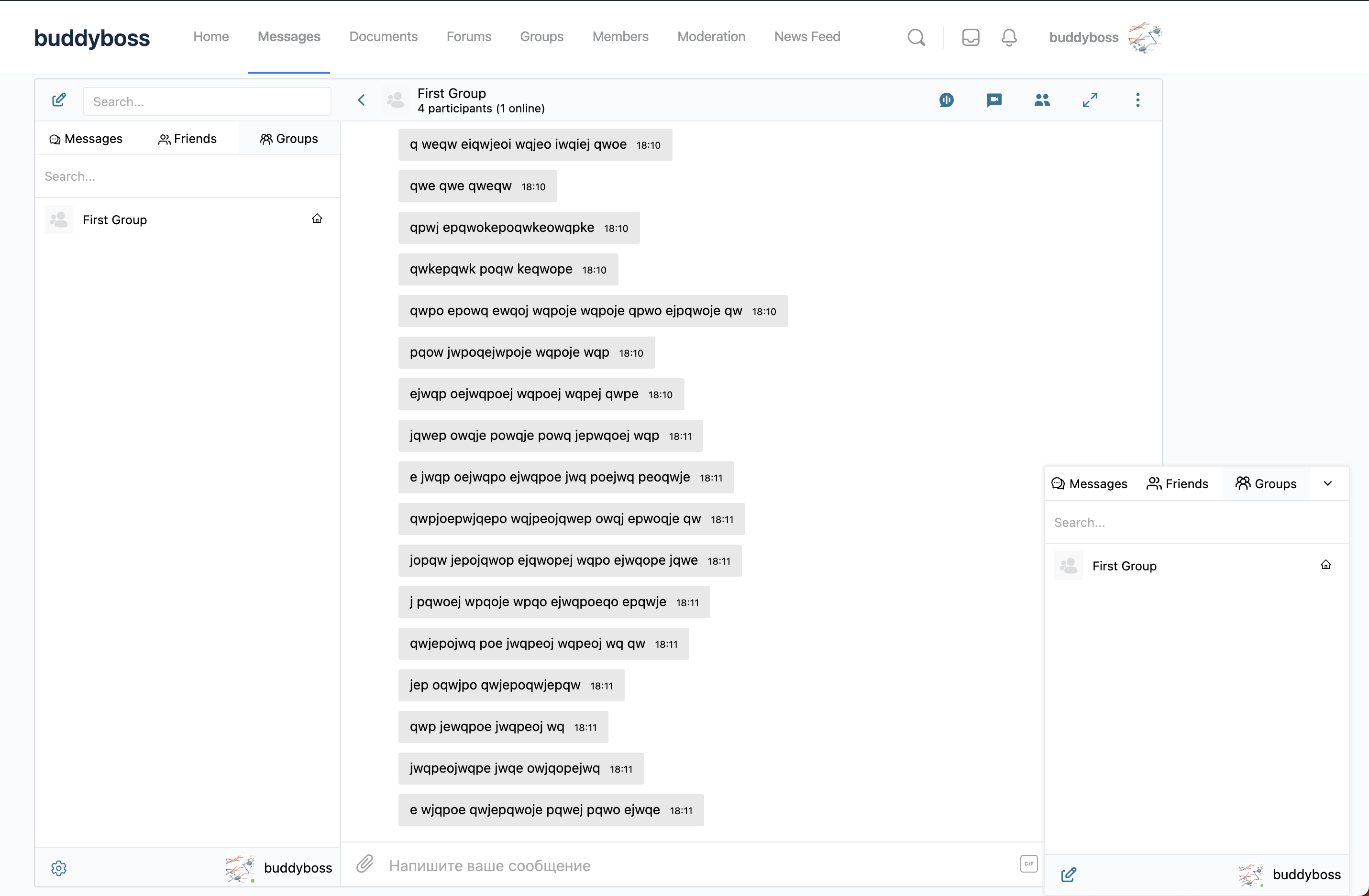
Pattern 3 — Donor-circle stewarding rooms
For nonprofits with major-donor circles, a dedicated chat room for donors-and-staff conversations. Restricted to a "Major Donor" role + staff. Used for stewarding, updates, and personal-touch communication that feels different from the mass email newsletter.
Mobile app for time-sensitive coordination
Volunteer coordination has real-time-pressure moments: "We need 3 more volunteers for the food bank tomorrow morning." A native mobile app with push notifications turns "I will check my email later" into "I see the request immediately and respond yes/no." The Better Messages iOS / Android app handles this, with white-label rebuild available so the app on the App Store / Play Store carries your nonprofit's brand.
Free vs WebSocket version for nonprofits
| Feature | Free version | WebSocket version |
|---|---|---|
| Coordinator-to-volunteer DMs | yes | yes |
| Project / chapter group chats | yes | yes |
| Donor-circle private rooms | yes | yes |
| File sharing (volunteer handbooks, project briefs) | yes | yes |
| Real-time delivery | polling | instant |
| Voice / video calls inside the chat (project team meetings) | — | yes |
| Group video calls (chapter all-hands) | — | yes |
| Web push notifications for time-sensitive coordination | — | yes |
| Native mobile app | yes | yes |
| White-label mobile app (your nonprofit's brand) | — | yes |
For nonprofits that depend on volunteer responsiveness, the WebSocket version's web push and group video calls are the difference between a community that mobilizes for events and one that has to chase volunteers by email a week in advance.
Free version pricing for nonprofits
The free version on WordPress.org has no per-user fees — install it, run it on your nonprofit's existing WordPress hosting, no ongoing cost. The WebSocket version is paid; many software vendors offer nonprofit discounts — contact support to check current nonprofit pricing.
Frequently asked questions
Can volunteers chat without creating a WordPress account?
For coordination among volunteers who have signed up, accounts are usually necessary (so the coordinator can match volunteer to shift). For external inquiries from "I want to volunteer" prospects, enable Guest Chat on a public chat room as the inquiry channel.
How do we keep donor conversations private from regular staff?
Use a restricted chat room with only the "Major Donor" role + a specific "Donor Stewarding Staff" role allowed. The conversation is not visible to other staff. For high-confidentiality donor conversations, enable end-to-end encryption per thread.
Will it work alongside our GiveWP donation forms?
Yes — GiveWP handles donations; Better Messages handles the chat. The donation amount or recurrence can be used to set a WordPress role (via a custom hook), which then gates chat-room access. Standard pattern.
Can different chapters of the nonprofit have their own chats?
Yes — each chapter is a BuddyBoss / BuddyPress / UM group with its own paired chat. Members of a chapter see their chapter's chat in the Groups widget.
How does this compare to using Slack for volunteer coordination?
Slack works for small (under-50-volunteer) tight teams. For broader nonprofit volunteer bases (hundreds or thousands of intermittent volunteers, donor circles, etc.), keeping the chat on the WordPress site means it lives with the volunteer profile, the shift signups, and the donation history — one login, one source of truth.
Can we run a public "ask us anything" chat for prospective volunteers?
Yes — a public chat room with guest access enabled lets prospects chat with current volunteers and staff without registering. See WordPress guest chat.
See also
- BuddyBoss messaging plugin — common stack for nonprofit communities
- BuddyPress messaging plugin — open-source default
- Role-based access for WordPress chat — coordinator-to-volunteer permission setup
- WordPress group chat plugin — project / chapter group chats
- WordPress chat mobile app — for time-sensitive volunteer coordination
- WordPress guest chat — prospect inquiry channel