FluentCommunity Chat: Real-Time Messaging for Spaces and Courses
FluentCommunity is the Fluent ecosystem's community + LMS platform — Discord-style Spaces for community discussion, plus a dedicated Courses post type for paid learning. Better Messages adds a WordPress-native real-time messenger that takes over every FluentCommunity surface: paired group chats for Spaces, auto-managed Course Group Chats with a Message Instructor button, profile buttons with voice / video call icons, and automatic dark-mode mirroring. If you are using Fluent Messaging, deactivate it after installing Better Messages to avoid a double-messenger conflict.
What Better Messages adds to FluentCommunity
Once Better Messages is installed and the FluentCommunity integration is enabled under Better Messages → Settings → Integrations → FluentCommunity:
- Messages link in the FluentCommunity portal header and mobile bottom menu.
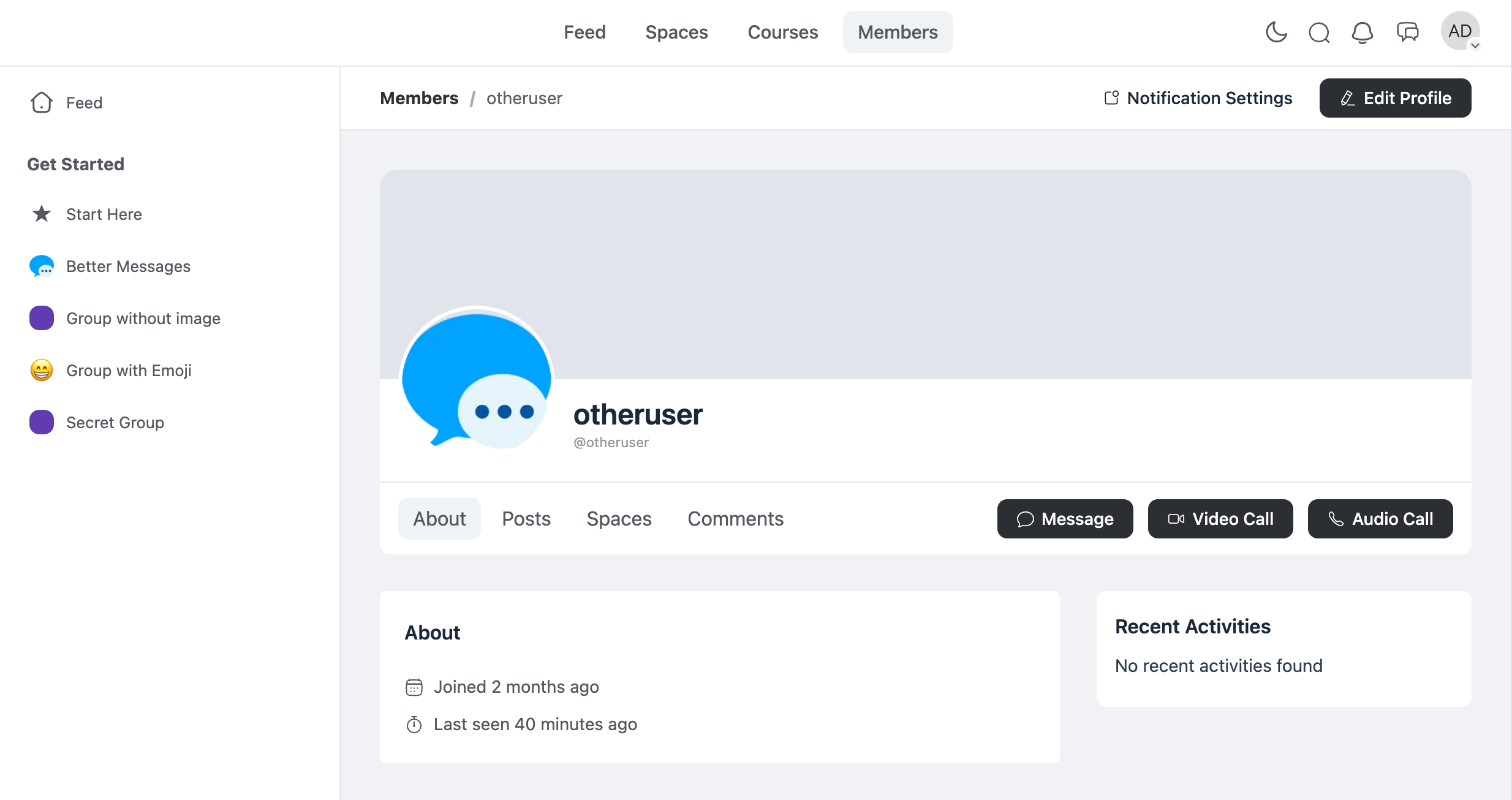
- Private Message + Audio / Video Call buttons on every user profile.
- FluentCommunity avatars and profile links used throughout the messenger.
- Automatic dark / light mode switch following the FluentCommunity portal setting.
- Paired group chat for every FluentCommunity Space — members auto-join when they join the Space, auto-leave when they leave.
- Auto-managed Course Group Chat for every FluentCommunity Course, with a Course Chat button next to Continue Course.
- Message Instructor button on the course creator card.
- Courses widget showing every course the user is enrolled in, shared with LearnDash / LearnPress / Tutor LMS / MasterStudy LMS.
Spaces group chats
Each FluentCommunity Space can have a paired group chat. The chat is created the first time the Space is opened in the messenger; members are auto-added when they join the Space, auto-removed when they leave. Space admins enable or disable the chat per Space.
Space chats surface in three widget locations:
- Mini Widgets bar — fixed at the bottom of the browser window with a list of Spaces.
- Side Panel tab — a Spaces tab in the side conversation panel.
- Mobile bottom tab — a Spaces tab on full-screen mobile mode.
Courses integration
FluentCommunity Courses are a separate post type from Spaces, with their own enrollment model and a creator-as-instructor concept. Better Messages keeps course chats distinct from Space chats — they live in the dedicated Courses widget alongside LearnDash, LearnPress, Tutor LMS, and MasterStudy LMS courses.
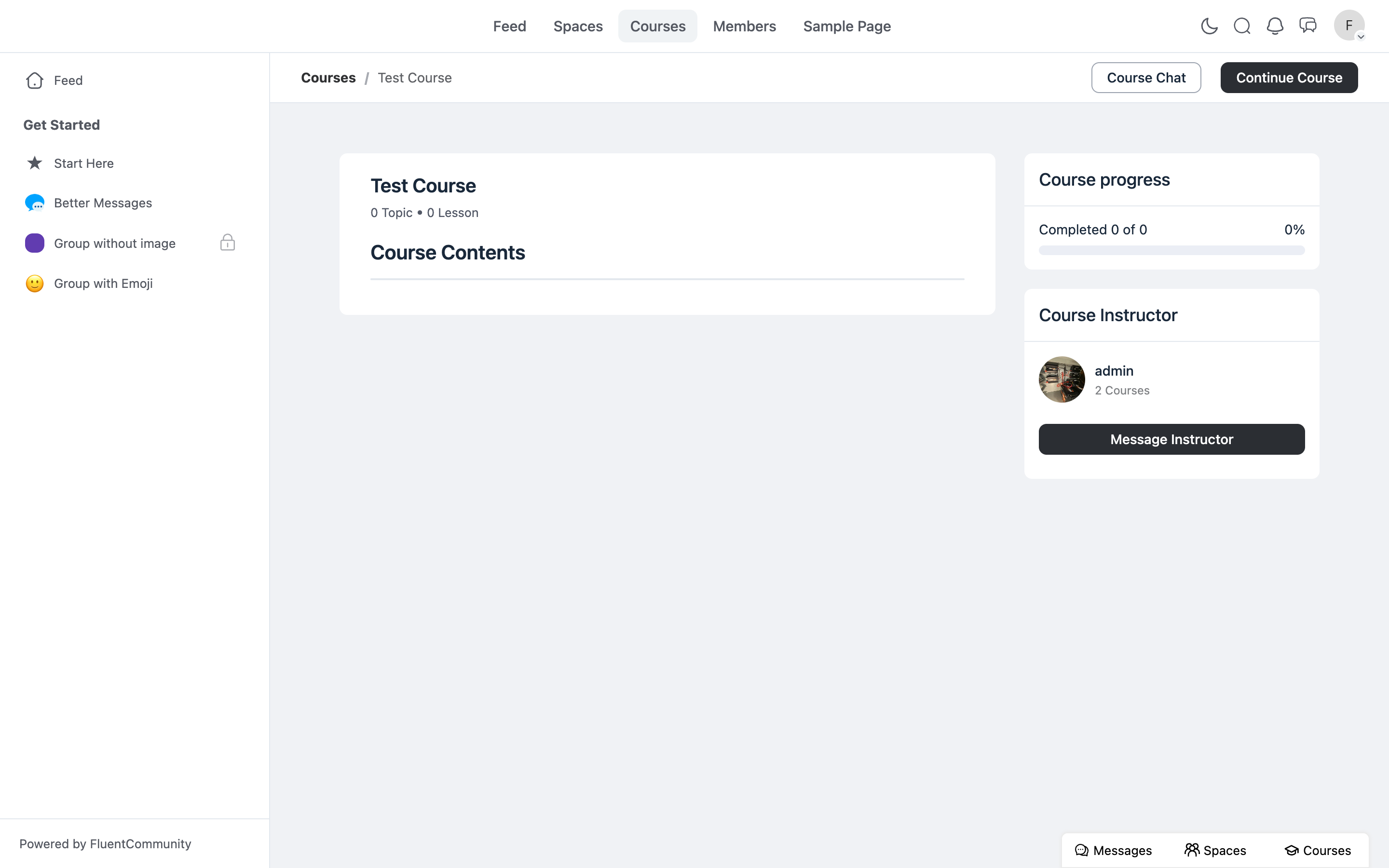
Two buttons appear on every published course:
- Course Chat — next to Continue Course, opens the auto-managed course group chat.
- Message Instructor — under the course creator card, opens a private DM with the creator. Hidden when the visitor is the creator.
The course group chat membership stays in sync via FluentCommunity's course/enrolled and course/student_left hooks, plus a self-healing diff sync that reconciles the full participant list against the FluentCommunity source of truth — a single missed hook will not leave the chat out of sync.
Courses widget
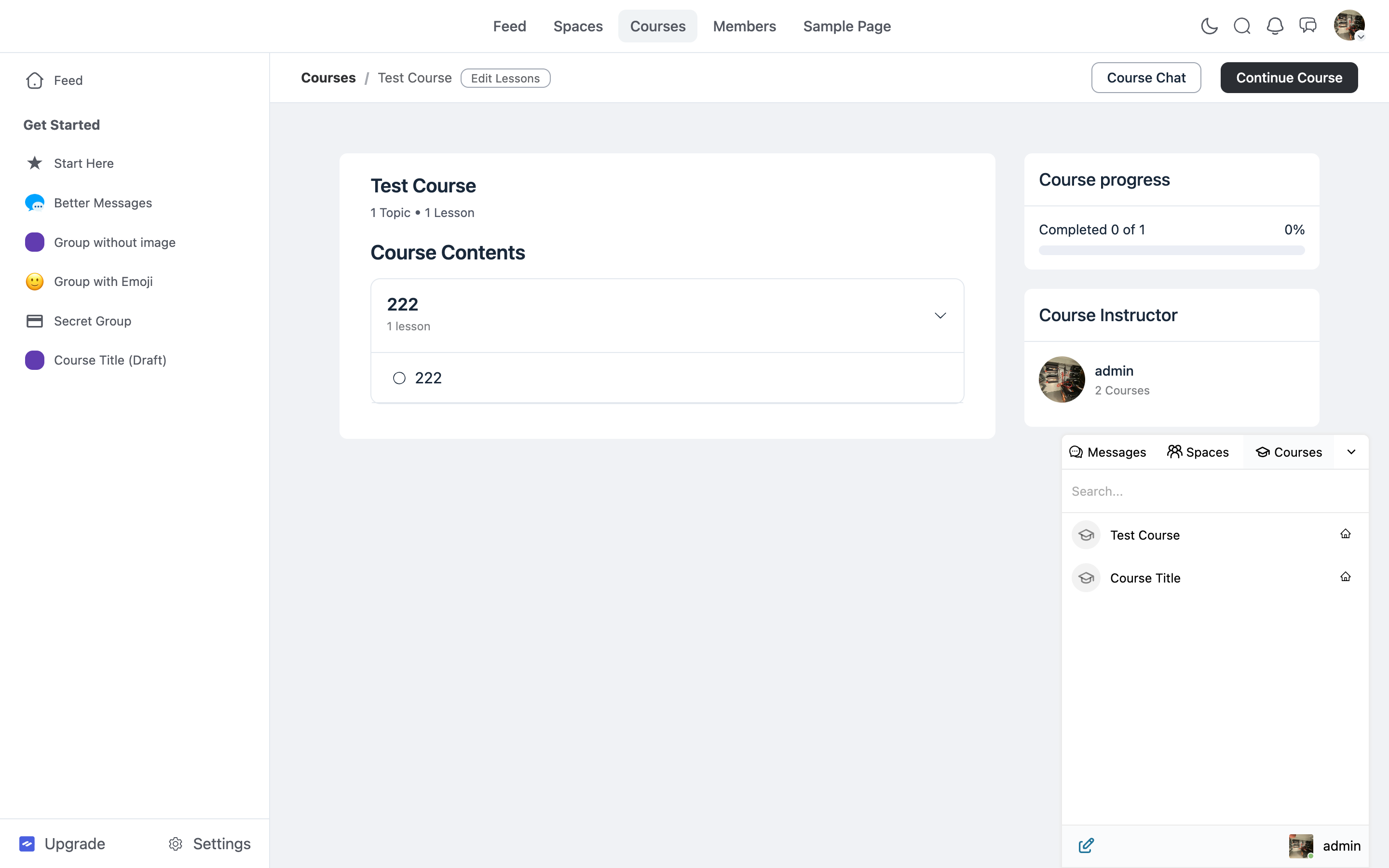
Lists every course the user is enrolled in or authored. Shared with all other LMS integrations — sites running FluentCommunity Courses plus LearnDash or Tutor LMS see all course chats together.
Dark mode mirror
Better Messages flips into dark mode whenever the FluentCommunity portal does — no separate dark-mode setting to manage. Light / dark / system preferences are inherited automatically.
Installing Better Messages on a FluentCommunity site
- Install Better Messages from WordPress.org and activate it.
- If Fluent Messaging is active, disable it — running both messengers side by side makes no sense.
- Open WP Admin → Better Messages → Settings → General and set Messages Location to Show in FluentCommunity Portal.
- Open WP Admin → Better Messages → Settings → Integrations → FluentCommunity and configure the Spaces and Courses toggles.
Free vs WebSocket version for FluentCommunity sites
| Feature | Free version | WebSocket version |
|---|---|---|
| Portal Messages link, profile Private Message button | yes | yes |
| Paired group chat for Spaces | yes | yes |
| Auto-managed Course Group Chat | yes | yes |
| Message Instructor button on courses | yes | yes |
| Courses widget across all LMS integrations | yes | yes |
| Dark mode mirror from FluentCommunity | yes | yes |
| Real-time delivery | polling | instant |
| One-on-one voice and video call buttons on profiles | — | yes |
| Group voice and video calls inside Space / Course threads | — | yes |
| Web push notifications for new messages | — | yes |
| Push notifications for course messages | — | yes |
| Read receipts | — | yes |
| End-to-end encryption (optional per thread) | — | yes |
FluentCommunity is Discord-styled by design — the WebSocket version's group voice / video calls inside Space and Course threads complete the picture. A Space discussion can escalate into a group call without redirecting members to Zoom, and a course's office hours run inside the course chat thread.
Frequently asked questions
Does it replace Fluent Messaging?
Yes — Fluent Messaging is FluentCommunity's built-in messenger; both should not run together. Disable Fluent Messaging when you install Better Messages so the Better Messages messenger takes over the portal's Messages surfaces cleanly.
Will Space chats persist if the Space is deleted?
If you delete a FluentCommunity Space, its paired chat thread remains in the database for record-keeping. Members lose access to it via the Space, but Better Messages preserves the history.
Can I have a Space chat without enabling messaging globally?
No — Space group messaging is a global toggle in the integration settings. Once enabled globally, individual Spaces can opt in or out via their own settings.
Does it work alongside other LMS plugins?
Yes — FluentCommunity Courses, LearnDash, LearnPress, Tutor LMS, and MasterStudy LMS all share the Courses widget and the shared course settings (Info Card, Email, Push). Sites running multiple platforms see all courses in one place.
Can FluentCommunity members message each other 1-on-1?
Yes — every FluentCommunity profile gets a Private Message button. With the WebSocket version, two extra Audio Call and Video Call buttons can be enabled.
See also
- FluentCommunity integration documentation — full setup reference
- WordPress community chat plugin — comparing BuddyPress, BuddyBoss, PeepSo, Ultimate Member, FluentCommunity
- WordPress LMS chat plugin — comparing every LMS integration including FluentCommunity Courses
- Group conversations — how group chats work in general