Best Chat Plugin for a WordPress Community in 2025
If you run a WordPress community — a paid membership, a private network, an alumni group, a fan club — the messaging layer is half the product. Better Messages adds a single modern real-time messenger that handles BuddyPress, BuddyBoss Platform, PeepSo, Ultimate Member, and FluentCommunity from one install, with voice messages, voice and video calls, AI bots, end-to-end encryption, web push, and a native mobile app on top.
This post compares what the integration looks like across the five community platforms and what to think about when picking one.
The five community platforms at a glance
| Platform | Active sites (rough) | Built-in messaging | Better Messages replaces it | Friends / Followers / Groups integration |
|---|---|---|---|---|
| BuddyPress | 100,000+ | yes (BP messages) | yes | Friends, Groups |
| BuddyBoss Platform | 30,000+ | yes (BB Live Messaging) | yes (auto-disabled) | Friends, Groups, Moderation |
| PeepSo | 15,000+ | yes (PeepSo Core: Chat) | yes (deactivate the add-on) | Friends, Groups, VIP |
| Ultimate Member | 100,000+ | yes (UM Messages add-on) | yes (deactivate the add-on) | Friends, Followers, Groups |
| FluentCommunity | 5,000+ | yes (Fluent Messaging) | yes (deactivate Fluent Messaging) | Spaces (groups), Courses |
All five share the same Better Messages core: real-time delivery, group conversations, file uploads, reactions, mentions, GIPHY, stickers, the dedicated messenger UI, and one-click voice / video calls on the WebSocket version.
BuddyPress — the original
Better Messages takes over every BuddyPress messaging URL and adds a modern real-time messenger on top — group conversations, file uploads, voice messages, voice and video calls, AI bots, end-to-end encryption, web push, and the BuddyPress Friends / BuddyPress Groups integrations.
Full write-up: BuddyPress messaging plugin.
BuddyBoss Platform
Better Messages takes over BuddyBoss Platform messaging — it auto-disables BuddyBoss Live Messaging on activation, takes over the header inbox icon, and adds members-directory call icons, a live unread counter in the profile dropdown, and bbPress reply integration.
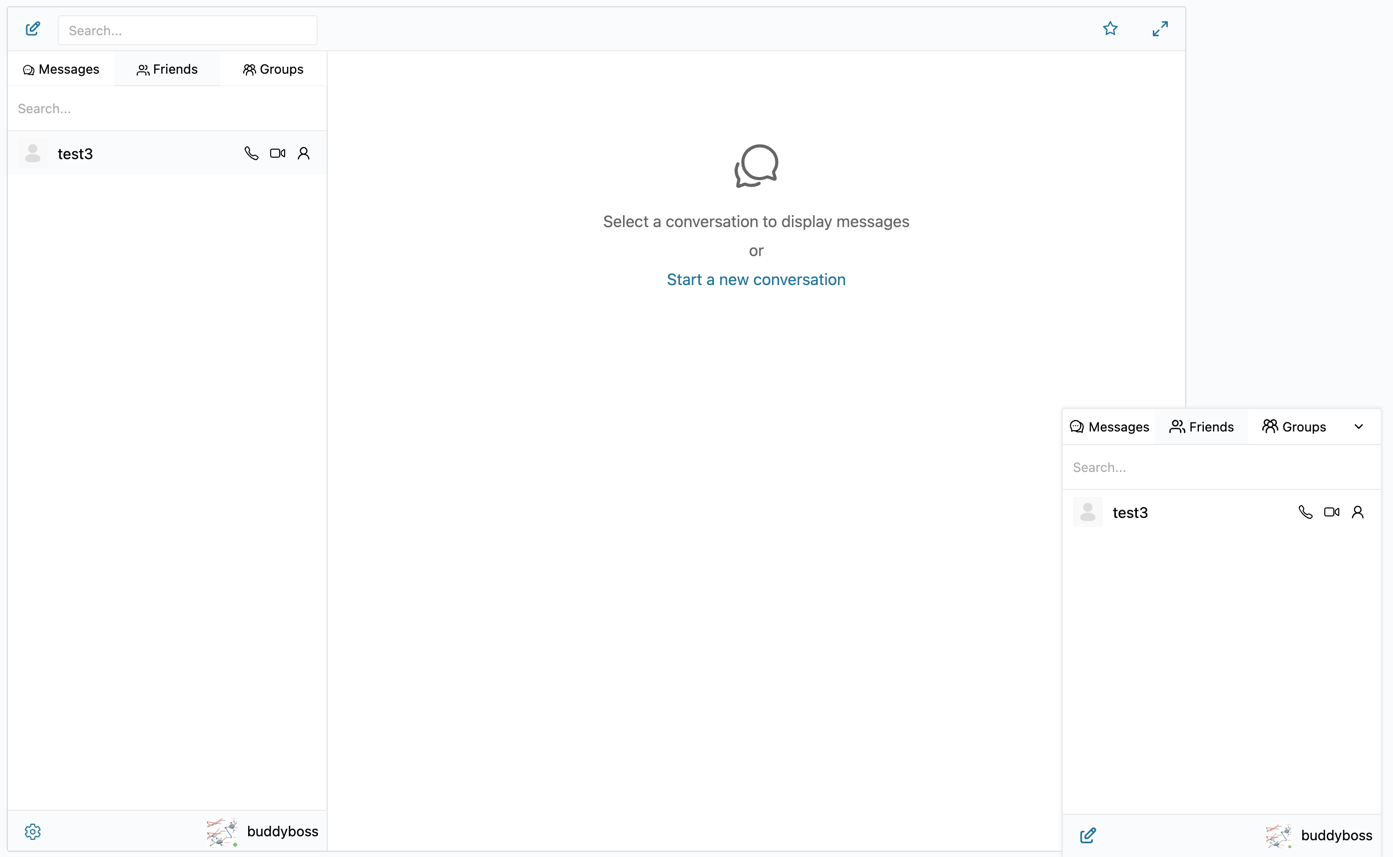
Full write-up: BuddyBoss messaging plugin.
PeepSo
Better Messages hooks into the PeepSo header dock, every profile (with optional Audio Call / Video Call buttons on the WebSocket version), the members directory, the friends list, and PeepSo Groups. PeepSo Block Theme dark mode is mirrored automatically. PeepSo Core: Chat should be deactivated when Better Messages is installed.

Full write-up: PeepSo messaging plugin.
Ultimate Member
Better Messages takes over the Ultimate Member profile Messages tab, the Private Message buttons on profiles and the members directory, and integrates with UM Friends, UM Followers, and UM Groups. The Ultimate Member Messages add-on should be deactivated when Better Messages is installed.
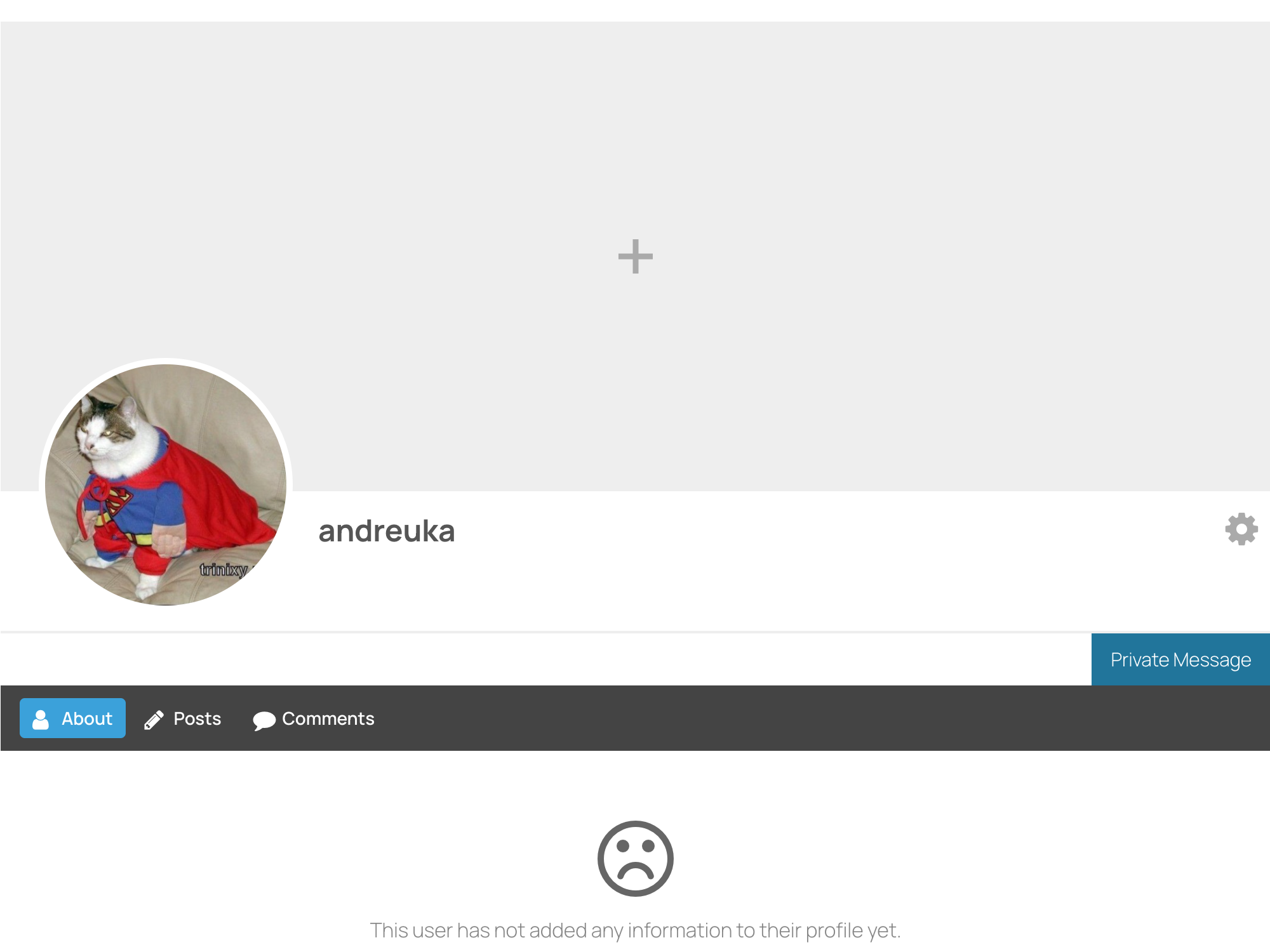
Full write-up: Ultimate Member private messaging plugin.
FluentCommunity
FluentCommunity is a younger entrant — a community platform built on the Fluent ecosystem. Better Messages adds paired group chats for FluentCommunity Spaces and FC Courses surfacing in the Spaces and Courses widgets, plus voice messages, voice / video calls on profiles, web push, and a native mobile app. Fluent Messaging should be deactivated when Better Messages is installed.
Reference: FluentCommunity integration documentation.
How they compare on the member journey
| Member journey step | BuddyPress | BuddyBoss | PeepSo | Ultimate Member | FluentCommunity |
|---|---|---|---|---|---|
| Profile → DM a member | yes | yes | yes | yes | yes |
| Members directory → DM a member | yes | yes | yes | yes | yes |
| Friends widget (drives the messenger) | yes | yes | yes | yes | — |
| Followers as a messaging gate | — | — | — | yes (UM Followers) | — |
| Groups → paired group chat | yes | yes | yes | yes | yes (Spaces) |
| Group auto-sync (members join/leave) | yes | yes | yes | yes | yes |
| Header / dock inbox icon with live unread | yes | yes | yes | yes | — |
| Profile call buttons (WebSocket version) | — | yes (members directory) | yes (Audio / Video toggles) | — | — |
The messenger experience is identical across all five — what differs is which surface each platform exposes natively, and a couple of advanced surfaces (PeepSo profile call buttons, BuddyBoss members-directory icons).
Picking the right community platform
Chat is not the variable in this decision. The community-platform choice comes down to:
- BuddyPress — open-source, mature, free. The default if you want full control and a large theme/plugin ecosystem.
- BuddyBoss Platform — paid theme/platform with a much more modern out-of-the-box UI. The default if you want it to look like a 2025 SaaS product without theming work.
- PeepSo — paid, focuses on activity feeds and notifications, slightly Facebook-style.
- Ultimate Member — free with paid add-ons, focused on profiles and member directories rather than feeds.
- FluentCommunity — paid, Discord-style with channels, newer, and tightly integrated with the FluentCRM / FluentForms ecosystem.
Better Messages supports all five from the same install, so the chat layer is constant regardless of which platform you pick.
Free vs WebSocket version for community sites
| Feature | Free version | WebSocket version |
|---|---|---|
| All platform-specific integrations | yes | yes |
| Group conversations, file uploads, mentions | yes | yes |
| Friends / Followers / Groups integration | yes | yes |
| Real-time delivery | polling | instant |
| One-on-one voice and video calls | — | yes |
| Group voice and video calls (community AMAs, meetups, study groups) | — | yes |
| Web push notifications for new messages | — | yes |
| Advanced Mini Chats (popup mode for profile / directory buttons) | — | yes |
| Members-directory call icons (BB, PeepSo) | — | yes |
| End-to-end encryption (optional per thread) | — | yes |
For sites running paid community programs, the WebSocket version's group calls turn a community into a live-meetup platform — host a weekly AMA inside the community thread, run a member-only study group, or hold an instructor-led workshop inside a group chat. The community plus the meetup live in one place, members do not need to leave the site for Zoom or Discord.
Frequently asked questions
Can I run two community platforms side by side?
It is technically possible — some sites run BuddyPress alongside Ultimate Member, for example. Better Messages detects each active platform and wires the integration in independently.
Will my existing message threads survive a platform switch?
Better Messages stores threads in its own tables, independent of the host platform. If you migrate from BuddyPress to BuddyBoss, the threads continue. If you migrate to a different community plugin entirely, threads remain readable but some platform-specific surfaces (header icon, profile buttons) re-bind to the new platform.
Does it work with custom community plugins?
The integrations listed here are auto-detected. For platforms not on the list, Better Messages still works as a standalone messenger on any WordPress page — you lose the platform-specific surfaces, but the core chat experience is the same.
Are guests / non-members allowed to chat?
Optional. Guest Chat is configurable in Better Messages → Settings → Guest Chat. Members-only sites typically turn it off; sites with a public landing area + a private member zone often turn it on for the public side.
Does the BuddyBoss app handle Better Messages chats?
The BuddyBoss native app uses BuddyBoss's own messaging stack, not Better Messages. Better Messages has its own iOS / Android app (Capacitor-based); community members use that app for messaging.
See also
- BuddyPress messaging plugin
- BuddyBoss messaging plugin
- PeepSo messaging plugin
- Ultimate Member private messaging plugin
- FluentCommunity chat plugin
- SureDash messaging plugin
- Group conversations — how group chats work
- Real-time messaging — what changes with the WebSocket version