Dokan Vendor Chat: Private Messaging for Marketplaces
Dokan turns WordPress into a multi-vendor marketplace, but out of the box there is no way for a customer to message a vendor before checkout, ask about shipping, or negotiate a custom order. Better Messages plugs that gap with a single click: a Live Chat button on every product, every shop page, and every vendor dashboard.
This guide shows what the Dokan integration adds, how to switch it on, and what the difference is between the free AJAX version and the WebSocket version.
What the Dokan integration adds
Once Better Messages is installed and the Dokan integration is enabled, four things happen automatically:
- Live Chat tab in the vendor dashboard — vendors get a full inbox on their own dashboard, no need to log into a separate admin area.
- Live Chat button on every product page — customers start a conversation with the seller from the product they are looking at.
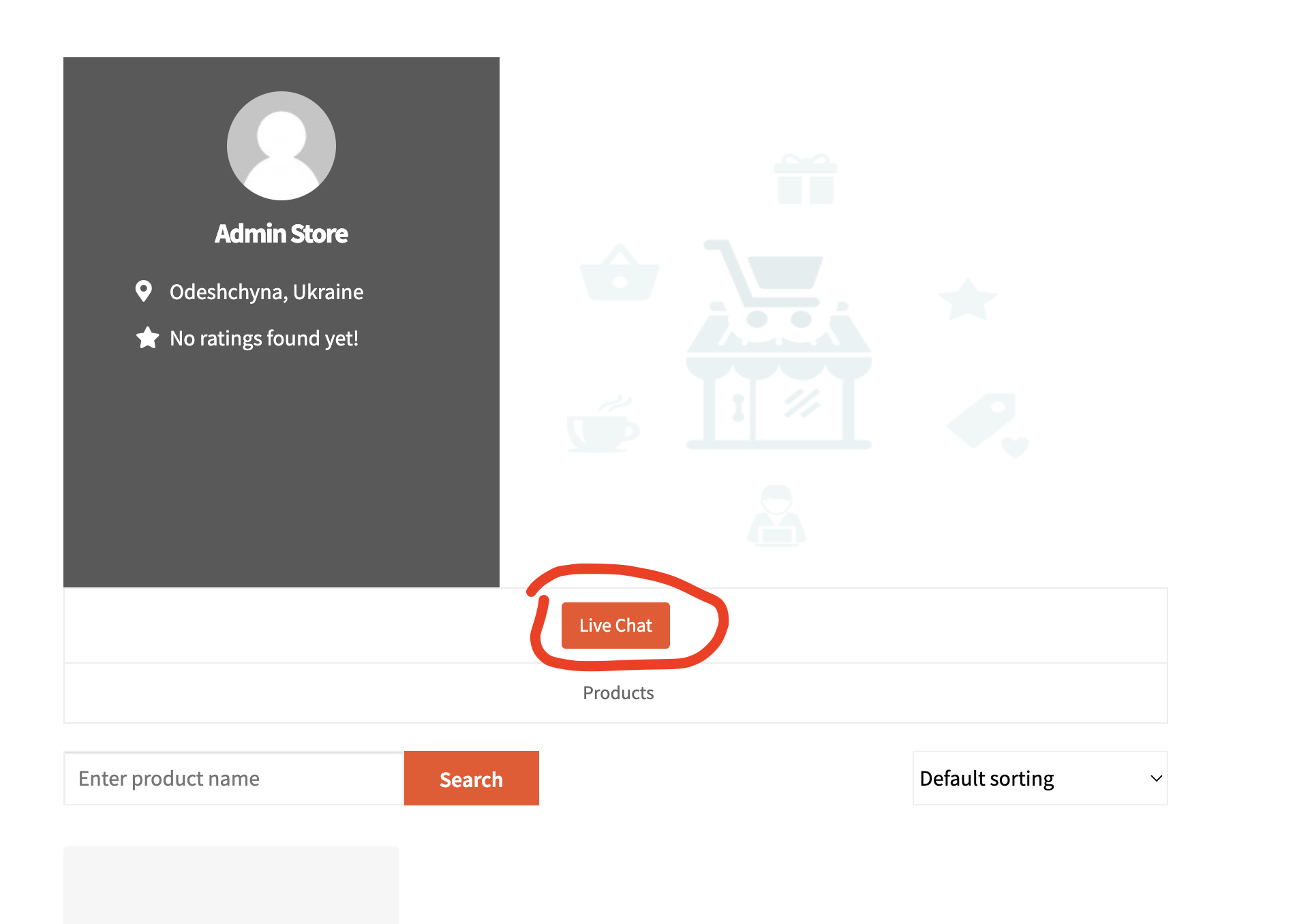
- Live Chat button on the vendor shop page — for vendors selling many products, customers can also start a conversation directly from the shop.
- Vendor avatars and profile links — anywhere a vendor appears in the messenger, the avatar and link come from the Dokan vendor shop profile, not the default WordPress one.
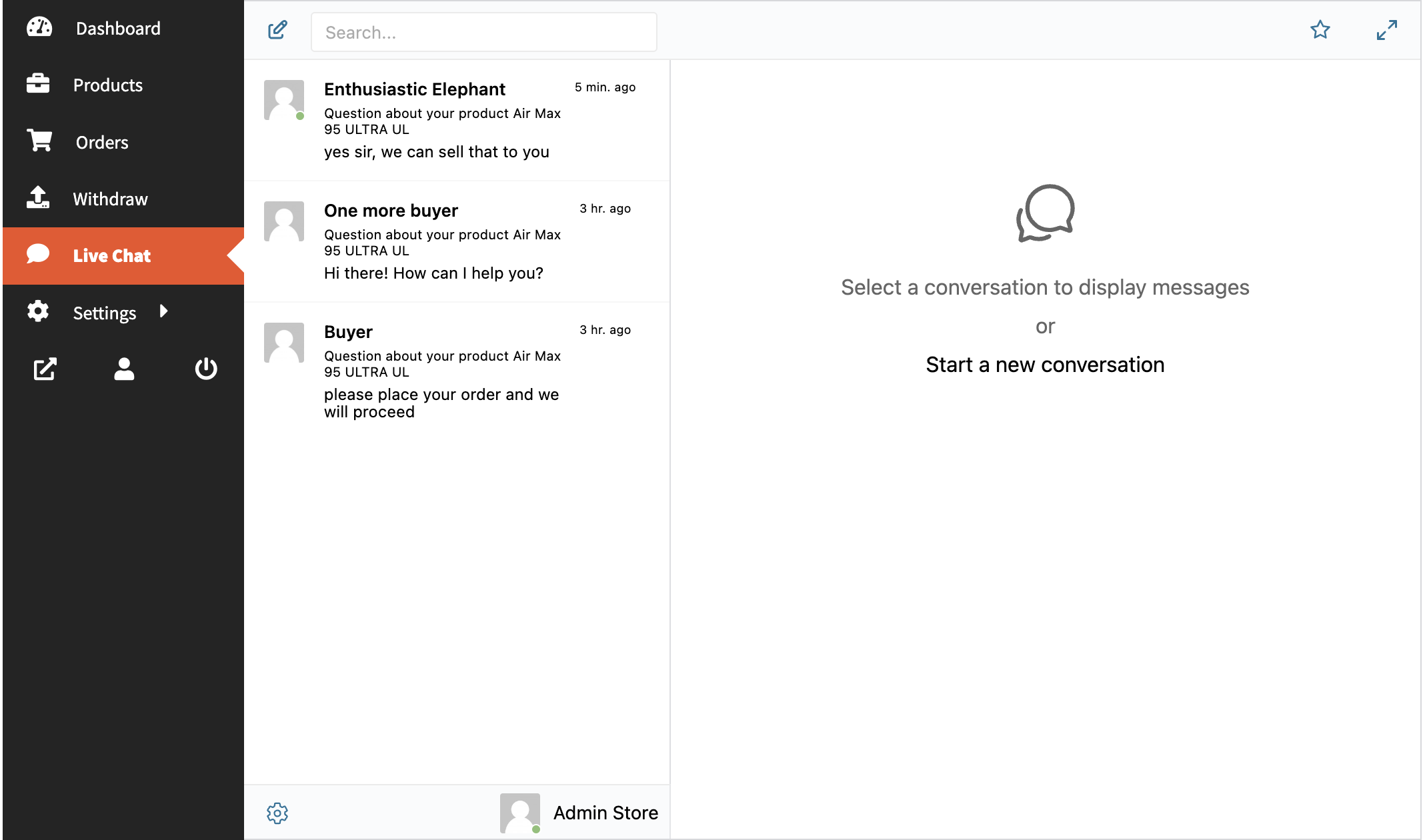
Why customer-to-vendor chat matters for marketplaces
Marketplaces lose conversions when buyers cannot get a question answered. Email replies arrive hours later. Contact forms feel formal. Asynchronous chat splits the difference: the customer types their question, the vendor sees it next time they open the dashboard, and the conversation history is permanent. With the WebSocket version, the vendor sees a desktop notification immediately and can reply while the customer is still on the page.
How to enable Live Chat for Dokan vendors
- Install Better Messages from WordPress.org and activate it.
- Install Dokan if you have not already.
- Open WP Admin → Better Messages → Integrations → Other Plugins.
- Find Dokan Marketplace Integration and toggle Enable Live Chat for Vendors.

That is the entire setup. Every vendor's shop now ships with a chat button, and every product page now has one too.
Embedding the chat button manually
If you use a custom page builder, the chat button may not auto-render on the product template. Place it manually with the shortcode:
[better_messages_dokan_product_button]
This works inside Elementor, Bricks, Oxygen, and any builder that supports WordPress shortcodes.
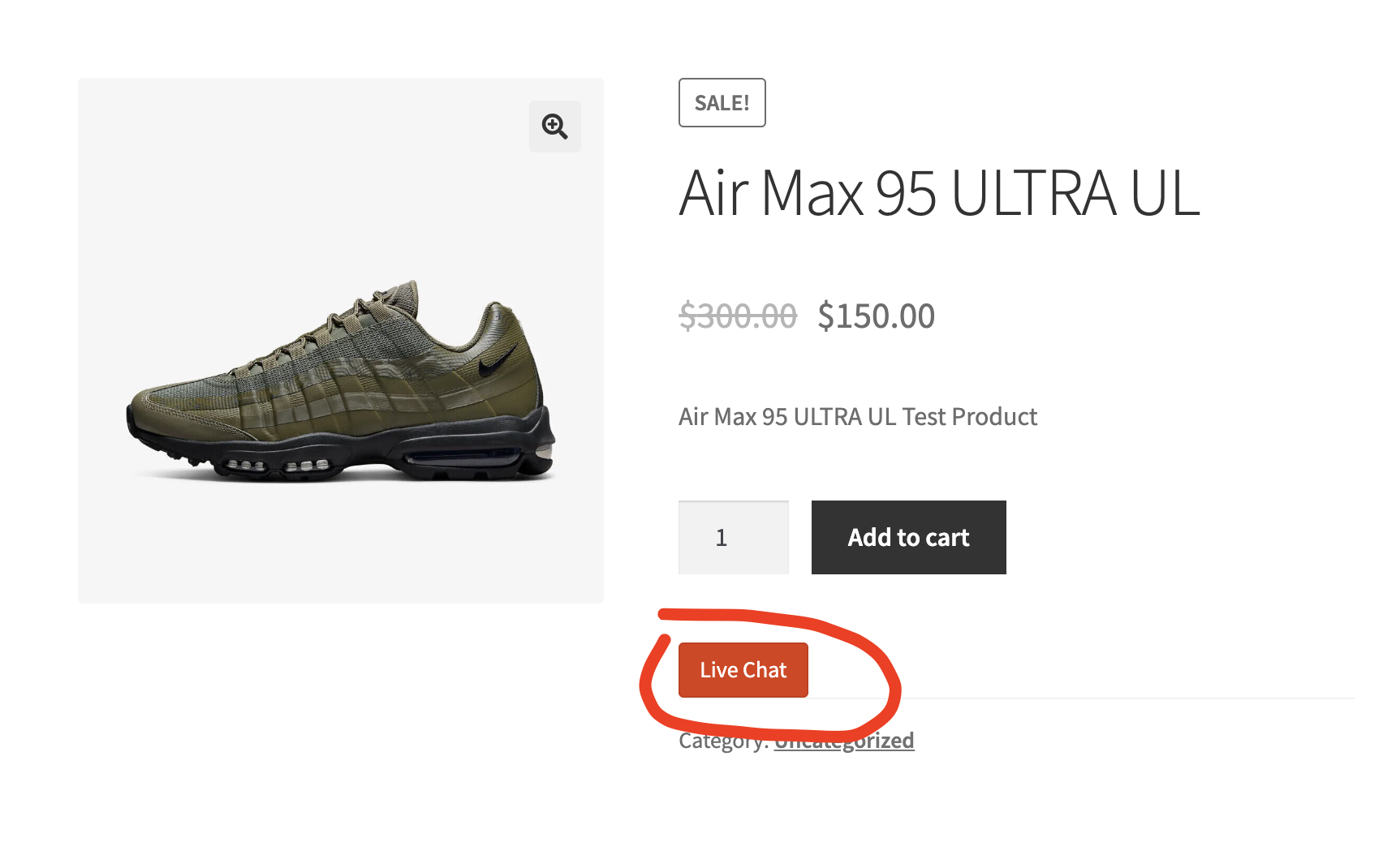
Vendor shop page
The same integration adds a chat button to the vendor shop landing page, so customers browsing a vendor's full catalog can open a thread without picking a specific product first.
Free vs WebSocket version for Dokan stores
Both versions support the Dokan integration. The differences:
| Feature | Free (AJAX) | WebSocket |
|---|---|---|
| Live Chat on product / shop / dashboard pages | yes | yes |
| Message history, file uploads, reactions | yes | yes |
| Real-time delivery (no page refresh) | polling (~5 s) | instant |
| One-on-one voice and video calls | — | yes |
| Group voice and video calls (e.g. vendor team huddle) | — | yes |
| Web push notifications for new messages | — | yes |
| Read receipts | — | yes |
Frequently asked questions
Can customers message a vendor without registering?
Yes — enable Guest access in Better Messages → Settings → Guest Chat. A first-time customer enters a name and email, then chats with the vendor. The thread is preserved if they later register.
Can vendors message each other?
Yes. The vendor dashboard chat is a full messenger, not a vendor-to-customer-only widget. Vendors can also be added to group conversations.
What happens to the chat history when a vendor disables their shop?
Conversations are preserved. If the vendor re-enables the shop, the threads come back. If you delete the vendor's WordPress user, you can choose to delete or anonymize their messages — set the behavior at Better Messages → Settings → Privacy & GDPR.
Does it work with WooCommerce subscriptions and bookings?
Yes — Dokan's WooCommerce extensions do not change the product page template hook that Better Messages uses. If you have heavily customized the product template, place the shortcode above manually.
Is the WebSocket cloud server hosted by you?
Yes — the WebSocket license includes hosted relay servers, no extra Node.js server to run. If your data-residency rules require it, consider upgrading to the self-hosted plan.
See also
- Dokan integration documentation — full setup reference
- Real-time messaging feature — how the WebSocket version delivers messages instantly
- Group conversations — for vendor teams that operate as a single shop
- WordPress marketplace chat — comparing Dokan, WCFM, WC Vendors, and MultiVendorX for buyer ↔ vendor chat