WP User Manager Private Messaging Plugin
WP User Manager (WPUM) is the front-end user-registration, login, and profile plugin from the WP Job Manager team. It is a clean, focused alternative to Ultimate Member and ProfileGrid — front-end account management without the kitchen-sink feature list. Better Messages adds a real-time messaging layer to WPUM sites: a Messages tab inside the WPUM profile, a Private Message button on every other user's profile, and WPUM avatars / profile links used throughout the messenger.
What Better Messages adds to WP User Manager
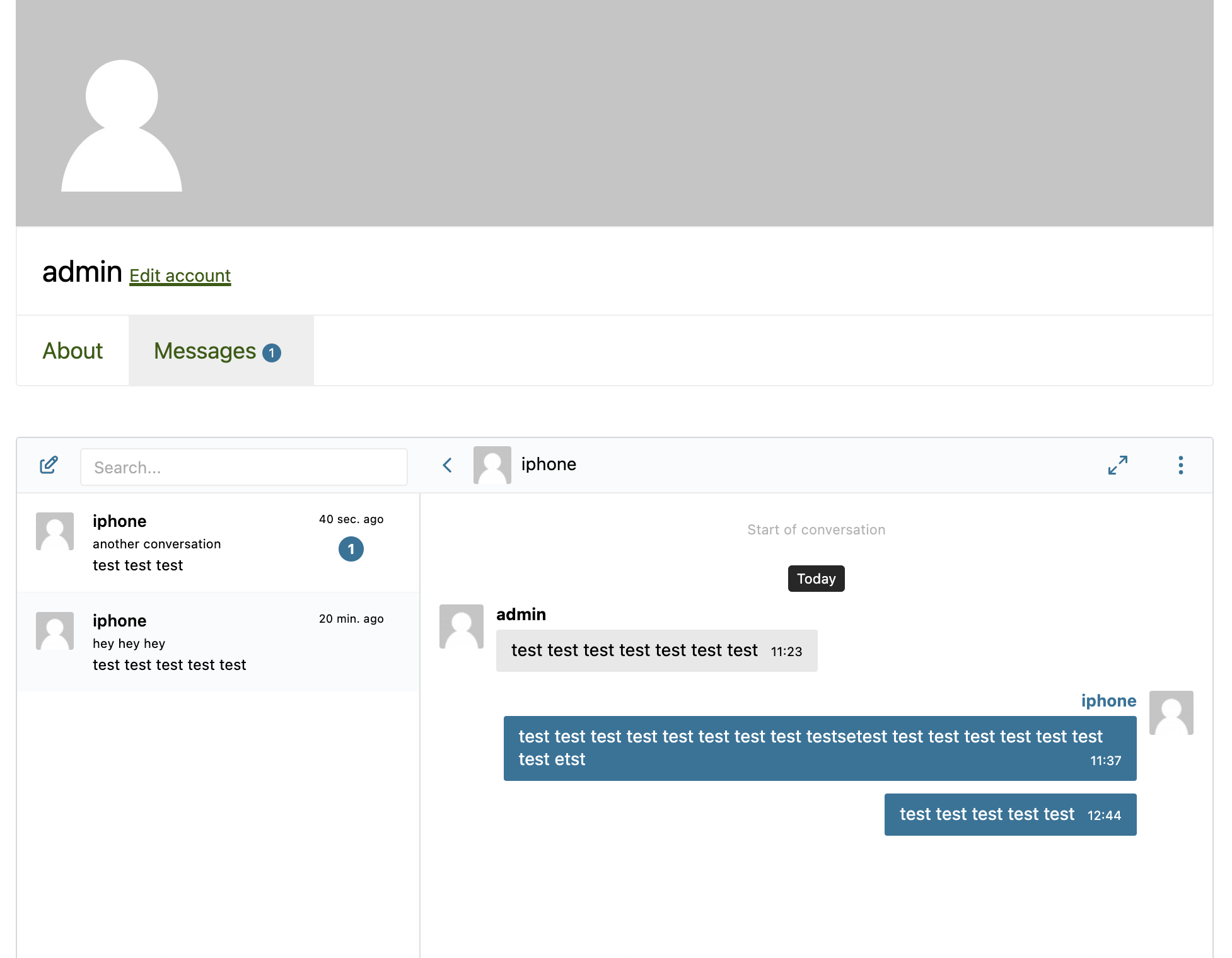
Once Better Messages is installed and configured with Messages Location → Show in WP User Manager profile:
- Messages tab inside the currently logged-in user's profile embedding the full Better Messages inbox.
- Private Message button on every other user's profile.
- WPUM avatars and profile links used throughout the messenger.
Private Message button on other profiles
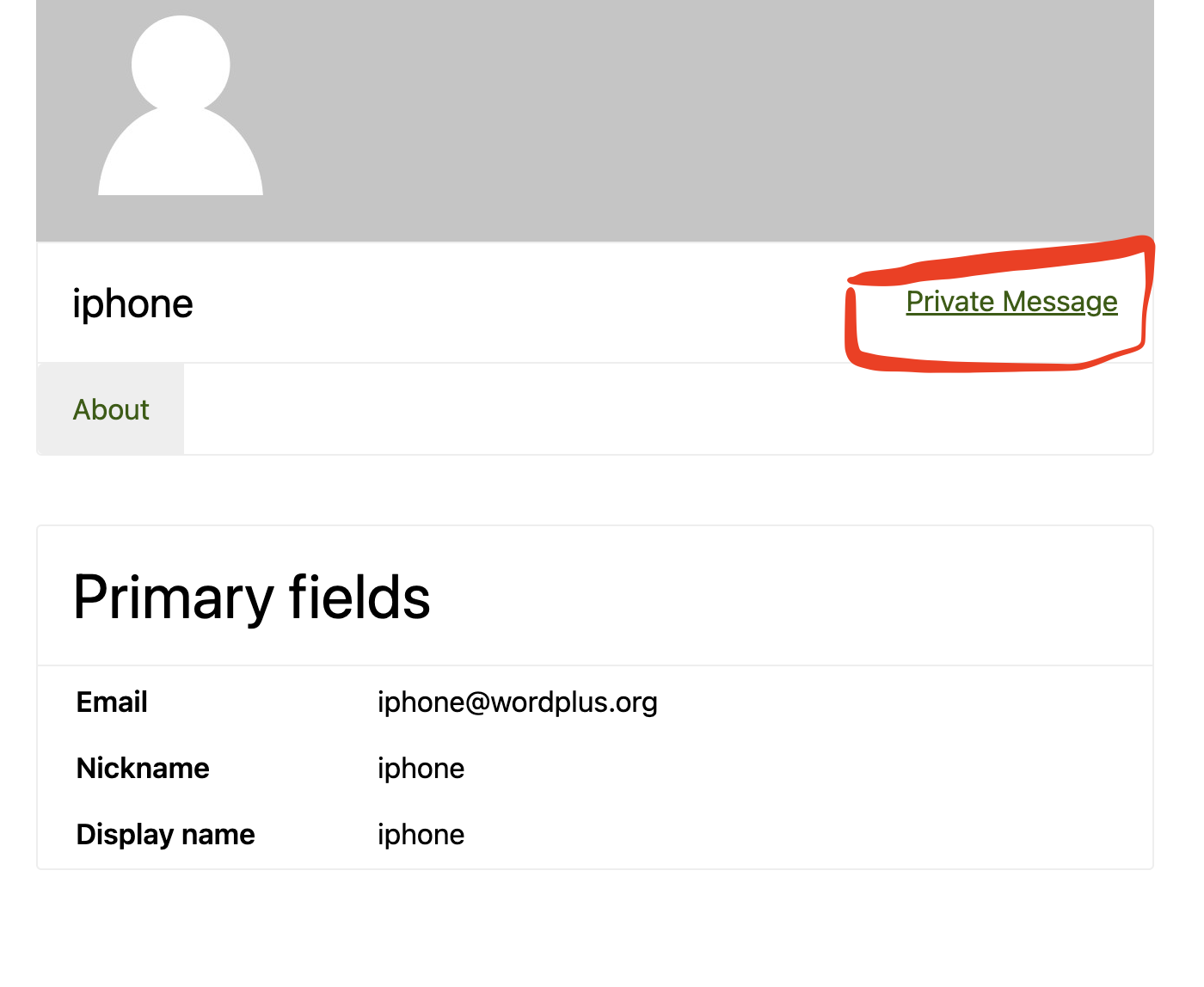
The button is auto-injected on every WPUM profile page. Clicking it opens a new conversation with that user.
Installing Better Messages on a WPUM site
- Install Better Messages from WordPress.org and activate it.
- Open WP Admin → Better Messages → Settings → General.
- Set Messages Location to Show in WP User Manager profile (or any other WordPress page).
Free vs WebSocket version for WPUM sites
| Feature | Free version | WebSocket version |
|---|---|---|
| Messages tab inside the WPUM profile | yes | yes |
| Private Message button on other profiles | yes | yes |
| Avatars and profile links from WPUM | yes | yes |
| Group conversations and file uploads | yes | yes |
| Real-time delivery | polling | instant |
| One-on-one voice and video calls | — | yes |
| Group voice and video calls | — | yes |
| Web push notifications for new messages | — | yes |
| Read receipts | — | yes |
| End-to-end encryption (optional per thread) | — | yes |
WPUM is commonly paired with WP Job Manager from the same author. Sites running both get listing-level messaging on every active job (via the WP Job Manager integration) plus profile-level messaging on every candidate / employer profile (via this WPUM integration).
Frequently asked questions
Does it work alongside WP Job Manager?
Yes — sites running both get layered messaging: job-listing chat on every published job, profile chat on every WPUM profile. See the WP Job Manager post.
Can I restrict messaging by WPUM user group?
WPUM user groups map to WordPress roles, which Better Messages reads. Configure restrictions in Better Messages → Settings → Permissions by role.
Can guests message WPUM members?
Optional. With Guest Chat enabled, unregistered visitors can start a thread with a WPUM member by typing a name and email.
Will the Messages tab integrate with WPUM's profile tab system?
Yes — the tab is registered through WPUM's standard profile-tab API.
See also
- WP User Manager integration documentation — full setup reference
- WP Job Manager candidate ↔ employer chat — for sites running both
- Ultimate Member private messaging plugin — for Ultimate Member sites
- ProfileGrid private messaging plugin — for ProfileGrid-driven sites