WCFM Marketplace Chat: Vendor Live Chat Plugin
WCFM Marketplace is the most-customizable multi-vendor plugin for WooCommerce — it ships with its own front-end dashboard, store-builder, and vendor membership system. Better Messages adds a modern real-time buyer ↔ vendor chat to WCFM: a Live Chat button on every WCFM vendor product page, a Messages menu inside the WCFM Vendor Dashboard with a live unread counter, and product-card context inside threads started from product pages.
What Better Messages adds to WCFM Marketplace
Once Better Messages is installed and the WCFM Marketplace integration is enabled under Better Messages → Settings → Integrations → WooCommerce:
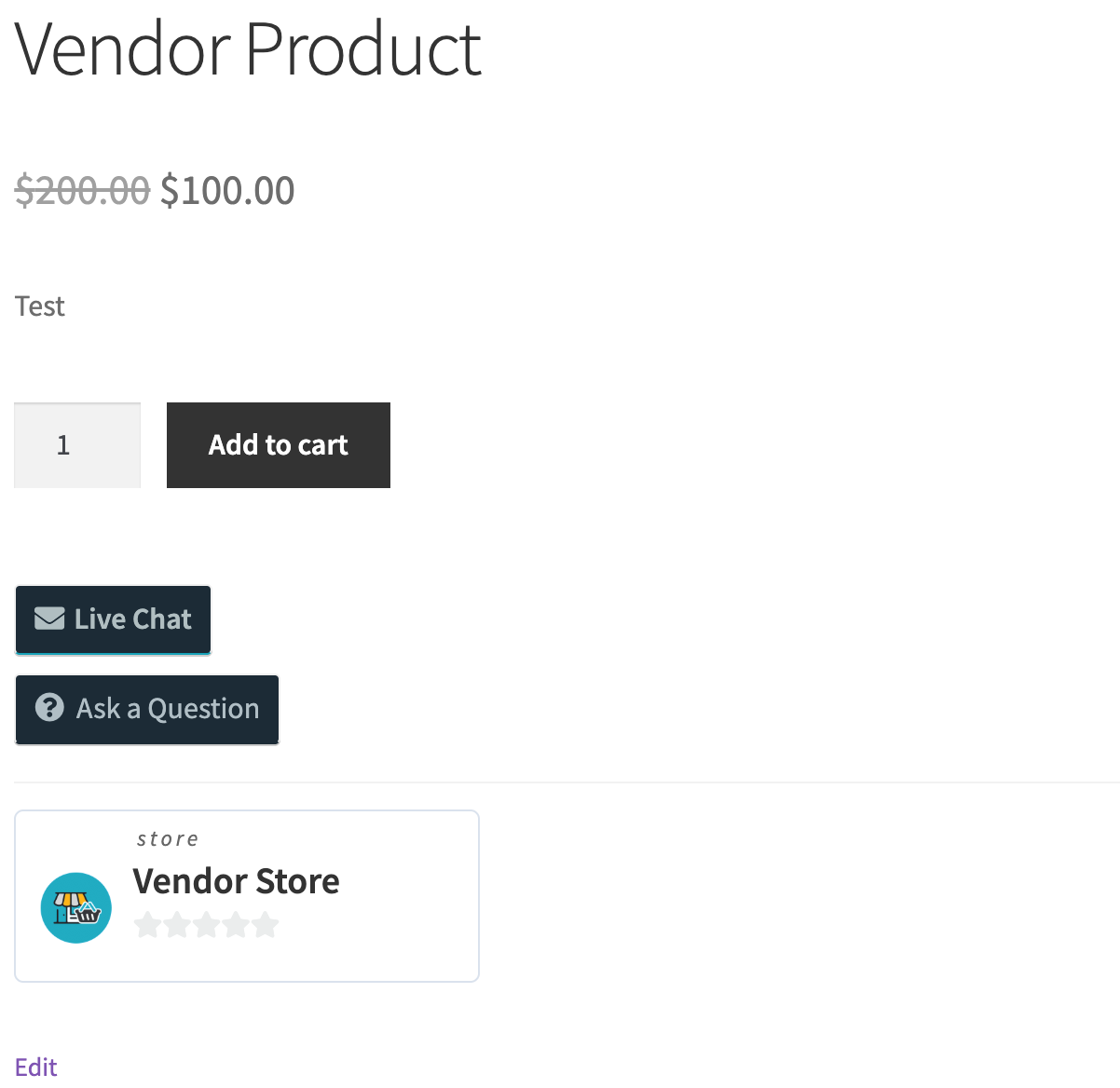
- Live Chat button on every vendor product page — customers ask a question before adding to cart.
- Live Chat button on the vendor store page — customers browsing a vendor's full catalog can start a thread without picking a product.
- Messages menu in the WCFM Vendor Dashboard with a live unread-message counter.
- Per-vendor toggle — vendors enable Live Chat per store in their WCFM settings.
- Vendor avatars and links in the messenger are pulled from WCFM store profiles.
- Product context card — threads started from a product page automatically show the product's image, title, and price.
Messages tab in the WCFM Vendor Dashboard
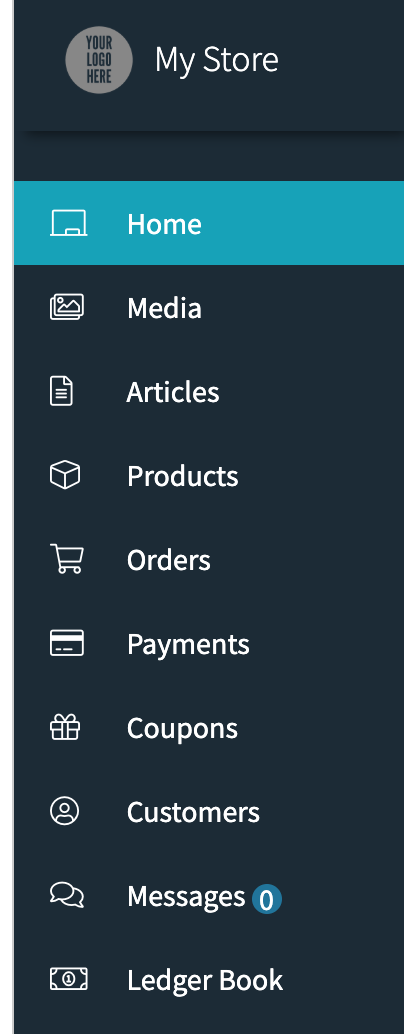
The Messages menu integrates with the WCFM Vendor Dashboard layout — vendors stay inside the dashboard to reply, no jumping to a separate inbox. The unread counter updates as new messages arrive.
Live Chat button on the vendor store page

Customers browsing a vendor's full catalog can start a conversation without first selecting a product. The button auto-renders on standard WCFM store layouts; for custom themes use the shortcode:
[better_messages_wcfm_store_button]
Same for product pages:
[better_messages_wcfm_product_button]
Installing Better Messages on a WCFM Marketplace site
- Install Better Messages from WordPress.org and activate it.
- Make sure both the free WCFM – WooCommerce Frontend Manager and WCFM Marketplace plugins are active.
- Open WP Admin → Better Messages → Settings → Integrations → WooCommerce.
- Find WCFM Marketplace Integration and toggle Enable Vendor Live Chat.

Vendors then enable Live Chat for their store in WCFM Vendor Dashboard → Settings → Live Chats.
Free vs WebSocket version for WCFM Marketplace stores
| Feature | Free version | WebSocket version |
|---|---|---|
| Live Chat button on product / store pages | yes | yes |
| Messages menu inside the WCFM Vendor Dashboard | yes | yes |
| Per-vendor enable / disable in WCFM settings | yes | yes |
| Product card context in threads | yes | yes |
| Real-time delivery | polling | instant |
| Mini-widget popup chat (buyer stays on the product page) | — | yes |
| One-on-one voice and video calls inside the thread | — | yes |
| Group voice and video calls (vendor team huddles) | — | yes |
| Web push notifications for new messages | — | yes |
| Read receipts | — | yes |
| End-to-end encryption (optional) | — | yes |
For WCFM marketplaces where vendors compete on customer service, the WebSocket version's mini-widget popup is the difference between a buyer who clicks Live Chat and stays on the product page (good) and a buyer who clicks Live Chat and is navigated away to the messages page (less good). The popup keeps the cart and product context visible while the buyer chats.
Frequently asked questions
Does it work with WCFM membership levels?
Yes — Better Messages reads WordPress roles and WCFM's vendor capability flags. Live Chat can be enabled for all vendors or restricted to specific WCFM membership tiers.
Can customers chat without a WordPress account?
Optional. Enable Guest Chat in Better Messages → Settings → Guest Chat. Guest checkout customers can start a thread by typing a name and email; the thread is preserved if they later register.
Will the unread counter update in real time?
On the free version the counter polls (a few seconds delay). On the WebSocket version it updates instantly when a new message arrives.
Does it work alongside WCFM's own internal vendor-to-admin messaging?
Yes — WCFM's vendor-to-admin messaging is a separate system and is not affected by Better Messages. Better Messages adds buyer ↔ vendor chat on the storefront and inside the vendor dashboard.
What about WCFM Bookings / WCFM Auction?
The integration works regardless of which WCFM add-ons are active — the Live Chat button is added based on the WCFM product type, not the WCFM add-ons in use.
See also
- WCFM integration documentation — full setup reference
- WordPress marketplace chat — comparing Dokan, WCFM, WC Vendors, MultiVendorX
- Dokan vendor chat plugin
- WooCommerce customer chat — for WooCommerce stores without a multi-vendor layer