Private Chat for a WordPress Membership Site
A WordPress membership site sells access — to courses, content, a community, or some combination. The first thing every paying member wants after they log in is to talk to other paying members: ask a question, post a result, find an accountability partner. Sending them off to Discord or Slack works, but it leaks the conversation off-site, requires a separate login, and loses the audit trail of who said what to whom while they were a member. A WordPress-native chat plugin keeps the conversation inside the membership and gated by the same roles that gate the rest of the site.
This post covers how to add role-gated private messaging to a WordPress membership site, what to combine with which membership plugin, and the trade-offs vs an external chat platform.
What "membership chat" means in practice
A membership site usually has a handful of access tiers (Free, Pro, Lifetime, or by course / cohort). The chat layer needs to:
- Be accessible only to logged-in members of the right tier.
- Allow one-on-one private messages between members.
- Allow group chats — by tier, by cohort, by interest, by course.
- Show member-style avatars and links (not the raw WordPress profile).
- Survive tier changes — a member who upgrades from Free to Pro should land in the Pro group chat without manual intervention.
Better Messages handles all five, and pairs cleanly with the major membership plugins via the underlying community platform.
Stack: pick a membership plugin + a community plugin
Most membership sites are built from two layers:
- Membership plugin — handles access control and billing. MemberPress, Paid Memberships Pro, Restrict Content Pro, Patreon Pro, or WooCommerce Memberships.
- Community plugin — handles member profiles and groups. BuddyPress, BuddyBoss Platform, FluentCommunity, Ultimate Member, or PeepSo.
The membership plugin gates the WordPress role; the community plugin renders the social surface. Better Messages adds the chat layer on top, gated by the same role.
| Common membership stack | Membership plugin | Community plugin |
|---|---|---|
| Course academy + community | MemberPress | BuddyBoss Platform |
| Subscription content | Paid Memberships Pro | BuddyPress |
| Discord-style member channels | Any | FluentCommunity |
| Profile-heavy membership | Ultimate Member (handles both) | Ultimate Member |
| WooCommerce subscriptions | WooCommerce Memberships | BuddyPress / BuddyBoss |
Better Messages integrates with the community plugin layer, so the membership plugin only matters for billing — Better Messages does not need to know about subscription status, only about WordPress roles.
Role-gated chat: how it works
Better Messages reads WordPress roles directly. In Settings → Permissions, every messaging surface (start new conversation, reply, file upload, group chat, calls) is configurable per role.
A typical membership setup:
- Subscriber (free tier) — can read public chat rooms, cannot start a conversation.
- Pro member (paid tier) — can start one-to-one threads, join the Pro group chat, upload files, place calls.
- Lifetime member — same as Pro, plus access to the Lifetime-only chat room.
- Instructor / staff — can be added to every chat regardless of tier.
Upgrades and downgrades work transparently: when a member's role changes via the membership plugin, their access to chat surfaces changes on the next request.
Member-only group chats
The community-plugin layer typically has its own group / space concept (BuddyPress Groups, BuddyBoss Groups, PeepSo Groups, UM Groups, FluentCommunity Spaces). Better Messages can pair a group chat with each of those groups.
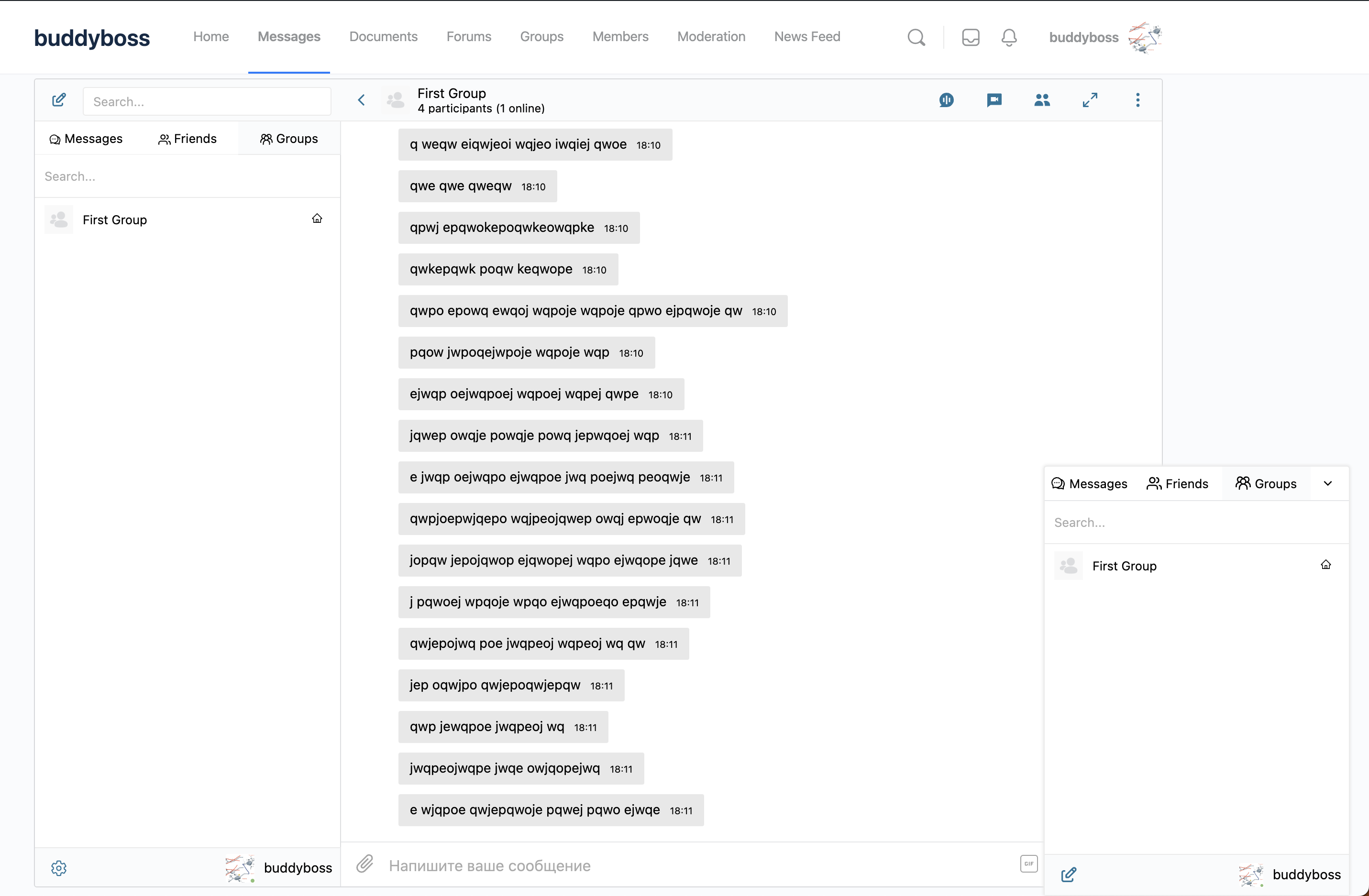
Members are auto-added to the chat when they join the group, auto-removed when they leave. This is the natural mechanism for a membership site:
- Create a private BuddyBoss Group for Pro Members.
- Restrict the group to the Pro member role via the community plugin.
- Enable the paired Better Messages group chat.
- Every paying Pro member is now in the chat, automatically.
For sites that prefer a single persistent room over a per-group chat, the Chat Rooms feature (see How to add a chat room to your WordPress site) is the right tool — same role gating, but a standalone room not tied to a community-plugin group.
Web push and group calls for paying members
The two things that make a membership feel like a live community rather than a video library:
- Web push notifications — members hear about new messages even when the site tab is closed. With the WebSocket version, every new message in a thread the member participates in can trigger a browser push notification, so a question posted in the Pro chat at 9am gets noticed by members who are not actively on the site.
- Group voice and video calls inside the chat thread — host a weekly cohort office-hours call inside the Pro group chat, run a monthly AMA in the Lifetime room, or jump on a quick group call for accountability check-ins. Members do not leave the site for Zoom or Discord.
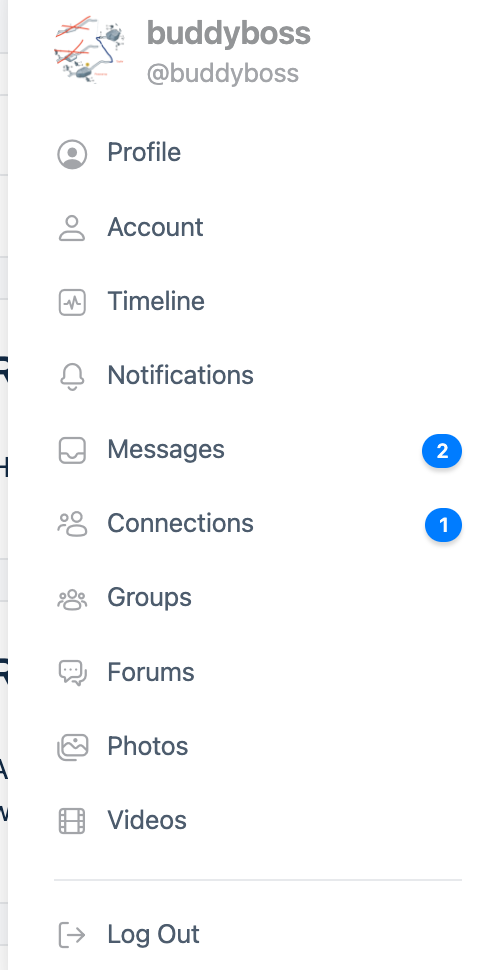
A live unread counter on the profile dropdown keeps members coming back; combined with web push it closes the gap that most membership sites lose to external chat platforms.
Why keep chat on-site instead of using Discord / Slack
A common objection: "We already have a Discord server for our members." Three reasons to bring it on-site anyway:
- Access control follows the membership. When a member cancels, they lose chat access automatically. Discord requires manual sync (and most communities never get around to kicking churned members).
- One login. Members log into the site to consume content; they should not need a second account to participate in chat.
- The conversation is yours. Discord and Slack control the discovery, search, and export of the conversations that happen inside your community. On-site chat keeps that ownership.
The trade-off: Discord and Slack have richer features for very large communities (server-wide bots, voice channels, etc.). For paid membership sites under ~5,000 members, on-site chat is the cleaner option.
Installing Better Messages on a membership site
- Install Better Messages from WordPress.org and activate it.
- Make sure your community plugin (BuddyPress, BuddyBoss, FluentCommunity, etc.) is active.
- Open WP Admin → Better Messages → Settings → Permissions and configure access per role.
- For group chats, enable the matching integration under Better Messages → Settings → Integrations.
- For the WebSocket version, install your license key under Better Messages → Account.
Free vs WebSocket version for membership sites
| Feature | Free version | WebSocket version |
|---|---|---|
| Role-gated chat | yes | yes |
| Paired group chat with community-plugin groups | yes | yes |
| Auto-add / auto-remove on role / group change | yes | yes |
| Real-time delivery | polling | instant |
| One-on-one voice and video calls (e.g. accountability partner) | — | yes |
| Group voice and video calls (cohort office hours, AMAs, weekly check-ins) | — | yes |
| Web push notifications for new messages | — | yes |
| Advanced Mini Chats (popup mode from member profile) | — | yes |
| End-to-end encryption (optional per thread) | — | yes |
For paid membership sites the WebSocket version's combination of web push + group calls is the difference between a community members visit once a week and a community members open daily. The push notification pulls them in, the group call keeps them present.
Frequently asked questions
Does it work with MemberPress / Paid Memberships Pro / Restrict Content Pro?
Yes — Better Messages reads WordPress roles, not subscription state. Any membership plugin that maps a paid tier to a WordPress role works automatically. You configure access in Better Messages → Settings → Permissions by role.
What happens when a member's subscription expires?
The membership plugin downgrades the role; Better Messages access follows on the next request. The member loses access to gated chats and rooms but their previous messages remain in history.
Can I have a free public chat alongside private member chats?
Yes — use the Chat Rooms feature with public access for the free side, and BuddyPress / BuddyBoss Groups (with role gating) for the private side. The two coexist without conflict.
Can I run a course academy with per-cohort chat?
Yes — combine an LMS plugin (LearnDash, Tutor LMS, etc.) with the community plugin. Each course or cohort gets its own paired chat. See the LMS chat round-up for the LMS-side details.
Does it work with Patreon-style tiered access?
Yes — every Patreon tier maps to a WordPress role through the connecting plugin. Better Messages gates by role, so tiered access works.
Can I bulk-import members into chats?
Members who already belong to a community-plugin group are auto-added to the paired chat the first time the chat is opened. For ad-hoc room population, the Chat Rooms admin screen has a participant-management UI with bulk user search.
See also
- WordPress community chat plugin — comparing the underlying community platforms
- BuddyBoss messaging plugin — the most common membership-site community stack
- BuddyPress messaging plugin — the open-source default
- Ultimate Member private messaging plugin — for UM-driven membership sites
- FluentCommunity chat plugin — for Discord-style member communities
- WordPress group chat plugin — for tier-specific group chats
- How to add a chat room to your WordPress site — for tier-specific persistent rooms
- Role-based access — configuring per-role chat permissions