Signed-in Devices
Every phone or tablet signed in to the app with an account is a device of that account on your site. Members see their devices and sign out the ones they no longer use. Administrators can sign out any device. And the site signs devices out by itself when the account should no longer be in the app.
A signed-out device stops getting push notifications at once, and the app on it goes back to the login screen.
What a member sees#
The settings of the messenger have Devices signed in to the app while at least one device is signed in to the app with the account. It is in the settings of the app, and in the settings of the messenger on the website too.

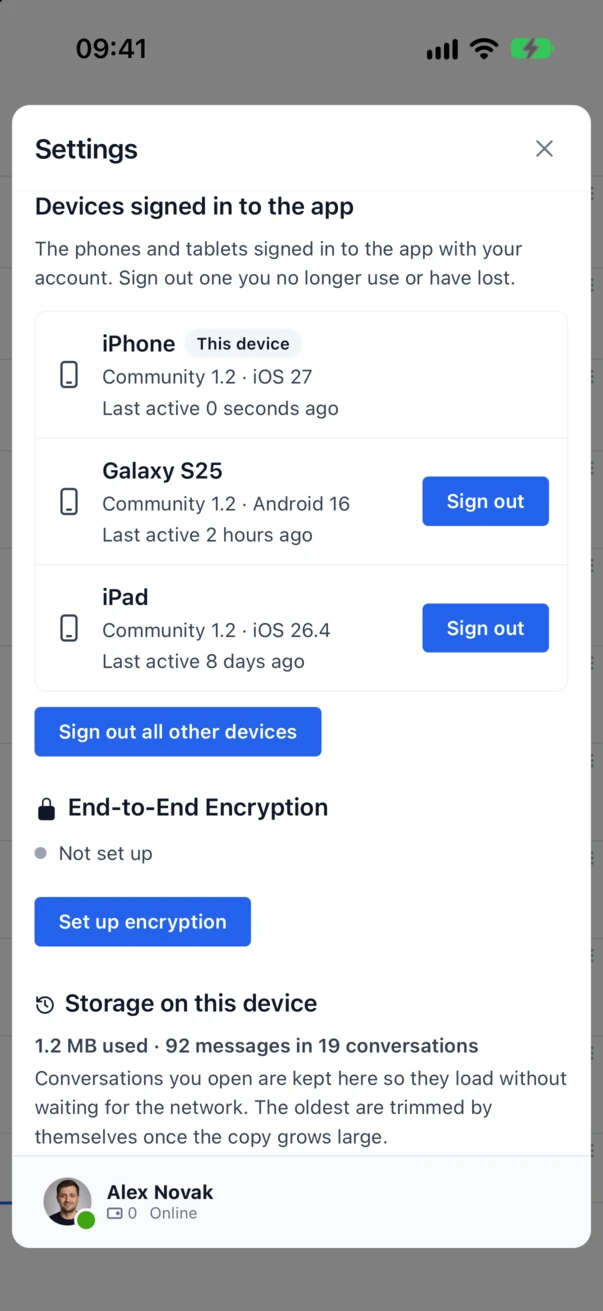
Each device shows its name, the app and its version, the system, and when it was last active. In the app, the phone in hand is marked This device.
- Sign out beside a device signs that device out, after a confirmation.
- Sign out all other devices signs out every device but the phone in hand. On the website the same button signs out every device.
To sign out the phone in hand, the member uses Logout at the bottom of the settings of the app. Since 3.2 that also ends the device on the site, so the phone gets no more notifications.
What the administrator sees#
Better Messages → Mobile App → Devices lists every device signed in to the app, with the member, the device and its system, the app and its version, whether it gets notifications, and when it was last active. Search finds devices by member, device name, app or platform.
Sign out in the last column signs one device out, after a confirmation. The member can sign in again at once, so to keep someone out of the app, also remove their access to the messages, or delete or block the account.

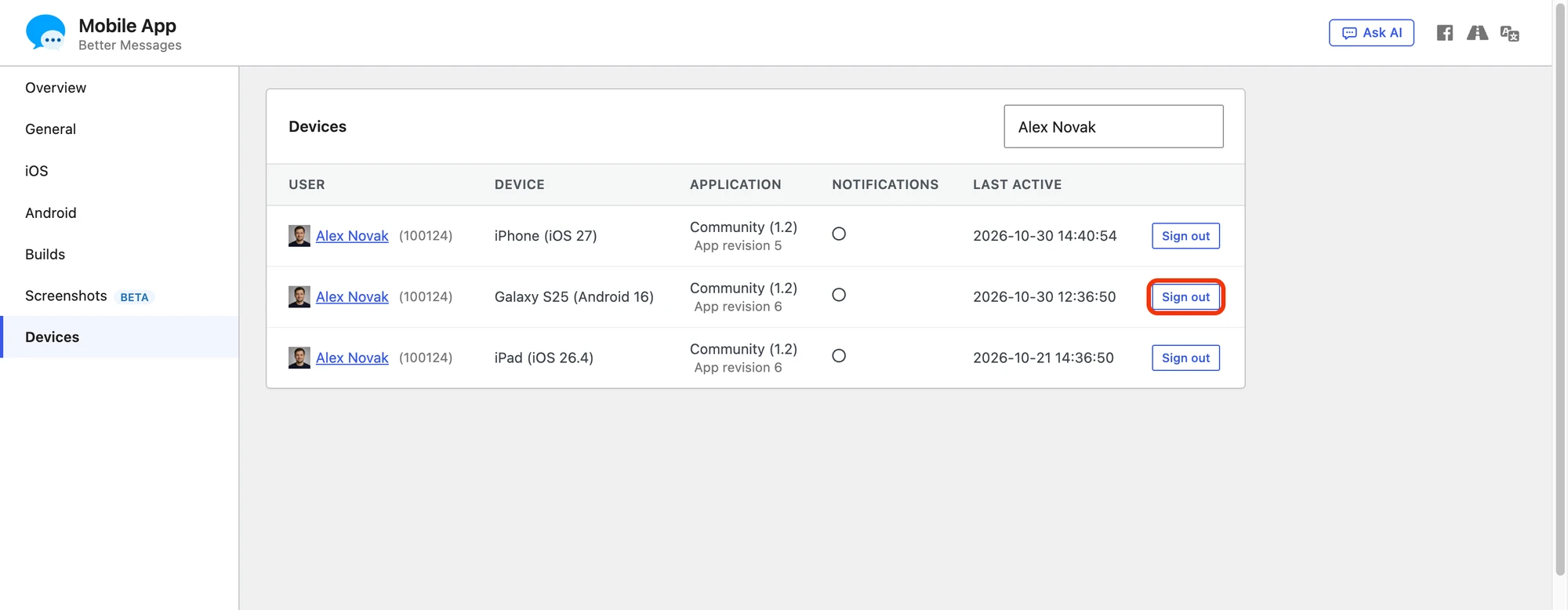
Under the app of each device, App revision tells which revision of the native app the device runs. When the build server makes a newer revision, older devices are marked Outdated, so you know that a new build is due and who still runs the old one.
When the site signs devices out by itself#
| When | What is signed out |
|---|---|
| The account is deleted, by an administrator, from the network admin, or by the member with Delete Account | Every device of the account |
The access of the member to the messages is revoked, for example by the better_messages_user_can_connect filter | Every device of the account, at its next request at the latest |
| The password of the member changes, from a reset, the profile of the member or an administrator, while Sign out on password change is on | Every device of the account |
Sign out on password change is in Better Messages → Mobile App → General → Login screen, and it is on by default. A member who changes the password because the phone was lost is then sure that the lost phone is out too.
When WordPress upgrades how a password is stored, at a login, the password does not change and no device is signed out.
How fast a device is signed out#
- In the WebSocket mode, the site tells the app over the realtime connection, so an open app goes back to the login screen within a moment.
- In the AJAX mode, the app finds out at its next request to the site, when it next checks for new messages.
- An app that is closed finds out the next time it opens.
In every case the device gets no notifications from the moment it is signed out.
For developers#
| Hook | Type | What it does |
|---|---|---|
better_messages_mobile_app_device_signed_out | action | After a device is signed out. Gets the user id, the device row and the reason: logout (the member, on the phone itself), member (the member, from the list), admin, deleted, revoked, refused or password |
better_messages_mobile_app_sign_out_on_password_change | filter | Whether a password change signs the devices out |
add_action( "better_messages_mobile_app_device_signed_out", function( $user_id, $device, $reason ) {
    if ( $reason === "admin" ) {
        error_log( "Device " . $device["device_id"] . " of user " . $user_id . " was signed out by an administrator" );
    }
}, 10, 3 );
The app talks to these REST routes:
| Route | What it does |
|---|---|
POST better-messages/v1/app/logout | Signs out the device that sends it. Only for a device signed in to the app |
GET better-messages/v1/app/devices | The devices of the member |
POST better-messages/v1/app/devices/signOut | Signs out one device of the member (id), or every other device (others set to true) |