WordPress Alumni Network Chat: Private Messaging
Universities, business schools, bootcamps, and corporate alumni programs run their alumni network as a private community — a directory of graduates, optional groups by class or chapter, an event calendar, occasional newsletters. The single feature that turns a directory from "static list" into "active network" is alumni-to-alumni messaging. Better Messages adds that layer to a WordPress alumni site with role-gated DMs (alumni can DM other alumni, prospective students can browse but not message), paired group chats per graduating class, live unread counters, and one-click voice / video calls for catch-ups.
What a WordPress alumni network looks like with Better Messages#
The typical stack:
| Layer | Plugin |
|---|---|
| Community / directory | BuddyBoss Platform or BuddyPress + Ultimate Member |
| Membership / role gating | MemberPress or Paid Memberships Pro (if alumni dues fund the platform) |
| Messaging | Better Messages |
| Events | The Events Calendar |
| LMS for continuing education | LearnDash (optional) |
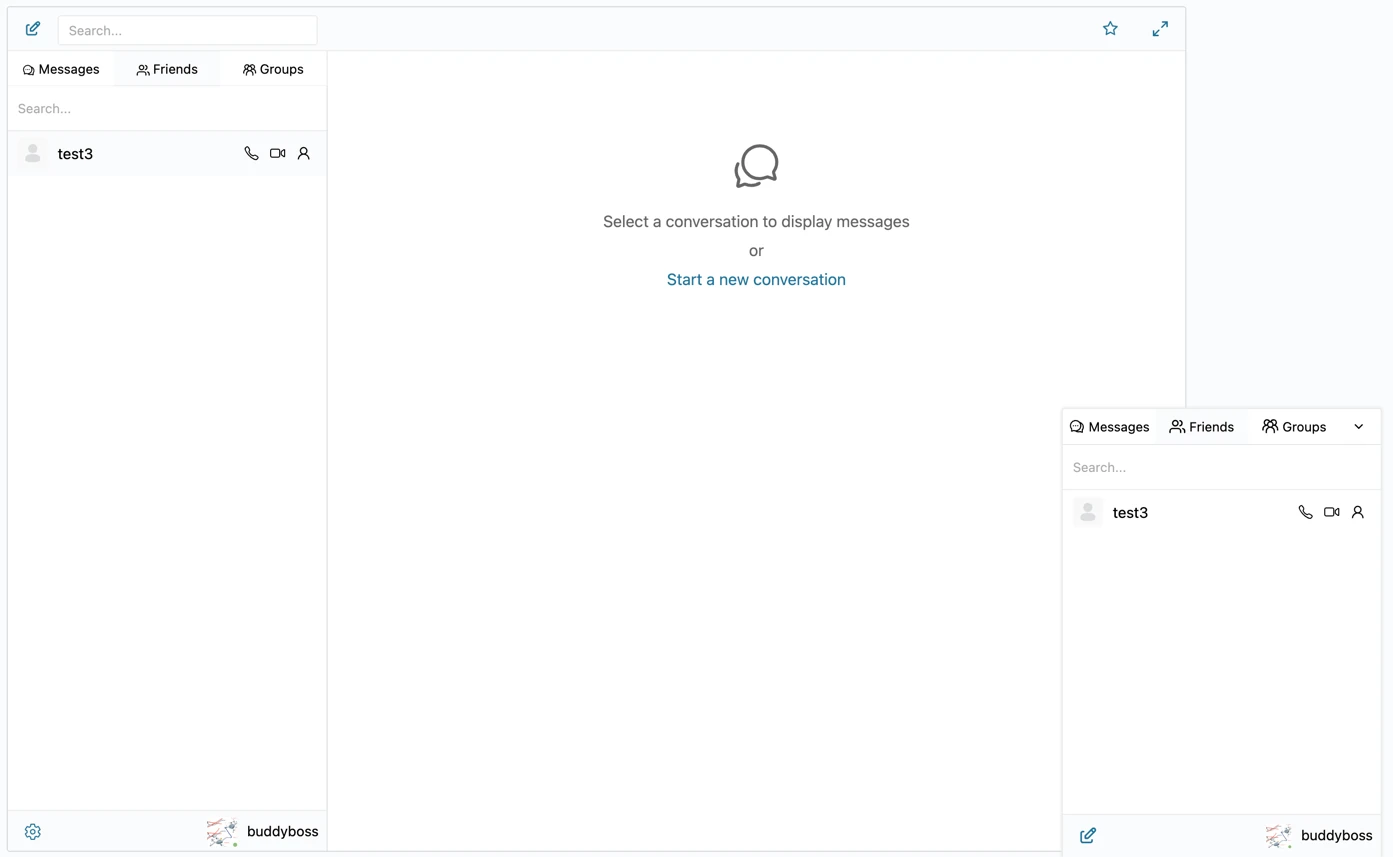
Better Messages plugs into the community plugin you already run. Alumni see a Private Message button on every alumni profile, a Friends list (alumni they have connected with), Groups (paired chats for every BuddyPress / BuddyBoss group), and a live unread counter in the header.
Role-gated access (alumni only)#
The defining property of an alumni network is "verified alumni only." Better Messages reads WordPress roles, so the access matrix maps directly:
| Role | Permissions |
|---|---|
| Verified alumnus | Can DM and join group chats |
| Prospective student / public visitor | Can browse profiles but cannot start a DM |
| Staff / faculty | Can DM any alumnus. Can moderate group chats |
| Administrator | Full access |
Configure under Better Messages → Settings → Restrictions with the allow-mode matrix. See Role-based access for WordPress chat for the full setup.
Paired group chats by class / chapter / interest#
A BuddyBoss or BuddyPress group for "Class of 2018" or "London Chapter" can have a paired Better Messages group chat. Members are auto-added when they join the group, auto-removed when they leave. The chat is private to the group's members.
Common alumni group patterns:
- One chat per graduating class
- One chat per geographic chapter
- One chat per industry interest (alumni in tech, finance, healthcare)
- One chat for the alumni board with restricted access
Each chat carries the full messenger feature set: shared history, file uploads, mentions, reactions, GIFs, stickers, voice and video calls inside the thread.
Voice and video calls for catch-ups#
The single biggest feature alumni networks underestimate: members want to catch up over video, not just text. With the WebSocket version, every alumni profile has audio and video call buttons next to Send Message — clicking starts a 1:1 call without opening a thread first. Group calls work inside group chats for class reunions or chapter meetups.
Native iOS and Android apps#
Alumni live on their phone. The Better Messages mobile app (Capacitor-based, iOS + Android) gives every alumnus a native app for messaging, with push notifications when classmates reply. White-label rebuild is available — your university's brand, icon, and splash screen on the App Store / Play Store. See WordPress chat mobile app.
Free vs WebSocket version for alumni networks#
| Feature | Free version | WebSocket version |
|---|---|---|
| Role-gated alumni-only DMs | yes | yes |
| Paired group chats by class / chapter | yes | yes |
| Live unread counter | polling | instant |
| Voice and video calls from profile and inside chats | — | yes |
| Group voice and video calls for class reunions, chapter meetups | — | yes |
| Web push notifications when classmates reply | — | yes |
| End-to-end encryption (for sensitive board threads) | — | yes |
| Native mobile app push notifications | set up only | yes |
Alumni networks live or die by daily-engagement metrics. The WebSocket version's web push and group calls are what turn a directory into a place alumni open daily — without it, members visit during alumni weekend and forget the rest of the year.
Frequently asked questions#
How do we verify alumni status before granting messaging access?#
The role gating reads WordPress roles. Whichever process you use to verify alumni (manual admin approval, integration with your school's SIS / CRM, paid alumni dues unlocking a role) sets the WordPress role. Better Messages reads it. Common pattern: alumni submit a verification form, admin approves manually, role flips to "Verified Alumnus."
Can we keep the alumni board's discussions completely private?#
Yes — the board's group chat can be a separate BuddyBoss / BuddyPress group restricted to a "Board Member" role. Combined with end-to-end encryption on sensitive threads (WebSocket version), even an admin with database access cannot read the messages.
Will alumni receive notifications by email for new messages?#
Yes — smart-batched email notifications group messages by thread and skip recipients who have been active recently. See WordPress chat email notifications.
Can we run a paid alumni tier with extra features?#
Yes — combine a membership plugin (MemberPress, Paid Memberships Pro) for billing and tier roles, with Better Messages' role-based permissions for messaging gates. Free alumni get DMs + group chats. Paid alumni get advanced mini chats, video calls, exclusive paid-tier chat rooms. See WordPress membership site chat.
Does it work on a multi-school / multi-university platform?#
Yes — multisite WordPress is supported. Each site has its own alumni community and its own Better Messages settings.
How do we migrate from an external chat community?#
Better Messages does not auto-import message history from external platforms. Run both side by side during a transition period, then close the old one once members have moved over. On the site, every alumni profile is verified, conversation is gated by your role rules, and ownership stays with the school.
See also#
- BuddyBoss messaging plugin — the most common stack for paid alumni platforms
- BuddyPress messaging plugin — the open-source default
- WordPress membership site chat — for paid alumni dues
- Role-based access for WordPress chat — alumni-only access gates
- WordPress chat mobile app — native iOS / Android apps for alumni