Houzez Real Estate Chat: Buyer ↔ Agent Messaging
Houzez from Favethemes is the most-installed real estate theme on the WordPress ecosystem — every Houzez site ships with property post types, agent and agency CPTs, a polished user dashboard, the Houzez Studio Elementor builder, and contact actions on every listing. What it does not ship with is a real-time chat layer that keeps a conversation on-site, with persistent history, file attachments, and the option to escalate to a call. The native contact buttons send an email, then the lead goes cold while the buyer browses the next listing. Better Messages adds a Live Chat button on every property page, every listing card, every agent and agency profile, and a Messages tab inside the Houzez dashboard — same accent color as the rest of the theme, no template overrides needed.
What Better Messages adds to Houzez#
Once Better Messages is installed and the Houzez integration is enabled under Better Messages → Settings → Integrations → Directories:
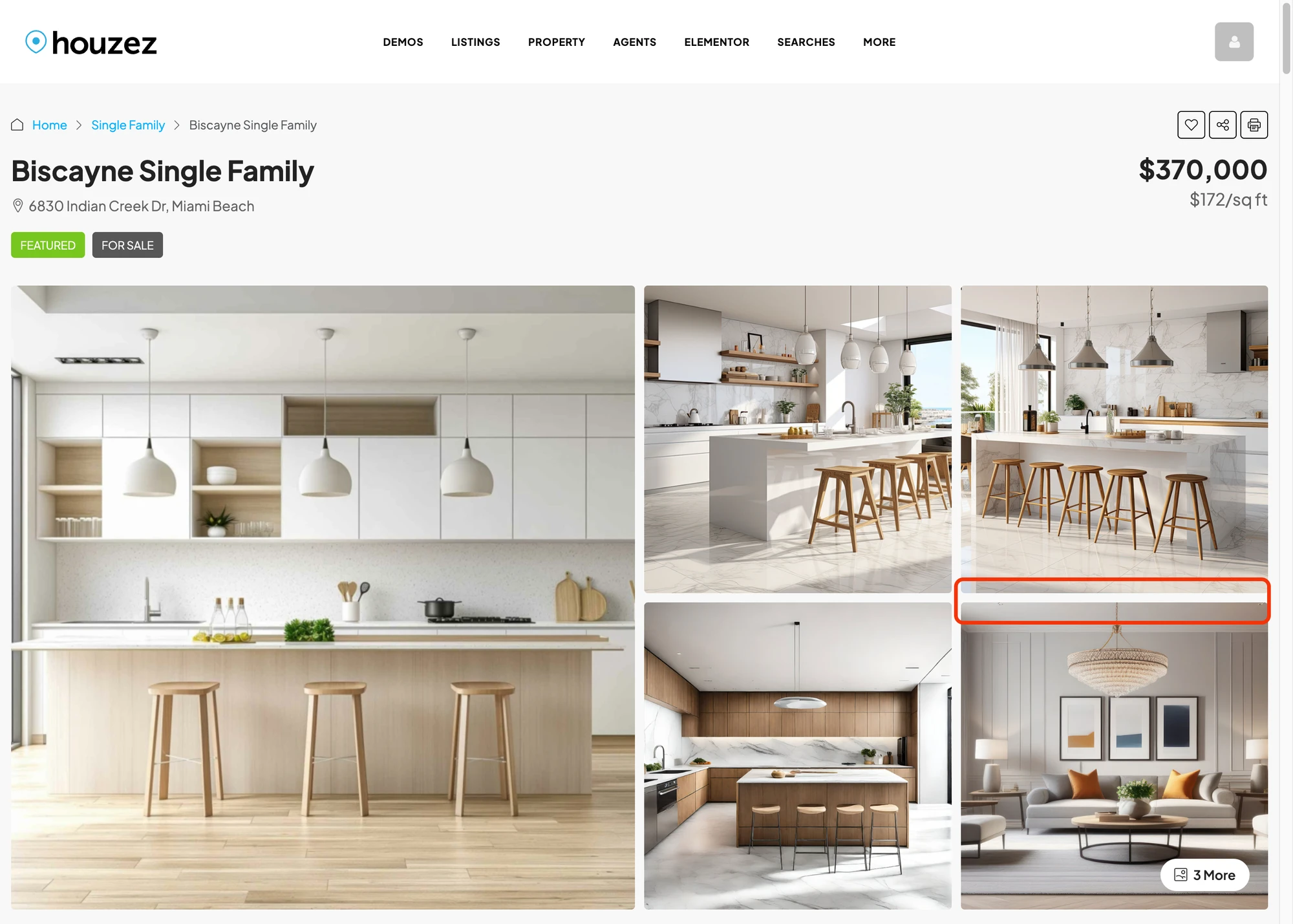
- Live Chat button on the single property page alongside the native Call / Email / WhatsApp buttons in the agent / agency contact panel.
- Live Chat button on property cards as a fourth equal-width action in the v7 grid and list views, matching the native button outline / hover styles exactly.
- Live Chat row on agent profiles below the native Send Email / Call buttons. Targets the WordPress user linked to the agent through Houzez's Author Information → User mapping.
- Live Chat row on agency profiles for chatting with the brokerage owner.
- Messages tab inside the Houzez dashboard at
/dashboard-live-chat/— full Better Messages inbox running edge-to-edge inside the Houzez dashboard chrome. - Property info card inside the conversation — image, price, beds / baths / sq ft, address pinned to the top of every thread.
- Theme accent inheritance — buttons read the value from Houzez Options → Styling Options → Primary Color so they always match the rest of the theme.
Live Chat on property listing cards#

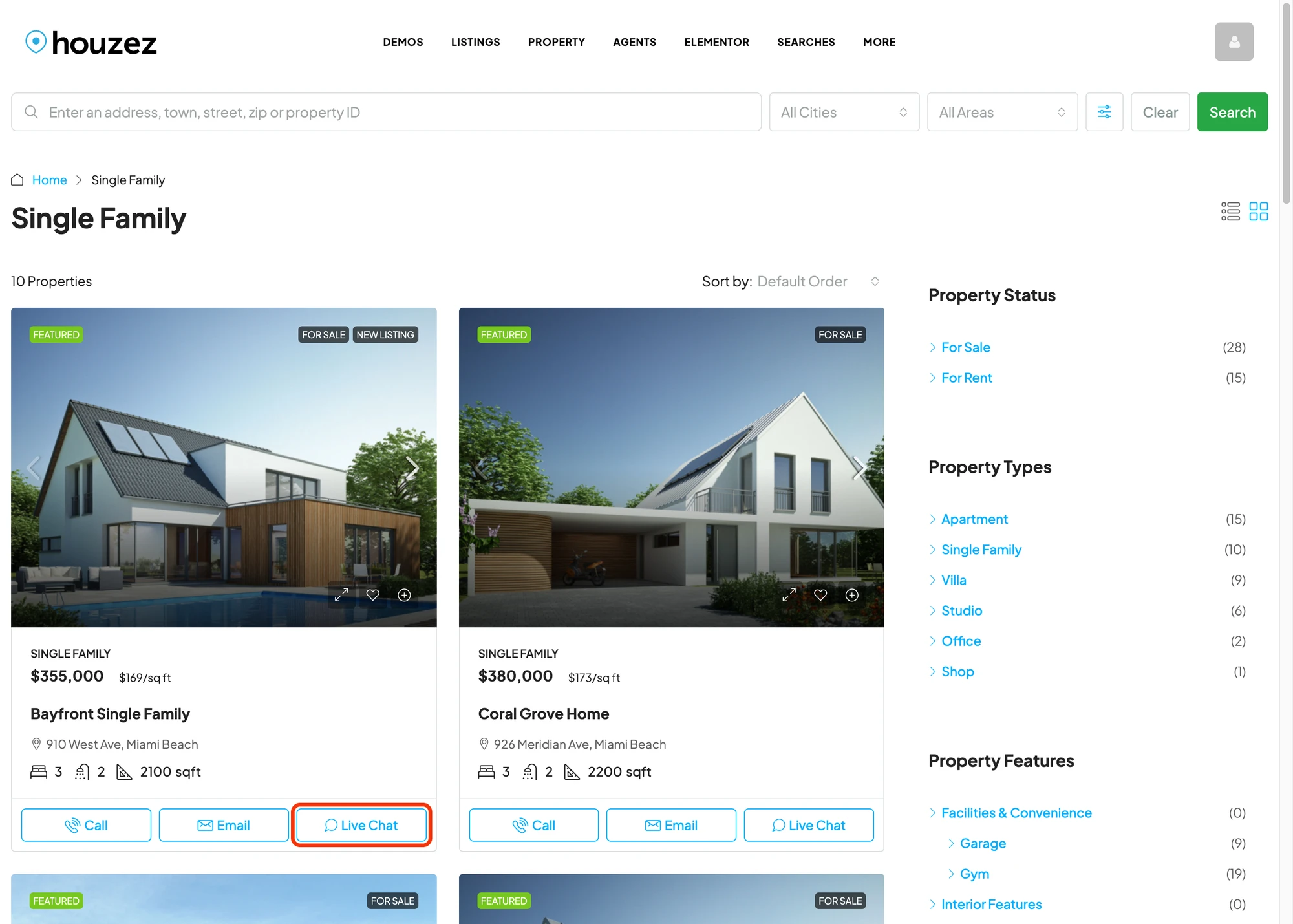
Buyers do not have to open each property to start a chat — the button is on every card in the grid view, fourth in the action row alongside the native Call / Email / WhatsApp icons.

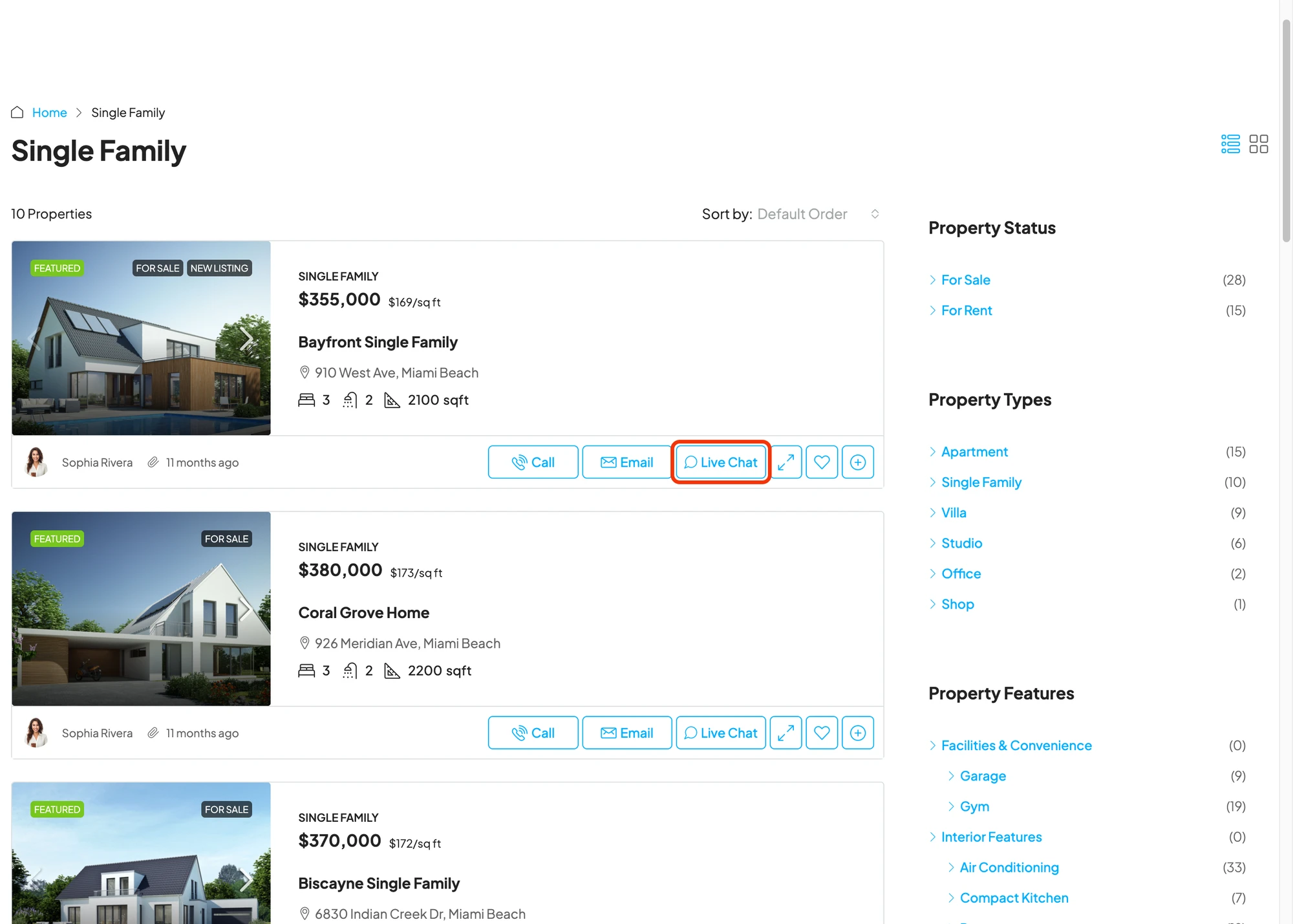
Same in the list view — equal-width buttons, same outline style, same hover color.
Live Chat on agent and agency profiles#

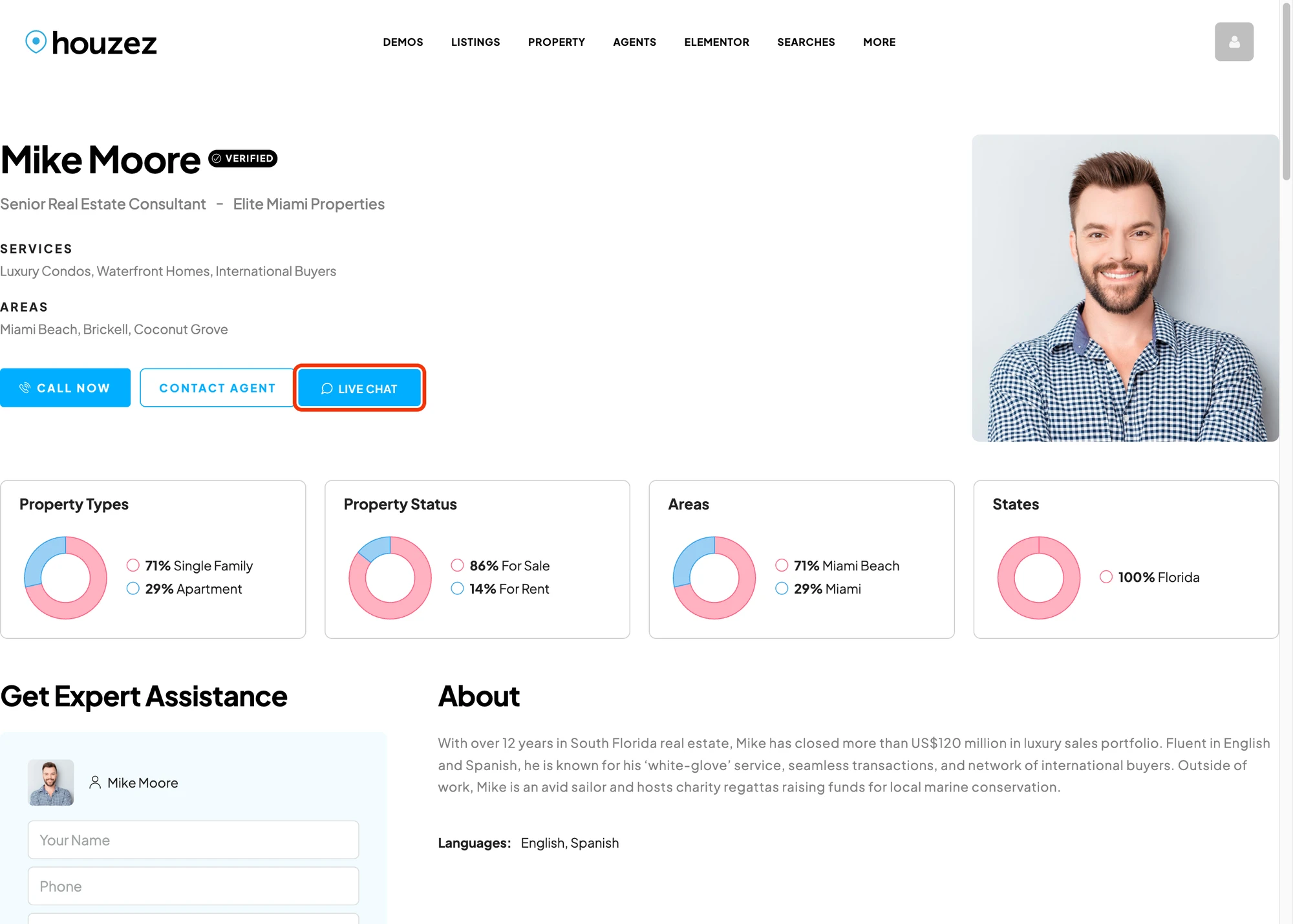
Adds a Live Chat row to the contact panel on agent profile pages, below the native Send Email and Call buttons. The button targets the WordPress user linked to the agent through Houzez's Author Information → User mapping, so every conversation lands in that agent's own dashboard inbox — no extra wiring, no shared mailbox.

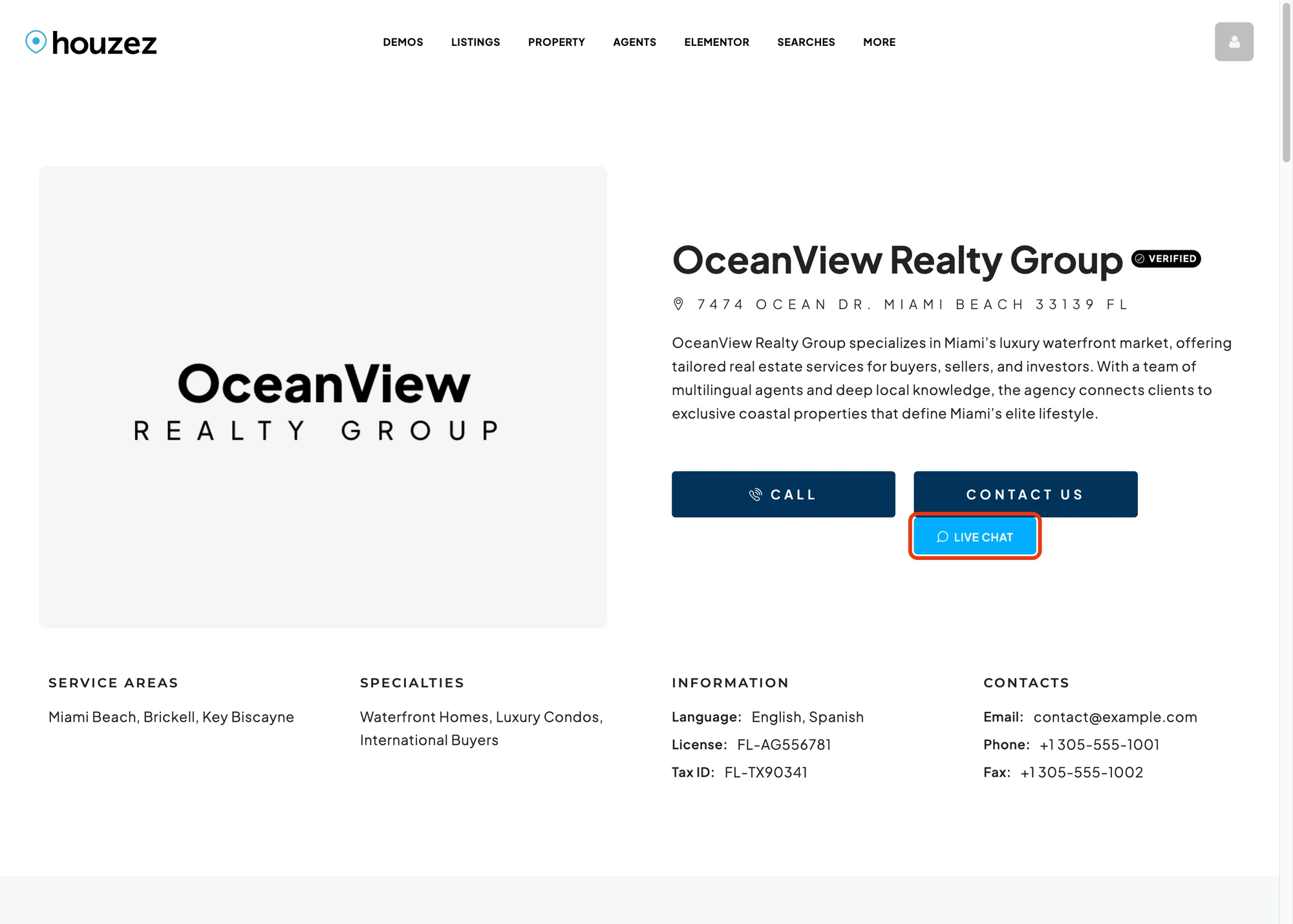
Same treatment for agency profile pages — the button targets the WordPress user that owns the agency CPT (typically the brokerage owner).
Buyers always see the agent persona, even with no linked WP user#
Houzez sites often have agent and agency CPTs with no linked WordPress account — they're listing showcases, not real users. Better Messages handles this without dropping the chat: the conversation is silently routed to the property's post_author (or to the agency owner), but the buyer's view of the thread shows the agent CPT's own name, headshot and profile URL — in the sidebar, in the conversation header, on every message they receive, and in the mini chat widget. A single fallback account can route inquiries for several different agent CPTs at once and each thread still shows the buyer a distinct agent.

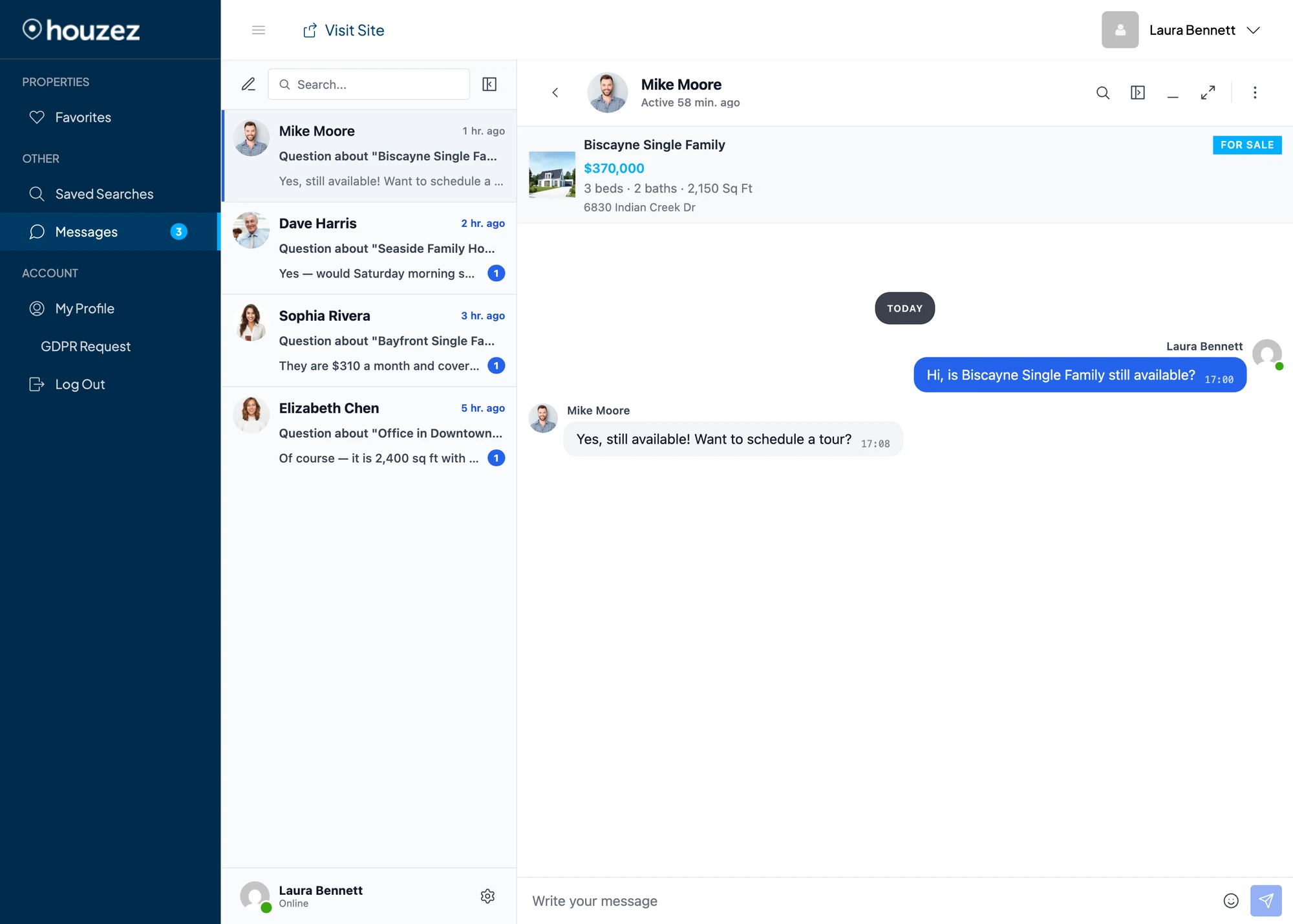
The routed receiver always sees their own WordPress identity in the bottom-left profile widget (no leakage into self-view) and gets a yellow "Chatting as Mike Moore" banner above the property card, so they know which persona the buyer thinks they are talking to:

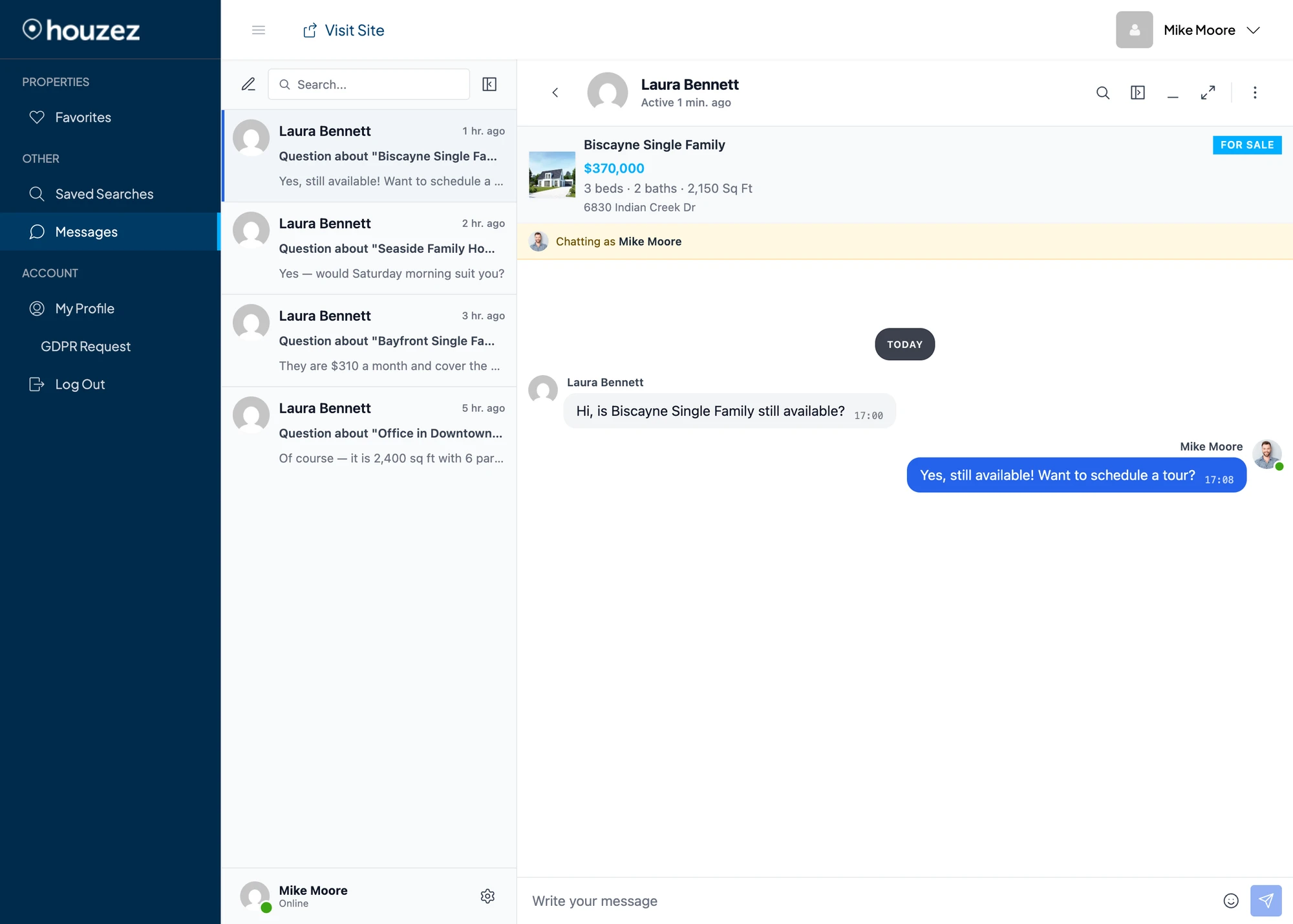
The same mechanism solves the multi-account case: if a brokerage has several agent profiles powered by one shared backend account, every buyer-side view stays distinct — different agent name and photo per thread — without any extra config.
Messages tab inside the Houzez dashboard#

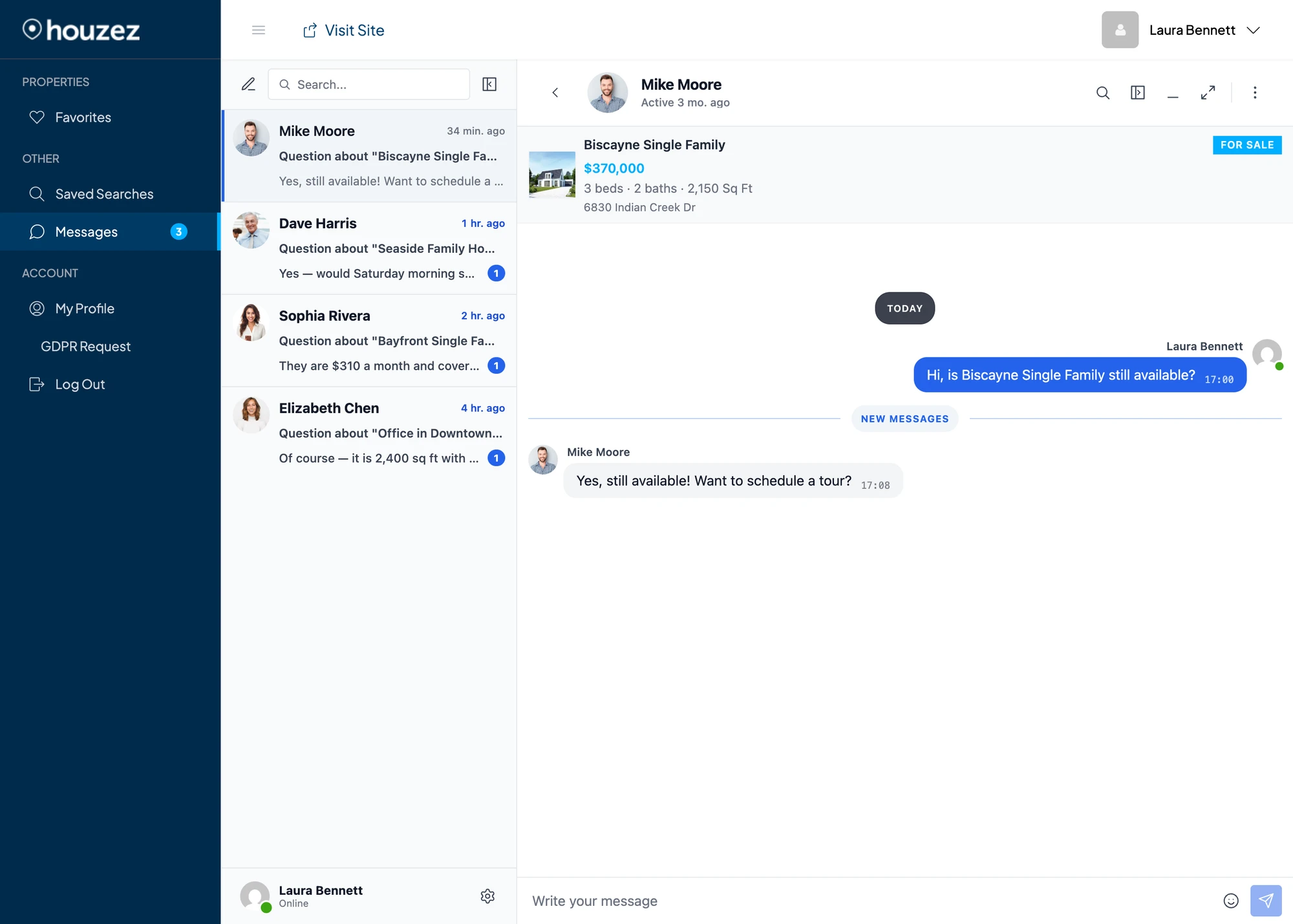
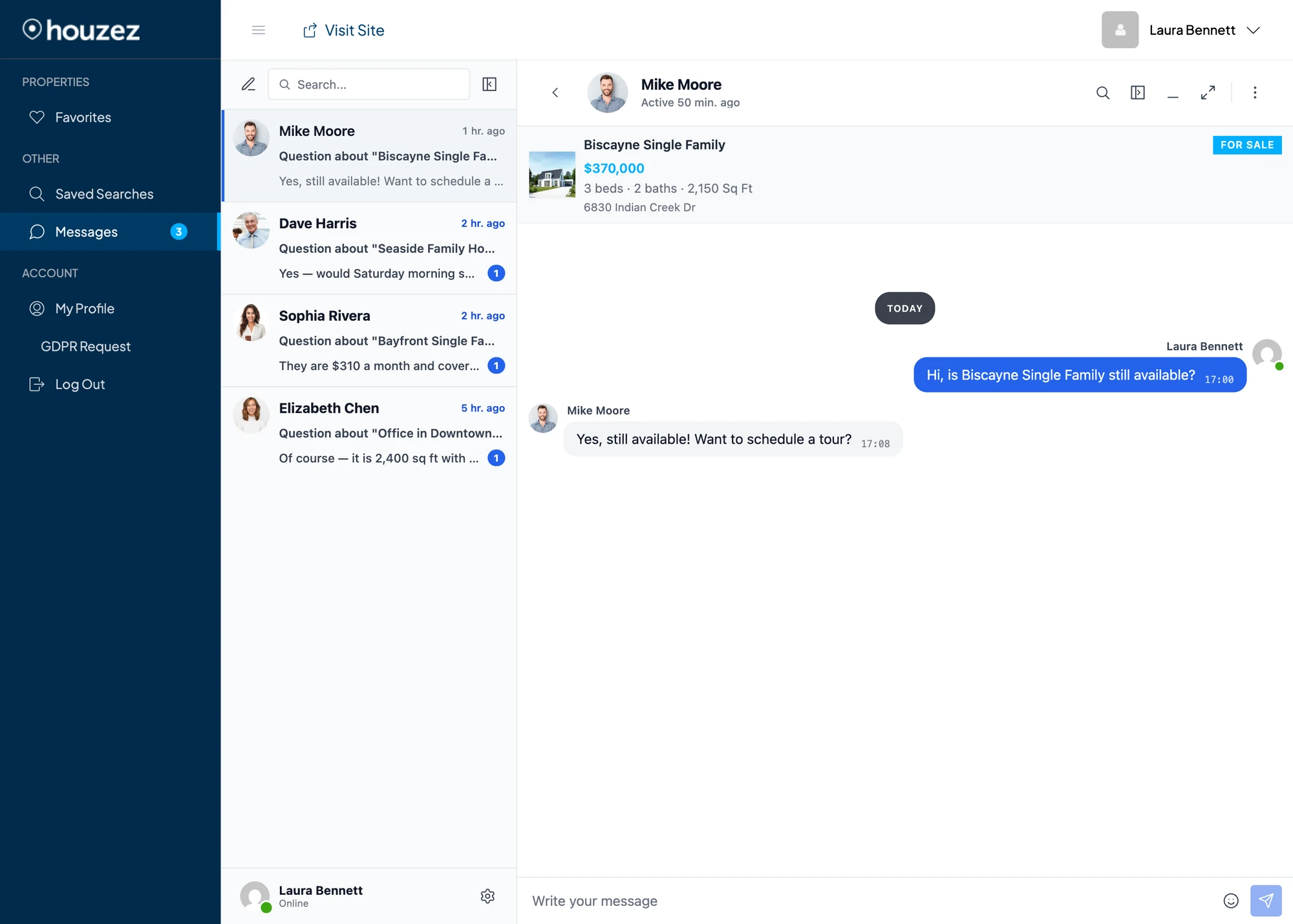
Buyers and agents stay inside the Houzez dashboard to read and reply. The native Houzez sidebar / topbar / account header stay in place. Only the main content panel hosts the messenger. Combined with Messages Location → Show in Houzez Dashboard, every internal Messages link in Better Messages (notification emails, the floating bubble, push notifications) routes to this tab.
Notice the property context card at the top of the conversation — image, price, beds / baths / sq ft, address. Threads started from a property page or listing card automatically carry that context, so the agent sees exactly which property the buyer is asking about without scrolling for context.
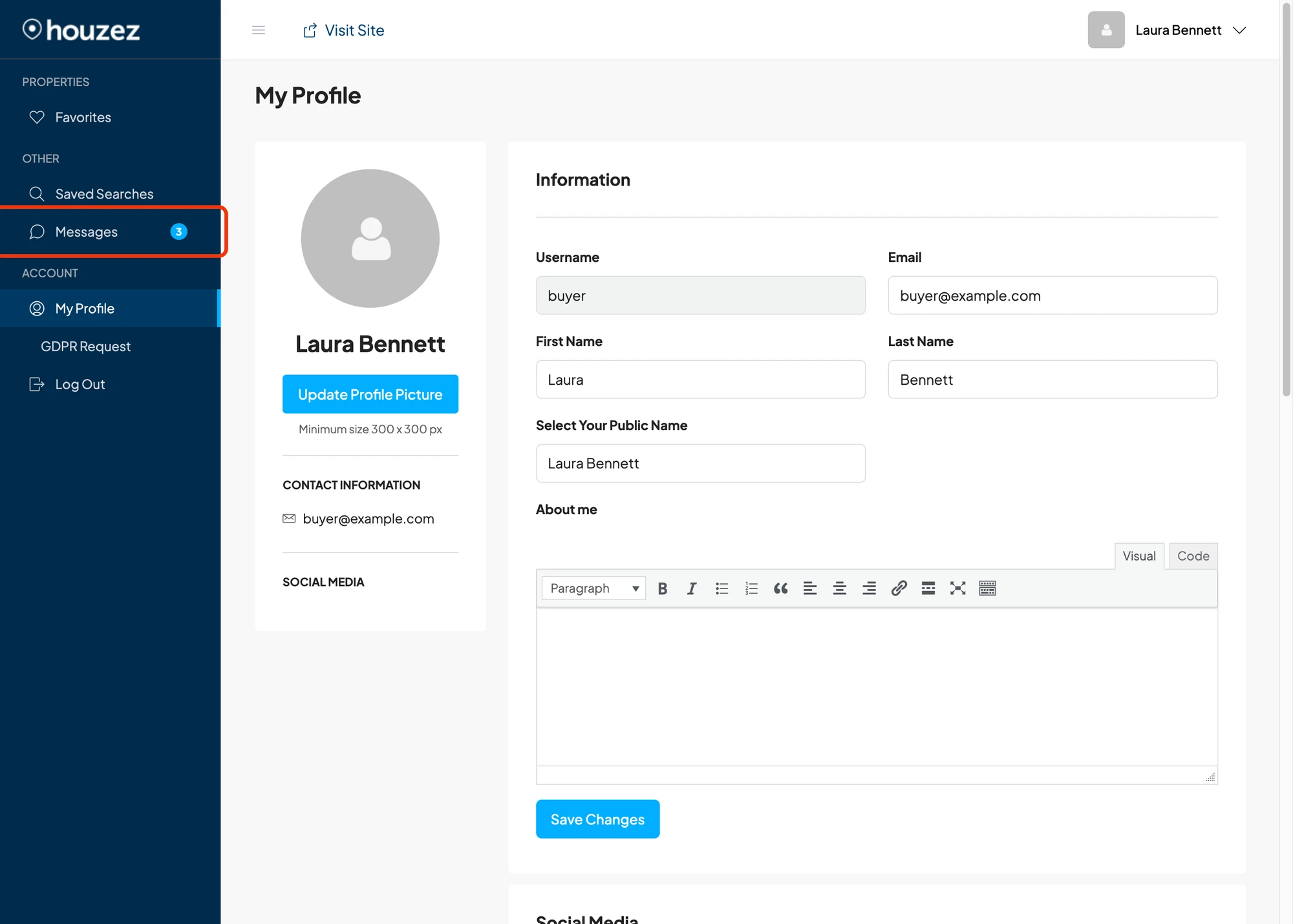
The Messages entry in the Houzez dashboard sidebar also carries a live unread badge — a small blue circle with the total unread count — so users see new messages from anywhere in the dashboard. It updates the instant a message arrives (WebSocket version) or within a few seconds via polling (free version), and clears as soon as the user opens the unread thread.

Installing Better Messages on a Houzez site#
- Install Better Messages from WordPress.org and activate it.
- Make sure Houzez is active, along with the required Houzez plugin pack (Houzez Login Register, Houzez Theme Functionality, Houzez API).
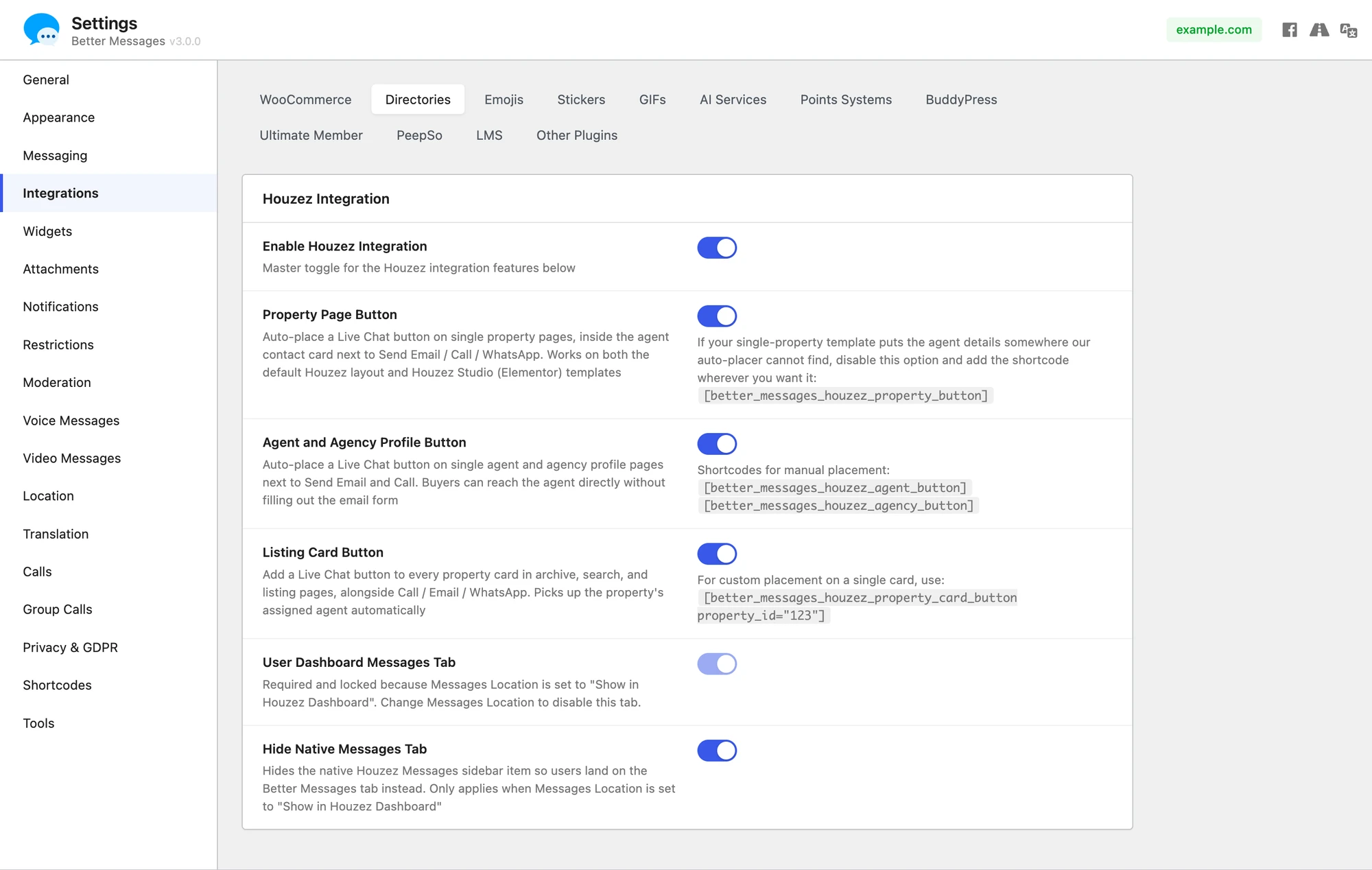
- Open WP Admin → Better Messages → Settings → Integrations → Directories → Houzez Integration.
- Toggle Enable Houzez Integration and the individual placement toggles you want.
- Optionally pick Messages Location → Show in Houzez Dashboard in Settings → General so every internal Messages link in the plugin routes into the new dashboard tab.

For custom Elementor templates, Houzez Studio widgets, or theme overrides, place buttons manually:
[better_messages_houzez_property_button]
[better_messages_houzez_property_card_button]
[better_messages_houzez_agent_button]
[better_messages_houzez_agency_button]
The buttons inherit Houzez Options → Styling Options → Primary Color automatically — change the theme palette in Houzez Options and every Live Chat surface updates on the next page load.
Free vs WebSocket version for Houzez sites#
| Feature | Free version | WebSocket version |
|---|---|---|
| Live Chat button on property page, cards, agent and agency profiles | yes | yes |
| Messages tab inside the Houzez dashboard | yes | yes |
| Property info card inside the conversation | yes | yes |
| Houzez theme accent inheritance | yes | yes |
| Real-time delivery | polling | instant |
| Mini-widget popup chat (buyer stays on the property page) | — | yes |
| One-on-one voice and video calls inside the thread | — | yes |
| Group voice and video calls (e.g. buyer + listing agent + brokerage owner) | — | yes |
| Web push notifications for new messages | — | yes |
| Read receipts | — | yes |
| End-to-end encryption (optional) | — | yes |
For real-estate sites the WebSocket version's web push and instant delivery are the difference between a hot lead that converts the same day and a lead that goes cold while the agent waits for an email notification. The mini-widget popup keeps the buyer on the property page they were considering instead of redirecting them to a separate messages page, and the group calls let a buyer talk to the listing agent and a brokerage manager in the same call without leaving the site.
Frequently asked questions#
Does it work with Houzez Studio Elementor templates?#
Yes — buttons on the single property page, agent profile, agency profile and dashboard are auto-injected via Houzez theme hooks and work with every Houzez Studio layout. For property cards rendered through Houzez Studio's own grid widgets, use the [better_messages_houzez_property_card_button] shortcode inside the Elementor template if the auto-injection doesn't catch the custom widget.
Should I disable the native Houzez Messages panel?#
It's optional. Both messengers can coexist — the Houzez native panel stays at /dashboard-messages/, Better Messages lives at /dashboard-live-chat/. If you want a single inbox, enable Hide native Messages tab in the Houzez integration settings. The native panel is removed from the dashboard sidebar.
Can buyers chat without registering?#
Yes — if Guest Chat is enabled in Better Messages → Settings → General → Guest Chat, anonymous visitors can use the Live Chat buttons without logging in.
What happens when a property is unpublished?#
The Live Chat button is hidden when the property is not published. Existing threads remain readable on both sides.
Does it work with agent or agency CPTs that don't have a WordPress user owner?#
Yes. When the CPT has no linked WordPress user, the chat is silently routed to the property's post_author (or to the agency owner). The buyer sees the agent / agency CPT's name, headshot and profile URL in the conversation — the routed receiver gets a yellow "Chatting as [Agent name]" banner above the property card so they know which persona the buyer is contacting. A single fallback account can host inquiries for several different agent CPTs and every thread still shows its own distinct persona to the buyer.
Will Better Messages clash with the native Houzez messenger?#
No. Both can coexist side-by-side. They use different database tables, different REST endpoints, different dashboard URLs. Most sites pick one and hide the other through the Hide native Messages tab toggle, but it's not required.
See also#
- Houzez integration documentation — full setup reference
- RealHomes real estate chat — the sister Inspiry-family real-estate theme
- WordPress real estate chat — adjacent real-estate use case
- HivePress listing chat — for HivePress real-estate marketplaces
- Motors car dealer chat — Stylemix Motors classifieds
- Directorist chat — for general directory sites