WordPress Intranet Chat: Real-Time Messaging for Internal Communication
An internal WordPress intranet — built on BuddyBoss, BuddyPress, FluentCommunity, Woffice, or Olympus — already hosts the employee directory, the document library, the org chart, the company announcements. What it usually doesn't host is the conversation: the day-to-day private messages, the department group chats, the live discussion when something needs to be sorted now rather than emailed. A native WordPress chat plugin adds that conversation layer inside the same intranet — one login, one inbox, one set of WordPress roles to manage.
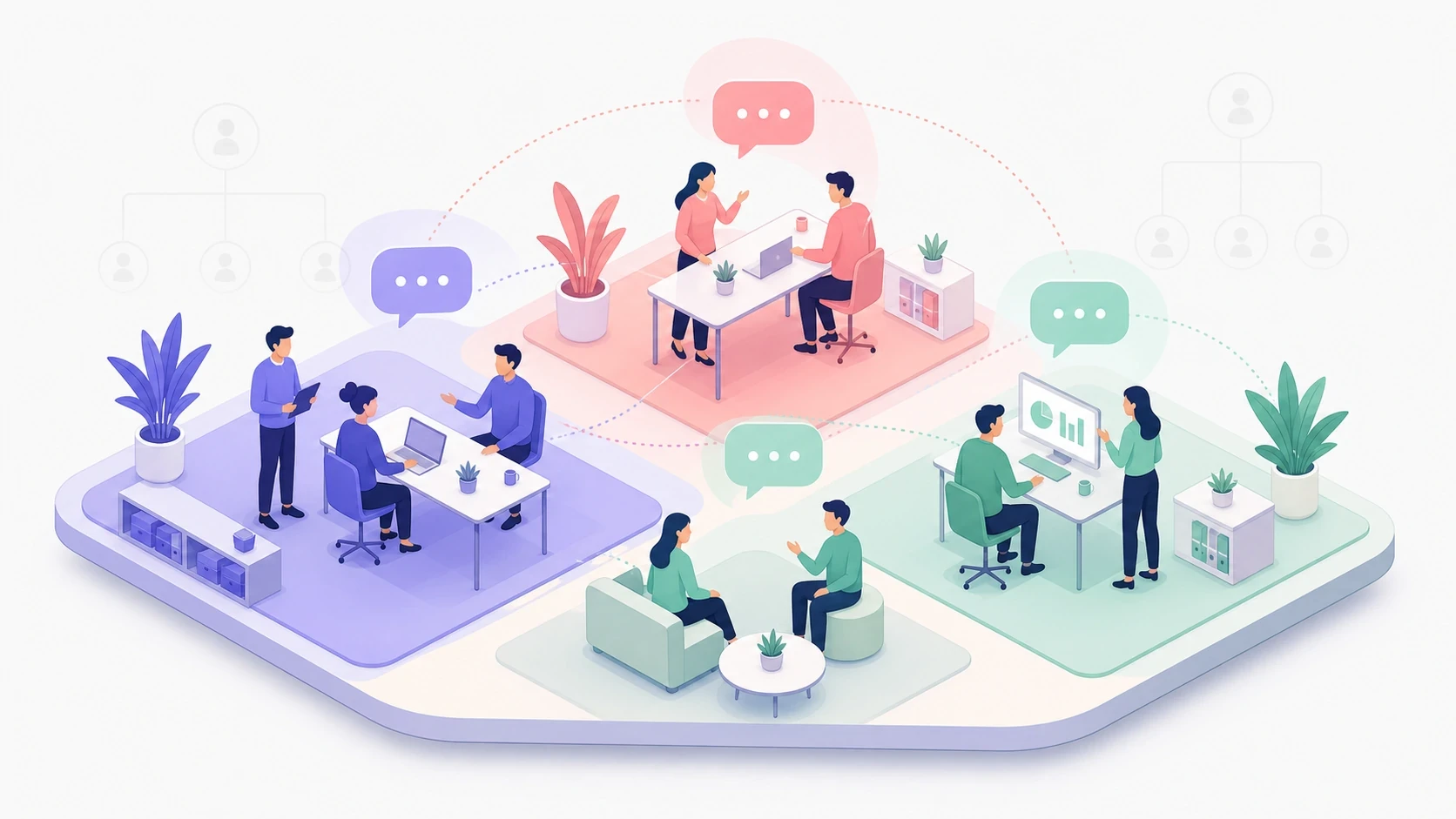
This post covers how to add real-time private messaging to a WordPress intranet and which intranet stacks pair well with Better Messages.
What "intranet chat" needs to do#
An employee-facing intranet messenger is a different product from a customer-facing live chat. The intranet version has to:
- Be available only to logged-in employees — never to the public internet, optionally only to the office network.
- Respect the org chart — managers, HR, executives, contractors, and external auditors all need different access.
- Allow department / project group chats that map to existing intranet groups.
- Support company-wide announcements that reach every employee at once.
- Run on the company's own infrastructure — the messages and files stay on the WordPress server the rest of the intranet is hosted on.
- Have a mobile app for field staff, drivers, retail employees, and anyone not at a desk all day.
Better Messages covers all six on top of any standard WordPress intranet stack.
Stack: WordPress + Better Messages (community plugin optional)#
Better Messages adds the messaging layer to any WordPress site — vanilla WordPress, a custom theme, an intranet theme like Woffice / Olympus / BuddyApp / Interactive / Bookmark, or a community-driven stack on BuddyBoss / BuddyPress / FluentCommunity / Ultimate Member / PeepSo.
Two common shapes for an intranet:
- WordPress + Better Messages only — works on any WordPress install. Employees log in, find each other via search, start one-on-one or group threads, join chat rooms. No community plugin required.
- WordPress + community plugin + Better Messages — when an employee directory, profile pages, and groups are already needed for the rest of the intranet, a community plugin (BuddyBoss Platform, BuddyPress, FluentCommunity, Ultimate Member, or PeepSo) supplies them. Better Messages then integrates with that plugin so department / project groups get paired chat threads.
The community plugin (when present) owns identity — profile, role, department. Better Messages always owns the conversation — DM, group thread, chat room, call. They share the same WordPress user table, so an employee onboarded once in WP-admin is reachable in the messenger immediately.
| Intranet shape | Stack |
|---|---|
| Small company / department, no employee directory needed | WordPress + Better Messages |
| Mid-size company with profiles and groups | WordPress + BuddyBoss Platform (or BuddyPress / Ultimate Member / PeepSo / FluentCommunity) + Better Messages |
| Custom intranet built around a specific workflow | WordPress + custom plugin + Better Messages |
Department and project group chats#
Every intranet has departments — Engineering, Sales, HR, Finance, Marketing, Support, plus cross-functional projects.
If you run a community plugin (BuddyBoss, BuddyPress, PeepSo, FluentCommunity, Ultimate Member), each department is already a group there (BuddyBoss Group, BuddyPress Group, PeepSo Group, FluentCommunity Space, Ultimate Member Group). Better Messages can pair a group chat with each of those — joining the group adds the user to the paired chat.
The flow that works for most companies on a community-plugin intranet:
- Create a private BuddyBoss Group called Engineering, restricted to the
engineeringrole. - Enable the paired Better Messages group chat under Integrations.
- Every engineer joining the group also joins the Engineering chat — no manual invites.

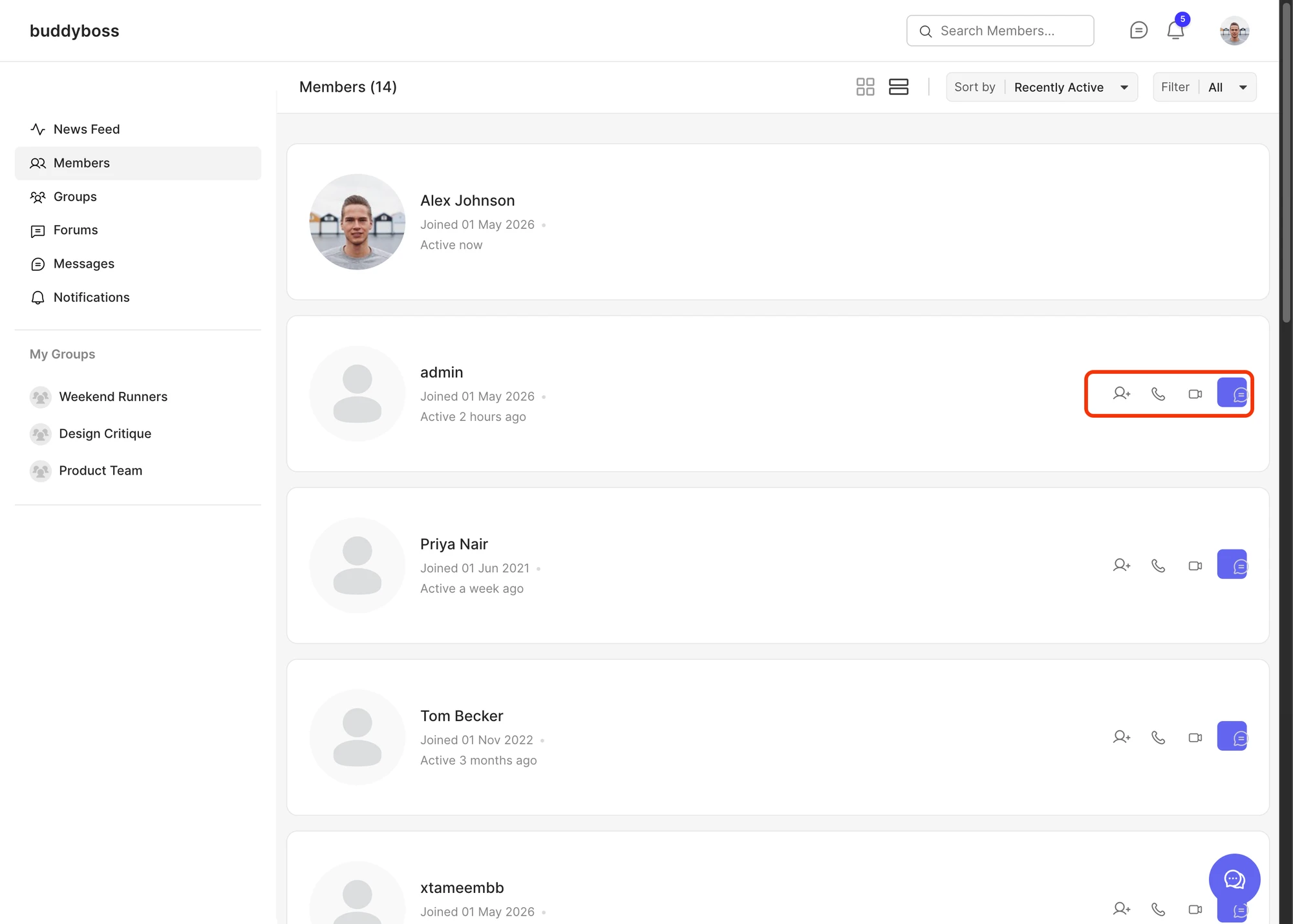
For an intranet without a community plugin (a plain WordPress site, or one built on a non-community theme), the same outcome is achievable using Better Messages Chat Rooms — create one room per department, restrict access by WordPress role, and admins manage membership directly. See How to add a chat room to your WordPress site.
For an org with location-based teams (e.g. NYC office, Berlin office, Remote — EMEA), the same pattern works — one group (or room) per location, one chat per group.
Role-gated channels#
Beyond per-group chats, intranets need broader, role-gated channels:
- All-hands room — every employee, read-only for non-management.
- Managers room — leadership only.
- HR confidential thread — one-on-one HR conversations, end-to-end encrypted.
- External contractors room — limited access. Cannot see the rest of the intranet.
- Executives room — board, C-suite, optionally outside legal counsel.
Better Messages reads WordPress roles directly. In Better Messages → Settings → Restrictions, the core messaging surfaces — start a new thread, reply, view messages, and which roles may message which — are configurable per role, with calls, group calls and voice messages gated on their own settings tabs. A contractor role can be allowed to chat only with their project manager and one HR contact. An intern role can be allowed to read but not start a thread. A former-employee role can be revoked from every chat surface in one toggle, without deleting their account.
For role-by-role rules in more depth, see Role-based access for WordPress chat.
Company-wide announcements#
Internal communications teams need to push a message to every employee at once — a policy update, a town-hall reminder, a security incident notification. The Better Messages mass messaging feature does exactly this: from WP-admin you compose one message, target a role or set of roles, and every targeted employee receives an individual thread with the message. Replies route privately back to the sender — so HR can ask "any questions?" and field 200 individual responses without 200 of them becoming a public reply-all storm.
Combined with web push notifications, an all-hands message lands as a browser notification on every employee's desktop within seconds, even if they don't have the intranet tab open.
On-premises, self-hosted, GDPR-friendly#
A major reason companies adopt a WordPress intranet in the first place is data sovereignty — they want HR conversations, performance reviews, internal incident reports, and legal discussions to live on infrastructure they control.
Better Messages stores every message in the WordPress database. A daily database dump captures every message and file alongside the rest of the intranet. For the WebSocket version, the relay can run on the same server as WordPress (or on a private VPC), so even the real-time delivery never leaves company infrastructure. End-to-end encryption is available per thread for the most sensitive conversations — HR, legal, executive — so even a database breach yields ciphertext for those threads.
GDPR data-subject requests are also straightforward: every message a given employee has sent or received can be exported from the database, and the standard WordPress user-deletion flow removes them.
Group video calls and web push: the productivity unlock#
Two features turn an intranet messenger from "an email replacement" into "the place work happens":
- Group voice and video calls inside the chat thread. Daily standups, sprint demos, project kickoffs, and ad-hoc "can we jump on a quick call?" all happen inside the messenger — enough for a department all-hands without a separate Zoom link.
- Web push notifications for new messages. Employees hear about new messages even when the intranet tab is closed or the browser is minimized — works on Chrome, Edge, Firefox, and Safari, plus iOS 16.4+ when the intranet is added to the home screen as a PWA.

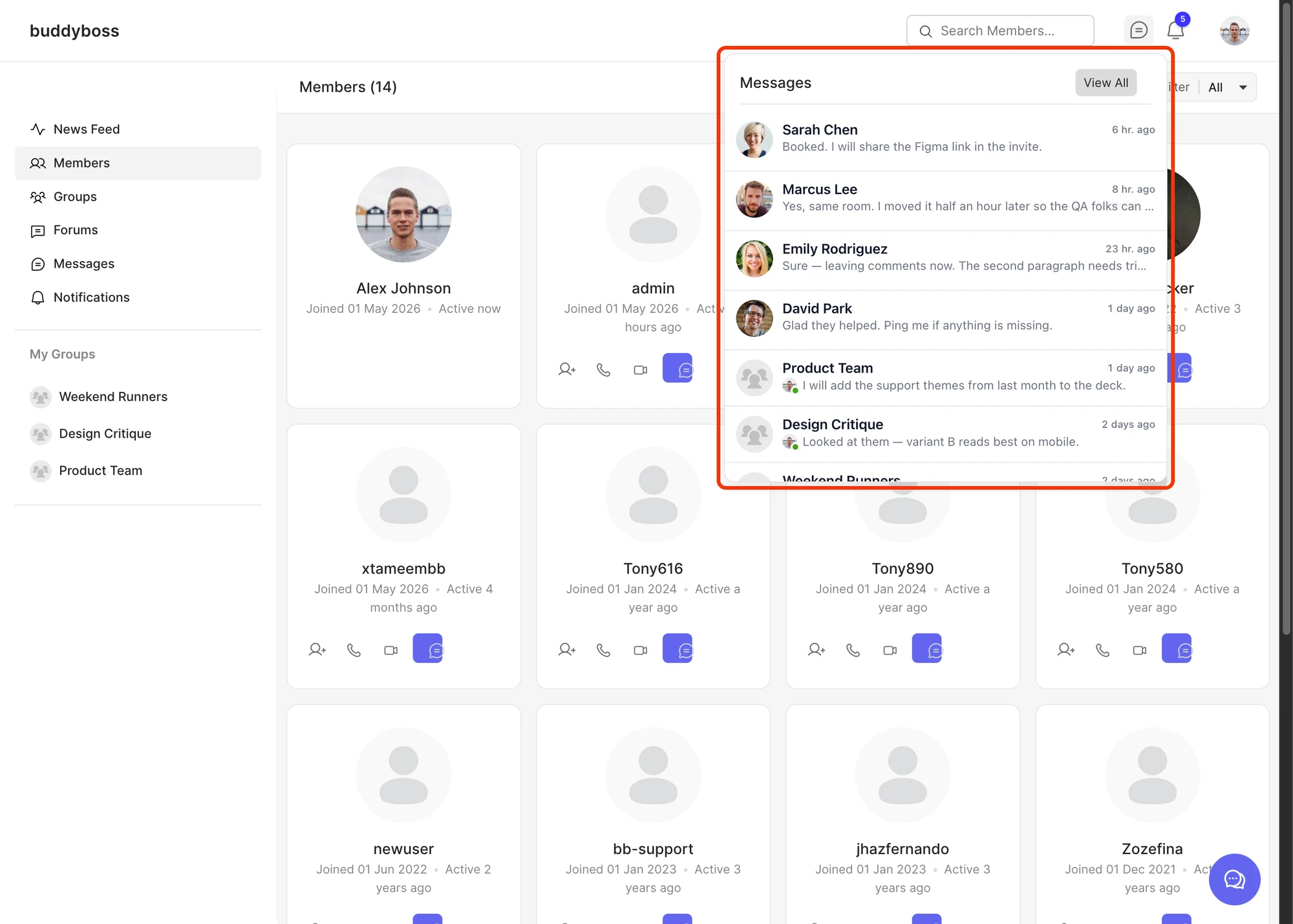
A typical week on an intranet with both enabled: morning standups run as group calls inside the Engineering chat, a contractor pings the project manager mid-day via DM (push notification on the PM's laptop), HR sends an end-of-day reminder by mass messaging (push notification on everyone's phones via the mobile app), the weekly all-hands runs as a 30-person group video call inside the All-Hands room.
Mobile app for non-desk employees#
A meaningful fraction of any company's headcount isn't at a desk: field service, drivers, retail floor staff, warehouse, security. They need the same chat on a phone, with native push notifications that survive the screen being off.
Better Messages ships a native iOS and Android mobile app that connects to the company's WordPress intranet. Employees install one app, sign in once, and get the same chats, calls, and notifications as the web users. The app talks to the same backend, so a message sent from a delivery driver's phone shows up instantly in the Logistics group chat on the dispatcher's desktop.
Why on-site for internal communication#
A WordPress intranet exists because the company chose to own its directory, documents, and process inside its own infrastructure. The conversation layer benefits from the same model:
- One login, one identity. Employees use their WordPress account for everything — directory, docs, announcements, and chat. Offboarding a leaver is a single role change in WP-admin.
- One database for backups, audits, and exports. Every message ends up in the same MySQL dump that captures the rest of the intranet, so retention policy is one policy, not two.
- Same WordPress roles for permissions. A contractor role you've already configured for documents and forums applies equally to who they can chat with — no separate permission system.
- No per-seat tax on growth. Headcount changes don't change the chat licence cost. The only thing that scales is the WordPress server itself.
Installing Better Messages on an intranet#
- Install Better Messages from WordPress.org and activate.
- Confirm your community plugin is active (BuddyBoss Platform, BuddyPress, FluentCommunity, Ultimate Member, or PeepSo).
- Open WP Admin → Better Messages → Settings → Restrictions and configure access per WordPress role. Set contractor, intern, and external roles to restricted access. Give HR and executive roles a wider surface.
- Enable the matching group integration under Better Messages → Settings → Integrations so department / project groups get paired chats.
- For real-time delivery, web push, and group video calls, activate the WebSocket version under Better Messages → Account with your license key.
- (Recommended for internal-only intranets) At the web-server level (
.htaccess/ nginx), restrict the WordPress site to the office IP range or corporate VPN. This is generic WordPress hardening, not a Better Messages setting — chat traffic inherits whatever WP itself is reachable on.
Free vs WebSocket version for an intranet#
| Feature | Free version | WebSocket version |
|---|---|---|
| Role-gated chat | yes | yes |
| Paired group chats for departments / projects | yes | yes |
| Auto-provision on role / group change | yes | yes |
| Real-time message delivery | polling | instant |
| Mass-message company-wide announcements | yes | yes |
| One-on-one voice and video calls | — | yes |
| Group voice and video calls (standups, all-hands) | — | yes |
| Web push notifications (desktop + iOS PWA) | — | yes | | End-to-end encryption (HR, legal, executive threads) | — | yes | | Native mobile app for non-desk employees | set up only | yes | | Self-hosted WebSocket relay (on-prem, no cloud) | — | yes |
For an intranet, the WebSocket version's combination of real-time delivery, web push, group calls, and self-hosted relay is what turns the chat from an asynchronous message board into a surface where standups and urgent HR messages land in seconds. On the free version, the chat works fine for asynchronous internal-discussion patterns but lacks the live presence that real-time delivery brings.
Frequently asked questions#
Does it work with BuddyBoss Platform?#
Yes — BuddyBoss is the most common WordPress intranet stack and Better Messages integrates natively. Department chats pair with BuddyBoss Groups, the directory uses BuddyBoss member profiles, and the BuddyBoss ReadyLaunch theme is fully supported. See BuddyBoss messaging plugin.
Can I run it without any community plugin?#
Yes — Better Messages works on a vanilla WordPress install without BuddyPress / BuddyBoss / PeepSo. You lose the auto-paired group chats but you keep one-on-one DMs, chat rooms, mass messaging, calls, and web push. The community plugin only adds the department-group auto-provisioning.
Can chat access be limited to the office network or VPN?#
Yes — but this isn't a Better Messages setting. Restrict the entire WordPress site at the web-server level (nginx / Apache config, .htaccess, or a network ACL on the VPN). Better Messages inherits whatever WordPress itself is reachable on — every chat request goes through the WP permission stack, so whatever you block at WordPress level blocks the chat as well.
How does offboarding work?#
When a leaving employee's WordPress account is deactivated (or their role is changed to a stripped-down "former employee" role), chat access follows the same WordPress role check that gates the rest of the site. Their previous messages remain in the history for the audit trail. The user-deletion flow removes them permanently if needed.
Does it support SSO (Active Directory, Okta, Azure AD)?#
Better Messages doesn't integrate with SSO providers directly — it reads the WordPress user table. Any WordPress SSO plugin that creates a WP user on first login (miniOrange SSO, WP SAML Auth, Auth0 for WP, Authentication Pro, and others) handles the SSO side. Once the employee has a WP account, chat access follows their WordPress role automatically.
Can we host the WebSocket relay on-premises?#
Yes — the WebSocket version of Better Messages can either use the hosted Better Messages cloud or your own self-hosted relay. Self-hosted means message bytes never leave your network. See Where are the WebSocket servers located? for the relay-location discussion and the Self-Hosted plan pricing.
Is end-to-end encryption available?#
Yes — per-thread end-to-end encryption is available on the WebSocket version. Enable it on HR, legal, executive, or any thread where the message content should be unreadable even to the database administrator. See End-to-end encrypted messaging on WordPress.
How many employees can a single intranet handle?#
There is no hard cap — the limit is the WordPress server. A standard $40–80/month VPS handles 1,000–5,000 daily-active employees comfortably. Larger organizations run on a dedicated MySQL host plus a separate WebSocket relay. The architecture scales horizontally the same way the rest of the WordPress install does.
See also#
- BuddyBoss messaging plugin — the most common intranet community stack
- BuddyPress messaging plugin — the open-source intranet base
- FluentCommunity chat — for Discord-style internal spaces
- Ultimate Member private messaging — for UM-driven employee directories
- Mass messaging to all users — for company-wide announcements
- Role-based access — for HR / contractor / executive gating
- End-to-end encrypted messaging — for confidential threads
- Mobile app — for field staff and non-desk employees
- WordPress group chat plugin — for department-style multi-user chats