WordPress LMS Chat: Student & Instructor Messaging Compared
WordPress LMS plugins compete on course-builder UX, certificates, and quizzes — but none of them ship with real-time student ↔ instructor messaging out of the box. Students who hit a roadblock either drop the question in a forum that may or may not be monitored, email the instructor and wait, or abandon the course. The fix is a chat layer that lives inside the course page, knows which students are enrolled, and stays in sync as enrollment changes.
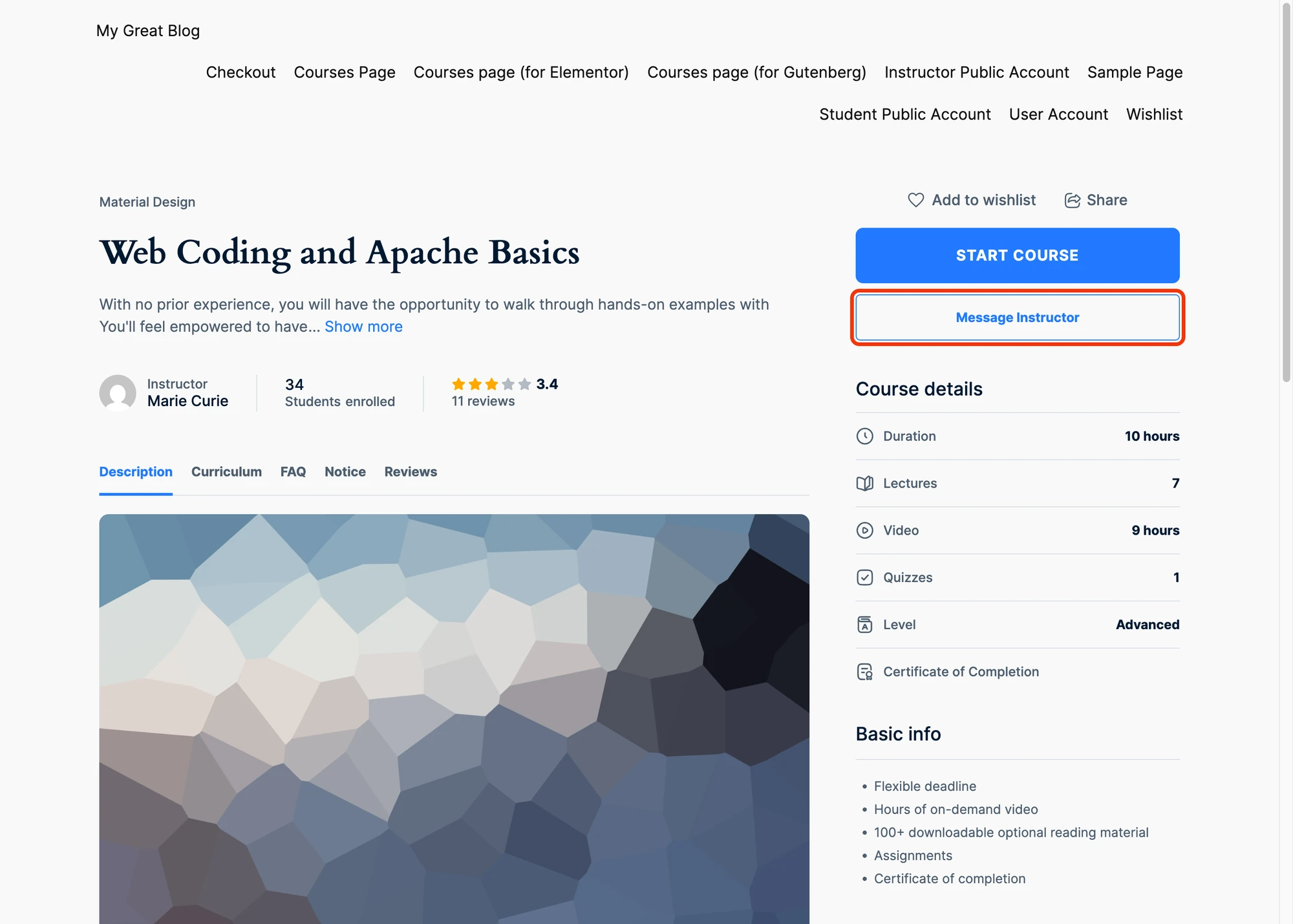
Better Messages adds that layer to LearnDash, LearnPress, Tutor LMS, MasterStudy LMS, and FluentCommunity Courses — from one install. This post compares what the integration looks like across the five LMS plugins.
The five LMS integrations at a glance#
| LMS plugin | Active installs (approx.) | Message Instructor button on course page | Auto-managed course group chat | Instructor profile Send Message button |
|---|---|---|---|---|
| LearnDash | 100,000+ | yes | yes | yes (Instructor Role add-on) |
| LearnPress | 70,000+ | yes | yes | yes |
| Tutor LMS | 90,000+ | yes | yes | yes |
| MasterStudy LMS | 30,000+ | yes | yes | yes |
| FluentCommunity Courses | 5,000+ | yes (on the course creator card) | yes (Courses widget) | yes (Private Message button) |
All five share the same Better Messages course-info card, shared course settings (info card / email / push toggles), and the dedicated Courses widget on the messenger's Mini Widgets bar — separate from the social Groups widget so academic chats and friend cohorts do not mix.
LearnDash#
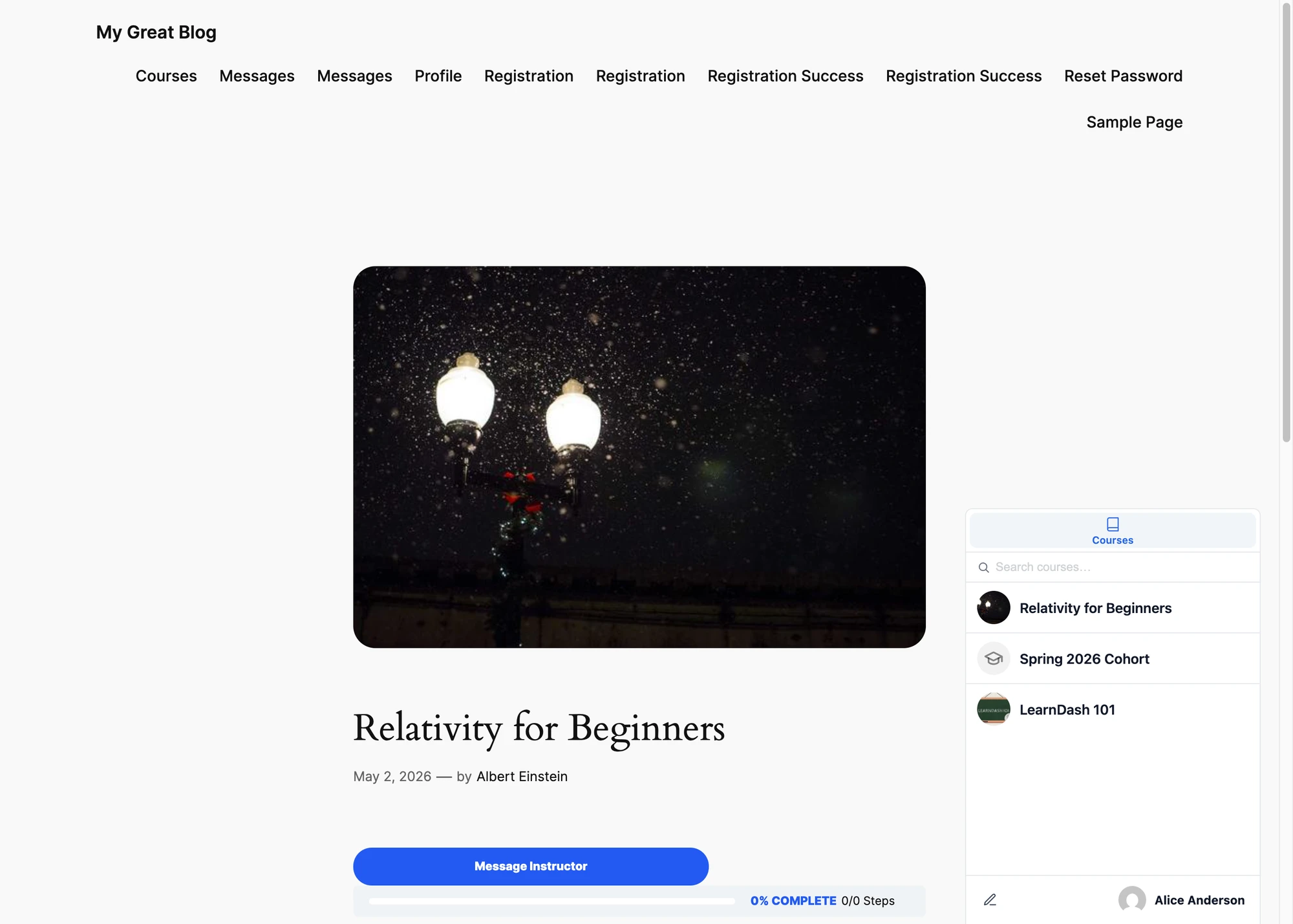
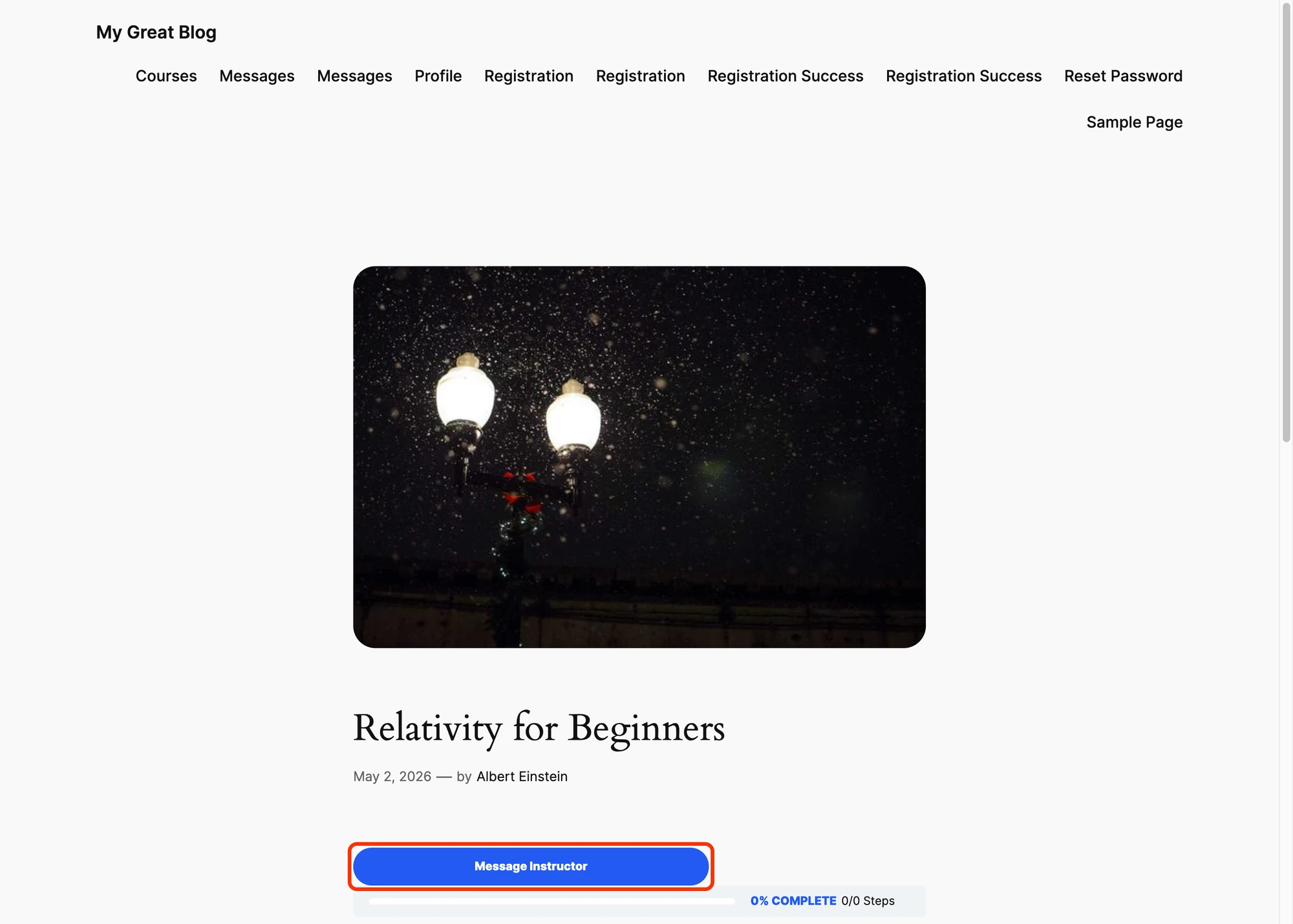
The most-installed LMS on WordPress. Better Messages adds a Message Instructor button on every course page, an auto-managed Course Group Chat that mirrors enrollment, a LearnDash Group cohort chat, and a Send Message button on the LearnDash Instructor Role profile.

Full write-up: LearnDash student messaging plugin. Reference: LearnDash integration documentation.
LearnPress#
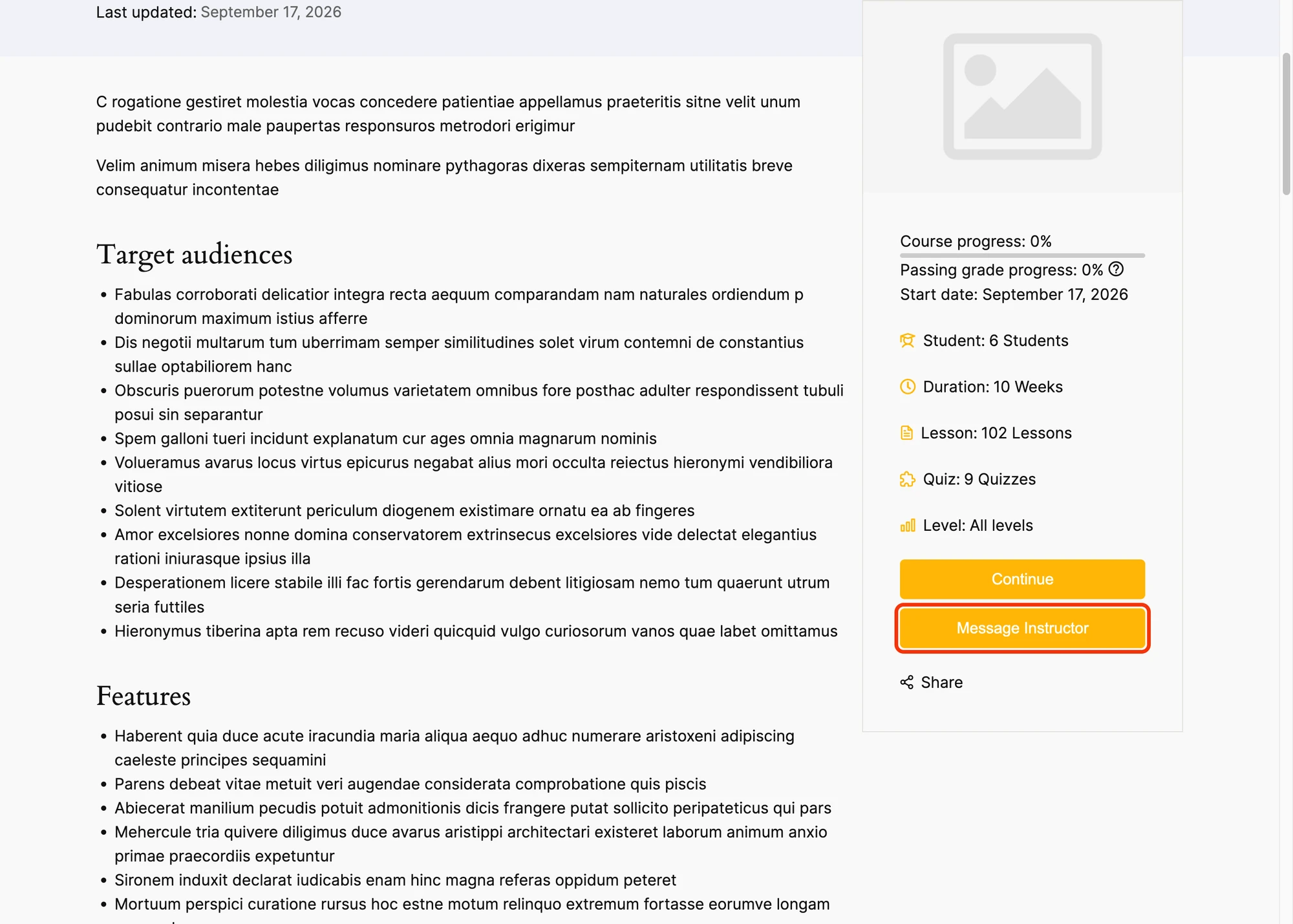
LearnPress's structure (Courses, Lessons, Quizzes) maps directly to Better Messages: each course gets its own group chat, the instructor's user gets a Send Message button on their profile, and the Courses widget surfaces every course the student is enrolled in.

Reference: LearnPress integration documentation.
Tutor LMS#
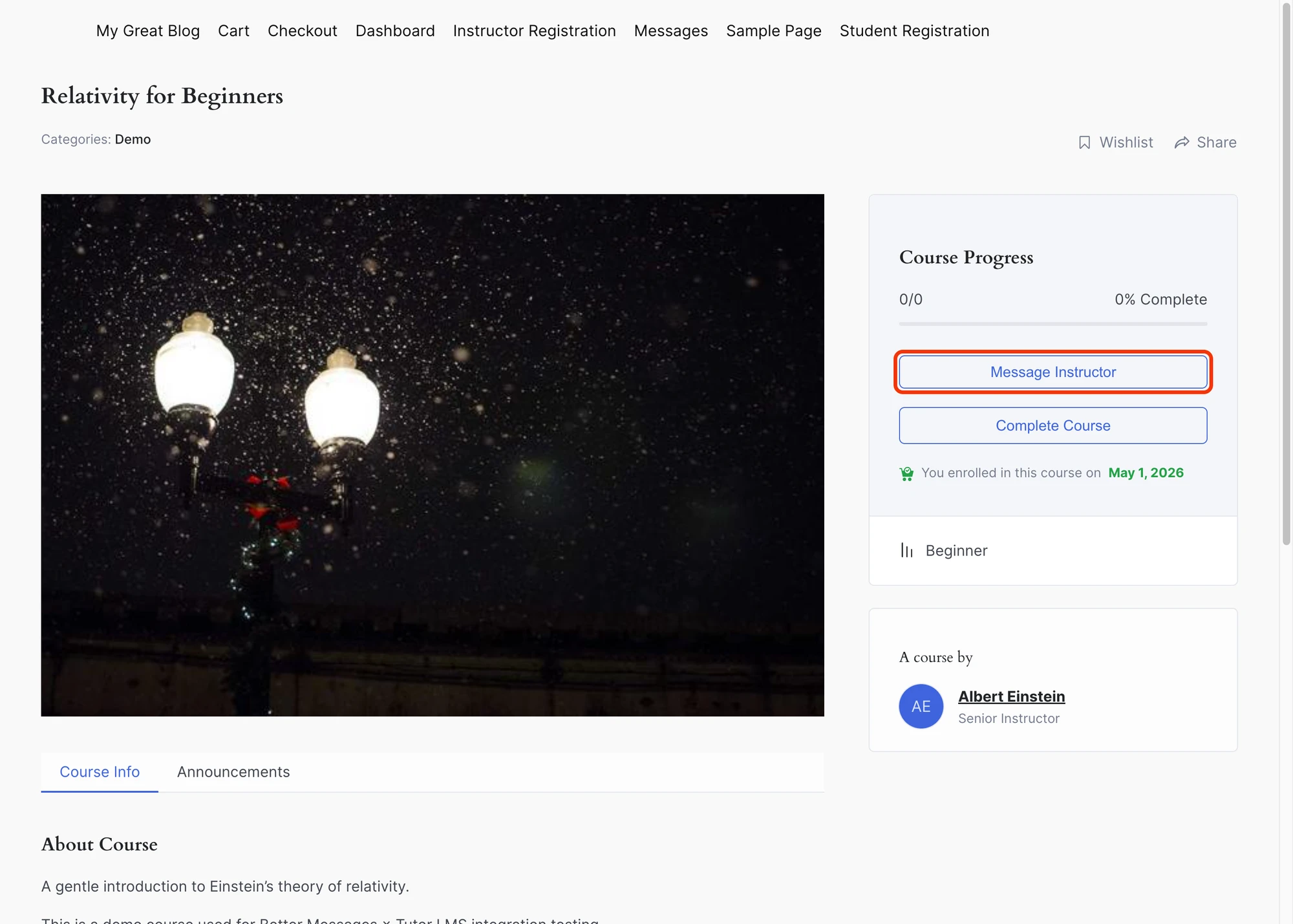
Tutor LMS has its own student / instructor dashboards. Better Messages adds a Messages tab to the Tutor LMS dashboard and a Message Instructor button on the course page. The integration also adds a student-profile Send Message button so instructors can reach out to specific students.

Reference: Tutor LMS integration documentation.
MasterStudy LMS#
MasterStudy ships with its own account-messages tab. Better Messages takes it over and embeds the full messenger inside the MasterStudy account layout — students never leave the LMS UI to chat.

Reference: MasterStudy LMS integration documentation.
FluentCommunity Courses#
FluentCommunity has its own community + course product. Better Messages integrates with FluentCommunity Spaces (community side) and FluentCommunity Courses (LMS side). The Courses widget lists every FC course a student is enrolled in, and each course gets its paired group chat. A Message Instructor Button toggle puts a button on the course creator card, and a Course Chat Button toggle adds a Course Chat button next to FluentCommunity’s own Continue Course.
Reference: FluentCommunity integration documentation.
How they compare on the student-instructor flow#
| Student → instructor flow | LearnDash | LearnPress | Tutor LMS | MasterStudy | FC Courses |
|---|---|---|---|---|---|
| Course page → DM the instructor | yes | yes | yes | yes | yes |
| Course → shared group chat with all enrolled students | yes | yes | yes | yes | yes |
| Group chat enrollment auto-sync | yes | yes | yes | yes | yes |
| Cohort / group-leader chat | yes (LearnDash Groups) | — | — | — | yes (FC Spaces) |
| Instructor profile Send Message button | yes (Inst. Role) | yes | yes | yes | yes |
| Courses widget in the messenger | yes | yes | yes | yes | yes |
| Course info card above the conversation | yes | yes | yes | yes | yes |
The core experience — Message Instructor + course group chat + Courses widget — is identical across all five. Differences are in dashboard placement (each LMS has its own conventions) and a couple of advanced surfaces (LearnDash Groups, FluentCommunity Spaces).
Shared LMS settings apply to all five#
Three toggles under Better Messages → Settings → Integrations → LMS → Shared Course Settings apply across every LMS integration:
- Course Info Card (on by default) — banner with course title, image, and instructor name above the conversation.
- Email Notifications (on by default) — standard new-message email for course chat activity.
- Push Notifications (off by default, WebSocket version) — integration-level real-time push for course-chat events.
Changing any toggle propagates across LearnDash, LearnPress, Tutor LMS, MasterStudy LMS, and FluentCommunity Courses.
Installing Better Messages on any LMS site#
- Install Better Messages from WordPress.org and activate it.
- Install your LMS plugin of choice (LearnDash, LearnPress, Tutor LMS, MasterStudy LMS, or FluentCommunity).
- Open WP Admin → Better Messages → Settings → Integrations → LMS and enable the integrations you want. FluentCommunity is the exception — it has its own Integrations → FluentCommunity sub-tab, because its Courses and Spaces settings sit together there.
Sites running more than one LMS plugin (rare, but it happens) can enable multiple integrations simultaneously — each appears as its own section in the Courses widget.
Free vs WebSocket version for LMS sites#
| Feature | Free version | WebSocket version |
|---|---|---|
| Message Instructor button on course page | yes | yes |
| Auto-managed Course Group Chat | yes | yes |
| Cohort / Group chat (LearnDash Groups, FC Spaces) | yes | yes |
| Courses widget on the Mini Widgets bar | yes | yes |
| Real-time delivery | polling | instant |
| One-on-one voice and video calls inside course threads (private office hours) | — | yes |
| Group voice and video calls inside course threads (cohort office hours, study sessions) | — | yes |
| Web push notifications for new messages | — | yes |
| Integration-level real-time push for course-chat events | — | yes |
| Read receipts | — | yes |
| End-to-end encryption (optional per thread) | — | yes |
The WebSocket version turns course threads into a Discord-style space for the cohort: instant delivery, group voice / video calls for office hours and study sessions, and web push notifications that reach students when the LMS tab is closed. For paid courses and structured cohorts, this is the difference between a passive course library and an active learning community.
Frequently asked questions#
Will students from different courses end up in the same chat?#
No — each course has its own group chat. Students enrolled in multiple courses see one thread per course in the Courses widget.
What happens when a student's enrollment is revoked?#
Better Messages listens to each LMS plugin's enrollment hooks (learndash_update_course_access, learn-press/user-enrolled-course, tutor_after_enrolled, etc.) and removes the student from the course chat. Their previous messages remain in history.
Can I run two LMS plugins side by side?#
Yes — Better Messages detects each active LMS and wires the integration in independently. The Courses widget surfaces courses from every LMS.
Are course chats included in the standard email digest?#
Yes — the shared Email Notifications toggle controls the standard new-message email for every LMS course chat. Toggle it off if your students prefer not to receive email per message.
Does it work with LearnDash Groups (cohort feature)?#
Yes — each LearnDash Group gets its own chat, separate from the per-course chat. Group Leaders are auto-joined as instructors.
Does it work with FluentCommunity's own messaging?#
Better Messages adds a real-time chat layer to FluentCommunity, with paired group chats for FluentCommunity Spaces and FC Courses. If you are using Fluent Messaging, deactivate it after installing Better Messages to avoid a double-messenger conflict.
See also#
- LearnDash student messaging plugin
- LearnPress student messaging plugin
- Tutor LMS student messaging plugin
- MasterStudy LMS student messaging plugin
- FluentCommunity chat plugin — includes the FluentCommunity Courses LMS integration
- Group conversations — how the group chat feature works
- Mini widgets — including the Courses widget
- Real-time messaging — what changes with the WebSocket version