Better Messages for Houzez: Buyer ↔ Agent Live Chat for Real Estate Listings
The Houzez integration for Better Messages adds a Live Chat button on the single property page (next to native Call / Email / WhatsApp), a Live Chat button on property listing cards, a Live Chat row on agent and agency profile cards, and a Messages tab inside the Houzez user dashboard at /dashboard-live-chat/. Buyers reach the listing's agent — or the agency owner when no agent is set — in one click, with the property image, price and address pinned to the top of the conversation. Theme accent colors (the value configured in Houzez Options → Styling Options → Primary Color) are inherited automatically. Works on both the free and WebSocket versions.
To install the plugin ensure that your website running:
- WordPress 5.9 or newer
- PHP 7.4 or newer
Installation#
How to install Houzez#
The Houzez – Real Estate WordPress Theme is a commercial theme from Favethemes. Purchase, download and activate it from Appearance → Themes, then install the required Houzez plugin pack (Houzez Login Register, Houzez Theme Functionality, Houzez API) and the recommended Elementor + Houzez Studio combo for page building. Once Houzez is active you'll get the property post type, agent / agency CPTs, the user dashboard at /user-dashboard/ and the property submission flow out of the box.
How to install Better Messages with Houzez#
- Install Better Messages through the WordPress plugins screen or upload the plugin files to the
/wp-content/plugins/bp-better-messagesdirectory. - Activate the plugin through the Plugins screen in WordPress.
- Use the Better Messages → Settings menu to configure the plugin.
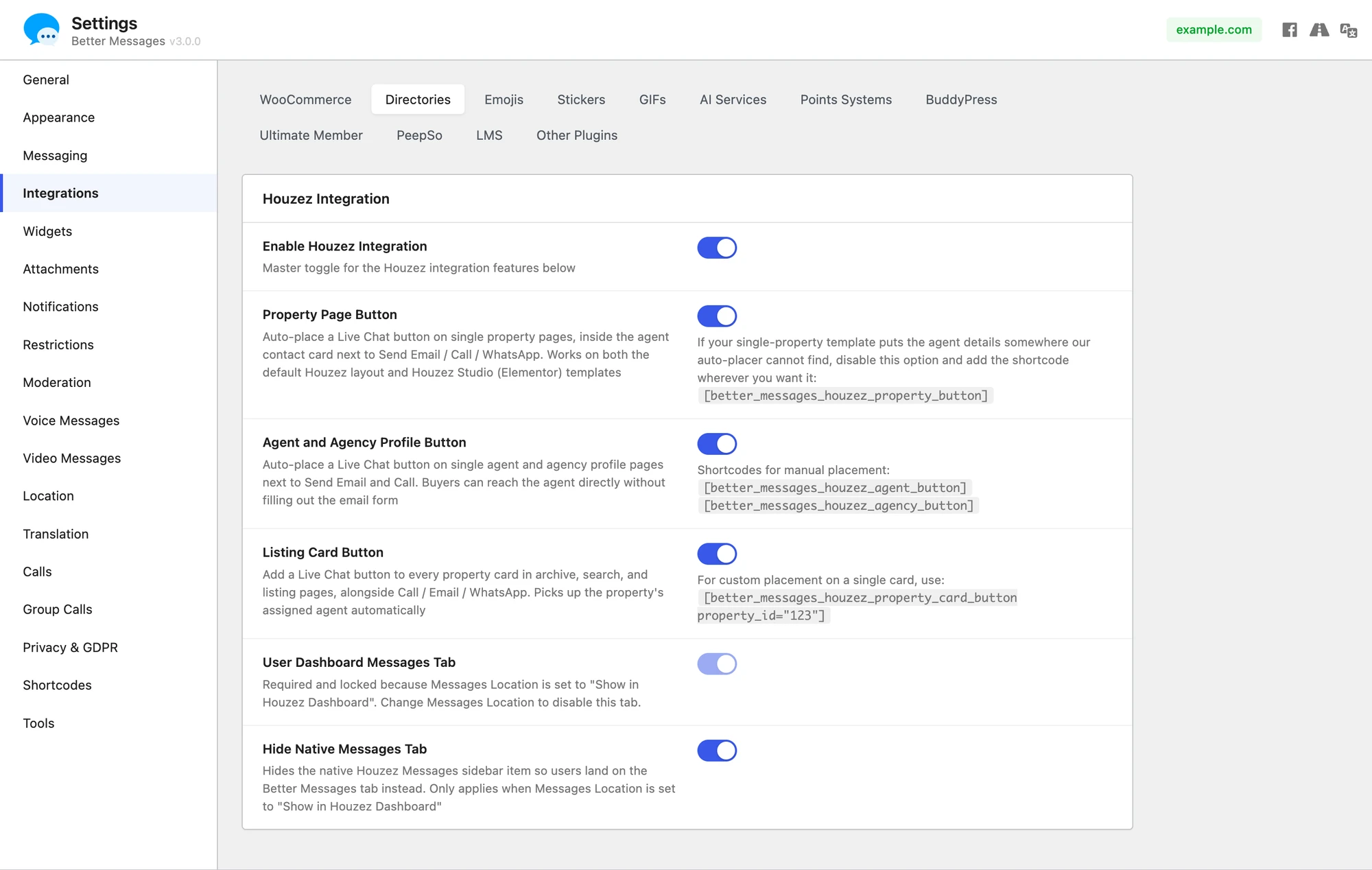
- Go to Settings → Integrations → Directories and enable the Enable Houzez Integration toggle. Each placement below has its own toggle so you can enable only the ones you want.
Setting the Houzez dashboard as the messages location#
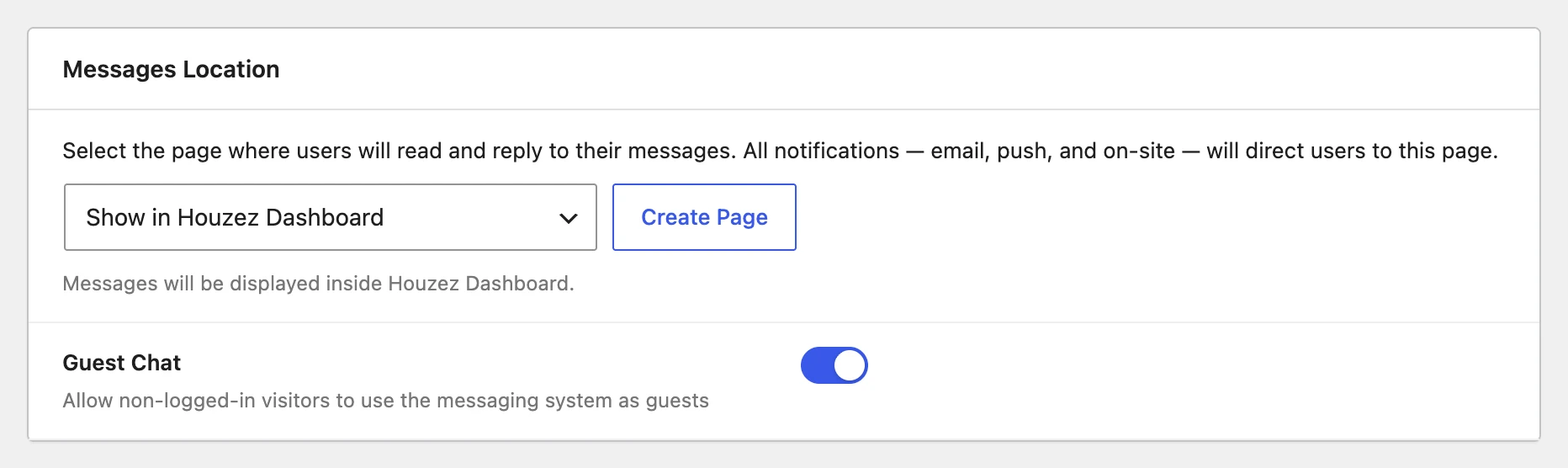
Better Messages → Settings → General has a Messages Location dropdown that controls which page hosts the user inbox. Selecting Show in Houzez Dashboard routes every "open inbox" link in the plugin (notification emails, on-site links, push notifications, the floating bubble, etc.) into the Messages tab inside the Houzez dashboard at /dashboard-live-chat/. The dashboard tab is force-enabled and locked while this option is selected — change the Messages Location away from Houzez to unlock it again.
When this option is active the messenger runs full-screen inside the dashboard frame — same Houzez sidebar and topbar, edge-to-edge messenger surface, no rounded card border.

Supported features#
Live Chat button on the single property page#
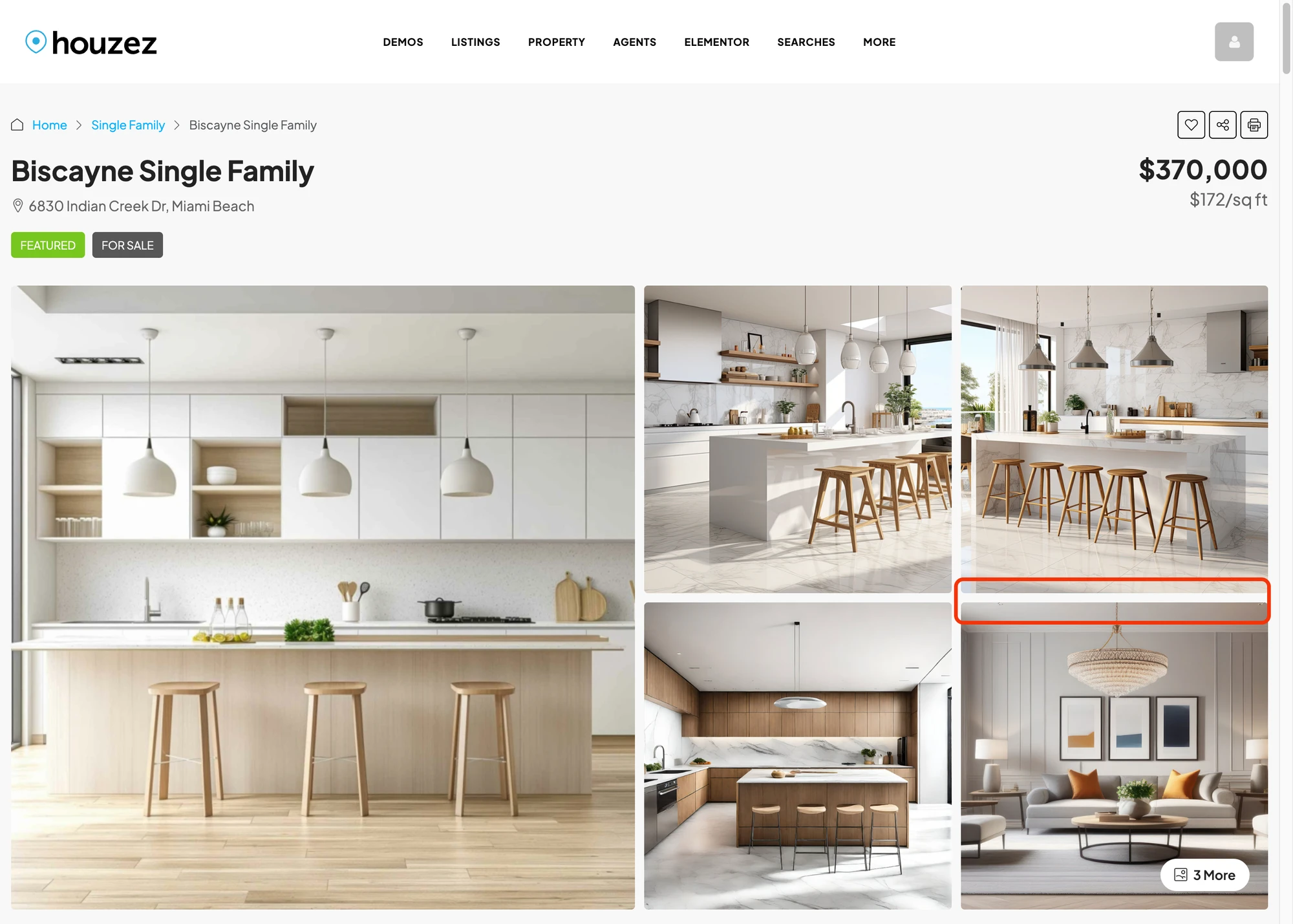
Renders inside the agent / agency contact panel on the single-property page, alongside Houzez's native Call, Email and WhatsApp actions. The button is hidden when the property is unpublished or when the visitor is also the listing's author. Colors match whatever you have configured in Houzez Options → Styling Options → Primary Color.

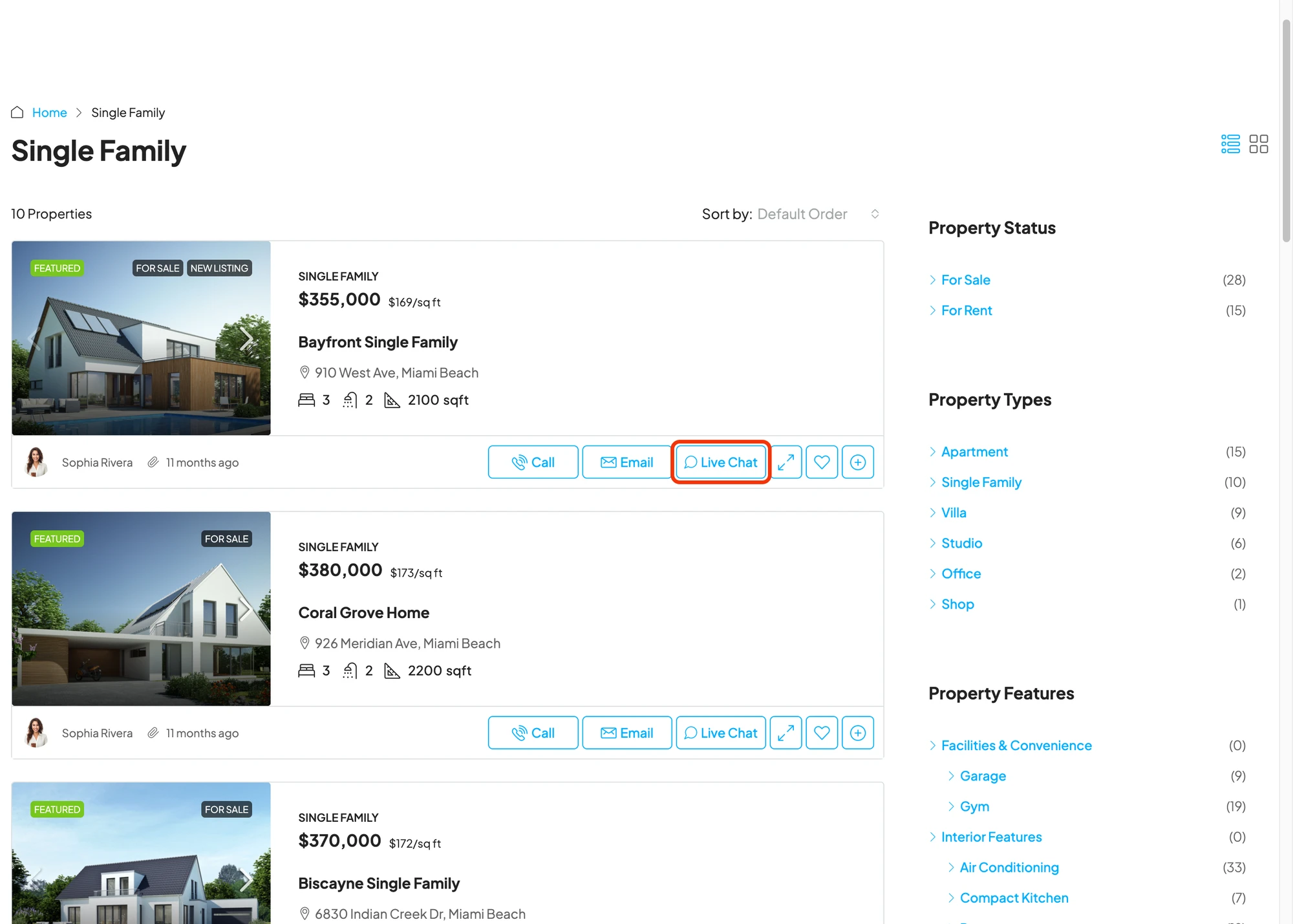
Live Chat button on property cards#
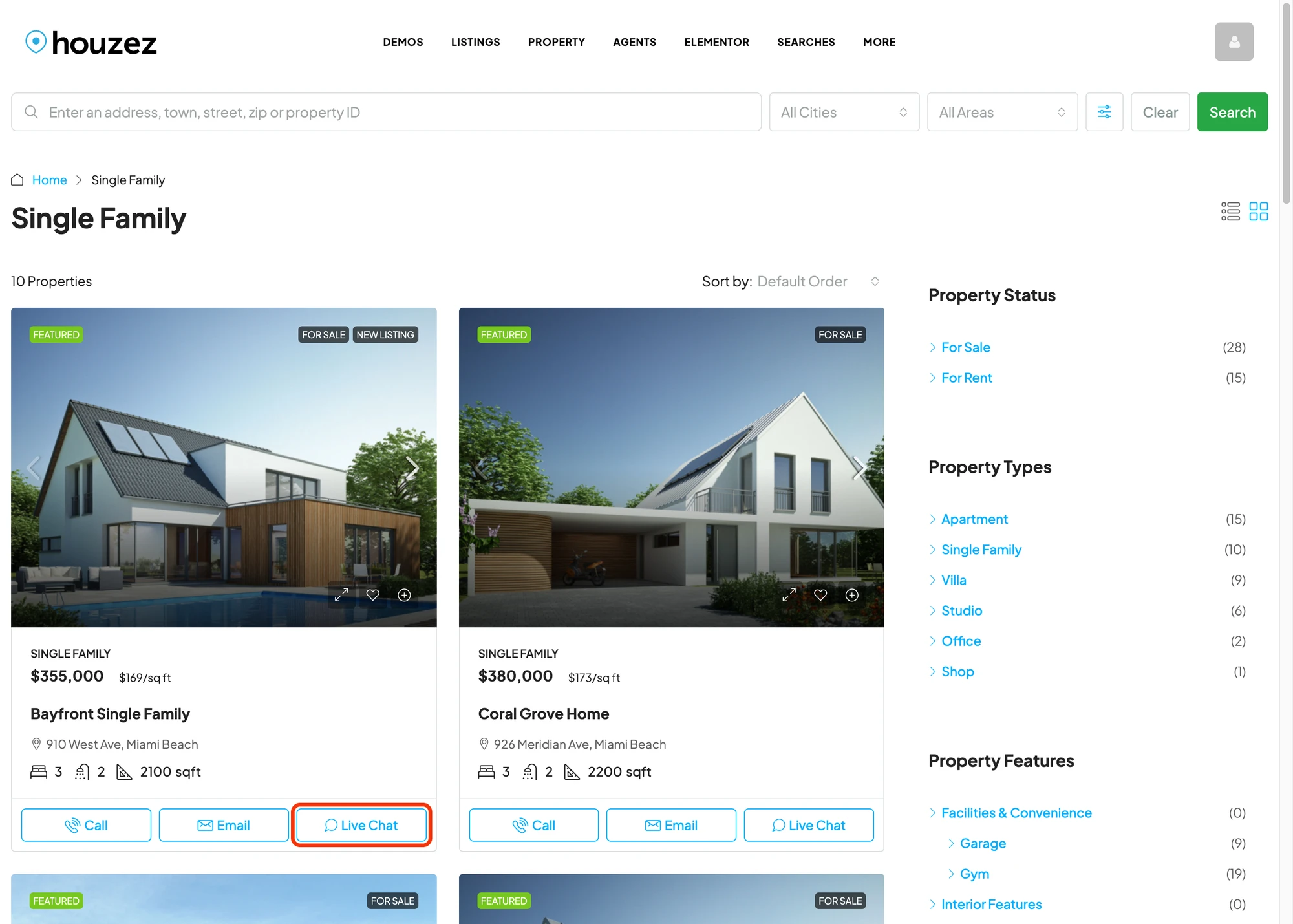
Adds a fourth equal-width button to the action row already present on Houzez v7 property cards (grid and list views), matching the styling of the native Call / Email / WhatsApp icons exactly — same outline style, same accent color, same hover state. Hidden for cards owned by the current visitor.


Live Chat button on agent profile pages#
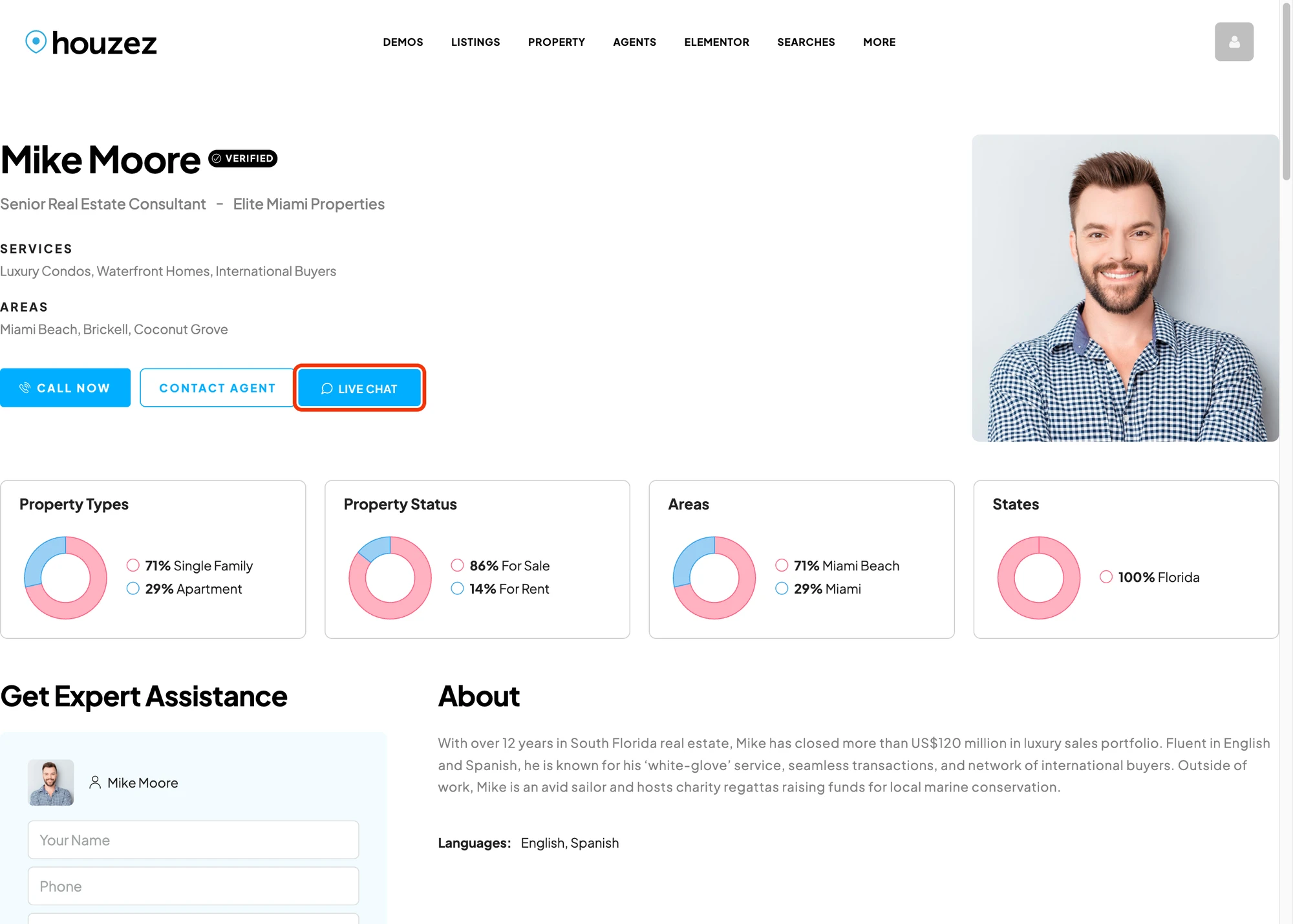
Adds a Live Chat row to the contact actions on the agent profile page, below the native Send Email and Call buttons. The button targets the WordPress user linked to the agent through Houzez's Author Information → User mapping, so agents see incoming conversations in their own dashboard inbox without any extra wiring.

Live Chat button on agency profile pages#
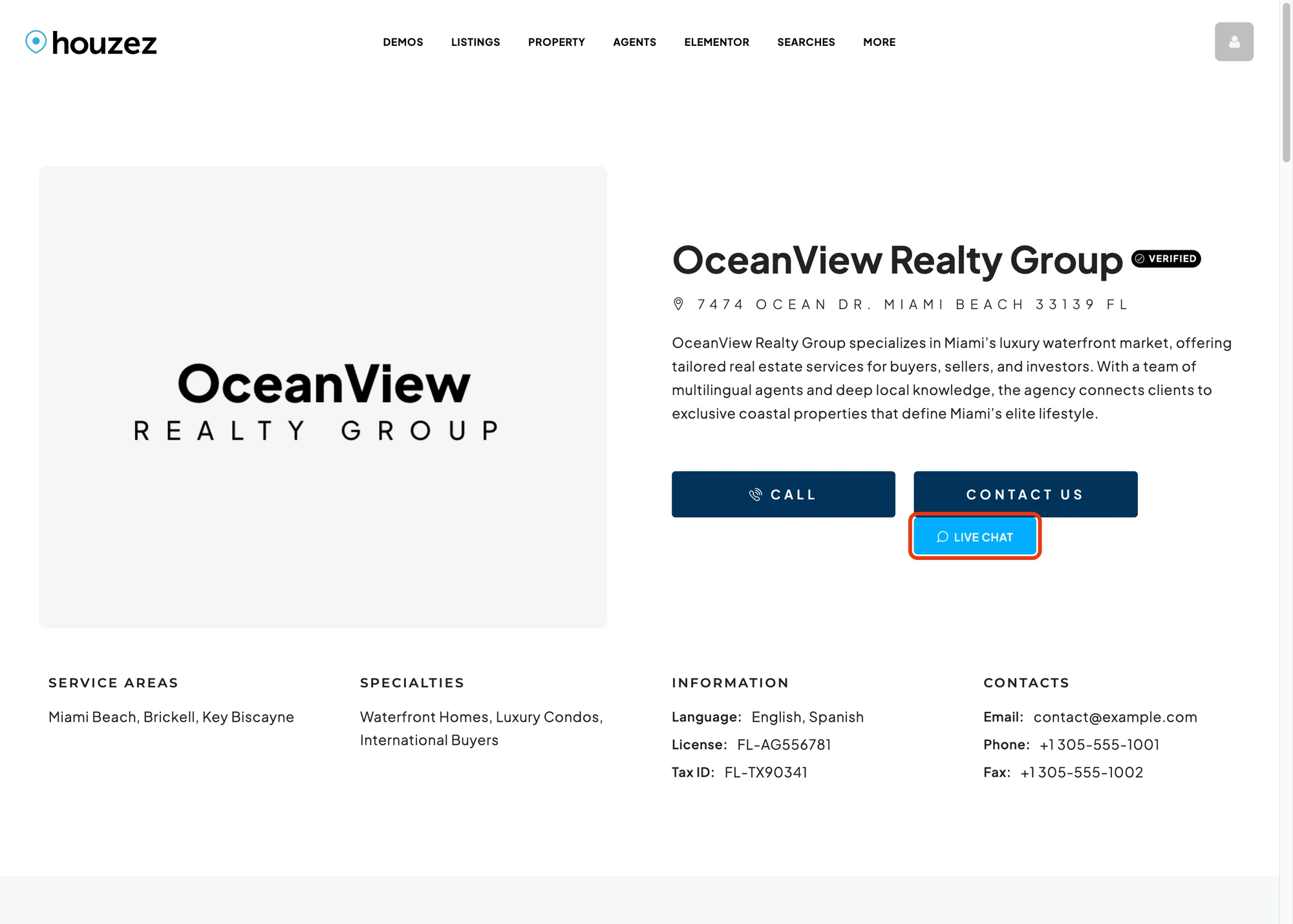
Same treatment for agency profile pages — the button targets the WordPress user that owns the agency CPT, which is typically the brokerage owner. Hidden when the agency has no published agents or when the agency owner is viewing their own profile.

Messages tab inside the Houzez dashboard#
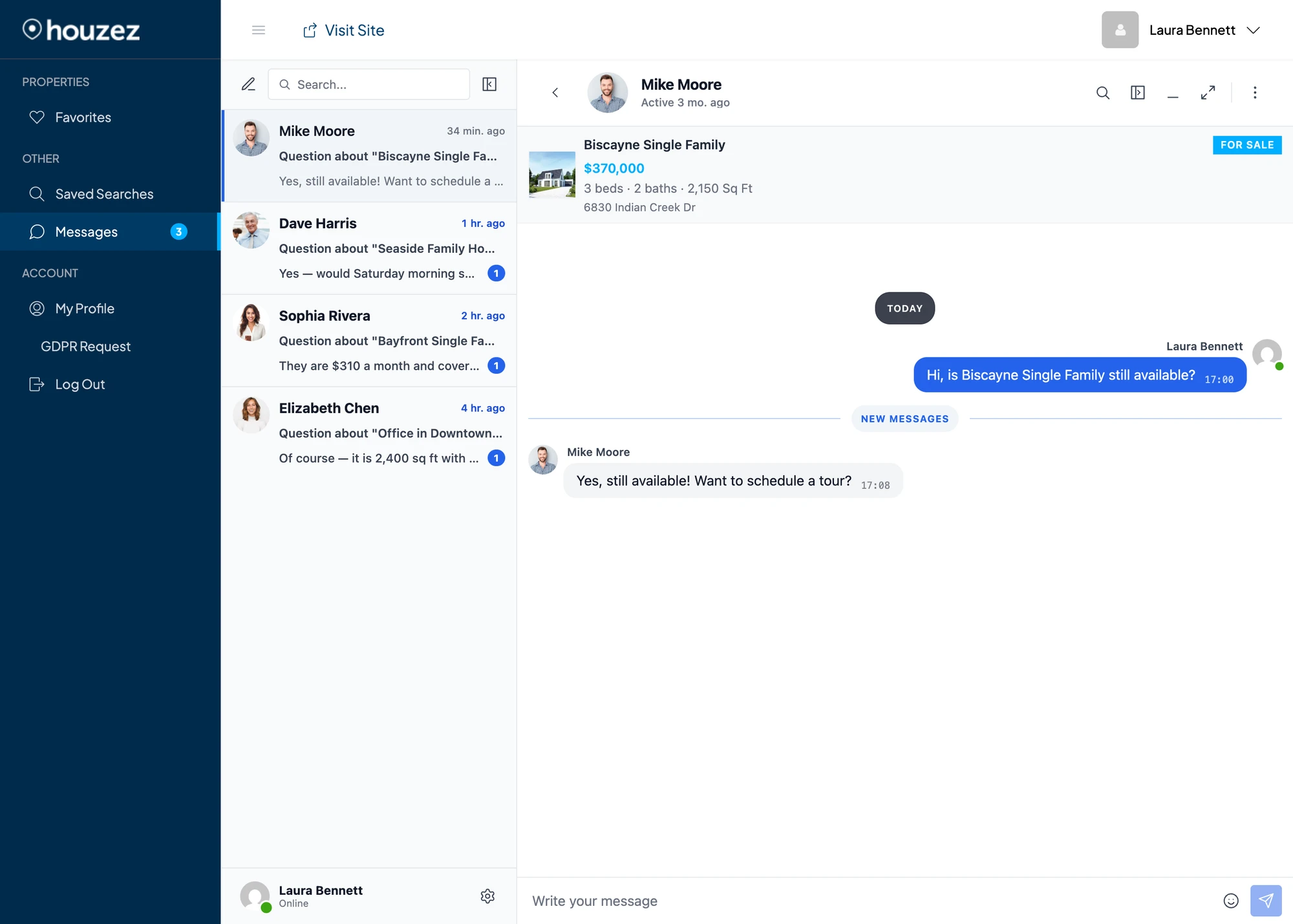
Adds a Messages tab to the Houzez dashboard sidebar at /user-dashboard/, alongside the native Properties / Favorites / Saved Searches / Invoices / Messages. The tab loads the full Better Messages inbox inline at /dashboard-live-chat/ so buyers and agents can read and reply without leaving their dashboard. The Houzez chrome (sidebar, topbar, account header) stays in place. Only the main content panel is replaced with the messenger.
The integration does not replace Houzez's built-in Messages panel — both can coexist. If you want the native one gone, enable Hide native Messages tab in the Houzez integration settings. The native panel is removed from the dashboard sidebar so users only see the Better Messages tab.

Unread badge on the Messages tab#
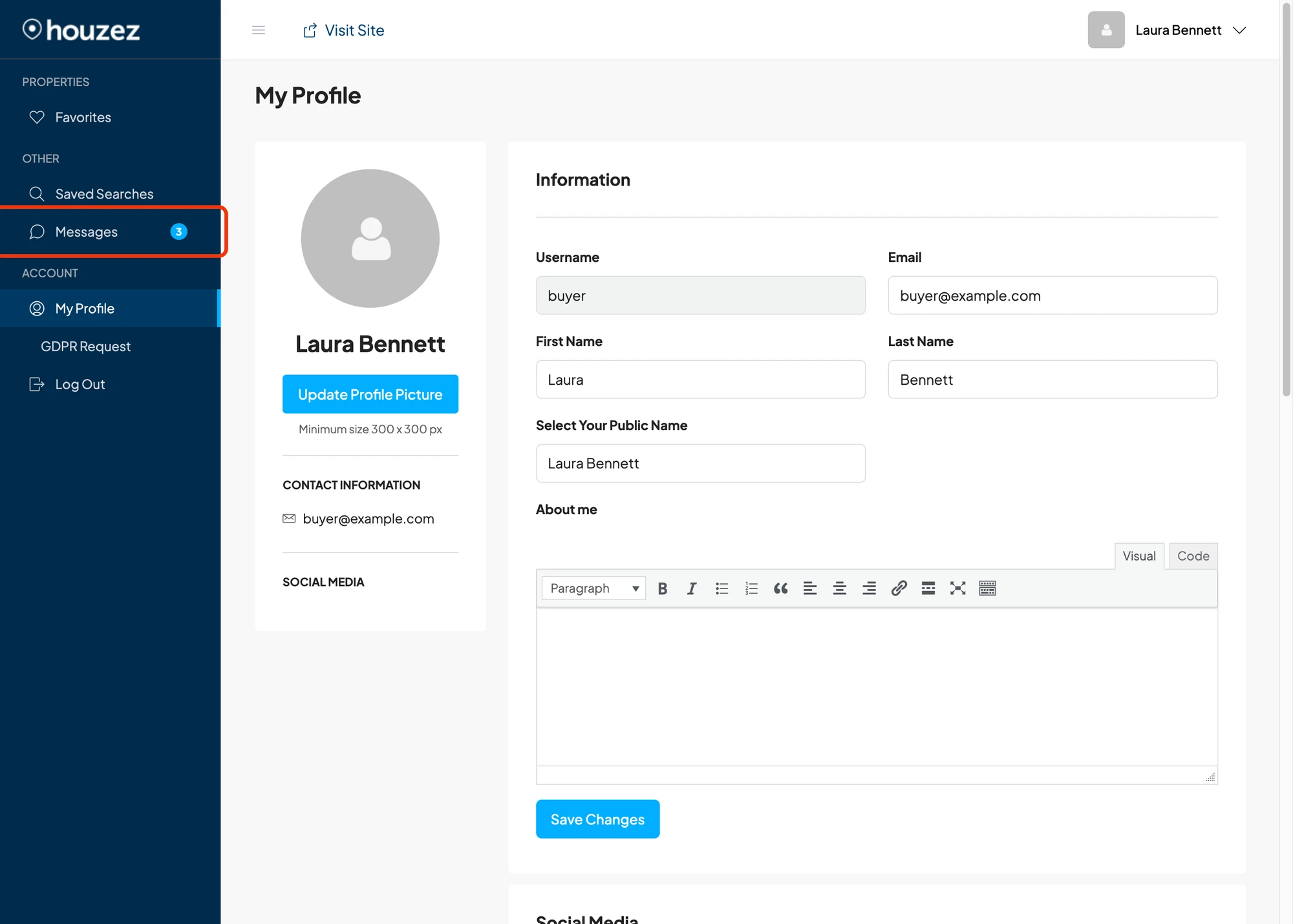
The Messages entry in the Houzez dashboard sidebar carries a live unread badge — a small blue circle showing the total unread count across all of the user's conversations. The badge appears anywhere in the Houzez dashboard (Dashboard, Properties, Invoices, etc.), updates in real time as new messages arrive — instantly over WebSocket, ~5 s over AJAX polling — and clears the moment the user opens an unread thread. The count caps at 99+ for large inboxes.

Listing info card inside the conversation#
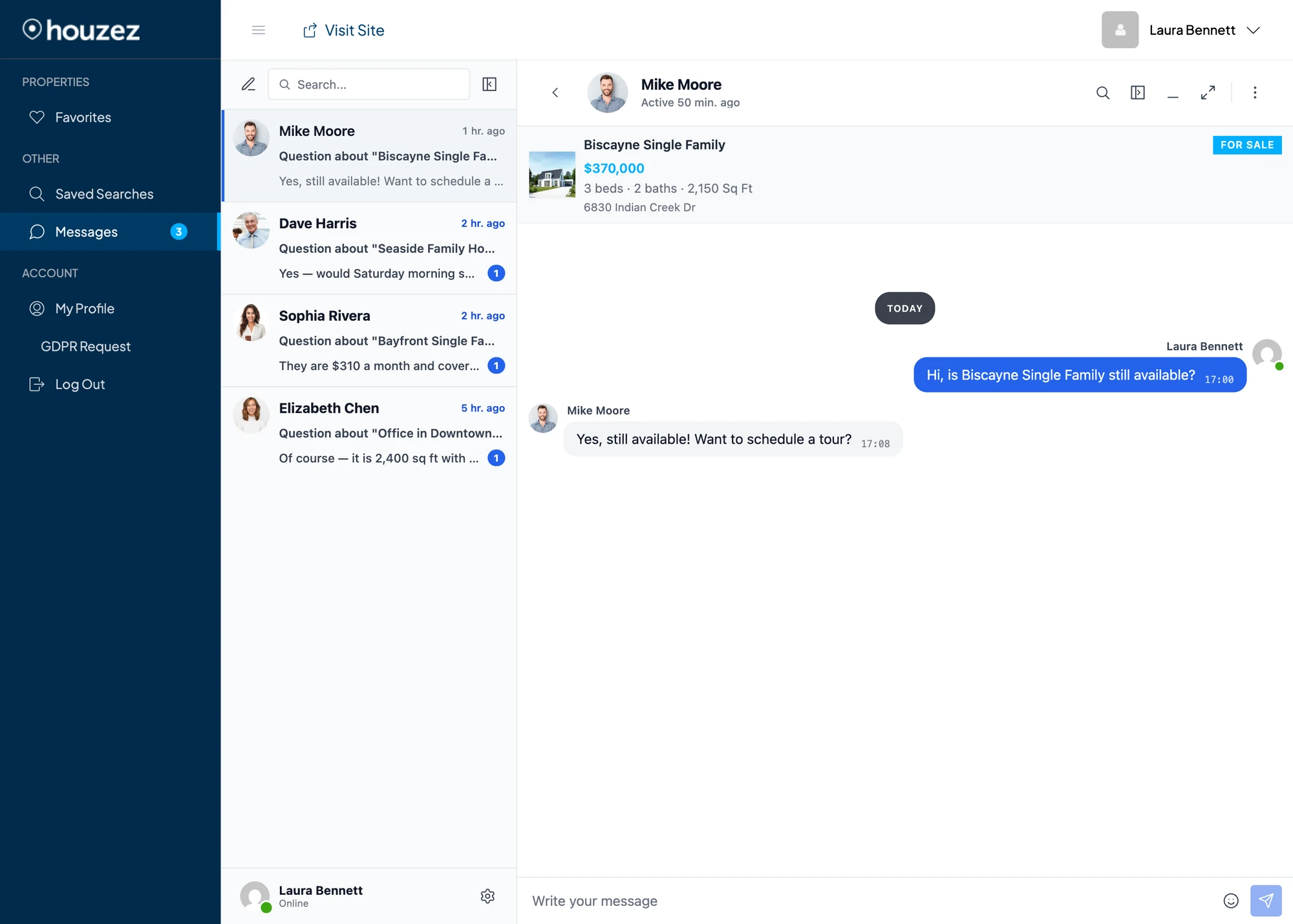
Conversations started from a property page or listing card show the property's image, title, price, basic specs (beds / baths / sq ft) and address pinned to the top of the messenger. Clicking the property opens the listing in a new tab.

Agent / agency persona inside every thread#
Buyers always see the agent or agency CPT identity as the other side of the conversation — never the underlying WordPress account. The thread sidebar, conversation header, message sender chips, info panel, mini chat widget and call screen all show the agent's full name and headshot (or agency name and logo) from the Houzez CPT, with a clickable link straight to the agent / agency profile page.
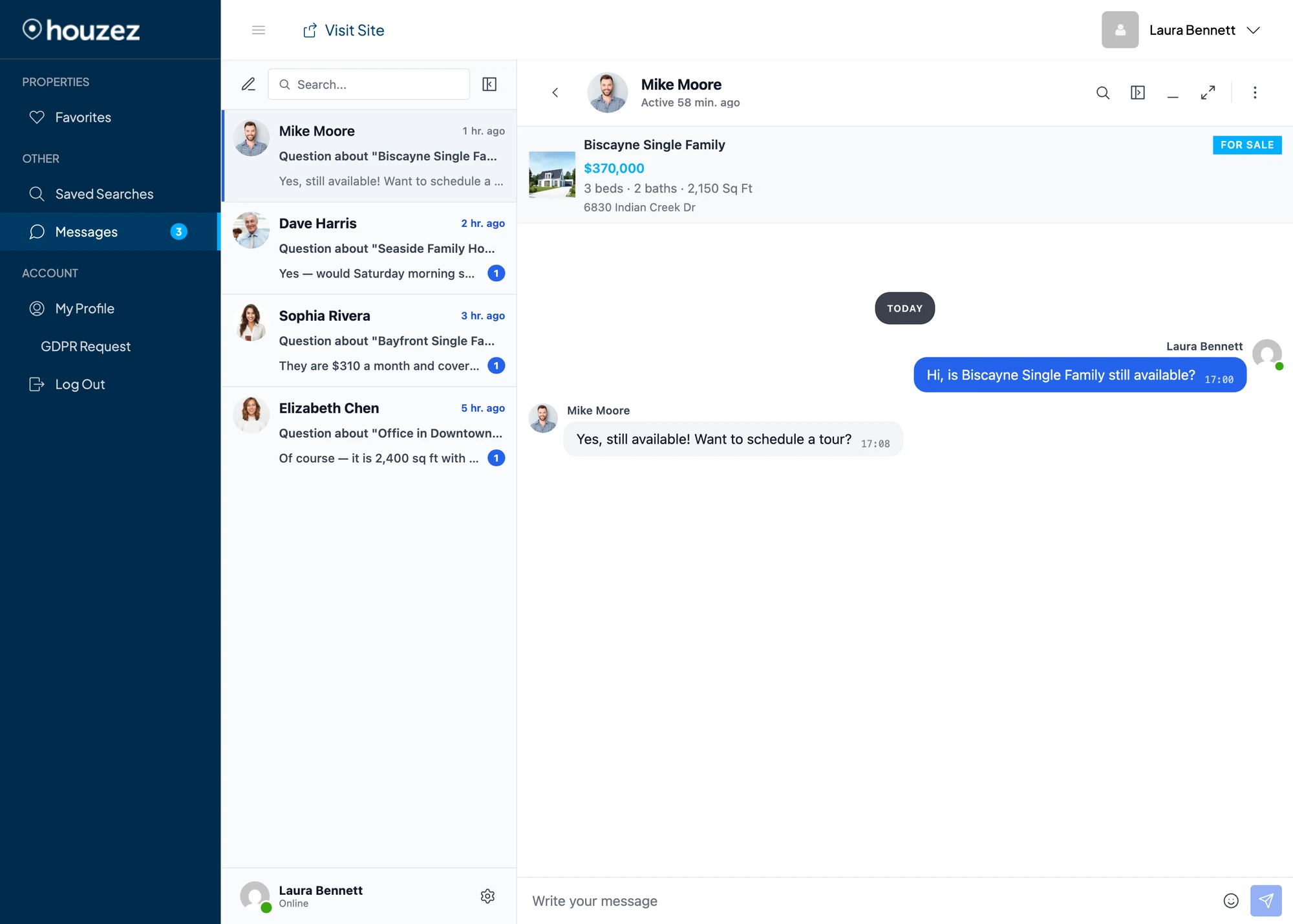
This works even when the agent or agency CPT has no linked WordPress user — the chat is silently routed to the property's post_author (or the agency owner), but the buyer still sees the persona's name, photo and profile URL. A single fallback account can route inquiries for several different agents at once and the buyer sees each conversation as a chat with a distinct agent.
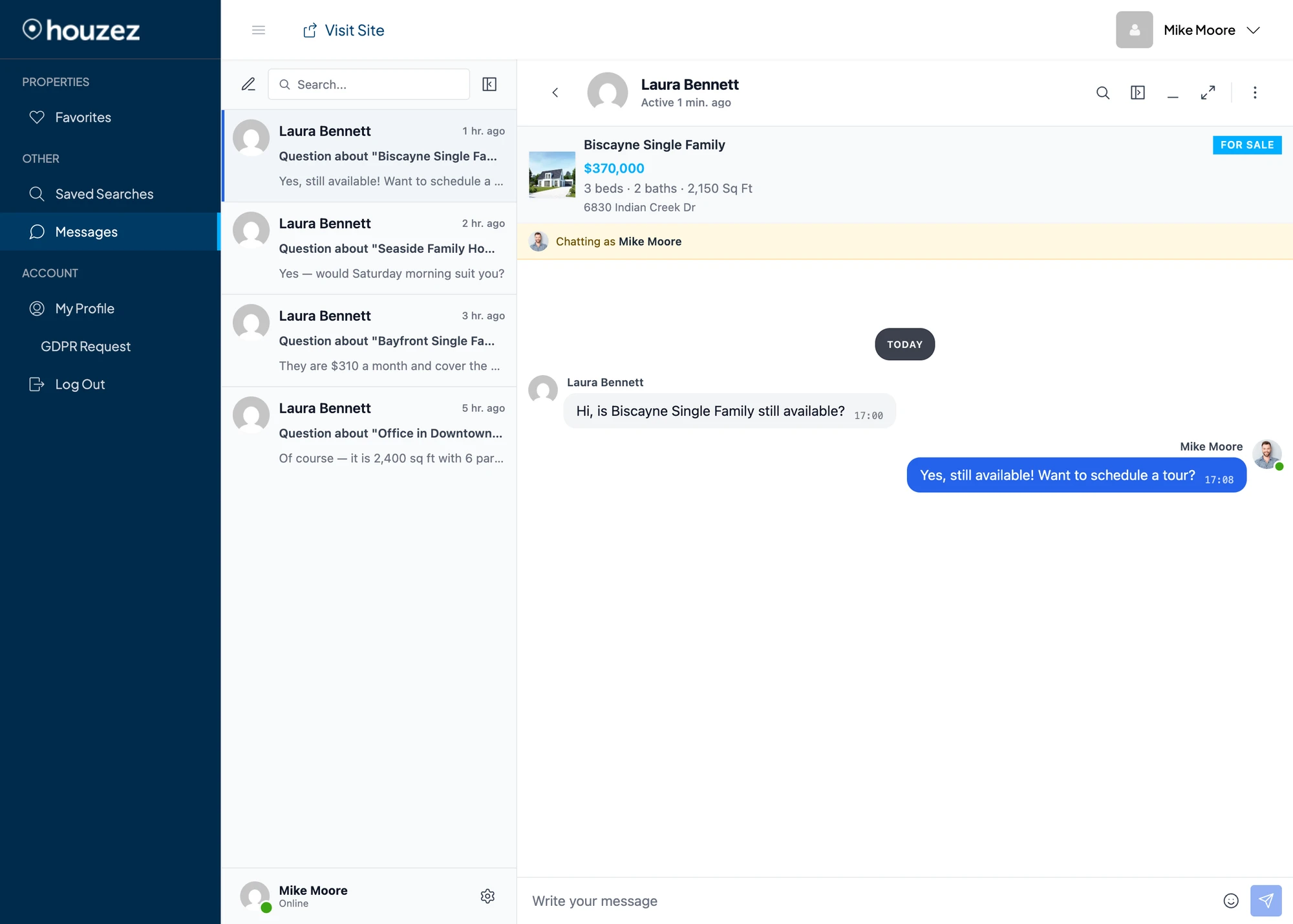
On the routed receiver's side, the messenger keeps their real WordPress identity in the bottom-left profile widget (no leakage into self-view) and shows a yellow "Chatting as [Agent name]" banner directly under the property card, so they always know which persona the buyer thinks they are talking to:

This is a reusable Better Messages mechanism — see the developer guide on per-thread "fake users" for how the same pattern is built into Better Messages and how to reuse it in your own integrations.
Shortcodes for custom placement#
If the auto-injected buttons don't land where you want them (custom Elementor template, sidebar widget, theme override, etc.), drop the matching shortcode wherever you need.
Disable the corresponding toggle (Property Page Button / Card Button / Agent / Agency Button) before placing the shortcode, otherwise the button will be rendered twice — once auto-injected and once by the shortcode.
[better_messages_houzez_property_button]#
Renders the Live Chat button targeted at the property's owning agent (or agency owner when the property has no agent). Uses the current property when no property_id is supplied.
| Attribute | Default | Notes |
|---|---|---|
property_id | current property | Override the property the button targets |
text | Live Chat | Override the button label |
[better_messages_houzez_property_button]
[better_messages_houzez_property_button property_id="1208"]
[better_messages_houzez_property_button text="Contact agent"]
[better_messages_houzez_property_card_button]#
Renders the smaller card-style Live Chat button used inside listing cards. Useful if you build a custom property archive template and want the same compact pill style.
| Attribute | Default | Notes |
|---|---|---|
property_id | current property | Override the property the button targets |
text | Live Chat | Override the button label |
[better_messages_houzez_property_card_button]
[better_messages_houzez_property_card_button property_id="1208"]
[better_messages_houzez_agent_button]#
Renders the Live Chat button targeted at the WordPress user linked to a Houzez agent CPT. Uses the current agent profile when placed on a houzez_agent archive / single template.
| Attribute | Default | Notes |
|---|---|---|
agent_id | current agent | Override the agent post the button targets |
text | Live Chat | Override the button label |
[better_messages_houzez_agent_button]
[better_messages_houzez_agent_button agent_id="42"]
[better_messages_houzez_agent_button text="Chat with this agent"]
[better_messages_houzez_agency_button]#
Renders the Live Chat button targeted at the WordPress user that owns a Houzez agency CPT.
| Attribute | Default | Notes |
|---|---|---|
agency_id | current agency | Override the agency post the button targets |
text | Live Chat | Override the button label |
[better_messages_houzez_agency_button]
[better_messages_houzez_agency_button agency_id="9"]
[better_messages_houzez_agency_button text="Chat with this agency"]
Theme color inheritance#
The Live Chat buttons read Houzez Options → Styling Options → Primary Color and use it for the button background, the property-card outline accent, the price label inside the thread context card, and the dashboard sidebar highlight. Change the Houzez primary color and every Better Messages surface updates on the next page load — no extra configuration needed.
Frequently asked questions#
Does it work with all Houzez Studio Elementor templates?#
Buttons on the single property page, agent profile, agency profile and dashboard are auto-injected via theme hooks and work with every Houzez Studio layout. For property cards rendered through Houzez Studio's own grid widgets (rather than the v7 grid / list templates), use the [better_messages_houzez_property_card_button] shortcode inside the Elementor template if the auto-injection doesn't catch the custom widget.
Should I disable the native Houzez Messages panel?#
It's optional. The two messengers can coexist — the Houzez native panel stays at /dashboard-messages/, Better Messages lives at /dashboard-live-chat/. If you want a single inbox, enable Hide native Messages tab in the integration settings. The native panel is removed from the dashboard sidebar.
Can buyers chat without registering?#
Yes — if Guest Chat is enabled in Better Messages → Settings → General → Guest Chat, anonymous visitors can use the Live Chat buttons without logging in. The Houzez user dashboard at /dashboard-live-chat/ requires login, so the Guest Chat row also exposes a Guest Messages Page picker — set it to a regular public WordPress page (or one-click create one) and guests reach the messenger there from every chat trigger and email link. See Guest access → Guest Messages Page.
What happens when a property is unpublished?#
The Live Chat button is hidden when the property is not published. Existing threads remain readable.
Can I move the Live Chat button to a different position on property cards?#
The button is appended to the action row that already contains Call / Email / WhatsApp. To move it elsewhere on the card, disable Card Button in the integration settings and drop [better_messages_houzez_property_card_button] into a custom card template.
Does it work on agent or agency CPTs that don't have a WordPress user owner?#
Yes. When the agent or agency CPT has no linked WordPress user, the chat is silently routed to the property's post_author (or the agency owner). The buyer still sees the agent's name, headshot and profile URL in the conversation — the routed receiver sees a yellow "Chatting as [Agent name]" banner above the property card so they know which persona the buyer is contacting. The same fallback account can host inquiries for several different agent CPTs and every thread still shows its own distinct persona to the buyer. See the agent / agency persona section above for screenshots.
See also#
- Houzez real estate chat — full feature write-up
- Per-thread "fake users" — how the agent / agency persona display works under the hood, with the recipe for reusing the same pattern in your own integrations
- WordPress real estate chat — adjacent real-estate use case
- HivePress integration — for HivePress-based listing sites
- Directorist integration — for general directory sites
- GeoDirectory integration
- Motors integration — Stylemix Motors classifieds