JetEngine Profile Builder + Messaging: Private Shortcodes
Crocoblock's JetEngine is one of the most-used dynamic-content engines on WordPress — it powers custom post types, custom fields, listings, and the JetEngine Profile Builder for front-end user profiles. Better Messages integrates with JetEngine Profile Builder so private-message shortcodes resolve to the right user inside JetEngine templates, and JetEngine profile avatars are used throughout the messenger interface — bridging JetEngine's dynamic-content user context to the messenger's user-id resolution.
What Better Messages adds to JetEngine#
Once Better Messages is installed and the JetEngine integration is enabled under Better Messages → Settings → Integrations → Other Plugins:
- Private-message shortcodes resolve correctly when placed inside JetEngine Profile Builder templates —
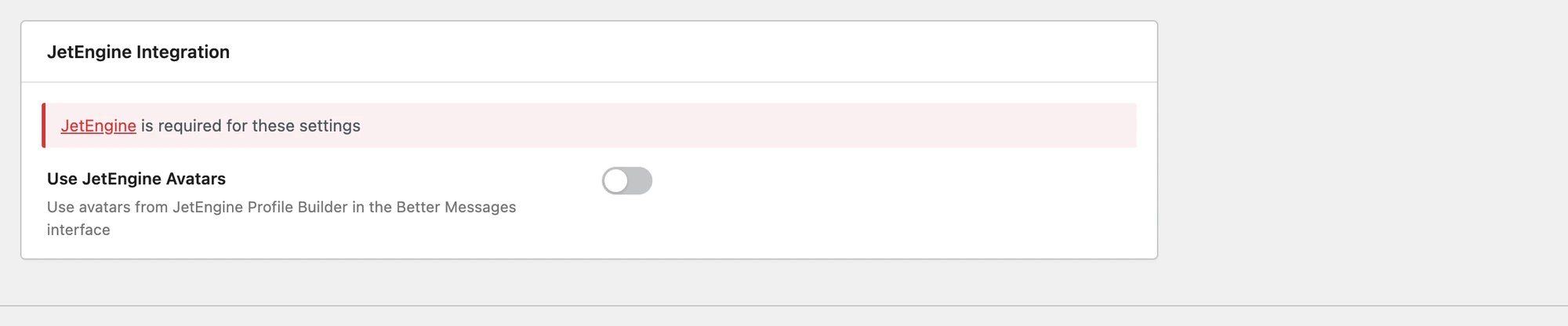
[better_messages_live_chat_button user_id="..."]and equivalent shortcodes target the user whose profile is being rendered. - Use JetEngine Avatars — the one toggle the integration has. Turn it on and the messenger draws avatars from the Profile Builder image field instead of the WordPress avatar. Off by default.
Why this matters#
JetEngine Profile Builder lets you design any user profile layout in the JetEngine query loop / dynamic templates. Without the integration, Better Messages' built-in profile shortcodes do not know which user a given JetEngine profile is being rendered for — so the "Send Message" button on a JetEngine profile would either be missing or point to the wrong user.
The integration is the layer that bridges JetEngine's dynamic-content context to Better Messages' user-id resolution.
Installing Better Messages with JetEngine#
- Install JetEngine (or the broader Crocoblock suite) and configure your Profile Builder layout.
- Install Better Messages from WordPress.org and activate it.
- The shortcode resolution needs no setting — it is on whenever JetEngine is active. Visit WP Admin → Better Messages → Settings → Integrations → Other Plugins → JetEngine only if you also want Use JetEngine Avatars.
- Inside your JetEngine Profile Builder template, drop the relevant Better Messages shortcodes — they now resolve to the JetEngine profile's user.
Frequently asked questions#
Does this require the WebSocket version?#
No — the integration works on both the free and WebSocket versions. The WebSocket version unlocks the rest of the messenger's premium features (real-time delivery, calls, web push, e2e encryption).
Will the JetEngine avatar override the WordPress / Gravatar one everywhere?#
Only if you enable the avatar option in the integration settings. By default Better Messages uses its standard avatar resolution. The JetEngine option overrides it everywhere the messenger renders a user.
Does it work with JetEngine listings (not Profile Builder)?#
Profile Builder is the documented integration target. JetEngine listings of users will pick up the avatar override too, since they share JetEngine's user-context layer. For listings of other post types, place the Better Messages shortcodes with an explicit user_id attribute.
Can JetEngine forms create new conversations?#
Yes — the JetEngine forms add-on supports custom action hooks. A custom action handler can call Better_Messages()->functions->new_message() to create a new conversation when a form is submitted. Talk to support if you need a template for this.
Does it work with JetSmartFilters / JetMenu / JetPopup?#
The integration only touches the Profile Builder user-context layer. Other Jet plugins do not interfere with Better Messages.
See also#
- JetEngine integration documentation — full setup reference
- Shortcodes documentation — every Better Messages shortcode
- Real-time messaging — what the WebSocket version unlocks