
3 posts tagged with "Voice messages"

Voice message feature posts

View All Tags

Voice and Video Messages 2.0: Round Video Notes, Automatic Transcription, and Bots That Listen

· 5 min read
Creator of Better Messages

The voice add-on has a new name and a new version. Better Messages – Voice and Video Messages 2.0 keeps everything the voice recorder did and adds a camera button beside the microphone: short video messages, recorded in the composer, sent like any other message.

Alongside it, Better Messages 3.0 picked up two things on the voice side that this post is the right place for — voice messages that transcribe themselves the moment they are sent, and AI chat bots you can talk to instead of typing.
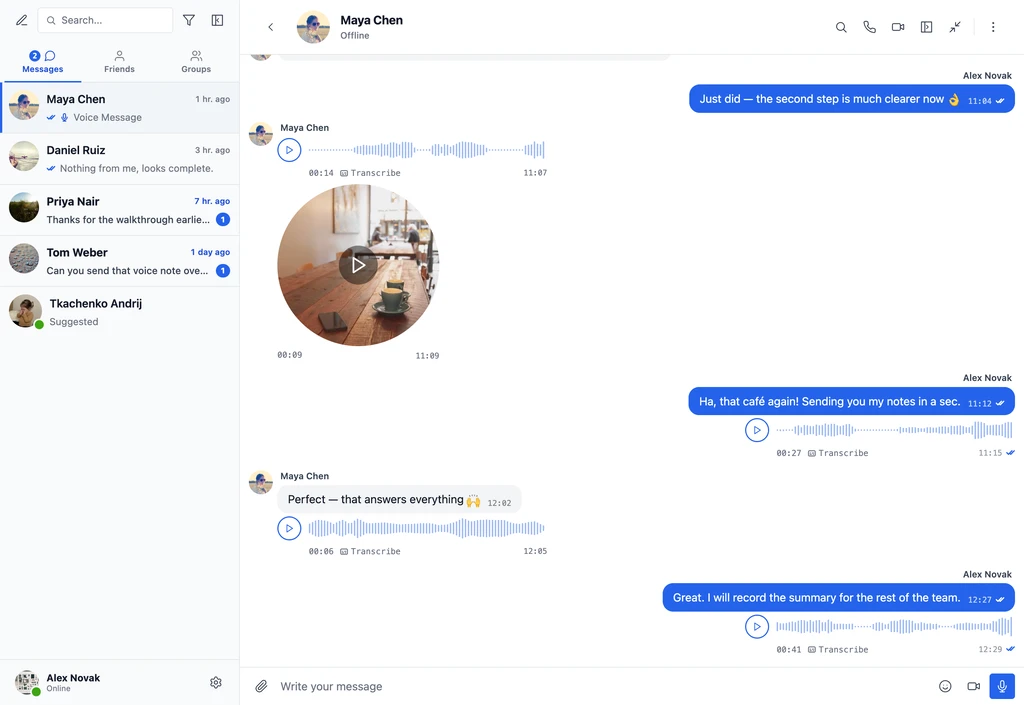
Voice messages and a round video message in a Better Messages conversation

Voice Message Transcription in WordPress Chat: Voice Notes to Text

· 11 min read
Creator of Better Messages

Better Messages transcribes voice messages in WordPress chat: anyone in the conversation presses Transcribe on a voice message, or every recording is turned into text as it is sent, and the text shows under the audio for everyone in that conversation. It needs the Voice and Video Messages add-on and one of two providers, the OpenAI Transcription API with your own key, which works on the free version too, or Better Messages Cloud AI, included with the WebSocket license.

Voice Messages in WordPress Chat: How the Add-On Works

· 6 min read
Creator of Better Messages

Voice messages live in the same gap that face-to-face conversation fills and text messaging cannot: tone, hesitation, the half-sentence that becomes the answer. They are the right tool when typing is slow (mobile, on the move), the question is complex (easier to ramble than to draft), or the relationship is personal (a coach to a client, a parent in a parent-teacher chat). WhatsApp, Telegram, and Signal made voice notes a default expectation. Community sites and marketplaces built on WordPress increasingly do too.