GeoDirectory Chat: Real-Time Messaging for GeoDirectory Listings
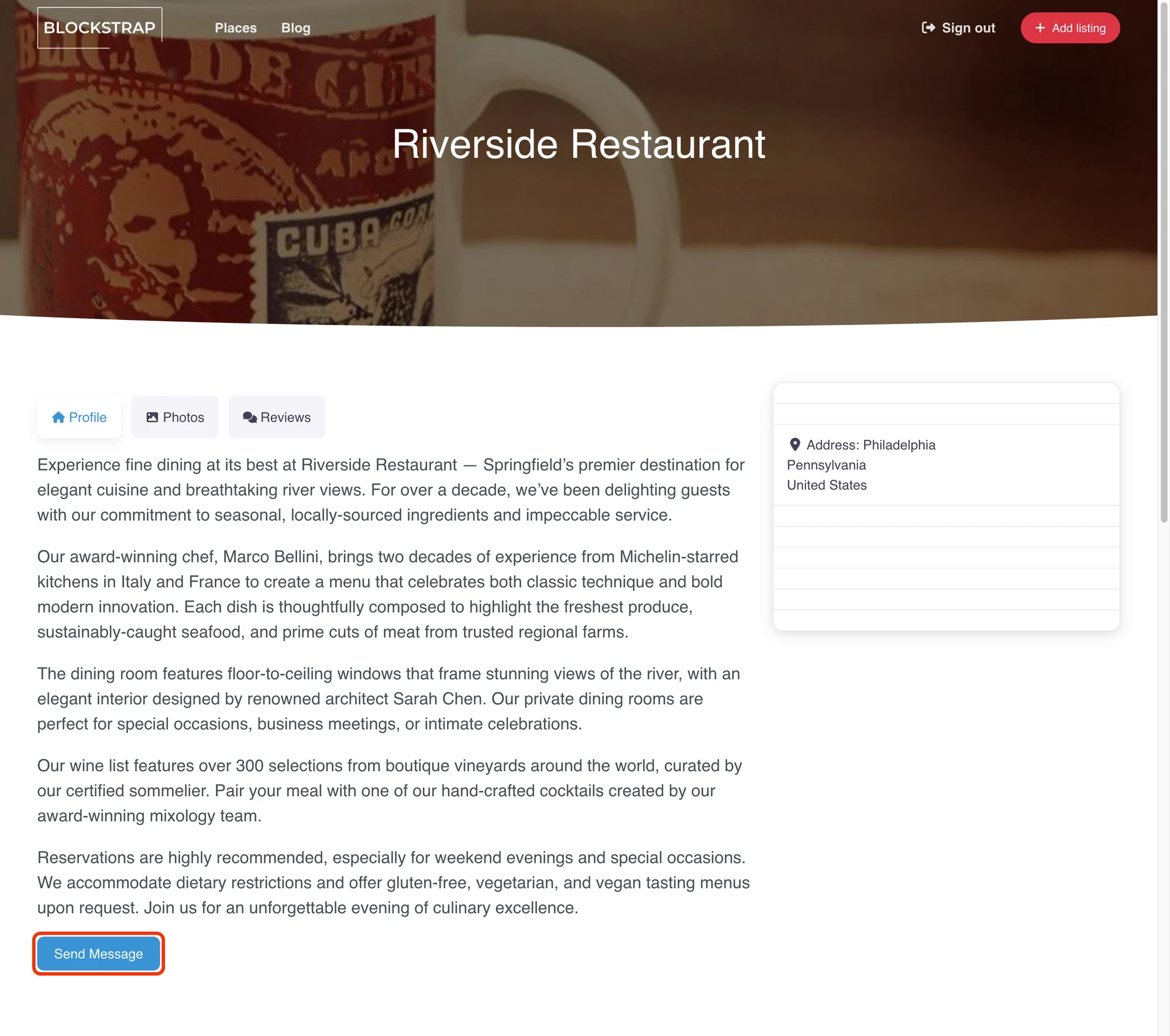
GeoDirectory is the location-aware directory plugin for WordPress — restaurants, gyms, professionals, real estate, anywhere people search "near me." Each listing has an owner. The visitor's natural next step after finding a listing is to ask a question. Better Messages adds a real-time Send Message button to every GeoDirectory listing page, with the listing's image / title / address / price showing as a context card inside the conversation.
What Better Messages adds to GeoDirectory#
Once Better Messages is installed and the GeoDirectory integration is enabled under Better Messages → Settings → Integrations → Directories:
- Send Message button on the listing page next to GeoDirectory's author actions.
- Listing info card inside the thread — image, title, address, price.
- GeoDirectory author profile links — clicking the author's name in a conversation opens their GeoDirectory profile, not the default WordPress one.
Listing info card inside the conversation#

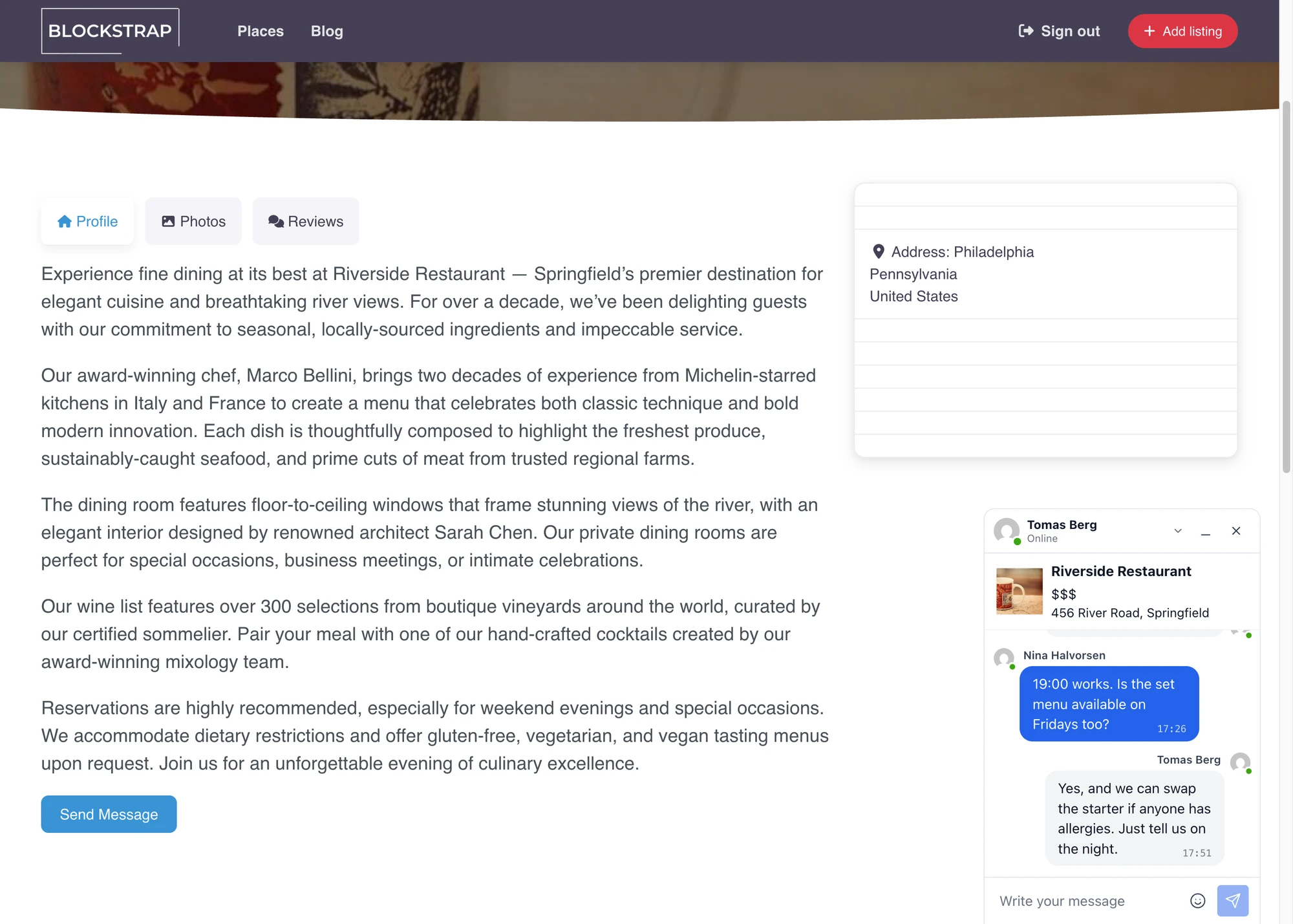
The listing owner sees exactly which listing the visitor is asking about — no "which listing was this?" question. The card is rendered automatically above the conversation.
Installing Better Messages on a GeoDirectory site#
- Install Better Messages from WordPress.org and activate it.
- Make sure GeoDirectory is active.
- Open WP Admin → Better Messages → Settings → Integrations → Directories → GeoDirectory Integration.
- Toggle Enable GeoDirectory Integration.

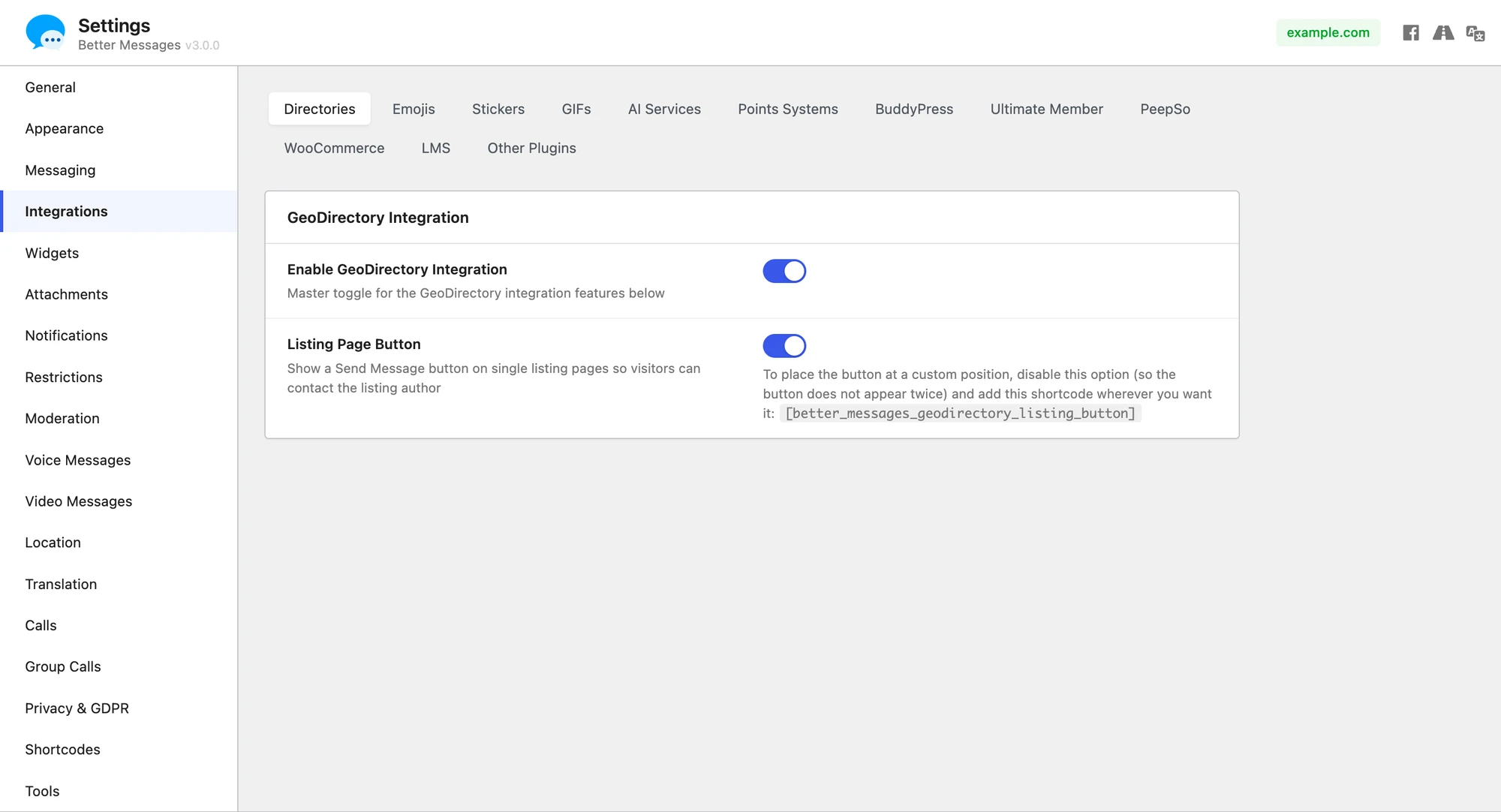
For custom layouts or theme overrides, place the button manually:
[better_messages_geodirectory_listing_button]
[better_messages_geodirectory_listing_button listing_id="123"]
[better_messages_geodirectory_listing_button text="Contact owner"]
Free vs WebSocket version for GeoDirectory sites#
| Feature | Free version | WebSocket version |
|---|---|---|
| Send Message button on listing pages | yes | yes |
| Listing info card inside the conversation | yes | yes |
| GeoDirectory author profile links | yes | yes |
| Real-time delivery | polling | instant |
| Mini-widget popup chat | — | yes |
| One-on-one voice and video calls inside the thread | — | yes |
| Group voice and video calls (e.g. listing owner + assistants) | — | yes |
| Web push notifications for new messages | — | yes |
| Read receipts | — | yes |
| End-to-end encryption (optional) | — | yes |
For GeoDirectory sites running paid listings, the WebSocket version's web push notifications close the response-time gap that paid-listing customers complain about — owners see and reply within minutes even when their dashboard tab is closed.
Frequently asked questions#
Does it work with GeoDirectory's paid add-ons?#
Yes — the integration uses GeoDirectory's core listing hooks, which paid add-ons extend rather than replace.
Can visitors message without an account?#
Optional. With Guest Chat enabled in Better Messages → Settings → General → Guest Chat, unregistered visitors can start a thread from a listing.
What happens when a listing is unpublished?#
The Send Message button is hidden when the listing is not published, and existing threads remain readable on both sides.
Will it work with custom GeoDirectory theme layouts?#
The button auto-renders on standard layouts. For custom themes, the shortcode [better_messages_geodirectory_listing_button] works inside any page builder.
Does the listing owner get notified by email?#
Yes — Better Messages' standard email-notification system applies. Owners can adjust their per-thread email preferences in their account settings.
See also#
- GeoDirectory integration documentation — full setup reference
- Directorist chat — for Directorist-driven sites
- HivePress listing chat — for HivePress-driven sites
- Classified Listing chat — for Classified Listing (RTCL) sites
- Motors car dealer chat — for automotive listing sites