Invisible Mode
A member who turns on Appear offline keeps using the messenger as usual, while everyone else sees them offline. Nobody sees when their messages reach them or are read, and nobody sees them typing, until they turn it off again. Administrators can always do it, and you choose which other roles can.
Invisible mode is part of the WebSocket version. The free version shows nobody online, so there is nothing to hide there.
What it adds#
- Appear offline in the menu of the name of a member, in the messenger and in the mini widget, and in the settings screen of the messenger
- For everyone else: the member offline, with the last time they were active standing still from the moment they turned it on
- No delivered and no seen marks on messages to them, and no typing indicator from them, until they are visible again
- Calls to them still ring
- A setting for the roles that can appear offline besides administrators, none by default
Turning it on#
Navigate to WP Admin → Better Messages → Settings → Messaging → Invisible Mode, tick the roles whose members may appear offline, and press Save Settings.
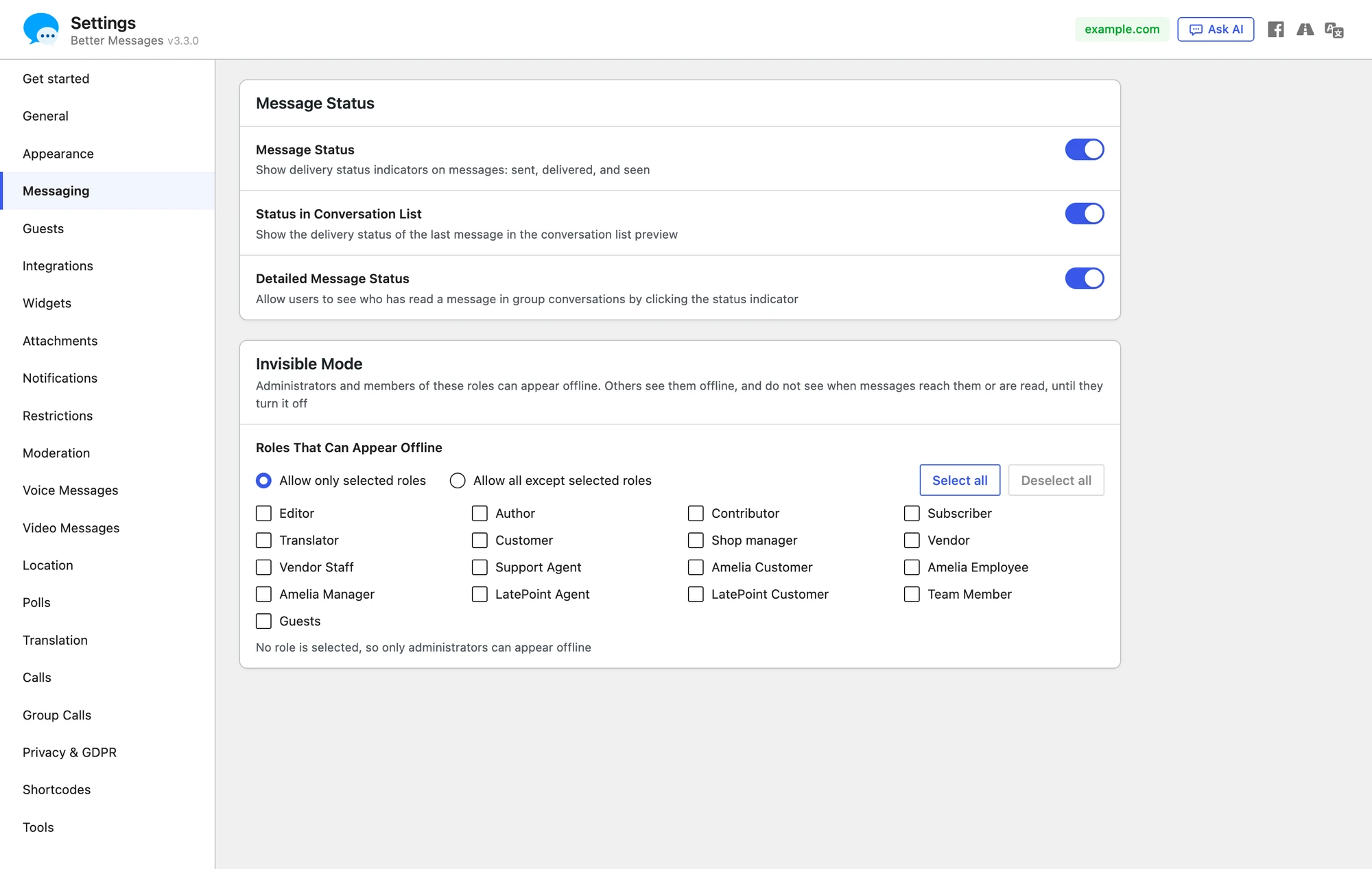
The role list has two choices. Allow only selected roles, the default, lets only the ticked roles appear offline, and with no role ticked only administrators can. Allow all except selected roles lets every role but the ticked ones. Guests are the role Guests in the list. Administrators are not in the list: they can always appear offline, with either choice.
A member who loses the right is visible again with nothing to do: when they are given a role without it, and when you untick their role, change the choice of the list or empty it and press Save Settings. What they chose is kept, so if their role gets the right back they appear offline again, as they left it.
What a member sees
A member whose role may appear offline finds Appear offline at the top of the menu that opens from their own name: at the foot of the messenger, in its rail when the list is collapsed, and in the mini widget. A short message confirms each change: You appear offline now, You appear online again. The settings screen of the messenger has it too, in a group Online status: Others see you offline, and do not see when their messages reach you or when you read them, until you turn this off.

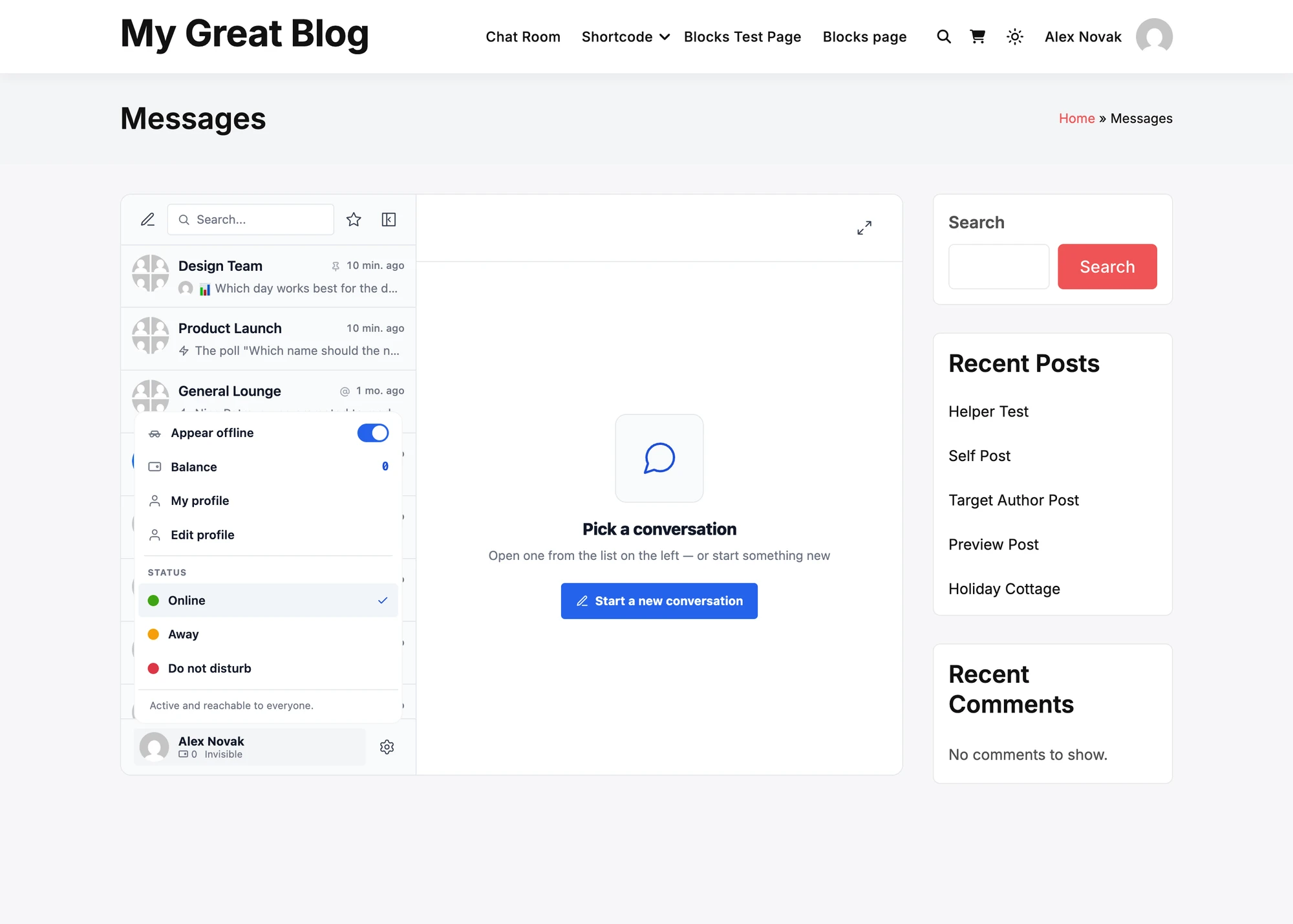
While it is on, Invisible stands under their name instead of their status, their own photo shows them offline there and beside their own messages, as others see them, and the line under the statuses of the menu says that others see them offline. Everything else works as usual: they read, write, get notifications and take calls. Their own unread counts fall as they read.
What others see#
To everyone else the member looks exactly like a member who is offline:
- No online dot on their photo, in the conversation list, the header of a conversation, member lists and the users widget
- Active … ago frozen at the moment they turned it on, in the messenger and in the "active" time of BuddyPress, BuddyBoss and similar plugins
- Messages sent to them keep the sent mark, with no delivered and no seen
- No typing indicator, and they are not among the members present in a chat room

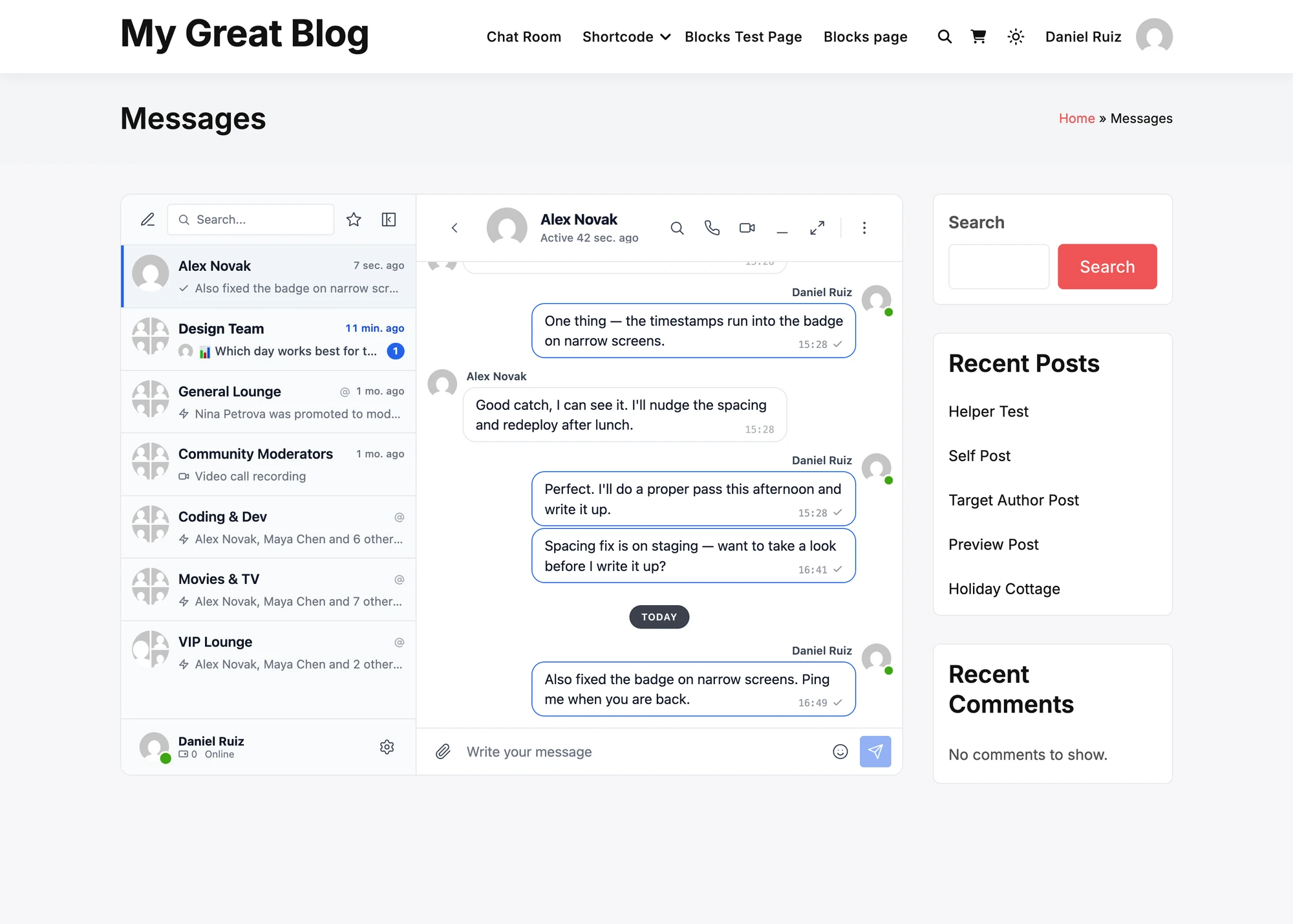
A message they send still arrives as usual, as one from a member who wrote and went away again would.
Turning it off#
When the member turns Appear offline off, they show online again at once. Messages that reached them meanwhile are marked delivered, and the conversations they read meanwhile are marked seen, at that moment, not at the time they were read. Their Active time moves on again.
Calls, notifications and emails#
- Calls ring them as usual, as they would ring a member who is offline with the app or push notifications. Answering a call shows them in it.
- Push notifications follow their real connection, so they get them as before.
- Email notifications follow their real activity: a member who is reading the messenger while invisible gets no email of unread messages, as any active member.
Frequently asked questions#
Can an administrator see that a member is invisible?#
Not in the messenger. The member looks offline to everyone there, administrators included.
Does it work in the mobile app?#
Yes. The app runs the same messenger, with the same switch in the menu of the name of the member.
What if the realtime server cannot be reached?#
The switch does not change, and the member is told Your online status could not be changed. Please try again later. The status lives on the Better Messages realtime servers, so it is never shown as on while the servers still show the member online. A self-hosted realtime server needs a version that knows invisible mode.
Does it hide a member from the site itself?#
No. The site keeps their real activity for its own use, such as email notifications. Only what other members see is changed.
See also#
- Presence indicators — the online dots and statuses
- Message status — the sent, delivered and seen marks
- Typing indicator
- Role-based access