HD Video Calls
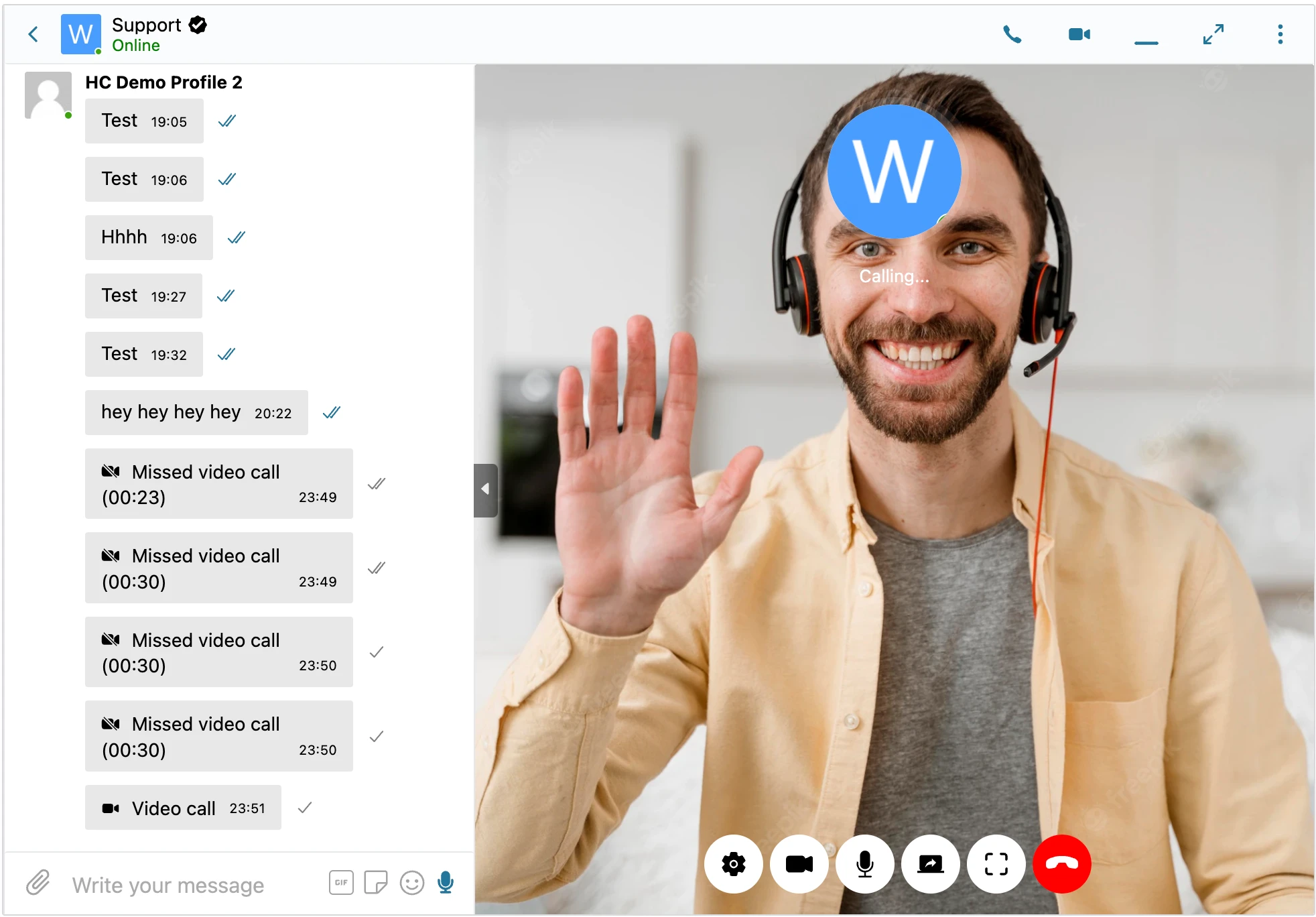
The WebSocket version enables HD 1-on-1 video calls between users using WebRTC technology. Initiate from any conversation; quality is high (720p+ on capable networks), latency is low, and screen sharing is available during the call.
Video calls are a WebSocket-version feature. For multi-party video, see group video chat (up to 32 participants).
What it adds#
- 1-on-1 HD video calls between any two users in any conversation
- WebRTC peer-to-peer streaming — media travels directly between participants when possible
- Low latency, high-quality video (adaptive 720p+) and audio (Opus codec)
- Screen sharing available during the call
- Initiate calls with one click from the conversation header
- Works in all modern browsers (Chrome, Firefox, Edge, Safari, mobile equivalents)
- Built-in call UI with mute, camera toggle, hang up, and timer
How it works#
When a user clicks the Video Call button:
- The WebSocket relay carries SDP and ICE signaling between the two browsers
- The browsers negotiate codecs and establish a direct WebRTC peer connection
- Video and audio streams flow peer-to-peer between the participants
- If direct P2P fails (corporate firewall, symmetric NAT), a TURN relay forwards the encrypted streams
| Network scenario | What happens |
|---|---|
| Normal home/office network | Direct peer-to-peer; minimal latency |
| One participant behind a strict firewall | TURN relay forwards encrypted media |
| Both behind corporate proxies | TURN relay (slight added latency) |
All media is DTLS-SRTP encrypted between participants even when relayed.
When 1-on-1 video calls fit#
| Use case | Pattern |
|---|---|
| Coaching session | Coach-client face-to-face session in the existing thread |
| Customer support escalation | Video helps when explaining visual problems |
| Marketplace high-value deals | Buyer wants to see the product / vendor in person |
| Telemedicine consultation | Practitioner-patient with optional screen-share for charts/notes |
| Sales / consulting demo | Demo a product with screen-share during the call |
| Dating community | Video call as a verification / connection step |
Requirements#
- Website must use HTTPS (browsers require secure context for camera + microphone)
- Each participant needs a working webcam + microphone
- Modern browser with WebRTC support
- WebSocket-version license
Frequently asked questions#
Why does the call fail on HTTP sites?#
Browsers block camera and microphone access on non-HTTPS pages — a security requirement. There's no workaround; HTTPS is mandatory.
Can I restrict who can place video calls?#
Yes — WP Admin → Better Messages → Settings → Calls has per-role permissions. Common pattern: paid members can call, free members can't.
What if the recipient is offline?#
The caller sees a "user offline" notice. Better Messages doesn't queue ringing for offline users.
Are calls recorded?#
No — calls are real-time only. Better Messages doesn't include built-in recording. Participants can use their own screen-recording tools (with consent).
Does video quality adapt to poor networks?#
Yes — WebRTC adapts bitrate and resolution automatically based on bandwidth. Even on cellular, calls remain usable. For very poor connections, the video may downgrade to audio-only briefly.
Does the mobile app support video calls?#
Yes — both the web (mobile browser) and the native iOS/Android app support video calls.
See also#
- Audio calls (1-on-1) — voice-only equivalent
- Group video chat — multi-party (up to 32)
- Group audio chat — multi-party voice (up to 50)
- Screen sharing — during video calls
- WordPress video call plugin blog post — feature overview