Stored Data Encryption
Better Messages can keep what members write encrypted where it is stored: in the database of the site and in its uploads folder. A message is encrypted as it is saved and decrypted only when the site shows it to someone who may read it. Members see their conversations as before.
A copy of the database, a backup or a stolen dump then holds encrypted values instead of messages, and they cannot be read without the key. The key is kept in wp-config.php or in an environment variable, never in the database.
Stored data encryption is part of the WebSocket version, and its licence has to be active to turn it on.
What it adds#
- Messages, conversation names, files and the personal details of guests kept encrypted at rest, in the database and in the uploads folder or a cloud storage bucket
- One key for the site, made by Better Messages and written into
wp-config.php, never stored in the database - What was stored before is encrypted in the background when it is turned on, and decrypted back when it is turned off
- Search keeps working for whole words and the start of words
- Files decrypted in the browser of the member, each with a key of its own, and kept in the device cache so they are not downloaded twice
- Key rotation, and a notice and a Site Health check when the key is missing
How it compares with the other kinds of encryption#
| What it protects | Who can read it | |
|---|---|---|
| Encrypted transit | What passes through the WebSocket servers | Your site and the members of the conversation |
| Stored data encryption | What is stored in the database and the uploads folder of your site | Your site, when it shows it to a member who may read it |
| End-to-end encryption | The messages and files of one conversation, everywhere | Only the members of the conversation |
| Browser cache encryption | The copy of messages kept in the browser of a member | That member, on that device |
They work together. A conversation with end-to-end encryption is stored as its members encrypted it, and stored data encryption leaves it as it is.
What is encrypted#
| What | Where it is stored |
|---|---|
| Messages, the earlier versions of an edited message, and translations | The database |
| Names of conversations | The database |
| Link previews, report reasons and comments, AI moderation results | The database |
| Uploaded files, voice messages and video messages | The uploads folder, or the bucket of cloud storage |
| The original names of files | The database. On disk a file has a random name |
| The email, IP address and settings of guests | The database |
| Bulk messages, their subject and who they go to | The database |
| The IP addresses guests and members connect from, with their country and city | The database, in a table the WordPlus plugins of the site share |
Each value is encrypted with XChaCha20-Poly1305 and bound to what it belongs to, such as its conversation or its file, so a value copied into another conversation does not decrypt there.
What stays readable#
Some data has to stay readable for the site to work, or is not something members write:
- ids, who is in which conversation, dates and times, counts, the type of each message, and the settings
- the display names of members and guests. WordPress keeps the names of members readable in its own users table, and the member search needs them
- the type and size of each file
- the system messages and call cards Better Messages writes from its own templates. What a member typed into one, such as a new name of a conversation, is encrypted
- the messages and files of conversations with end-to-end encryption, which are already encrypted in the browsers of their members
- a name of a conversation so long that its encrypted form would not fit where it is stored, which takes about 180 emoji or 240 Chinese, Japanese or Korean characters. It stays as written, so nothing of it is cut, and the panel counts it among the values that could not be encrypted
Setting it up#
Navigate to WP Admin → Better Messages → Settings → Messaging → Stored Data Encryption.
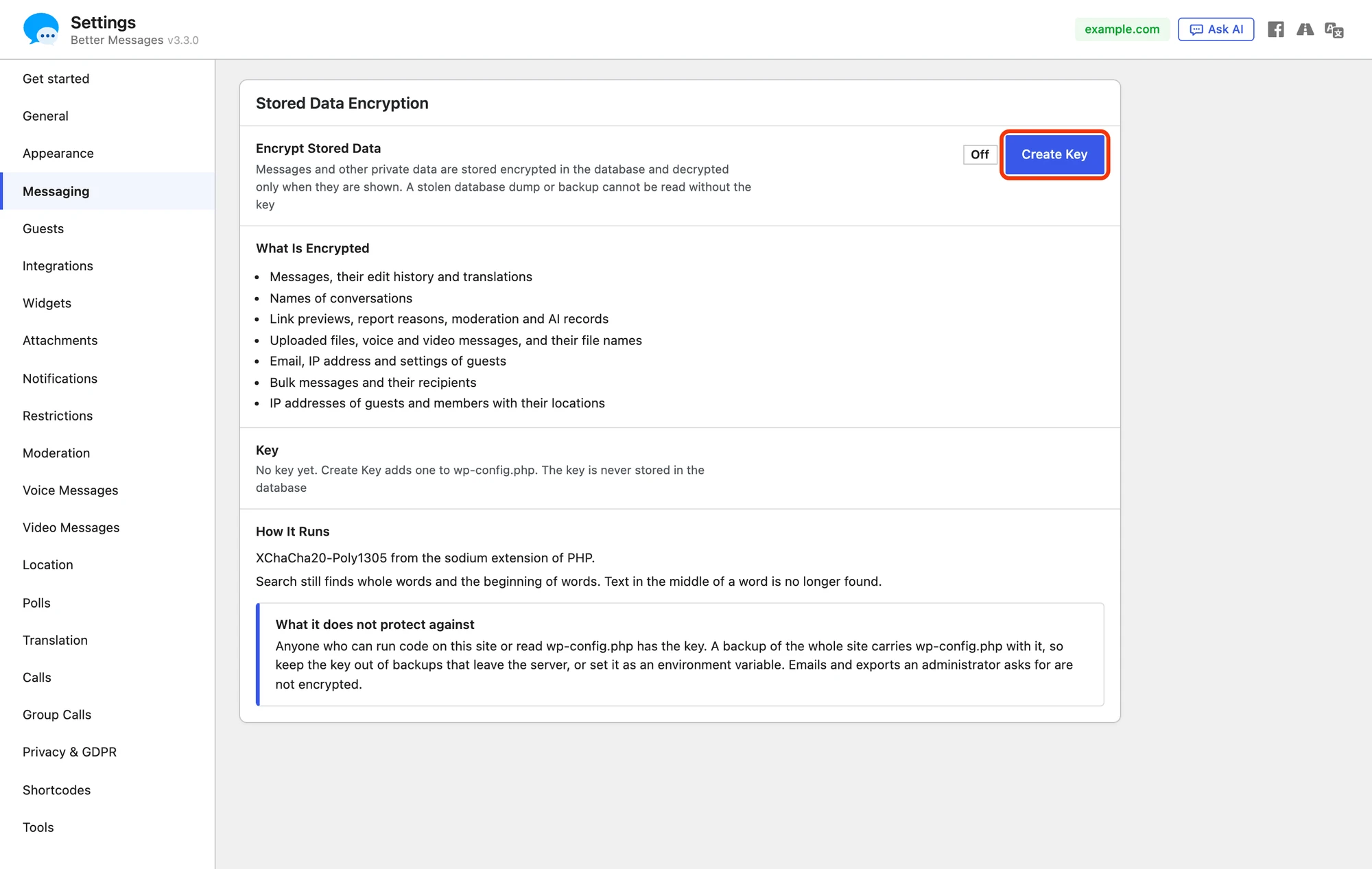
1. Create the key#
Press Create Key. Better Messages makes a new key and adds one line to wp-config.php, above the line that says to stop editing:
define( 'WORDPLUS_ENCRYPTION_KEY', 'wpk1.…' );
The key is shown once:

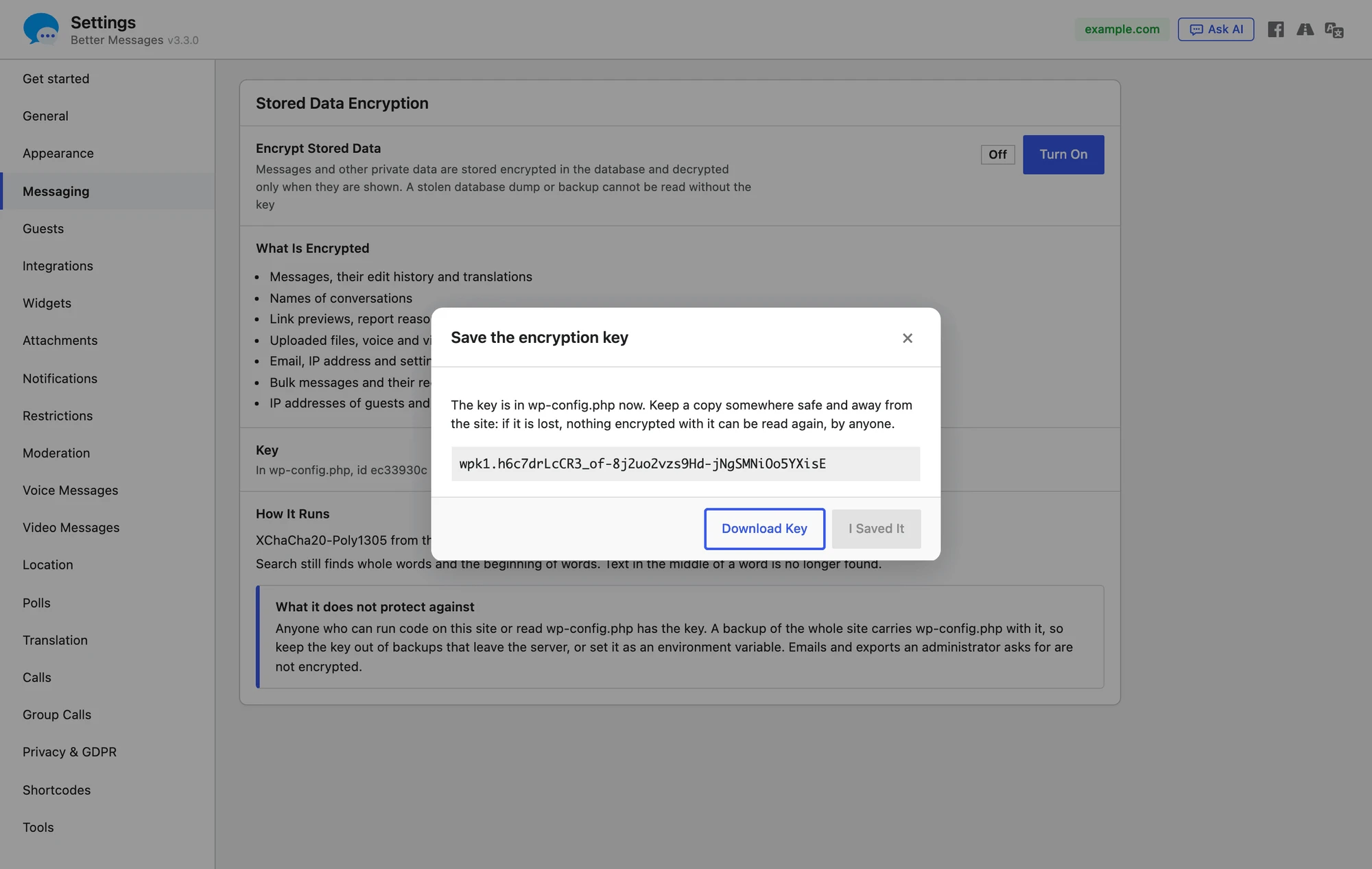
Press Download Key to save it as a text file, then I Saved It, which stays off until the key is downloaded. Keep the file somewhere safe and away from the site, such as a password manager. If the key is lost, nothing encrypted with it can be read again, by anyone.
When the site cannot write to wp-config.php, the panel shows the line to add by hand instead. Add it, then press Check Again.
The key can also come from an environment variable named WORDPLUS_ENCRYPTION_KEY, set on the server. Then it is not in wp-config.php and not in a backup of the site files either.
2. Turn it on#
With the key in place, press Turn On.

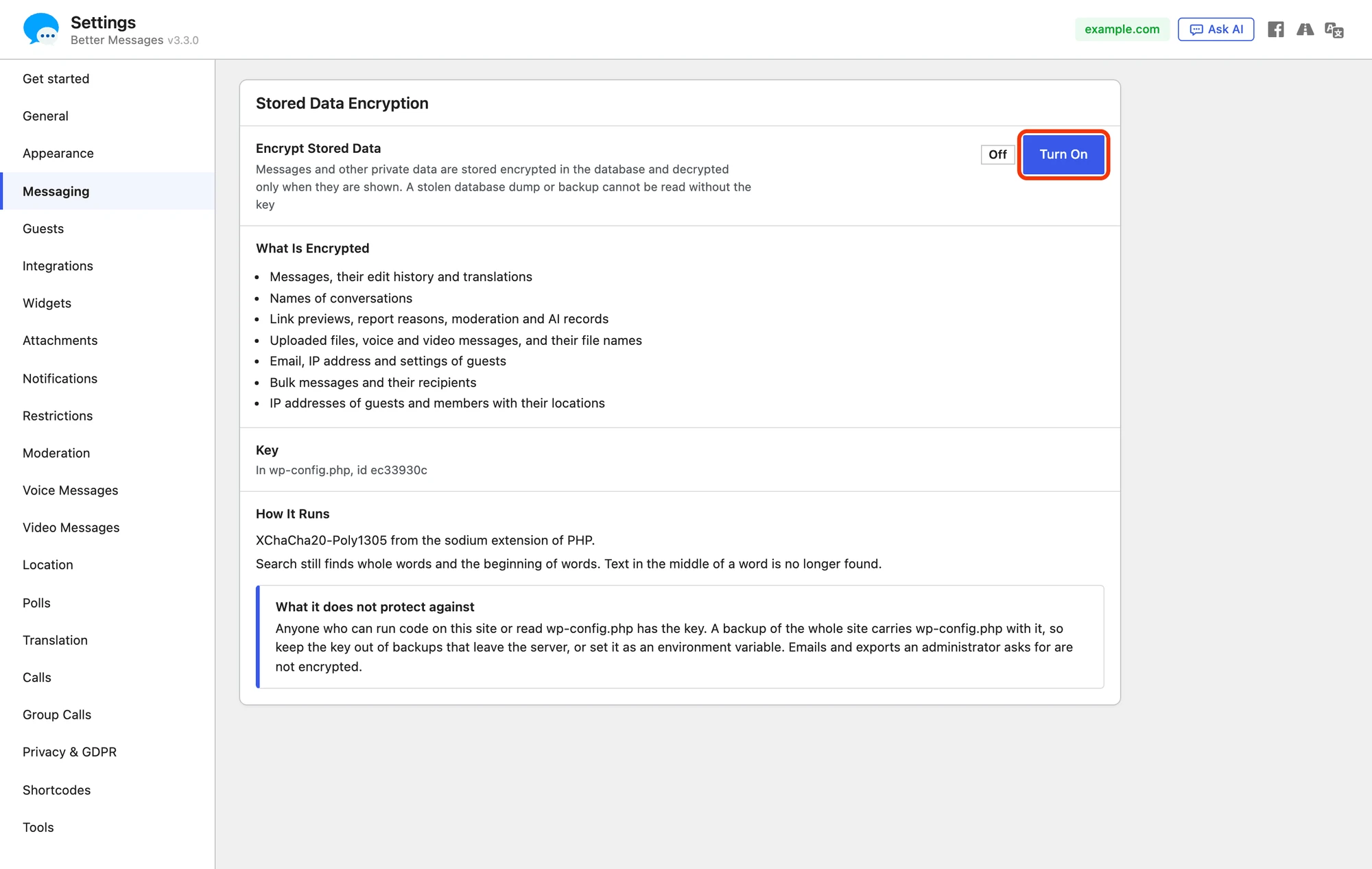
From that moment everything new is stored encrypted. What was stored before is encrypted by a job that runs in the background, and the panel shows how far it is:

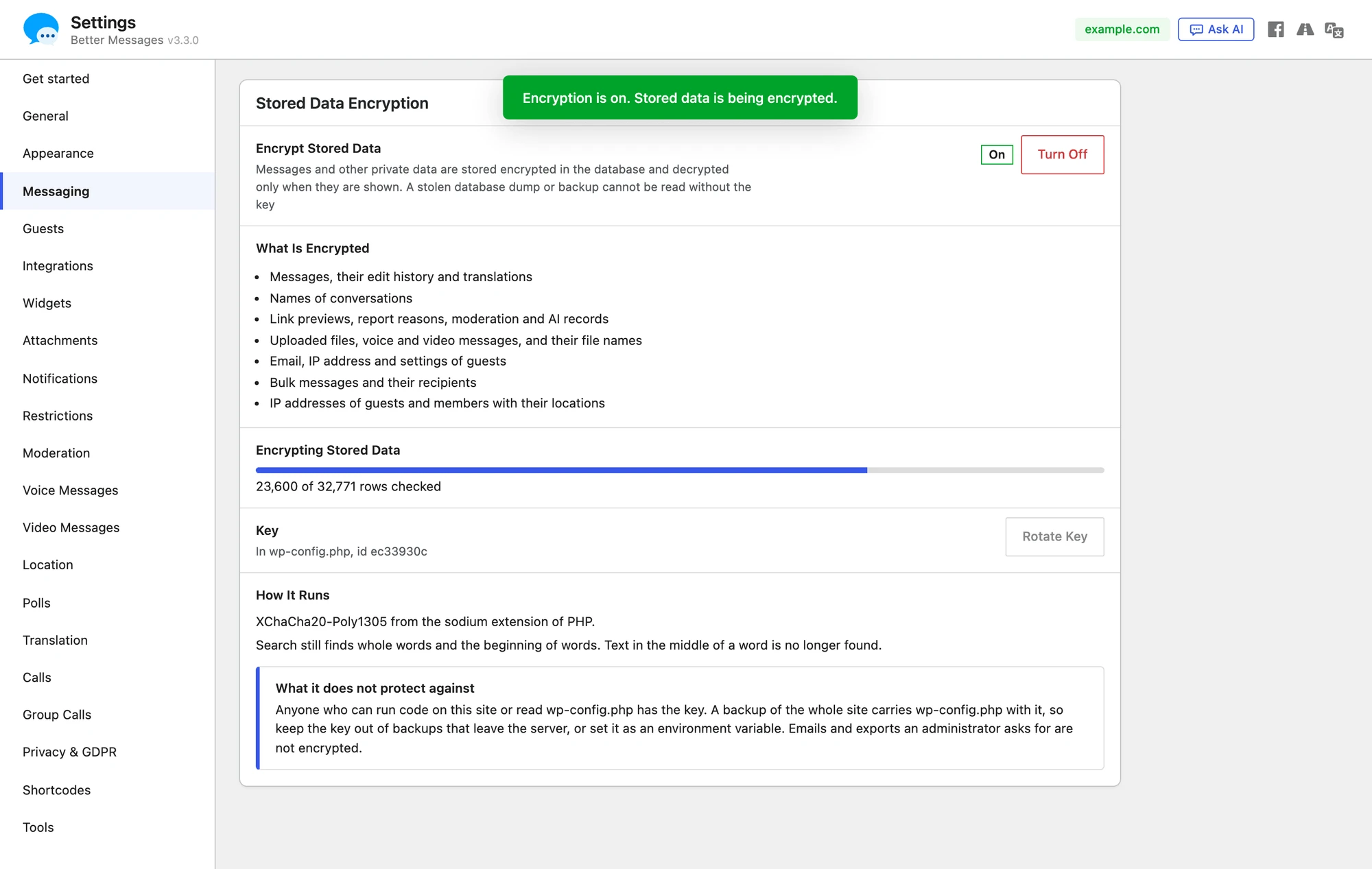
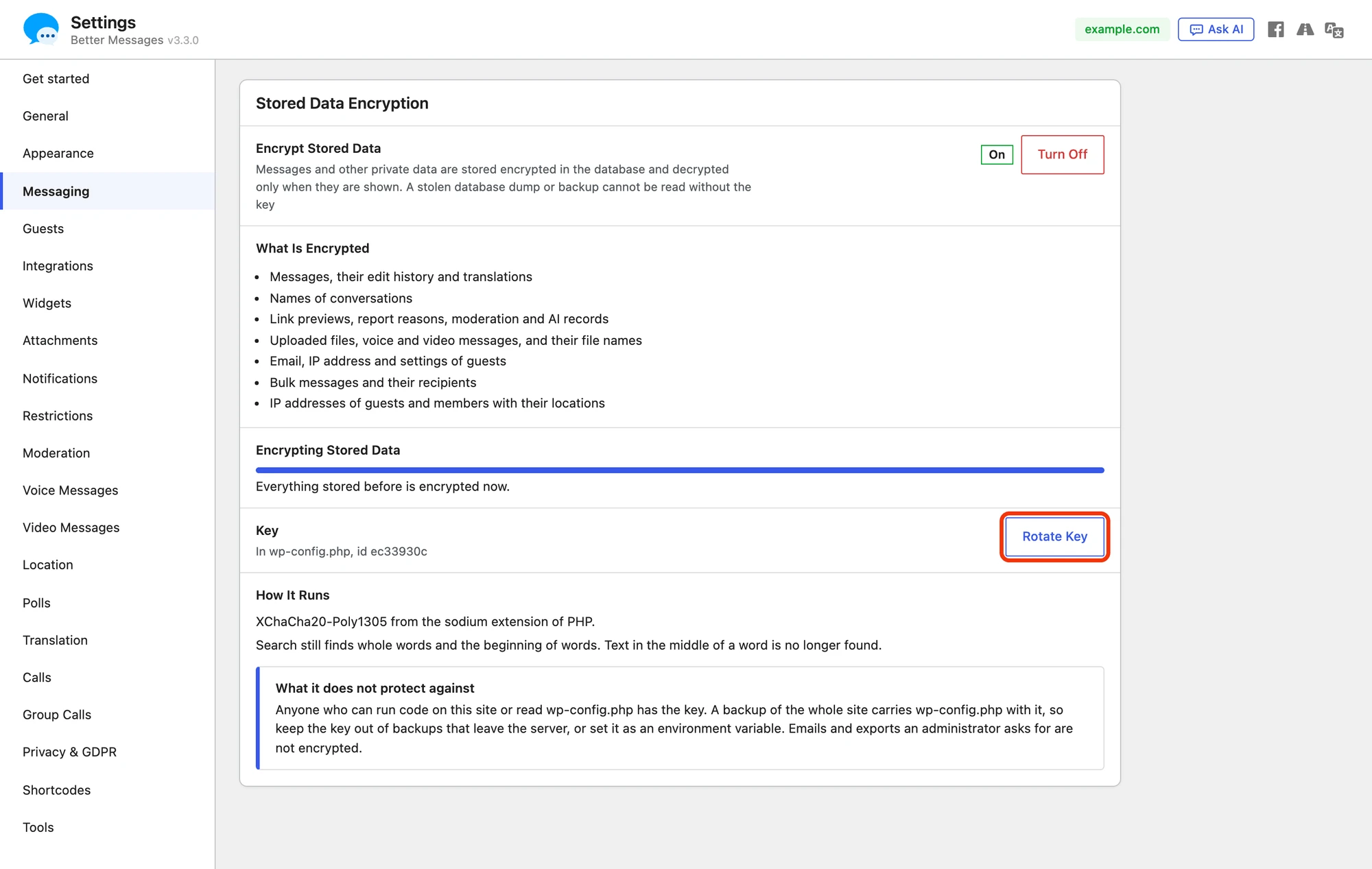
The job goes on through WP-Cron when the page is closed. On a test site with 30,000 messages it encrypted about 4,400 rows a second. When it is done, the panel says so:

Search#
Encrypted text cannot be searched as it is, so Better Messages keeps an index of keyed hashes of the words in messages and conversation names. The search in a conversation, the search of all conversations and the search of the Administration pages still find:
- whole words
- the start of a word, so "encry" finds "encryption"
A part in the middle of a word is no longer found, so "crypt" does not find "encryption". Turning encryption off brings the search of before back.
Administration → Guests finds a guest by name, or by the whole email address or IP address.
Files#
Each file is encrypted right after it is uploaded, with a key of its own, and that key is kept encrypted with the key of the site. On disk the file gets a random name, and WordPress keeps no readable copy of the details of a picture, such as its camera or caption.
- In the messenger the browser downloads the encrypted file once and decrypts it itself, with the key of the file that comes with the message to the members who may read it. The file is kept in the device cache, so opening it again downloads nothing. With browser cache encryption on, the cache keeps it encrypted.
- Everywhere else, such as the Files tab of Administration, the messages of Administration or a file opened in a new tab, the file goes through the site, which checks who is asking and decrypts it.
- With cloud storage the bucket holds only the encrypted file. While encryption is on, files are not uploaded from the browser straight to the bucket, and messages carry no signed links to it: every file goes through the site.
Files uploaded before encryption was turned on are encrypted by the same job: in place on disk, or as a new encrypted copy in the bucket, the readable copy deleted an hour later.
The emails sent to moderators about a held or flagged message, and the transcript export, name each encrypted file without a link to it.
Rotating the key#
The key can be changed for a new one at any time, for example when someone who could read wp-config.php should no longer be able to read the data.
Press Rotate Key and confirm. A new key takes the place of the old one in wp-config.php, the old one stays beside it as WORDPLUS_ENCRYPTION_KEYS to read what it encrypted, and the job encrypts everything again with the new key. Save the new key when it is shown, as with the first one.
When everything is encrypted with the new key, the panel says that the old key is no longer needed:

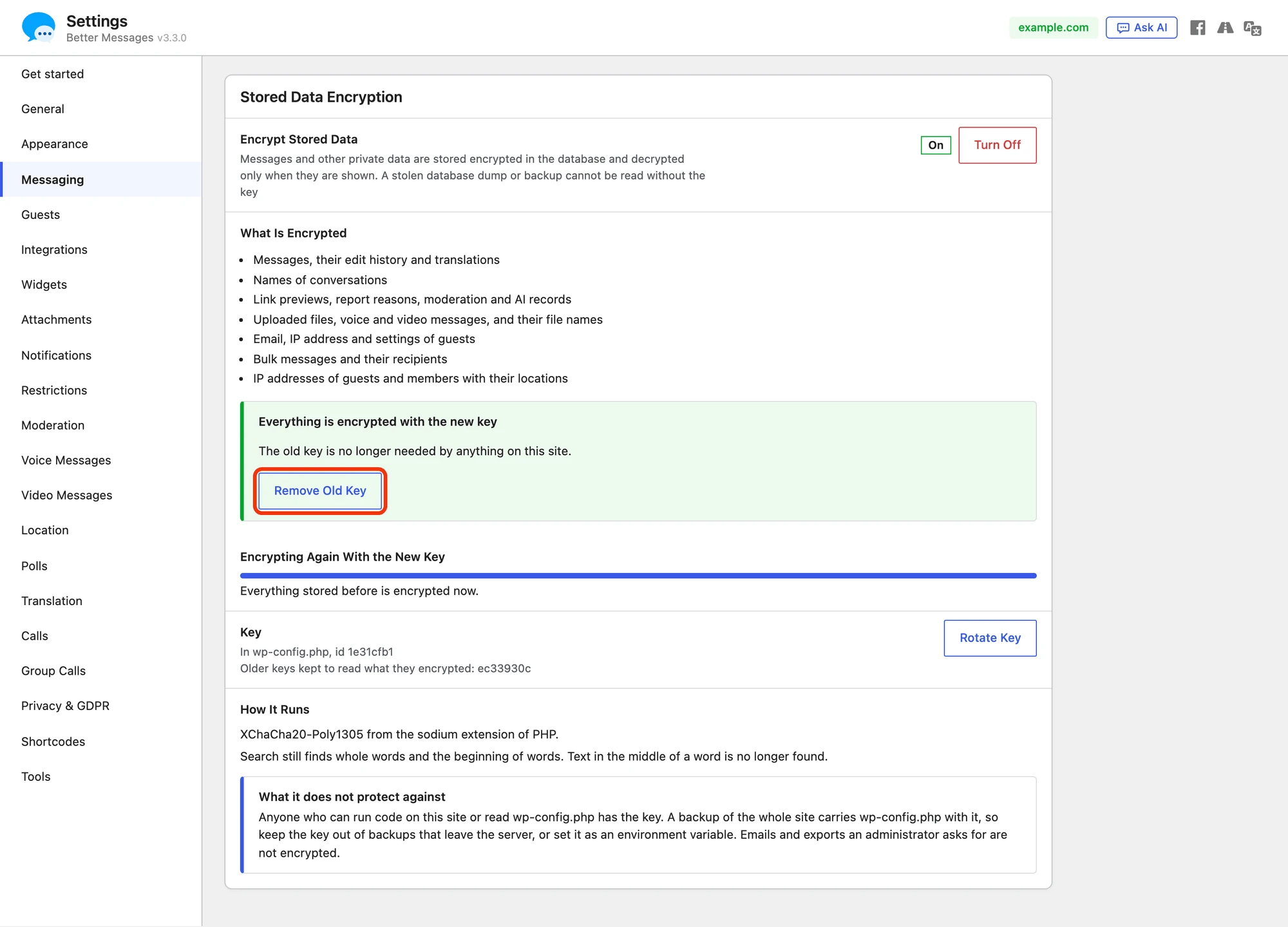
Press Remove Old Key to take the old line out of wp-config.php.
When the key is missing#
When wp-config.php loses the key line, for example after a move to another server, or holds another key:

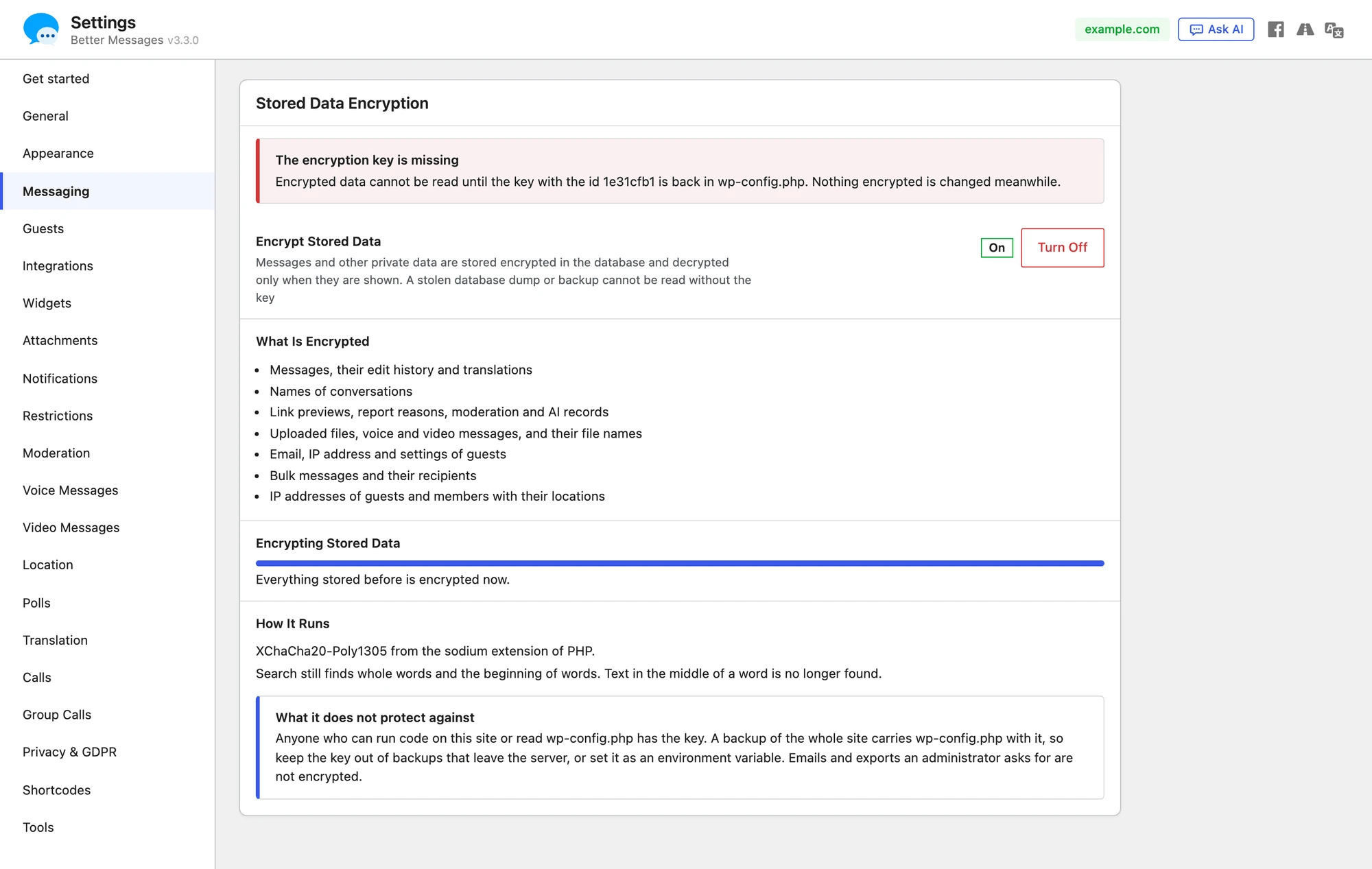
- The panel, the top of every admin screen and Tools → Site Health say so, with the id of the key that is needed
- Encrypted data cannot be read until the key is back, and nothing encrypted is changed meanwhile
- A message that cannot be read cannot be edited or reported meanwhile, and the member is told that the encryption key of the site is missing. Its earlier versions and the reports on it are kept as they are
- New messages are stored readable, and are encrypted once the key is back
Put the line from the saved key file back into wp-config.php to fix it.
Turning it off#
Press Turn Off and confirm. The same job decrypts everything back, data is stored readable from then on, and search works as before. On a test site with 30,000 messages it decrypted about 7,200 rows a second.

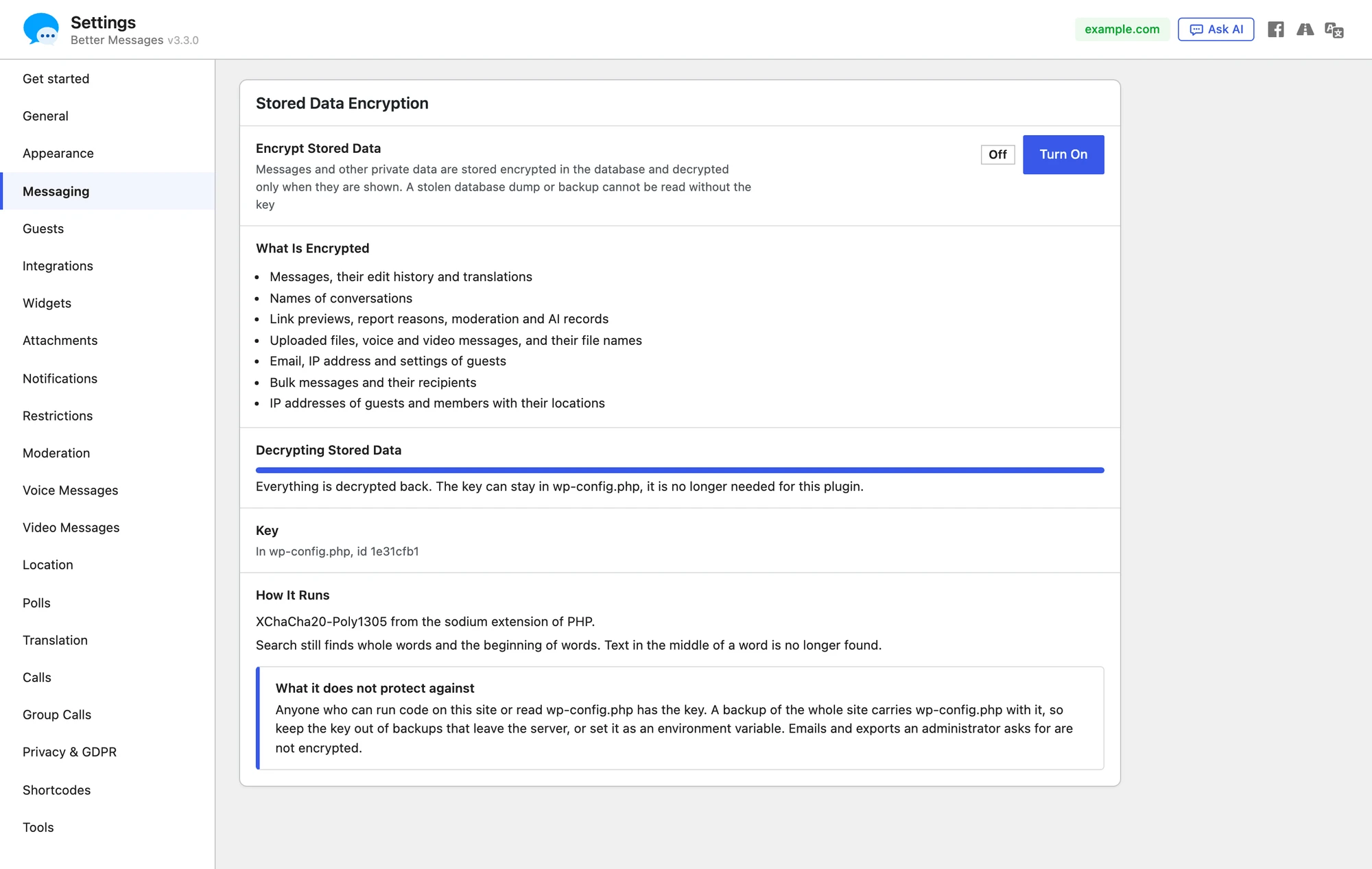
Once the panel says everything is decrypted, Better Messages no longer needs the key, and it can stay in wp-config.php.
What it does not protect against#
Stored data encryption protects data at rest: a dump or a backup of the database, a copy of the uploads folder, a bucket of cloud storage. It does not protect against:
- anyone who can run code on the site or read
wp-config.php, such as an administrator, a plugin, or an attacker who got that far. They have the key - a backup of the whole site, which carries
wp-config.phpand the key with it. Keep the key out of backups that leave the server, or set it as an environment variable - emails, push notifications and the exports an administrator asks for, which are readable by design
- what members see in their own browsers
For messages that not even the site can read, use end-to-end encryption.
Speed#
Encryption uses the sodium extension of PHP, which most hosts have. With it, encrypting or decrypting a message takes a few microseconds. Without it, WordPress runs a copy of the same code written in PHP, which works but is slower: a page of 50 messages takes about 30 ms longer to open. The How It Runs row of the panel says which one is in use, and Tools → Site Health recommends the extension when it is missing.
Frequently asked questions#
Does it change anything for members?#
No. They read, send and search their conversations as before, except that search no longer finds text in the middle of a word.
Can the site go back to the free version?#
The free version cannot read encrypted data. Turn encryption off first, and wait until the panel says everything is decrypted.
Can the site go back to Better Messages 3.2?#
Versions before 3.3.0 cannot read encrypted data either, and Repair All under Settings → Tools → Database of 3.2 would cut encrypted names, emails and addresses. Turn encryption off first, keep Better Messages active while it decrypts, and wait until the panel says everything is decrypted. Only then install the older version.
How is the site moved to another server?#
Move the key line of wp-config.php with the rest of the site, or set the same environment variable on the new server. A database moved without its key cannot be read there.
Do other WordPlus plugins use the same key?#
Yes. The key and the encryption engine are part of the WordPlus SDK, which the WordPlus plugins of a site share, so a plugin that encrypts its own data uses the same key.
Is a database backup still useful?#
Yes, together with the key. A backup restored on a site with the same key reads as before.
See also#
- End-to-end encryption — messages that not even the site can read
- Browser cache encryption — the copy of messages kept in the browser
- Encrypted transit — what passes through the WebSocket servers
- Your data is yours — where each kind of data is kept
- Privacy & GDPR — the personal data tools of WordPress