HD Group Video Chat
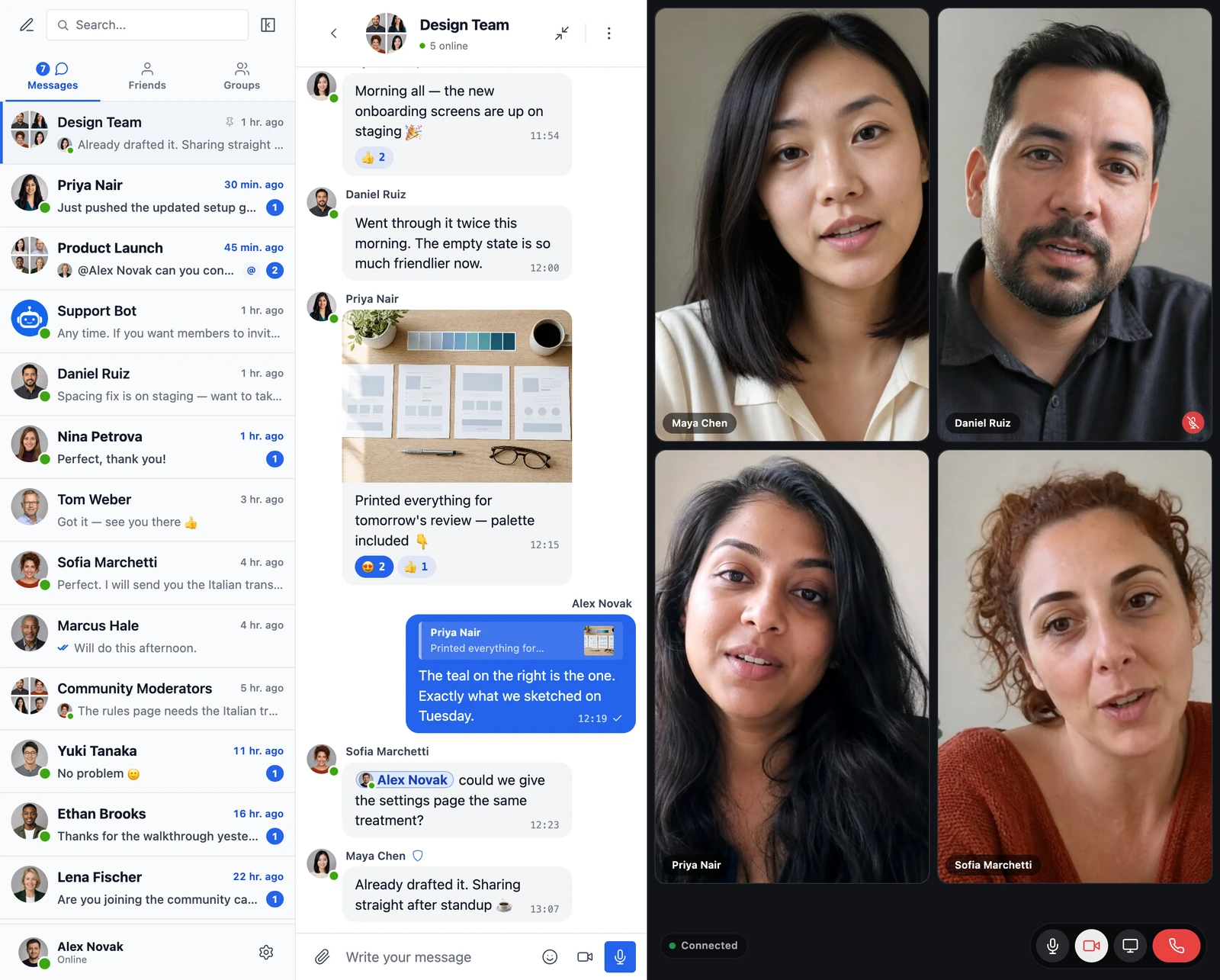
The WebSocket version enables multi-party video calls supporting up to 32 simultaneous participants. Works in any conversation, group chat, or chat room. Uses WebRTC with a media server (SFU) for efficient routing — call quality stays high even at scale.
Group video chat is a WebSocket-version feature. For voice-only multi-party (up to 50), see group audio chat.
How it works#
Group video chat can be started in any conversation, group chat, or chat room. The feature uses WebRTC with a media server for efficient multi-party video routing. All participants can see and hear each other simultaneously, with adaptive video quality that adjusts based on network conditions and the number of participants. Screen sharing is also available during group video chats.
Key capabilities#
- Up to 32 simultaneous video participants
- Available in conversations, group chats, and chat rooms
- Adaptive video quality based on network conditions
- Screen sharing during group video calls
- Media server for efficient multi-party routing
- Remote mute/unmute of participant microphones by the call host
- WebRTC-based for low latency
- Per-role restrictions for who can start and who can join — see below
- Optional group call buttons in the mini chat header — see below
- Available to guest visitors and AI bot participants when they're members of the conversation
Requirements#
- Website must use HTTPS
- Users need a working webcam and microphone
- Modern browser with WebRTC support
This feature is automatically available with the WebSocket version.
Per-role restrictions#
Site administrators can block specific WordPress roles from starting and / or joining group calls. Open WP Admin → Better Messages → Settings → Group Calls → Group Call Restrictions.

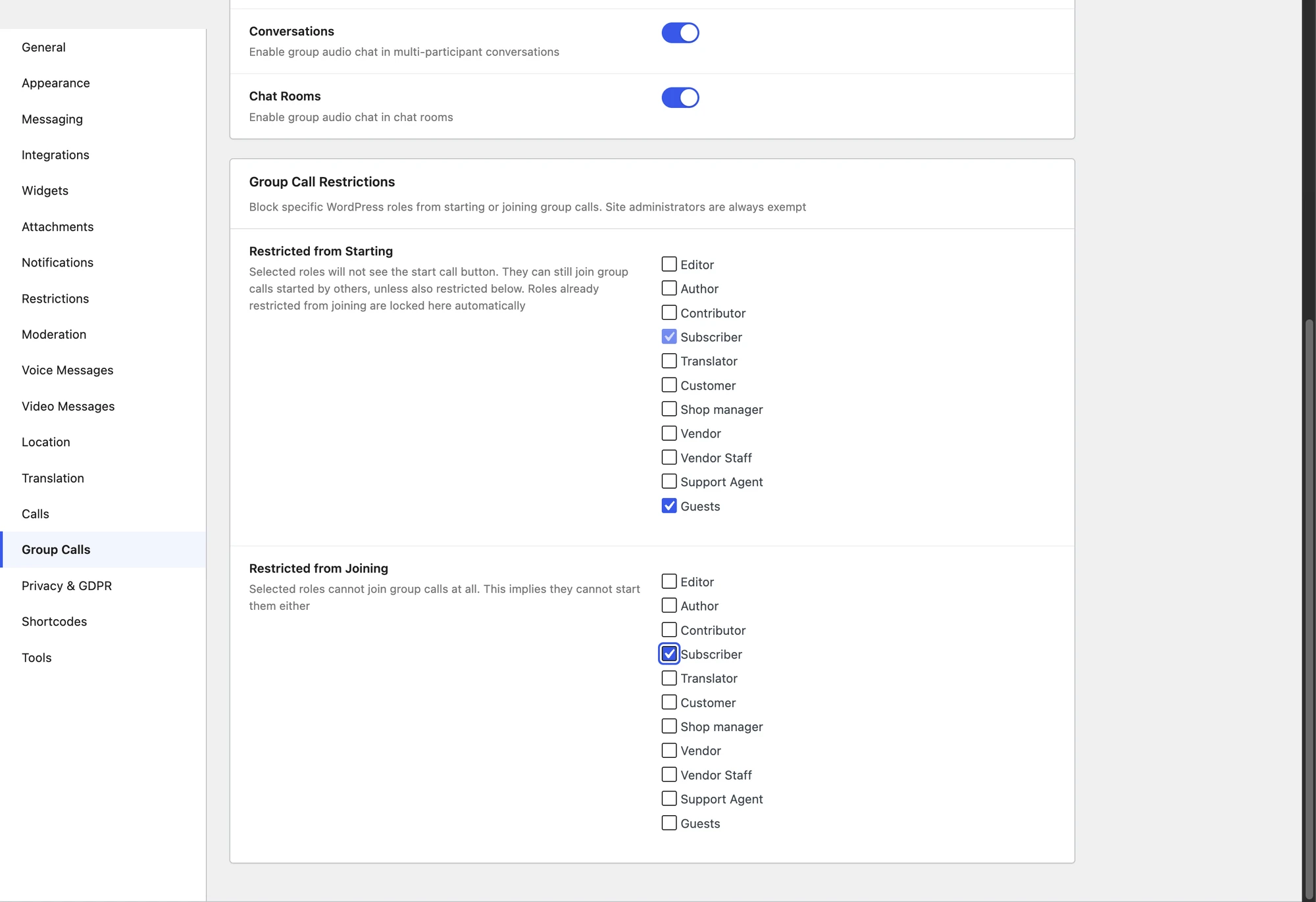
- Restricted from Starting — selected roles will not see the start call button. They can still join group calls started by others (unless also restricted from joining).
- Restricted from Joining — selected roles cannot join group calls at all. This implies they cannot start them either, so the same role is automatically locked in the Starting list.
There is no message field here. A blocked user who reaches the API directly gets a fixed "You are not allowed to join group calls" response. To say something else, filter better_messages_group_call_join_custom_error — it receives the thread ID, the user ID and the call type, and any non-empty string it returns is used instead.
Site administrators are always exempt. Per-conversation moderator status is also respected — the per-thread "moderators only" start permission still applies on top of the role gate.
Both restrictions apply to audio and video group calls.
Mini chat buttons#
The mini chat (the floating popup chat window) can show optional Group Audio and Group Video call buttons in its header — mirroring the existing 1-on-1 audio/video icons. Toggle them under WP Admin → Better Messages → Settings → Appearance → Mini widgets → Mini chat windows.

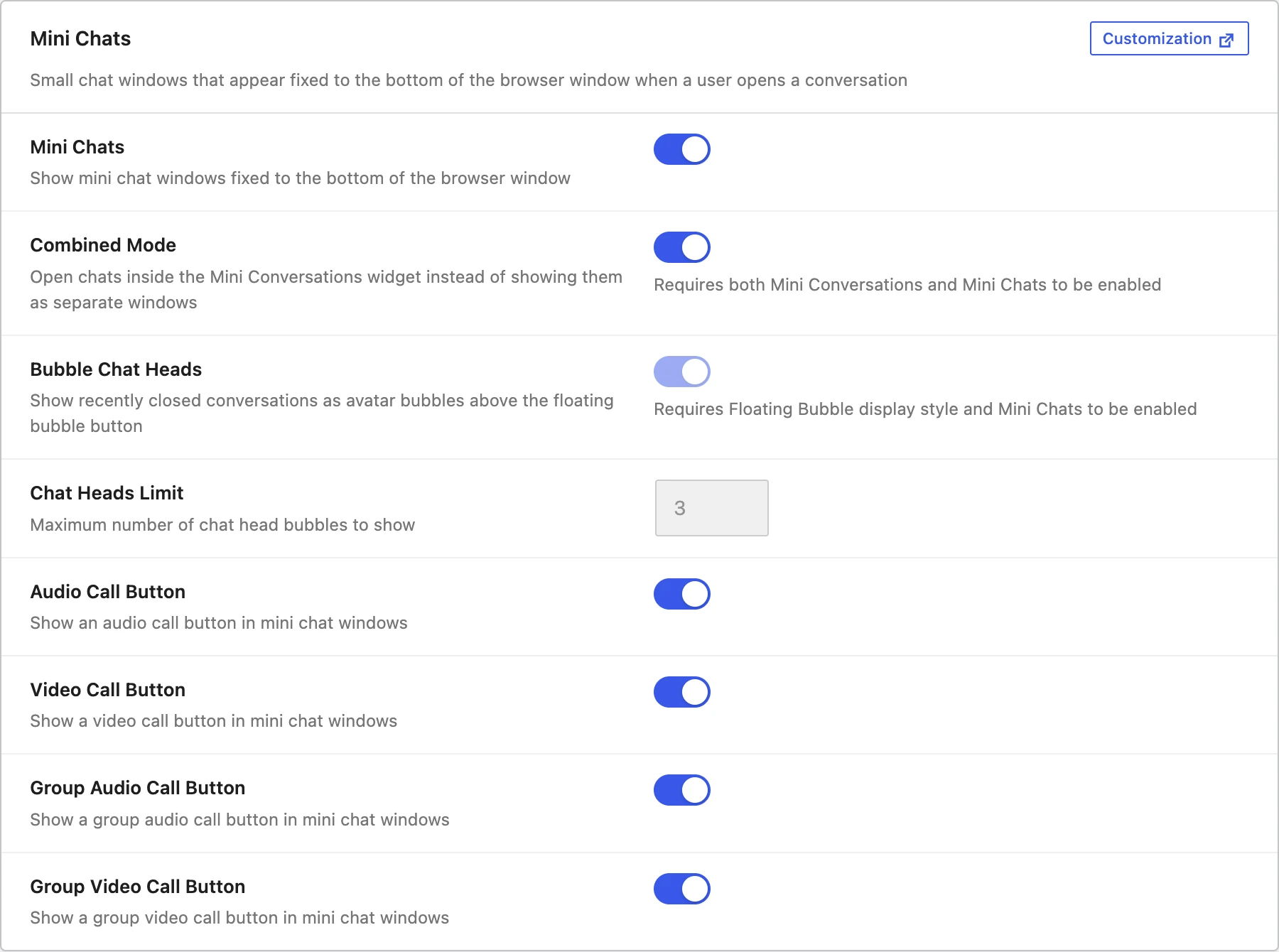
When enabled, clicking the group call icon in a mini chat expands the conversation to full-screen and starts the call. The buttons hide automatically for users blocked by the per-role restrictions or by the per-thread group_call_start_permission meta — same gating as the conversation header.
WebSocket version only. The toggles are disabled with a "Get WebSocket License" link on the AJAX version.
Frequently asked questions#
What is the maximum number of video participants?#
32 simultaneous participants. Sites needing more should discuss the self-hosted plan with support — the cap can be raised based on media-server capacity.
Are group video calls recorded?#
No — calls are real-time only. To record, participants use their own screen-recording tools (with consent).
Can guests join group video calls?#
Yes — if guest chat is enabled on the chat room and the room allows calls, guests can join. They appear by their entered display name.
What's the bandwidth requirement per participant?#
About 500 kbps–2 Mbps per stream, depending on resolution. With adaptive bitrate, the experience degrades gracefully on slower connections.
Does the media server store anything?#
No. The media server forwards streams in memory only — no storage, no recording, no transcription.
See also#
- Group audio chat — voice-only multi-party (up to 50)
- Video calls (1-on-1) — 1-on-1 video
- Audio calls (1-on-1) — 1-on-1 voice
- Screen sharing — share screen during any call
- Mini chats — call buttons in mini chat headers
- WordPress video call plugin blog post — feature overview