Chat and Video Calls for WordPress Bookings: Amelia, LatePoint, FluentBooking and Simply Schedule Appointments
A booking is where the conversation with a customer starts, not where it ends. Before a consultation, a lesson or a session there are questions to ask, documents to send and directions to give, and on the day itself there is the call. Booking plugins for WordPress take the booking and send an email about it. Everything after that happens in an inbox somewhere else.
Better Messages 3.3 closes that gap for four booking plugins: Amelia, LatePoint, FluentBooking and Simply Schedule Appointments. Every booking gets a private conversation between the customer and the staff member, right on your site. Customers reach it from the booking emails without making an account, and in the WebSocket version the same conversation holds the video call around the time of the appointment.
A private conversation for every booking#
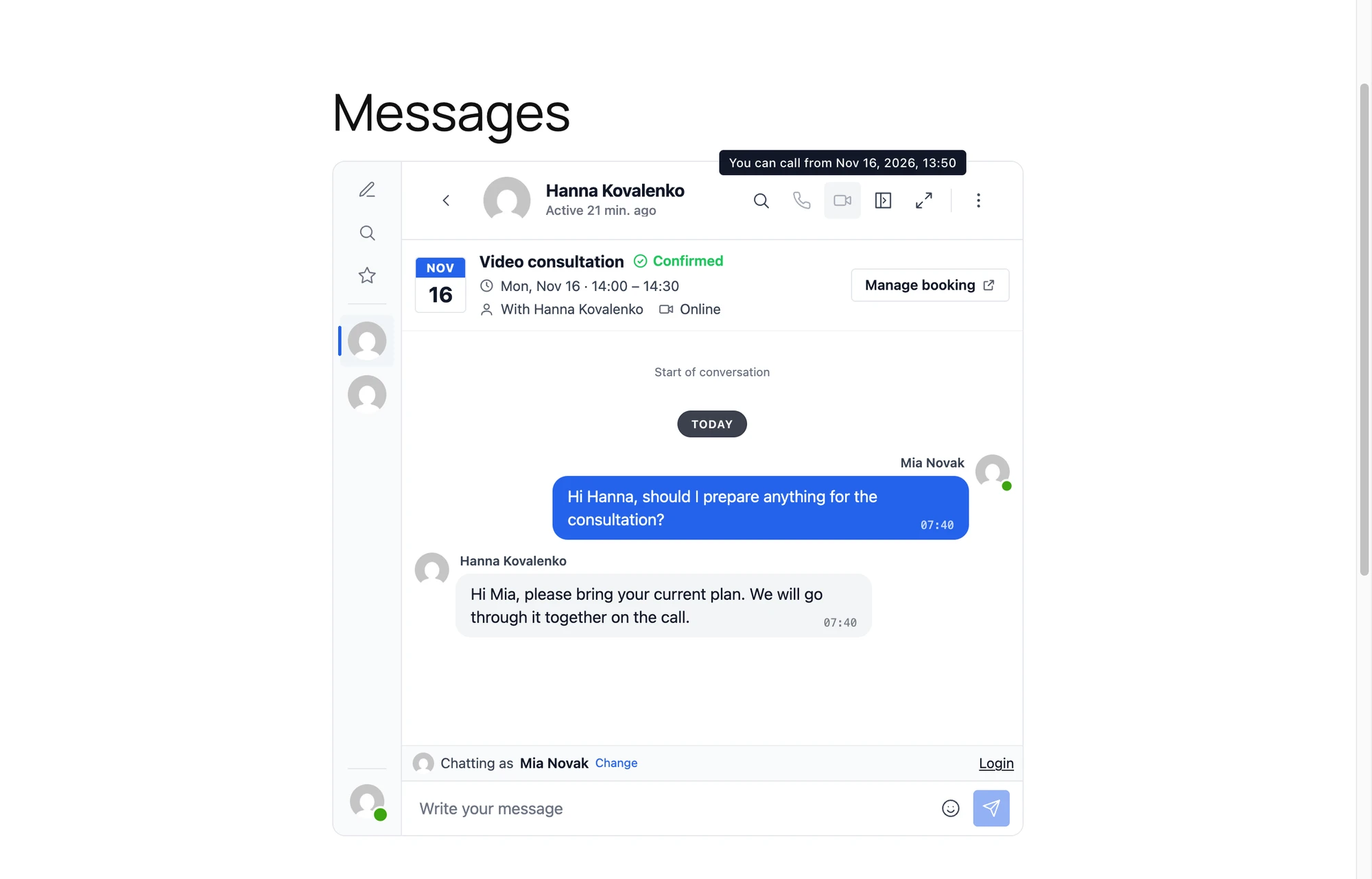
Turn on a booking plugin under Better Messages → Settings → Integrations → Bookings, and each of its bookings gets a conversation between the customer and the staff member of that booking. The conversation is made the first time one of them opens it, so bookings nobody writes about leave nothing behind.
At its top sits a card with the booking itself:
- The day of the booking as a leaf of a calendar
- The service with its status: Confirmed, Pending, Cancelled or Completed, each with its own mark and colour
- The time from start to end, in the time zone of whoever reads it
- Who the booking is with, and the place or Online
- A Manage booking button for the customer, to the page where the booking plugin lets them reschedule or cancel, where the plugin has such a page
The conversation follows the booking. A booking that moves to another time posts "This booking moved to" with the new date, and a cancelled one posts "This booking was cancelled", closes the replies and takes the call buttons away. A conversation open at that moment changes on the spot, with no reload.

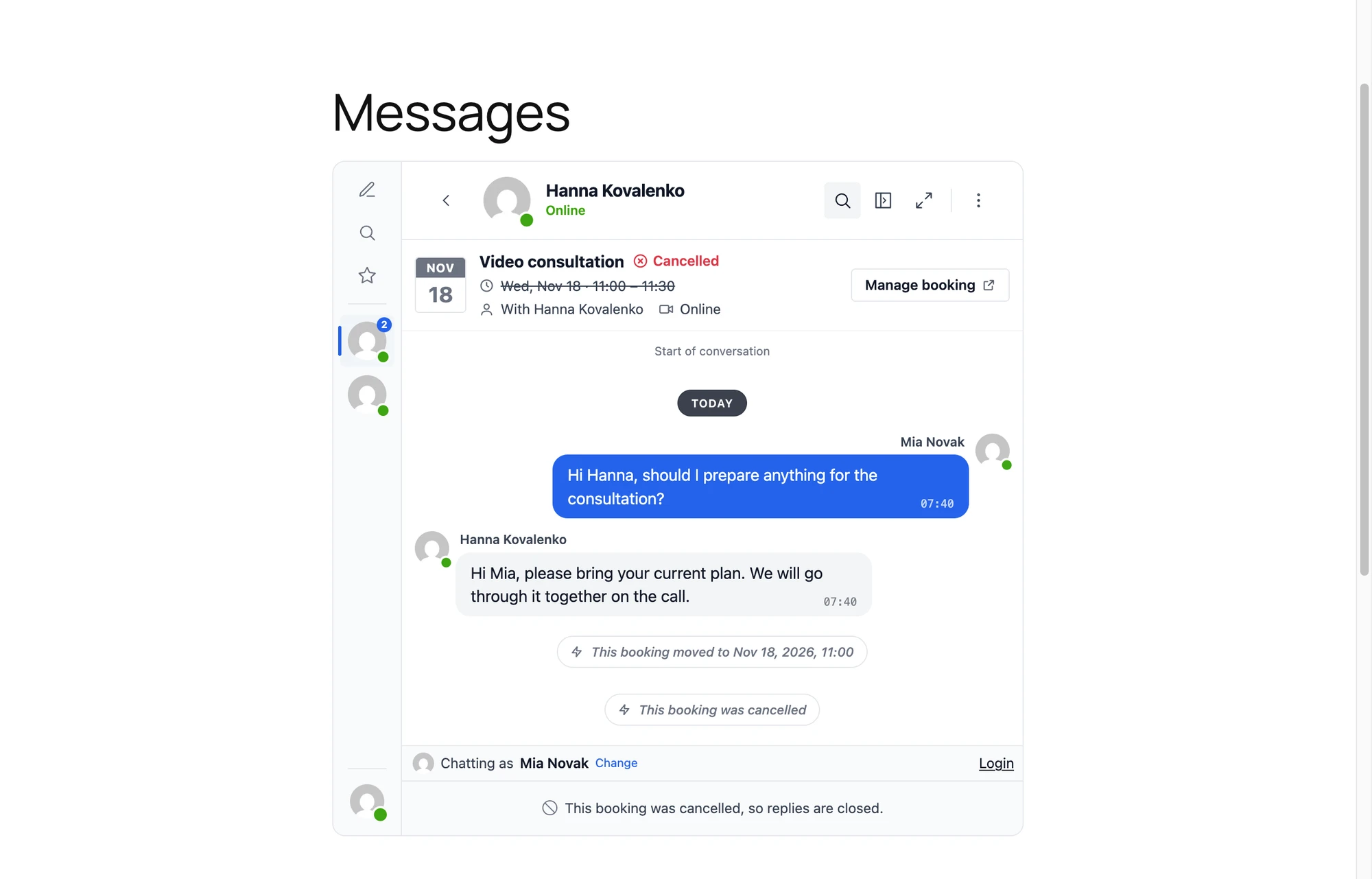
Staff members answer from the same Better Messages inbox as every other conversation, on the site, in the browser notifications, by email or in the mobile app. A staff member without a WordPress account is covered by a Support User, who takes part in their place under their name.
Customers do not need an account#
Most people book with a name and an email, and nobody wants to register just to ask a question about their appointment. Each booking plugin takes a link of Better Messages in its own email templates:
| Booking plugin | Link to the conversation | Link that starts the video call |
|---|---|---|
| Amelia | %amelia_dynamic_placeholder_bm_chat% | %amelia_dynamic_placeholder_bm_call% |
| LatePoint | {{bm_chat_url}} | {{bm_call_url}} |
| FluentBooking | %bm_chat_url% | %bm_call_url% |
| Simply Schedule Appointments | {{ bm_chat_url }} | {{ bm_call_url }} |
A customer without an account gets a signed link in their email. Opening it signs the browser in as a guest with the name and email of the booking and opens the conversation, even when guest chat is off for the rest of the site. The same email keeps the same guest across all its bookings, so every conversation of that customer stays in one inbox. Staff members and customers with an account get the plain link, and an email to the staff never carries the signed link of a customer.
When the customer has unread messages, the unread messages email of Better Messages reaches them too, with the same signed link.
Video calls around the appointment#
In the WebSocket version the conversation of a booking has audio and video calls, and they follow the time of the booking:
- The customer can call from a few minutes before the start until the end. Ten minutes by default, set in Calls Before the Start. Outside that window the call buttons are greyed and say when calls open, and they light up at that minute on their own.
- The staff member can call at any time, to check in before or follow up after.
- A cancelled booking has no calls.
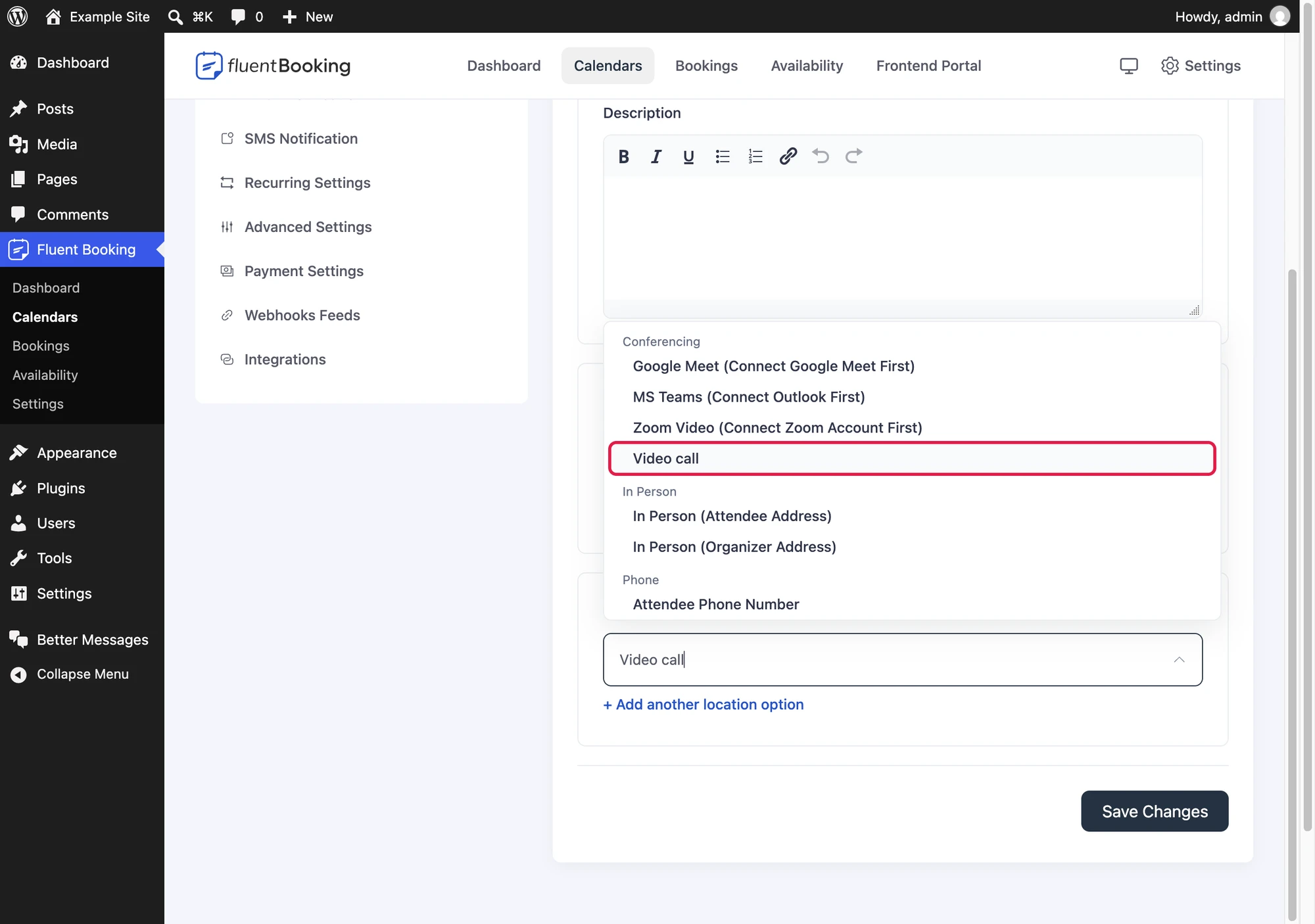
The call link from the email opens the conversation and starts the video call, so for a video consultation the email is all a customer needs. Two of the booking plugins go one step further and take the call as their meeting, named Video call with no plugin name, so customers see a call of your own site:
- FluentBooking lists Video call as a location of an event, under Conferencing beside Google Meet and Zoom. Its bookings carry the call link on the booking page, in the emails, in the calendar links and in the .ics file.
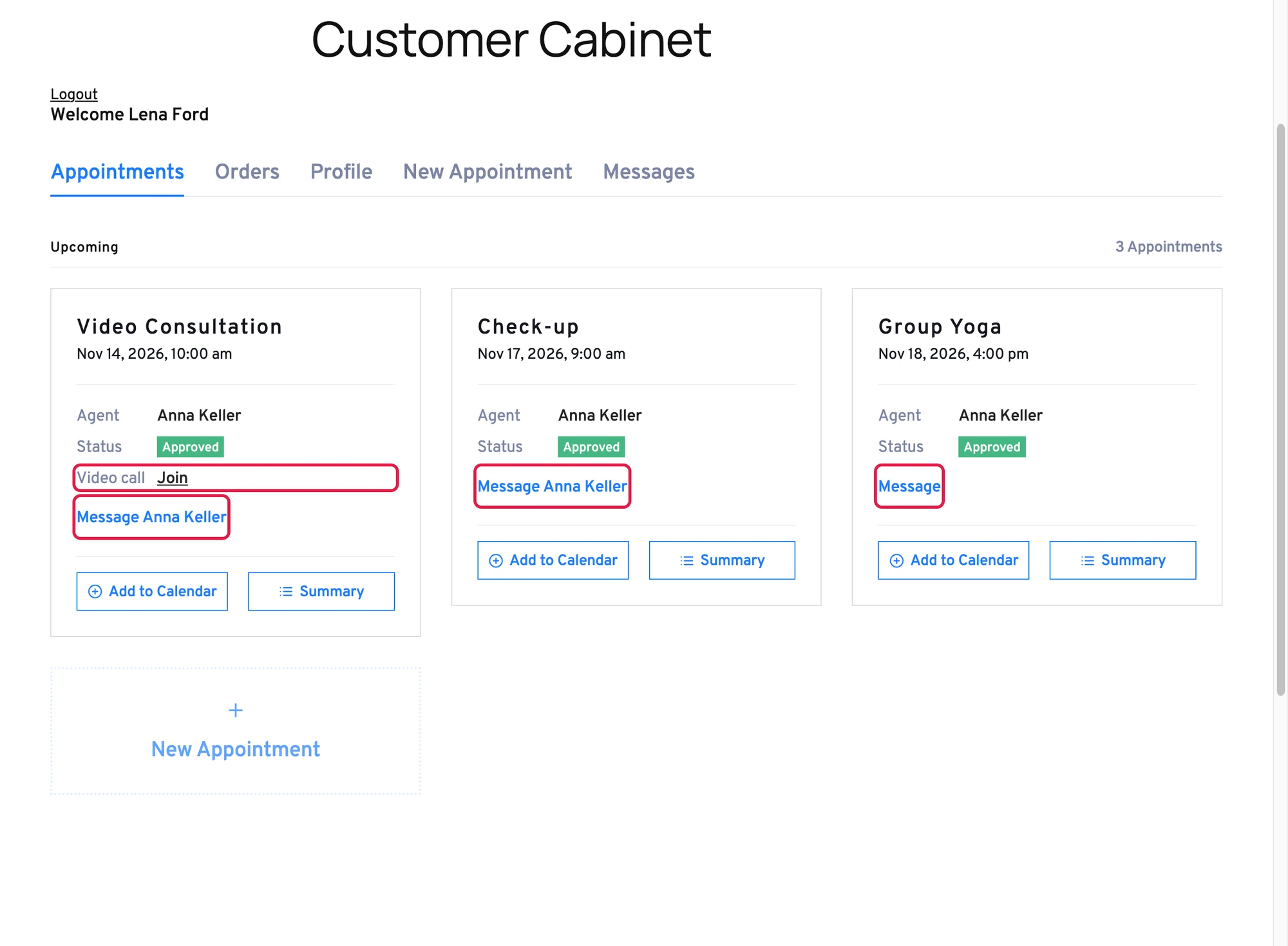
- LatePoint lists Video call as one of its meeting systems, which a service picks as its video meeting. Its bookings show the call link on their summaries and in the customer cabinet.

No third-party meeting service, no extra account and no link that leaks outside your site: the call runs in the conversation the customer and the staff member already share.
Group classes and events#
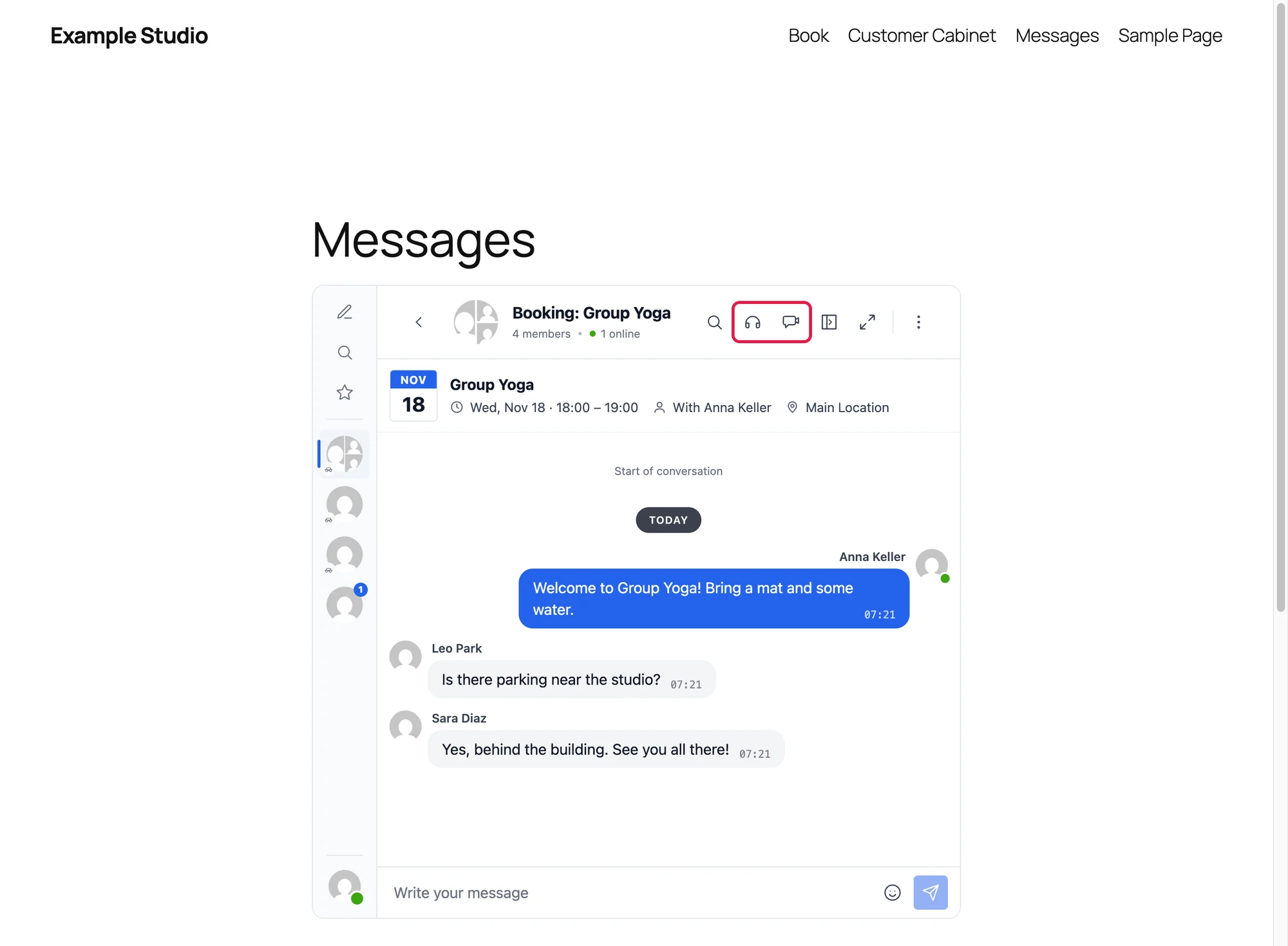
A yoga class, a workshop or a webinar is one time slot with many customers. With Group Chats on, each group slot and event gets one group conversation with its staff and everyone booked on it. People join when they book and leave when they cancel, and Group Video Calls and Group Audio Calls turn the conversation into the live session itself.

How each booking plugin fits in#
Amelia#
Appointments and events of Amelia both get their conversations, and an appointment that takes several customers becomes a group conversation. The links go into Amelia notification templates through its dynamic placeholders. Amelia integration
LatePoint#
Bookings of LatePoint get their conversations, a recurring booking shares one conversation for all its dates, and group time slots and events get group conversations. The customer cabinet and every booking summary get a Message button, and the variables show in the Smart Variables list of the notification editor. LatePoint integration

FluentBooking#
One-to-one events, group events, collective events with several hosts and round robin events all map to their conversations, and a recurring or multi-slot booking shares one. The attendee page gets a Message button, and its Video call is a location an event can have. FluentBooking integration
Simply Schedule Appointments#
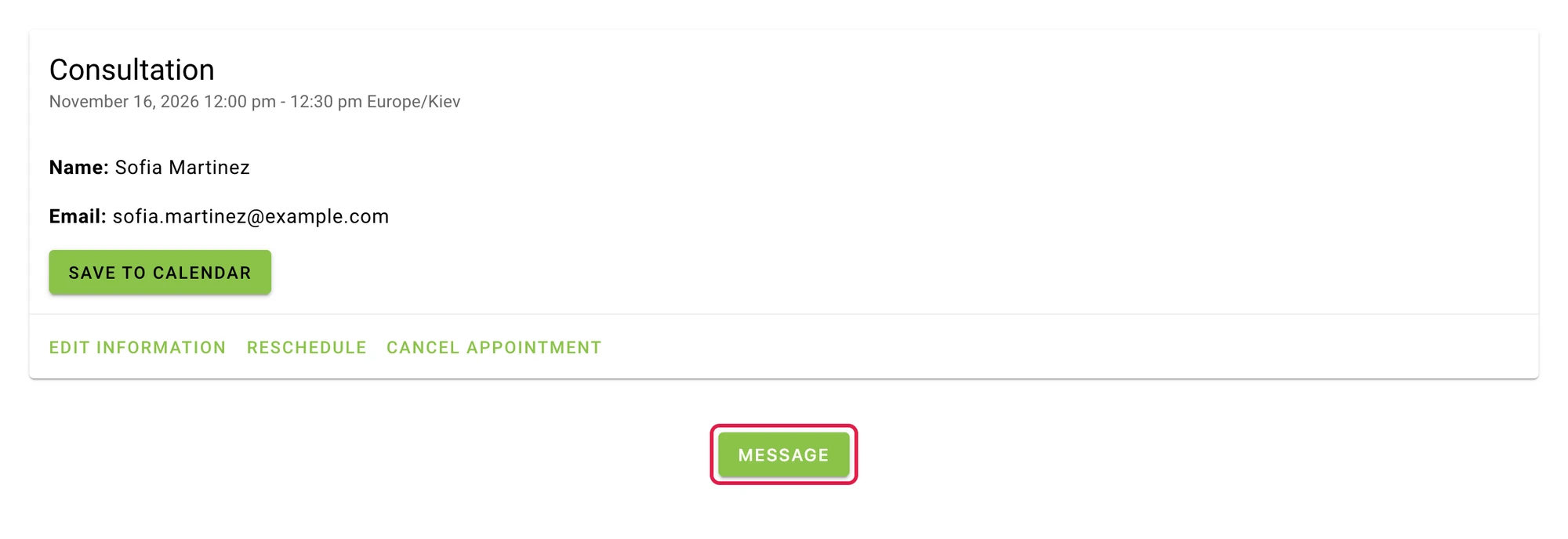
Appointments get their conversations with the team behind a Support User, group appointment types get one group conversation per time slot, and the page where a customer manages their appointment gets a Message button in the colours of the booking app. Simply Schedule Appointments integration

Setting it up#
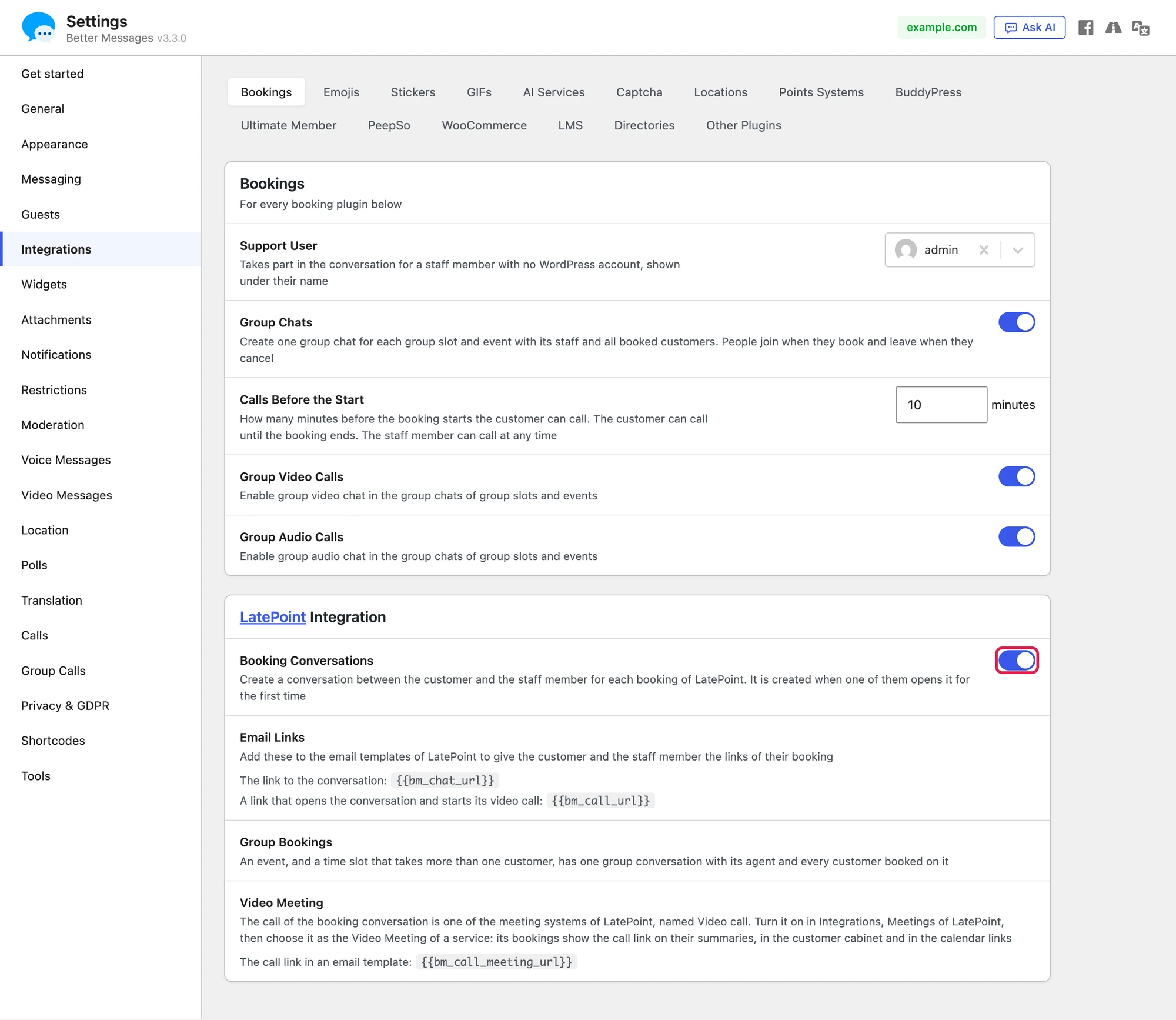
- Open Better Messages → Settings → Integrations → Bookings. The Bookings card holds what every booking plugin shares, and each booking plugin has a card of its own below it.
- In the card of your booking plugin, turn on Booking Conversations.
- Copy the two links from Email Links into the email templates of your booking plugin.
- Choose a Support User if your staff members have no WordPress accounts.
- Make sure your site has a Messages page, where customers without an account read their messages.

The conversations, the card, the system messages, the email links and the Message buttons work in the free version of Better Messages. Calls need the WebSocket version.
Frequently asked questions#
Which booking plugins are supported?#
Amelia, LatePoint, FluentBooking and Simply Schedule Appointments, in their free and paid builds. Several of them can run on one site, each with its own switch.
Do customers need to register?#
No. The signed link in their booking email signs them in as a guest for the conversations of their own bookings. Guest chat for the rest of the site can stay off.
Can the customer call the staff at any time?#
No. The customer can call from the minutes set in Calls Before the Start before the booking until it ends. The staff member can call at any time.
What happens when a booking is cancelled?#
The conversation gets a system message, the card shows the booking as cancelled, and replies and calls close. Both sides can still read everything that was written.
Is a conversation made for every booking, even when nobody writes?#
No. It is made the first time the customer or the staff member opens it.
Does it work in the mobile app?#
Yes. Booking conversations are regular conversations of Better Messages, so the mobile app, push notifications and email notifications all reach them.