Best WordPress Chat Plugin in 2026
There are dozens of plugins on WordPress.org that call themselves a "chat plugin." Some are for member-to-member private messaging in a community. Some are customer-support widgets that pop up in the corner of a marketing page. Some are AI chatbot front-ends that route to a third-party service. They are not interchangeable — picking one without knowing which kind you actually need is the single most common reason sites end up replatforming six months later.
This post lays out the two categories, the criteria that matter inside each, and where Better Messages fits — so you can pick the right tool the first time.
Two categories of "WordPress chat plugin"
The same search query — "WordPress chat plugin" — surfaces two fundamentally different tools:
Category 1 — Member-to-member messaging
For sites where registered users (members, vendors, students, instructors, candidates, employers) talk to each other. The chat is part of the community, the marketplace, the LMS, the membership platform. Members find each other through profiles, listings, courses, groups.
Examples of sites in this category:
- Community sites on BuddyPress / BuddyBoss / PeepSo / Ultimate Member / FluentCommunity
- Marketplaces on Dokan / WCFM / WC Vendors / MultiVendorX
- Directory sites on HivePress / Directorist / GeoDirectory / Classified Listing / Motors
- LMS sites on LearnDash / LearnPress / Tutor LMS / MasterStudy LMS
- Job boards on WP Job Manager
- Membership sites on MemberPress / Paid Memberships Pro / Restrict Content Pro
This is what Better Messages does. Every recommendation in this post is for sites in this category.
Category 2 — Customer-support widget
For sites where an anonymous visitor opens a chat bubble in the corner of a marketing or product page and gets routed to a support agent or AI bot. The visitor is not a member; the chat is a sales / support funnel.
Examples: Tawk.to, Crisp, Tidio, LiveChat, Intercom, Olark.
These are typically SaaS products that embed a script into your WordPress site rather than full WordPress plugins. They are excellent at customer support and not what Better Messages targets. If that is your use case, pick one from this list and move on.
What to look for in a member-to-member chat plugin in 2026
For Category 1, the criteria that distinguish a serious chat plugin from a basic one in 2026:
1. Native integration with your community / marketplace / LMS plugin
The biggest UX moment is when a member clicks "Send Message" from a profile, listing, vendor shop, or course page. That button should appear automatically without you writing template code, and it should respect the source platform's avatars, profile URLs, and access controls.
Your shortlist is set by which integrations the chat plugin supports for the platform you already run.
2. Real-time delivery (without you running a Node.js server)
Polling-based AJAX messaging works at small scale; once members are actively chatting daily, the WebSocket pattern (instant message delivery, online presence, typing indicators) is the difference between a thread that feels alive and one that feels like an email exchange.
The right plugin runs the WebSocket layer for you (hosted cloud, included in the license) rather than asking you to deploy a separate Node.js server.
3. Group conversations, not just 1:1 DMs
Communities, courses, and marketplaces need multi-user chats — cohort chats, vendor team huddles, group support, study sessions. A chat plugin that only does 1:1 is half a chat plugin.
4. Voice messages and voice/video calls inside the thread
In 2026, members expect a microphone button next to the composer (voice notes) and a video-call button in the thread header (mini meeting inside the chat). Sending people off to Zoom or WhatsApp for that breaks the on-site flow.
5. AI chat bots
Customer-support sites have had AI bots for years; member-to-member messaging is catching up. The right plugin lets you add an AI bot (OpenAI / Claude / Gemini) as a participant in any thread, with a custom system prompt and per-bot points charging.
6. End-to-end encryption (optional, per thread)
Most threads do not need it. The threads that do — therapy clients, legal cases, journalist sources, founder discussions — need it strongly. The right plugin supports it as an opt-in per thread rather than forcing a binary choice site-wide.
7. Native mobile app
Members live on their phone. A WordPress site without a mobile app for chat loses daily engagement to whichever platform does have one (usually Discord or WhatsApp). The right plugin ships a native iOS / Android app with push notifications, ideally white-labeled to your brand.
8. GDPR-compatible by default
European audiences and increasingly American and Canadian audiences expect GDPR / CCPA compliance. The chat plugin should store data on your server (not a third-party service), integrate with WordPress's data-export and erasure tools, and minimize third-party requests.
9. White-label by default
If you run a paid community or sell an integration, end users should not see "Powered by [Plugin]" in their UI. The right plugin is unbranded by default.
10. REST API for developers
For sites that will eventually build custom front-ends, mobile apps, or automation, a documented REST API is the difference between an extensible platform and a dead-end tool.
How Better Messages fits
Better Messages is built around exactly the ten criteria above:
| Criterion | Better Messages |
|---|---|
| Native integrations | 32 native integrations — every major community / marketplace / LMS / directory / job-board plugin on WordPress |
| Real-time delivery | Hosted WebSocket cloud included with the WebSocket version license |
| Group conversations | First-class — auto-managed for community groups, courses, vendor teams |
| Voice messages | Yes — separate add-on plugin, works on both AJAX and WebSocket versions |
| Voice / video calls | Yes (WebSocket version) — one-on-one and group, inside any thread |
| AI chat bots | Yes (WebSocket version) — OpenAI / Anthropic / Gemini, per-bot system prompts, points-based usage charging |
| End-to-end encryption | Yes (WebSocket version) — opt-in per thread |
| Native mobile app | Yes — iOS / Android via Capacitor, white-label rebuild available |
| GDPR-compatible | Yes — relay is blind to message content; data lives in your WP database |
| White-label | Yes — no plugin branding shown to end users by default |
| REST API | Yes — every UI action is a documented REST endpoint |
It is the only chat plugin on WordPress.org that ships all ten in a single integration.
Picking by your stack
The fastest decision tree:
| You run… | Start with |
|---|---|
| BuddyPress | BuddyPress messaging plugin |
| BuddyBoss Platform | BuddyBoss messaging plugin |
| PeepSo | PeepSo messaging plugin |
| Ultimate Member | Ultimate Member private messaging plugin |
| FluentCommunity | FluentCommunity chat plugin |
| Dokan | Dokan vendor chat plugin |
| WCFM Marketplace | WCFM Marketplace chat |
| WC Vendors | WC Vendors chat |
| MultiVendorX | MultiVendorX vendor chat |
| WooCommerce (no marketplace) | WooCommerce customer chat |
| LearnDash | LearnDash student messaging plugin |
| LearnPress | LearnPress student messaging plugin |
| Tutor LMS | Tutor LMS student messaging plugin |
| MasterStudy LMS | MasterStudy LMS student messaging plugin |
| HivePress | HivePress listing chat |
| Directorist | Directorist chat |
| GeoDirectory | GeoDirectory chat |
| Classified Listing (RTCL) | Classified Listing chat |
| Motors (Stylemix) | Motors car dealer chat |
| WP Job Manager | WP Job Manager candidate-employer chat |
| Paid membership site | WordPress membership site chat |
| Public chat room only | How to add a chat room to WordPress |
Frequently asked questions
What if I run a stack you did not list?
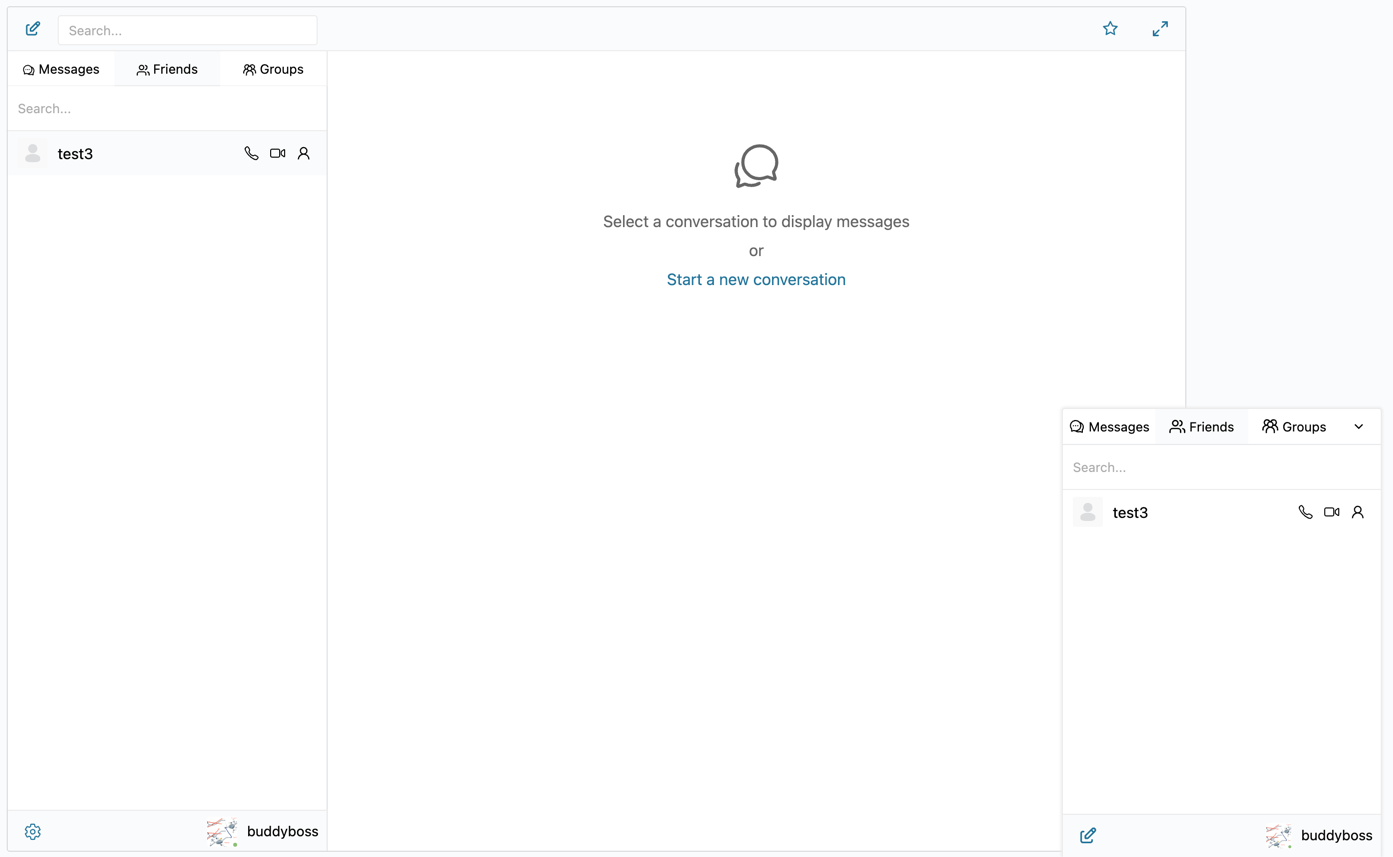
Better Messages works on any WordPress site, with or without a specific integration. The integrations add platform-specific buttons and sync (e.g. "Send Message" on a profile, paired group chat for a community group); without an integration, members still get the full messenger via the messages page and the mini widgets.
What about Discord / Slack / WhatsApp?
External platforms work, but the conversation lives off-site. For paid memberships, courses, and marketplaces, on-site chat keeps the conversation tied to the user's account, gated by your role-based access, and owned by you (not by Discord). The trade-off is real — Discord scales to very large communities with richer voice / streaming features. For most paid WordPress communities under ~5,000 members, on-site chat is the right call. See WordPress community chat plugin for the deeper comparison.
What is "the best WordPress chat plugin" for customer support specifically?
Customer-support widgets (Category 2) are a different category. Tawk.to (free), Crisp (freemium), and Tidio (freemium) are the most-installed options. Each integrates with WordPress via a script. Better Messages does not target this category — for member-to-member messaging on a WordPress site, it is the right tool; for anonymous-visitor-to-support-agent chat in the corner of a marketing page, the dedicated customer-support widgets fit better.
How much does Better Messages cost?
The free version is available on WordPress.org — install and use without a license, with AJAX-based real-time delivery. The WebSocket version unlocks instant delivery, voice / video calls, AI bots, E2E encryption, web push, and more — pricing is on www.better-messages.com.
Can I migrate from a different chat plugin?
Yes — Better Messages stores data in its own tables, independent of any native messenger. You can install Better Messages alongside an existing chat plugin, test it on a staging environment, then disable the old one when you are ready. Historical data from BuddyPress / BuddyBoss messages is read on first activation, so existing conversations remain readable.
Is there a free trial of the WebSocket version?
A free trial of the WebSocket version is available — visit www.better-messages.com for current pricing and trial terms.
See also
- WordPress community chat plugin — comparing community platforms (BuddyPress, BuddyBoss, PeepSo, Ultimate Member, FluentCommunity)
- WordPress marketplace chat — comparing Dokan, WCFM, WC Vendors, MultiVendorX
- WordPress LMS chat plugin — comparing LearnDash, LearnPress, Tutor LMS, MasterStudy LMS, FluentCommunity Courses
- WordPress membership site chat — picking the chat layer for paid memberships
- AI chat bots for WordPress private messaging — adding an AI participant to any thread
- WordPress video call plugin — voice and video calls inside the messenger
- WordPress chat mobile app — native iOS / Android apps with push notifications