Better Messages 3.3.1: Scheduled Messages, Video and Audio Rooms, AI Bots on Any Provider and a New Administration
Better Messages 3.3.1 is numbered like a patch and is the size of a release. Members can write a message now and have it sent later, a chat room can be a video or an audio room that everyone joins by opening it, AI chat bots answer on a dozen more providers with tools, your own files and a monthly spending limit, and Administration lists every conversation, call and member of the site. The settings got a search, and two new WordPlus plugins stand beside Better Messages: Poly Community and Evo Support.
Your conversations, settings and licence carry across. Every new feature is off until you turn it on, apart from the ones that only make an existing screen easier, and what is worth checking is at the bottom, in Updating from 3.3.0.
Scheduled messages#
A member writes a message and chooses when it is sent. Schedule message is in the menu of the Send button, and the + menu, the poll dialog and the recorders have it too, so a poll, a location, a voice message or a video message can wait for its time as a text does.

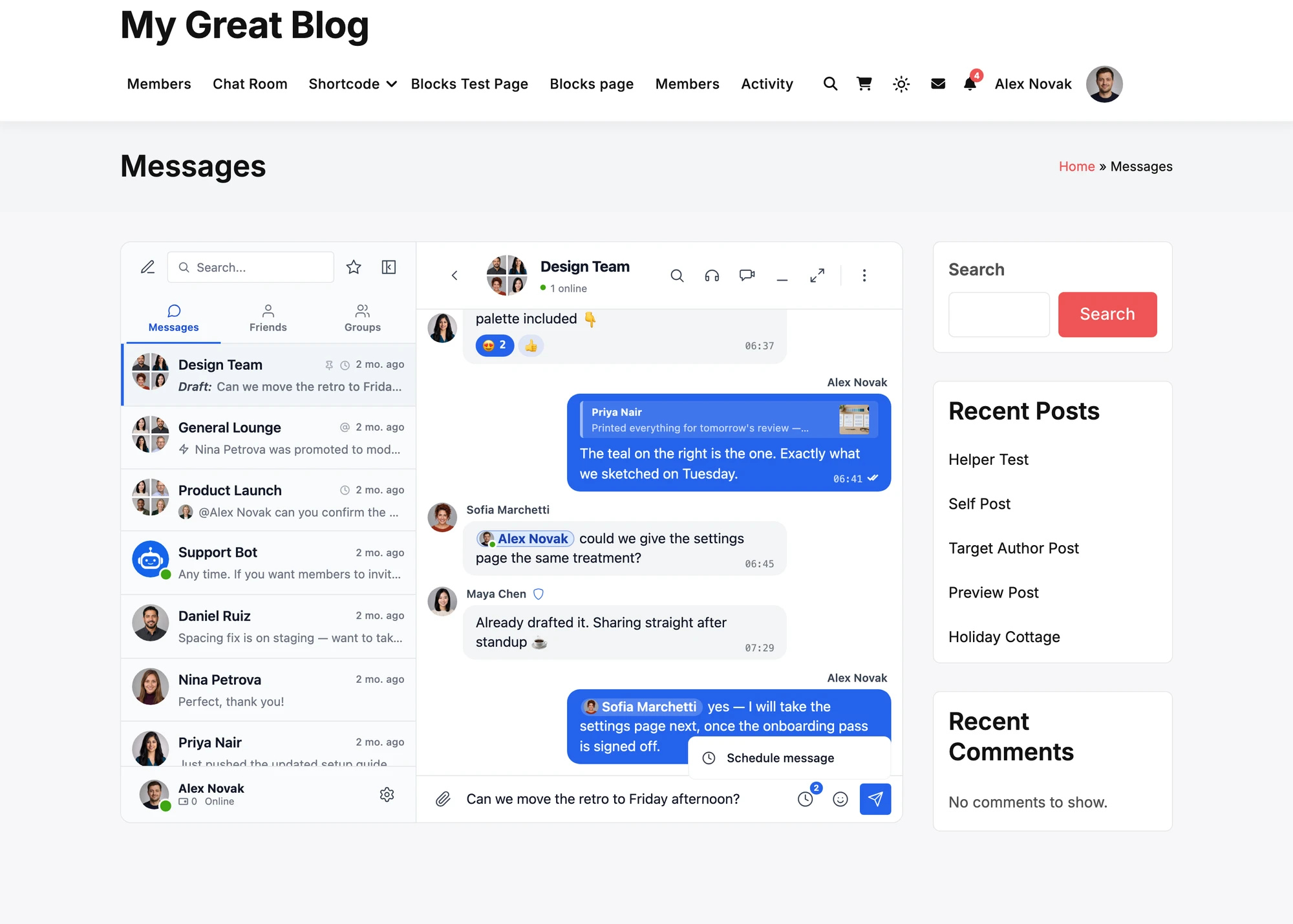
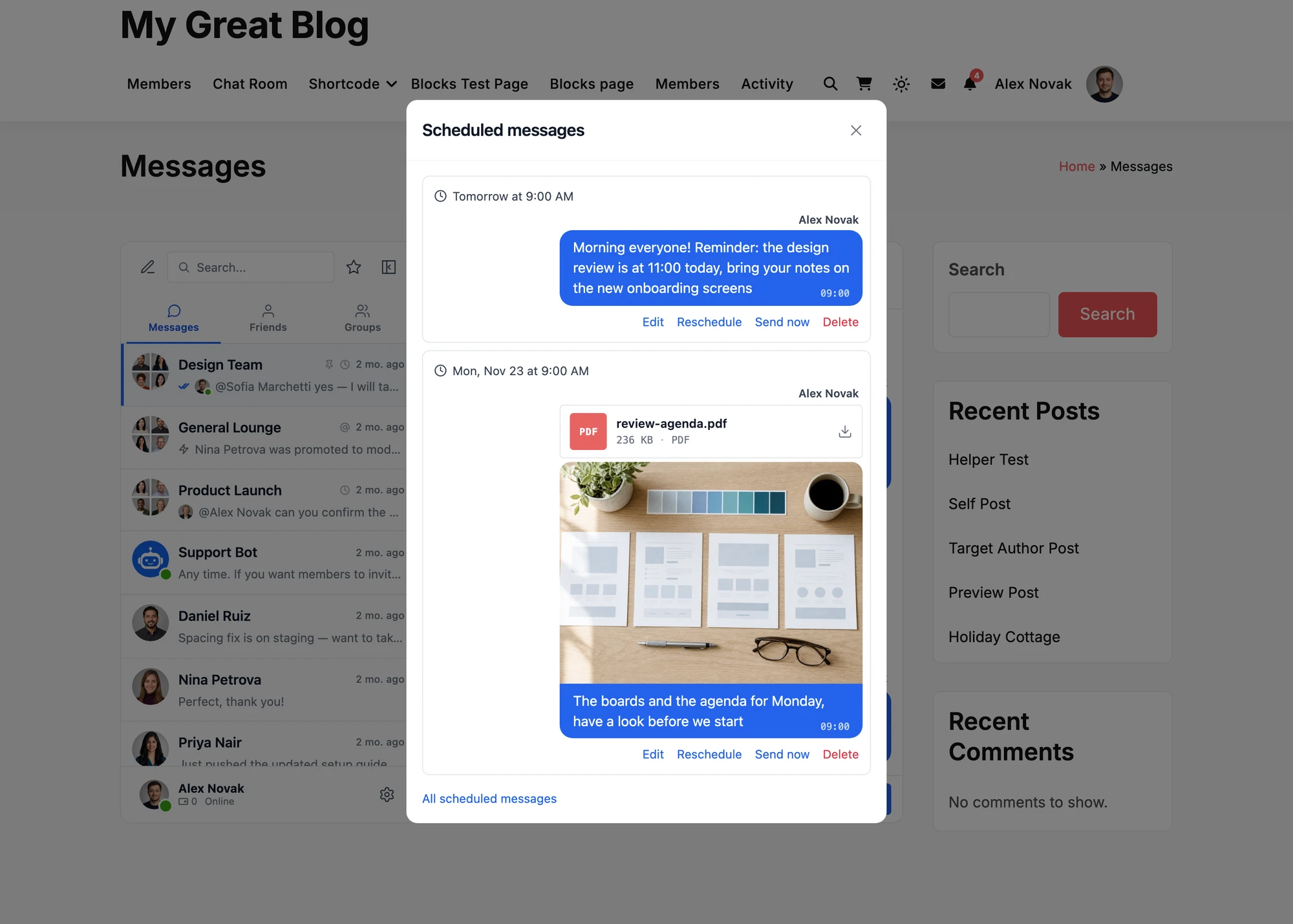
A clock beside the reply area and in the list of conversations says that something waits. It opens the list of scheduled messages, each drawn as the conversation will draw it, with Edit, Reschedule, Send now and Delete. A message that can no longer be sent, because the member left the conversation or was muted in the meantime, stays in the list as Not sent with the reason, and nothing is lost.

Scheduled messages are off by default. Turn them on in Settings → Messaging → Conversation Features, where you also choose the roles that may use them. They work in the free version and the WebSocket version. Scheduled messages has the details.
Video and audio rooms#
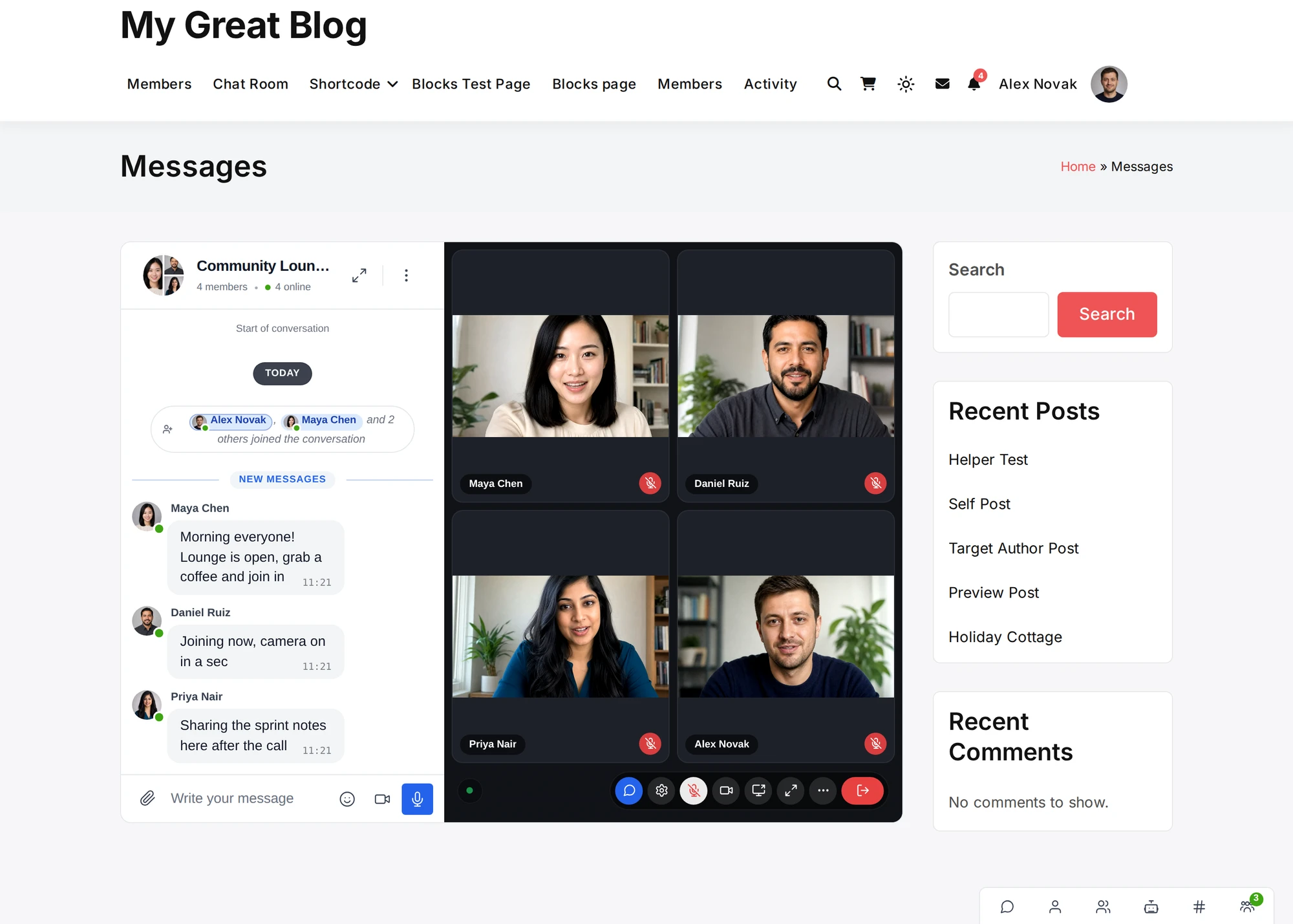
A chat room can now be a place people walk into. Set Room format to Video or Audio in the chat room editor, and everyone who opens the room is in its call at once, with the camera and the microphone off, and the chat of the room beside the call. Nobody has to start a call or wait for one.
A room can have opening hours, with a warning before closing time and a choice of what closing does. Members who can read the room but cannot write in it can be let in as listeners without a microphone. That makes an audio room a stage with an audience, and a video room a lobby, a study hall or a weekly office hour.

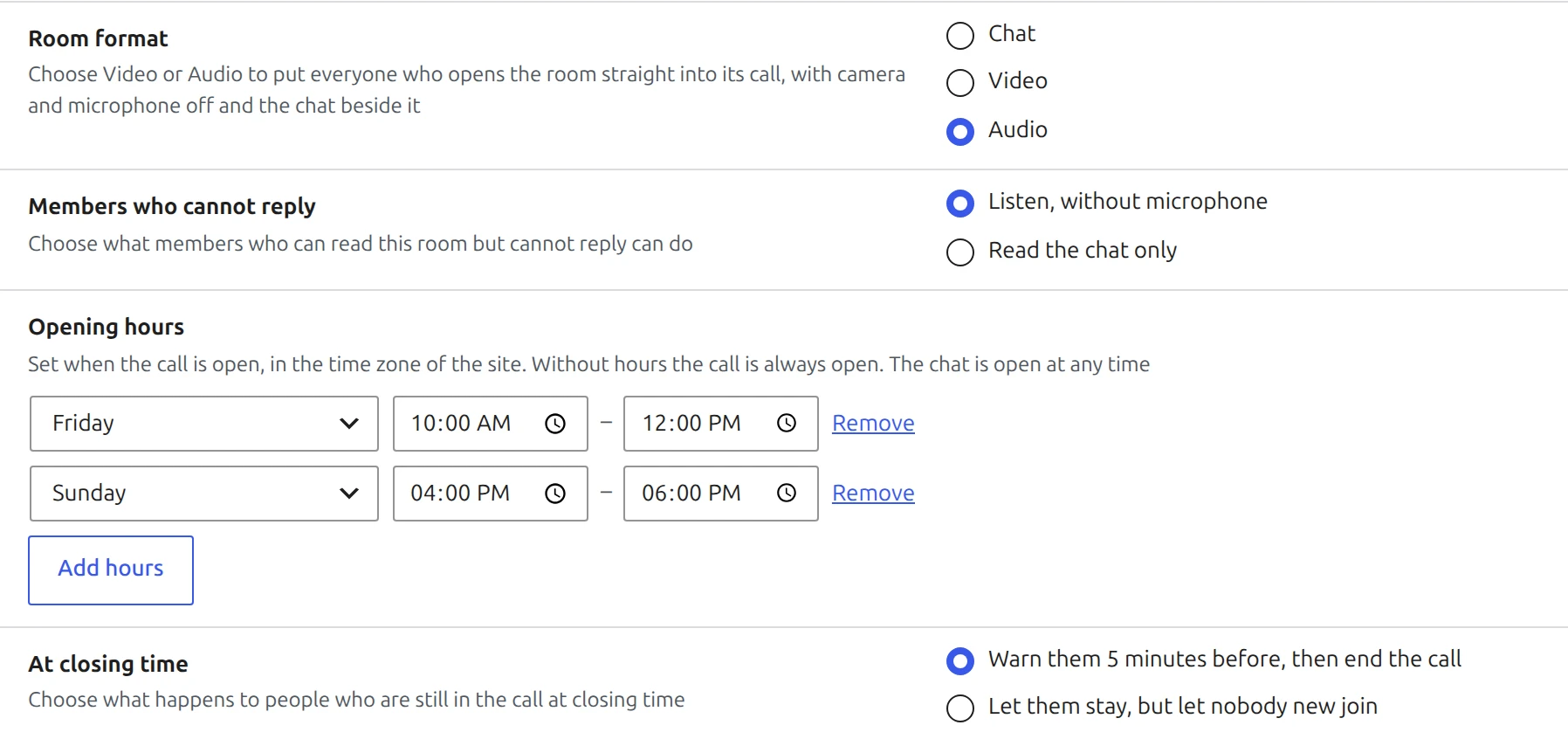
Video and audio rooms need the WebSocket version, as every group call does. See Video and audio rooms.
AI chat bots on any provider, with tools and your own content#
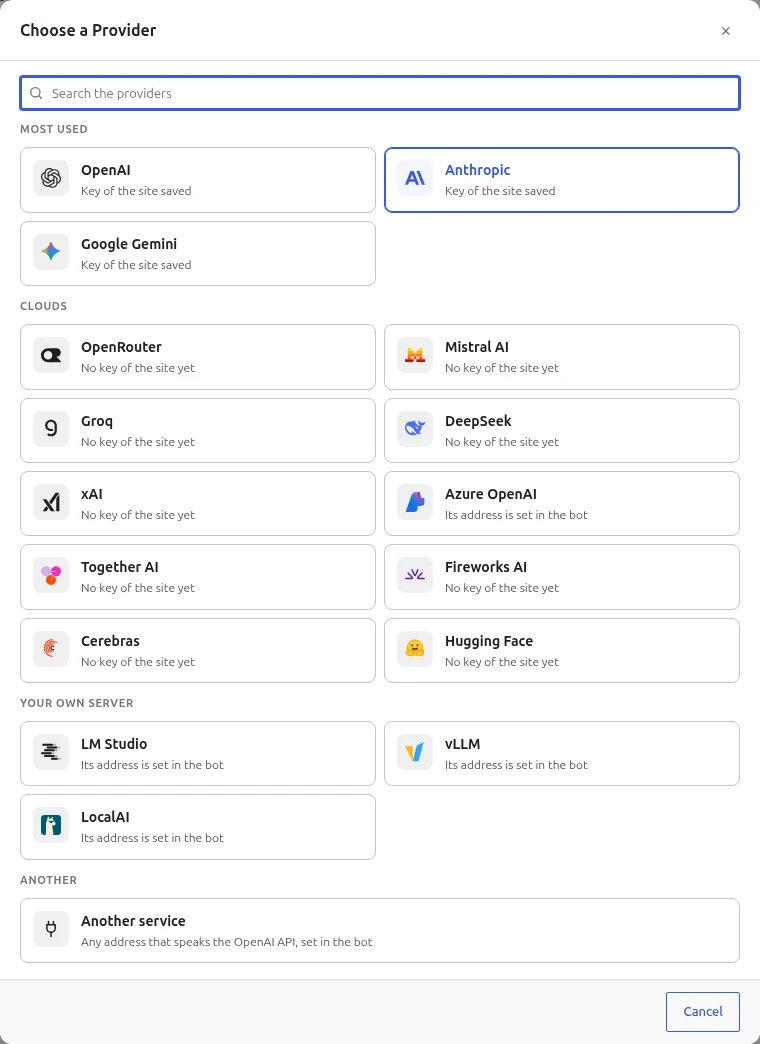
Until now an AI chat bot answered on OpenAI, Anthropic or Google Gemini. In 3.3.1 it also answers on OpenRouter, Mistral AI, Groq, DeepSeek, xAI, Azure OpenAI, Together AI, Fireworks AI, Cerebras and Hugging Face, on a model that runs on your own server (Ollama, LM Studio, vLLM, LocalAI), and on any OpenAI-compatible address. A provider is chosen from tiles with logos and a search, and a bot answers on the key of the site or on a key of its own.

A bot can also know more than its instructions:
- Site content. The bot searches the published content of the site while it answers and lists the pages it read under its answer.
- Files and websites. Add PDF, Word and text files, or the pages of a website through an llms.txt, a sitemap or a single page. They are read on your site and sent nowhere.
- Tools. Connect an MCP server and tick the tools the bot may use, or let a plugin on the site give it tools through the
better_messages_ai_toolsfilter. A bot of a clinic can then find a free slot, and a bot of a shop can look up an order.
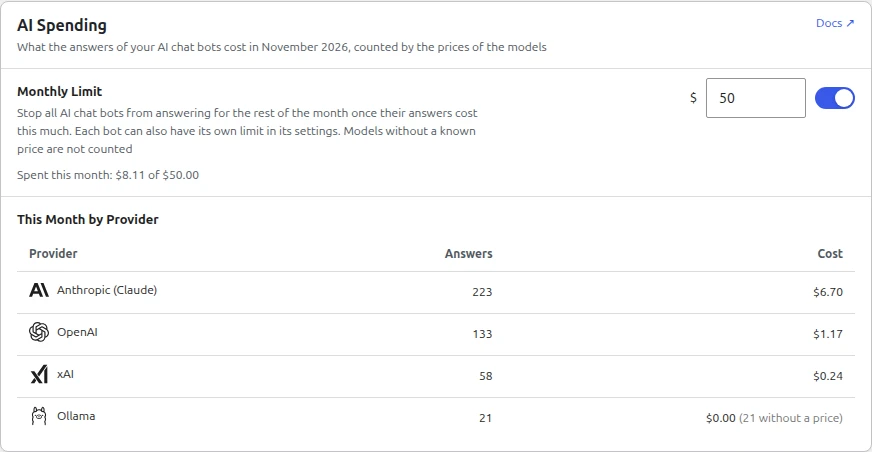
What a bot costs is under control too. Monthly spending limits can be set for the whole site, for each API key and for each bot. At 80% the administrator gets an email, and at the limit the bot says that it reached its limit for the month. AI Services shows what each provider cost this month.

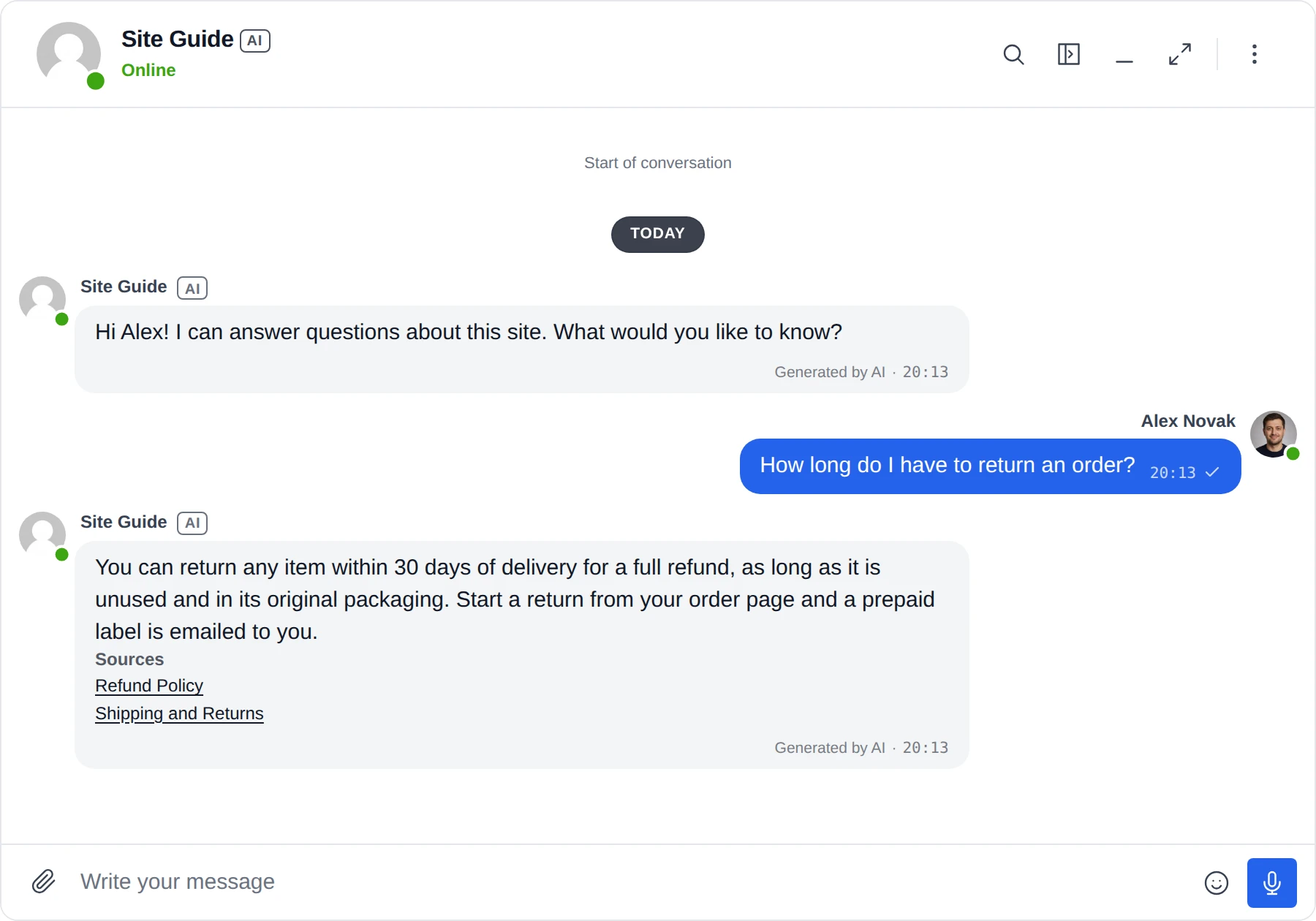
And a bot is honest about what it is and when it fails. An optional AI badge and a Generated by AI label, in your own words, mark the bot and its messages. When the AI service is busy, the message of the bot gets a Try again button that asks the same question again in the same message. When a bot cannot answer at all, the administrator gets an email, the failed request is in an error log, and the bot is marked in the list.

AI chat bots run on your own keys in the free version and the WebSocket version alike. AI chat bots goes through every part.
Administration knows every conversation, call and member#
Administration had the messages. It now has Conversations, Calls and Members beside them.
Conversations lists every conversation of the site with its kind, its participants and its size. Filter by state or last message, sort by activity or size, open a conversation to read it, rename a group, change its settings, add and remove participants, and clear or delete one conversation or many at once. Calls shows one-to-one calls with who called whom and how it ended, the group calls running now with an End Call button, and their history with everyone who joined. Members shows what each member sent and their moderation status, to trust, review or suspend them.

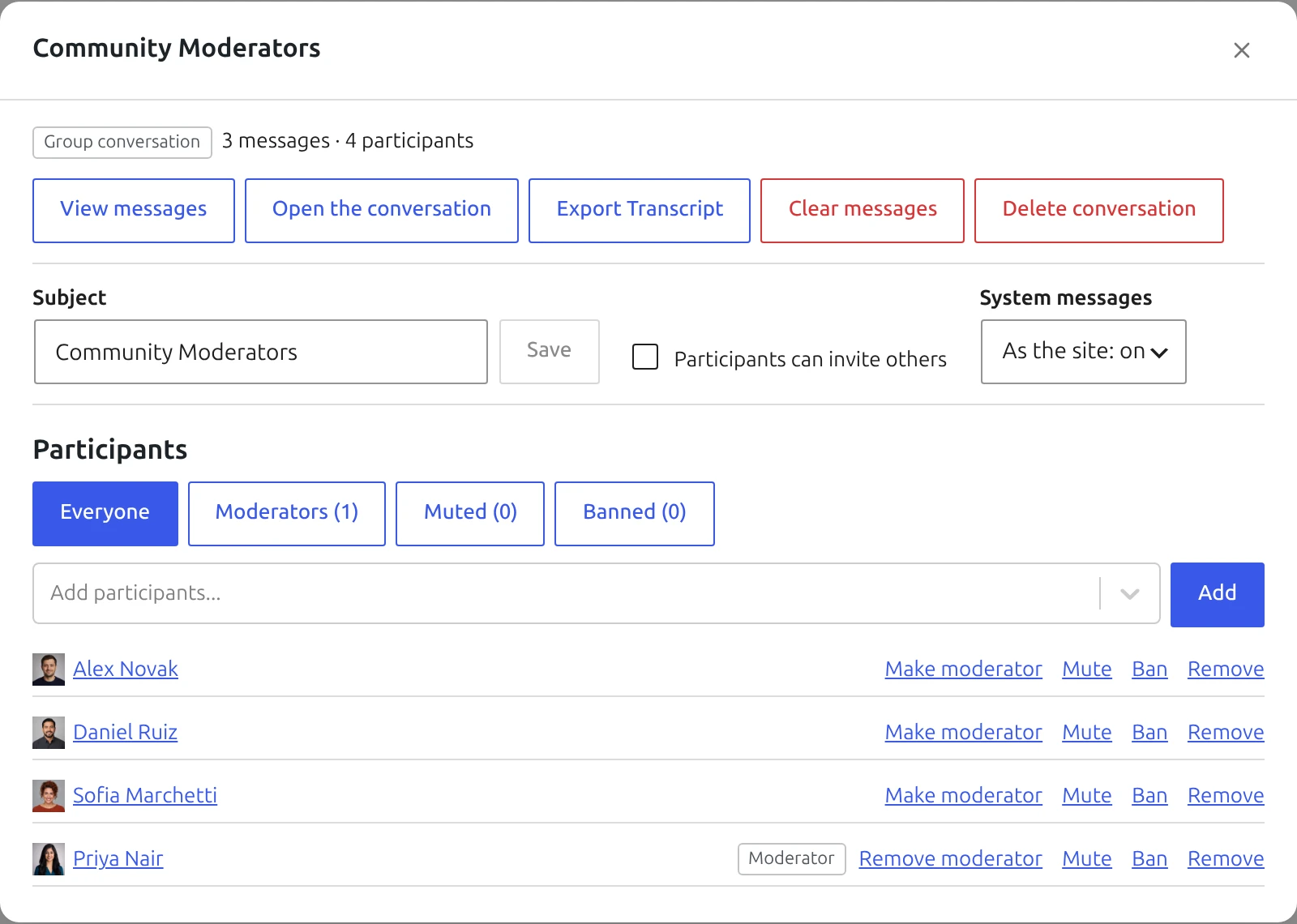
Mute and ban now work in group conversations and in the conversations of groups, courses and bookings, where they worked in chat rooms only. A muted member reads but cannot write, and a banned member is kept out even while still a member of the group or the course.
Transcripts grew with it. Select conversations in Administration, or every conversation a filter finds, and export them at once as a ZIP with a file each or as one file. And with Download Transcript turned on, members download a conversation they are in from its menu, for the roles and the kinds of conversation you choose.

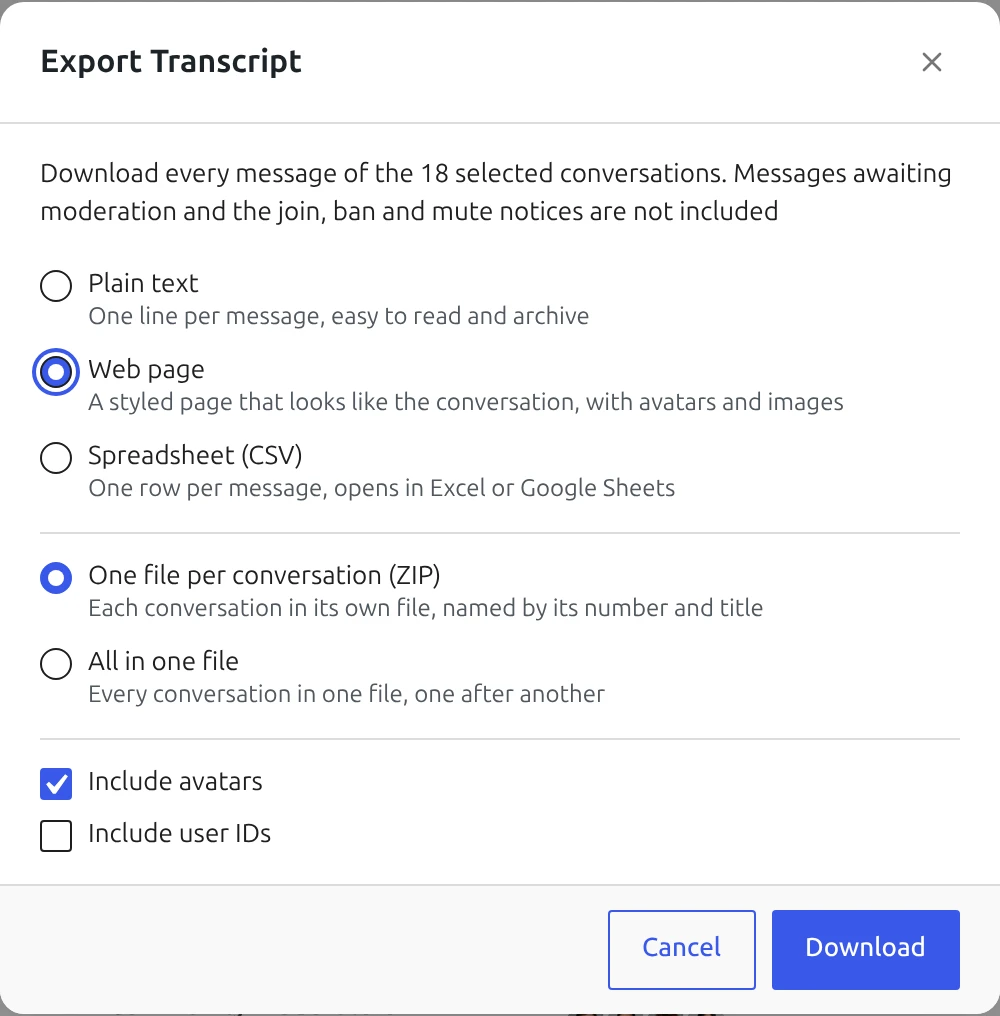
See Administration and Export transcripts.
Chat rooms that work the moment they are made#
A new chat room used to let in nobody until its roles were ticked, which was the most common question about chat rooms. A room now has one choice, Who can use this room: Logged-in members, Everyone, Selected roles or Only people added by hand. It is asked when the room is created, so a new room works at once. Rooms from before are not changed, and one that nobody can join is marked in the list.

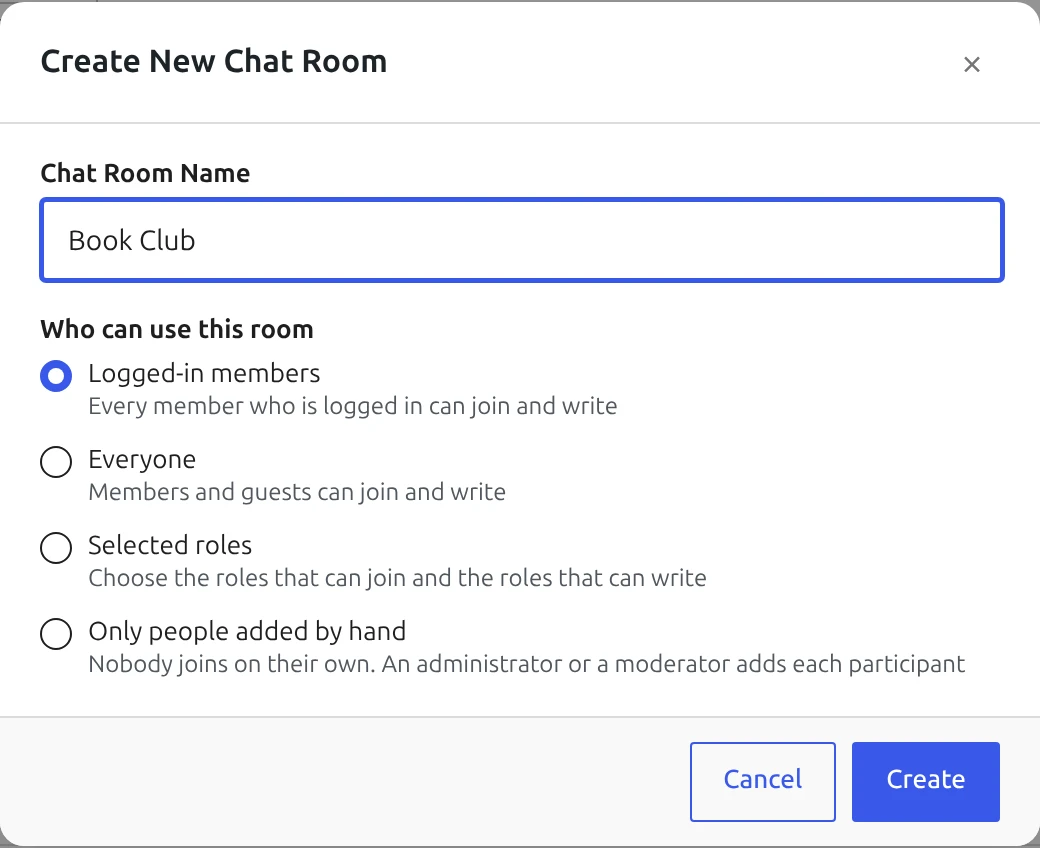
The chat room editor is six tabs (Room, Access, Participants, Chat, Calls and Cleanup) in place of one long page. See Who can use a room.
Settings you can search#
Better Messages has many settings, and 3.3.1 makes them easier to find and to read:
- A search at the start of the header finds any setting on any tab by its name or its description, in the language of the page, and opens it, marked.
- Five headings group the tabs, and Messaging and Notifications are split into sub-tabs.
- About sixty labels and descriptions were rewritten in plain words. No setting changed what it does.
- A Docs link stands on every card that has a documentation page, and the documentation has a new Settings Reference, made from the settings page itself.
Email notifications, sounds and the automatic deletions have a switch where 0 had to be typed to turn them off.
Unread messages in the browser tab#
Settings → Notifications → Browser Tab draws a badge on the site icon of the tab, round or square, with the unread count or a dot, in your colours. A symbol can follow the count in the title, the title can flash when a message arrives in the background, and members can turn all of it off for themselves. When another plugin shows its own count in the title, the title is left to it.

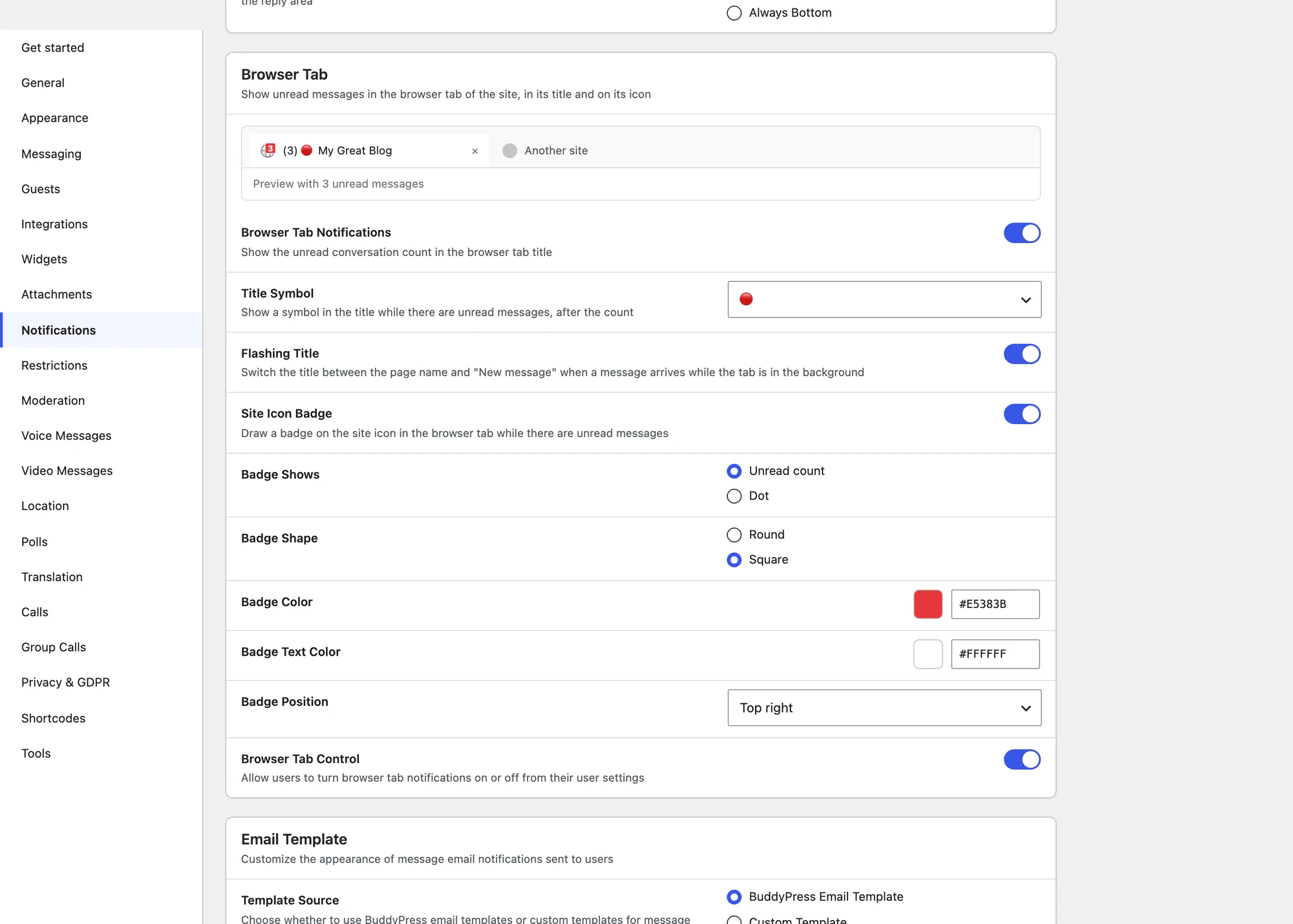
See Browser tab notifications.
Calls#
- AI Noise Removal by Default. Set it to Auto in Settings → Calls → Audio Effects, and noise removal is on for people on a computer who never chose, with a notice in the call to turn it off or not show it again. See Video effects.
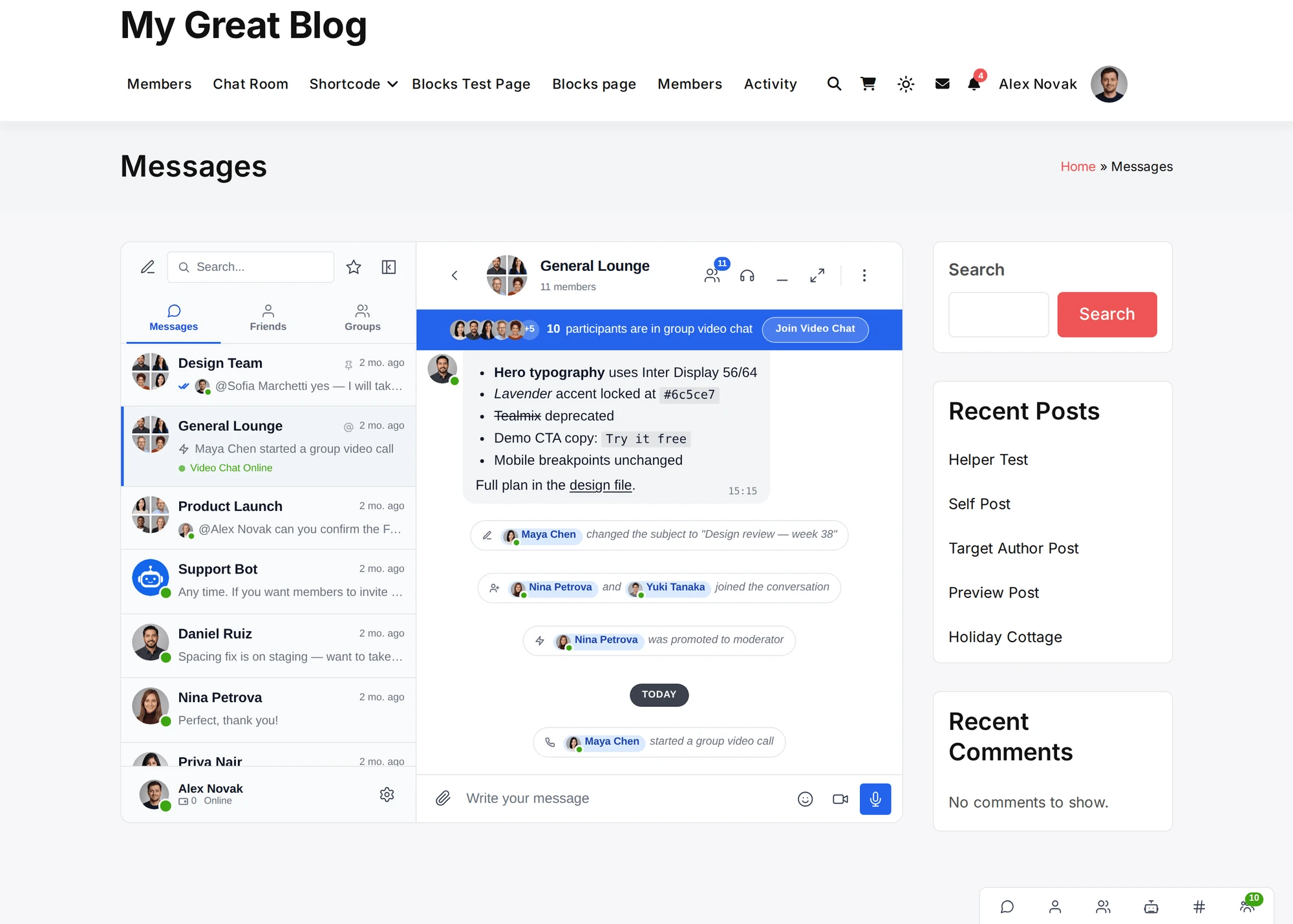
- Faces on the banner. The banner of a group video or audio chat shows who is in it, so members see who they would join before pressing Join.
- Moderators who agree. With more than one moderator in a group call, the Broadcast Mode, Lock Room and Mute Everyone switches of each show what another moderator set, and what a moderator did to one person holds when that person rejoins.
- Lock Room lets someone who was in the call back in after a reload or a dropped connection, while someone a moderator removed stays out.

The mobile app#
The store screenshots are made in the iPhone 6.3" size App Store Connect now requires, beside 6.9", and their choices are saved with the settings. For an iOS production build uploaded to TestFlight, the site makes the App Store version in App Store Connect when the app has none in preparation and selects the build in it once Apple has processed it, so only What is New and the submission for review are left to you.
Security#
Five fixes close gaps that a signed-in member could have used: transcribing or forwarding a message the member cannot read, joining a one-to-one call of another conversation, opening a protected file of a room the member is not in, a display name that carried the classes of the message buttons of the plugin, and the timing of the secret of the background requests of AI chat bots. Updating is the fix.
The free version and WordPress.org#
Since 3.1 the free version had a route through which WordPlus Cloud could install the WebSocket version after a purchase, when the buyer asked for it on the checkout page. WordPress.org does not accept that in the plugins it hosts, so 3.3.1 takes it out of the free version. Nothing in the free version installs, activates or deactivates another plugin.
Buying did not change. The Upgrade page opens the checkout, and the return from it saves the licence key and gives the download. Upload the WebSocket version under Plugins → Add New → Upload Plugin and activate it. It takes the place of the free version and keeps every setting and message. A site that already runs the WebSocket version is not affected, and it still installs the Voice Messages add-on when you ask for it at the checkout.
New WordPlus plugins#
Better Messages is no longer the only WordPlus plugin. Two new ones are on their way, Poly Community and Evo Support, and you can try both today without installing anything.
Poly Community#
Poly Community turns a WordPress site into a member site built from blocks. It starts with a community: profiles, follows and friends, posts with pictures, files and voice notes, spaces that are public, private or hidden (wordplus.org calls them groups), and notifications that arrive the moment something happens. Memberships, directories, job boards and courses run on the same core, and every part is a block you move or restyle in the Site Editor.
It runs where your site already is. In any block theme it is edited in the Site Editor like the rest of the site, and in any classic theme it shows inside the pages of the theme. It can also run as a portal, a page of its own with its own header. And a native theme, Poly Theme, is available with it, which draws the whole site in the look of the community, light and dark.
The community at wordplus.org runs on it, so the best demo is the real thing:

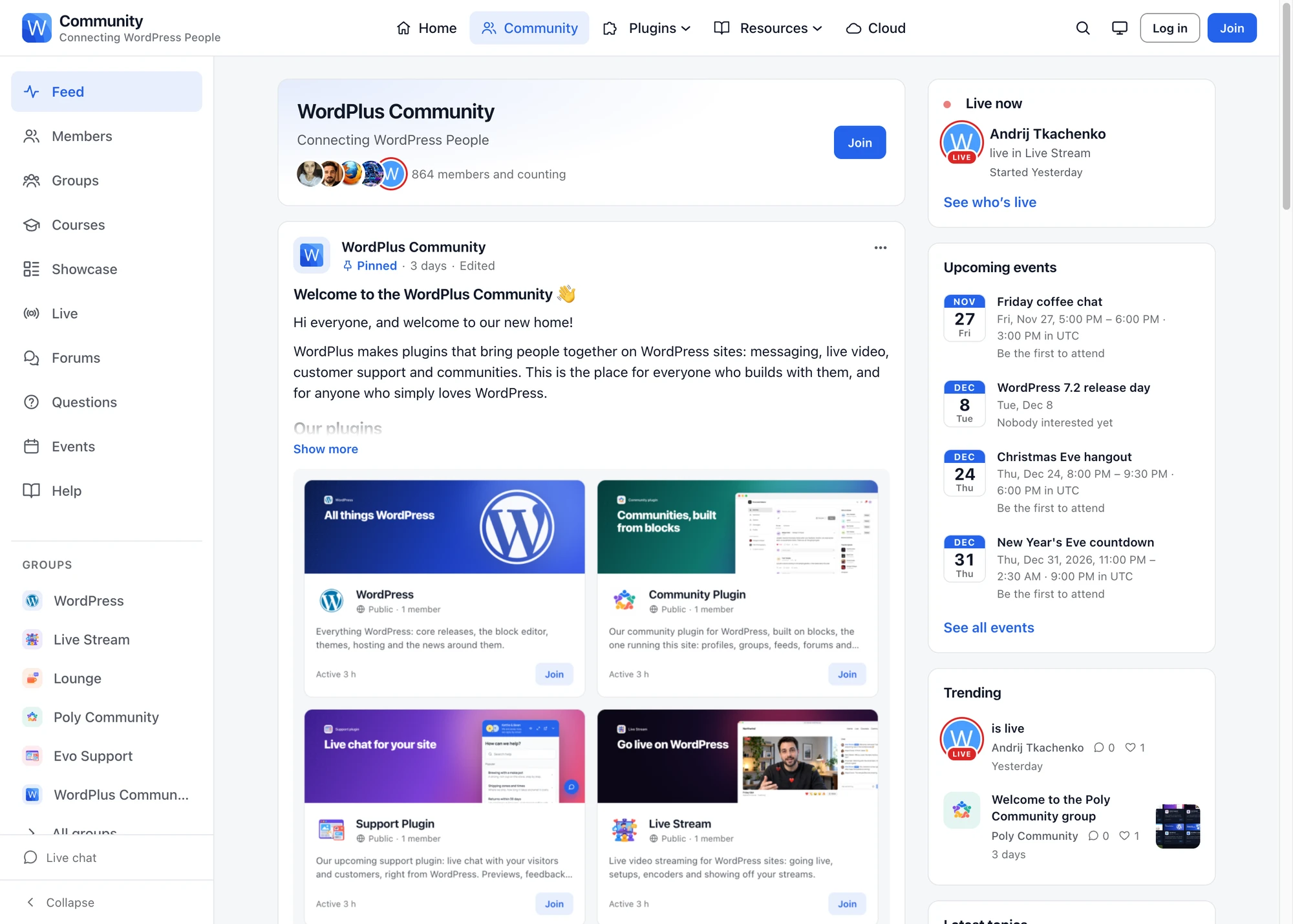
Create an account at wordplus.org, look around the feed, the groups, the forums and the events, and post something. Poly Community is in beta, and its group has the news and takes your feedback.
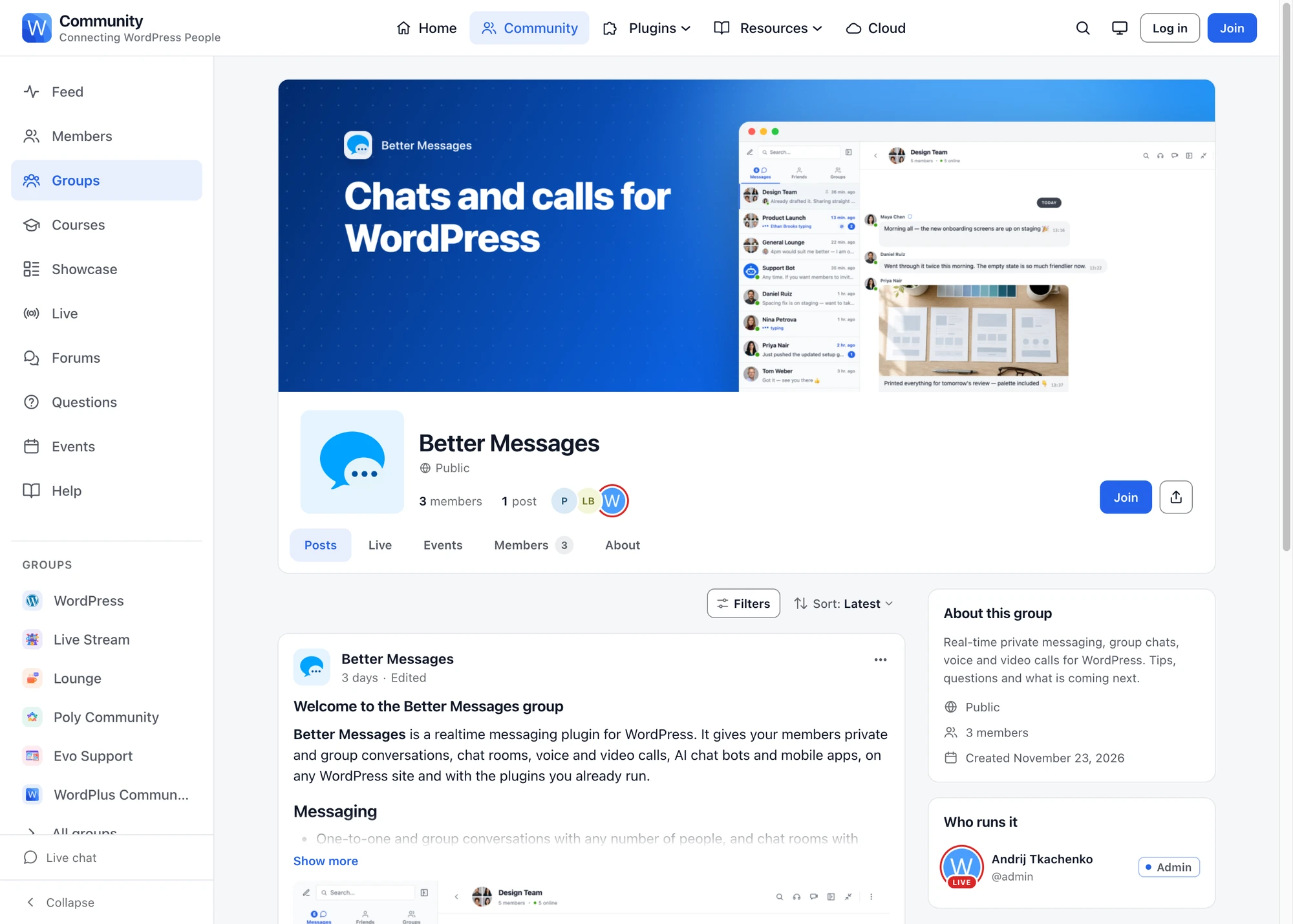
Better Messages 3.3.1 carries the integration: messages and calls from profiles, a chat for each space, and the names and pictures of the community in the messenger.
That community is also where the Facebook group moved. The Better Messages group is the place for questions, ideas and news, and the Join Community button in the header of every Better Messages admin page leads to it. Live Stream has its group there too.

Evo Support#
Evo Support is live chat for your site: a chat bubble for visitors, an inbox in WP Admin for your team, an AI assistant, tickets, forms and a help center. When nobody is online, the answer goes by email and comes back into the chat. Its assistant runs on AI providers and keys of its own, kept apart from those of Better Messages.
You are looking at it. The chat bubble in the corner of this website is Evo Support. This website is not a WordPress site, and its chats arrive in the inbox of wordplus.org, as Evo Support takes the chats of your other websites into one inbox. Open it and ask something:

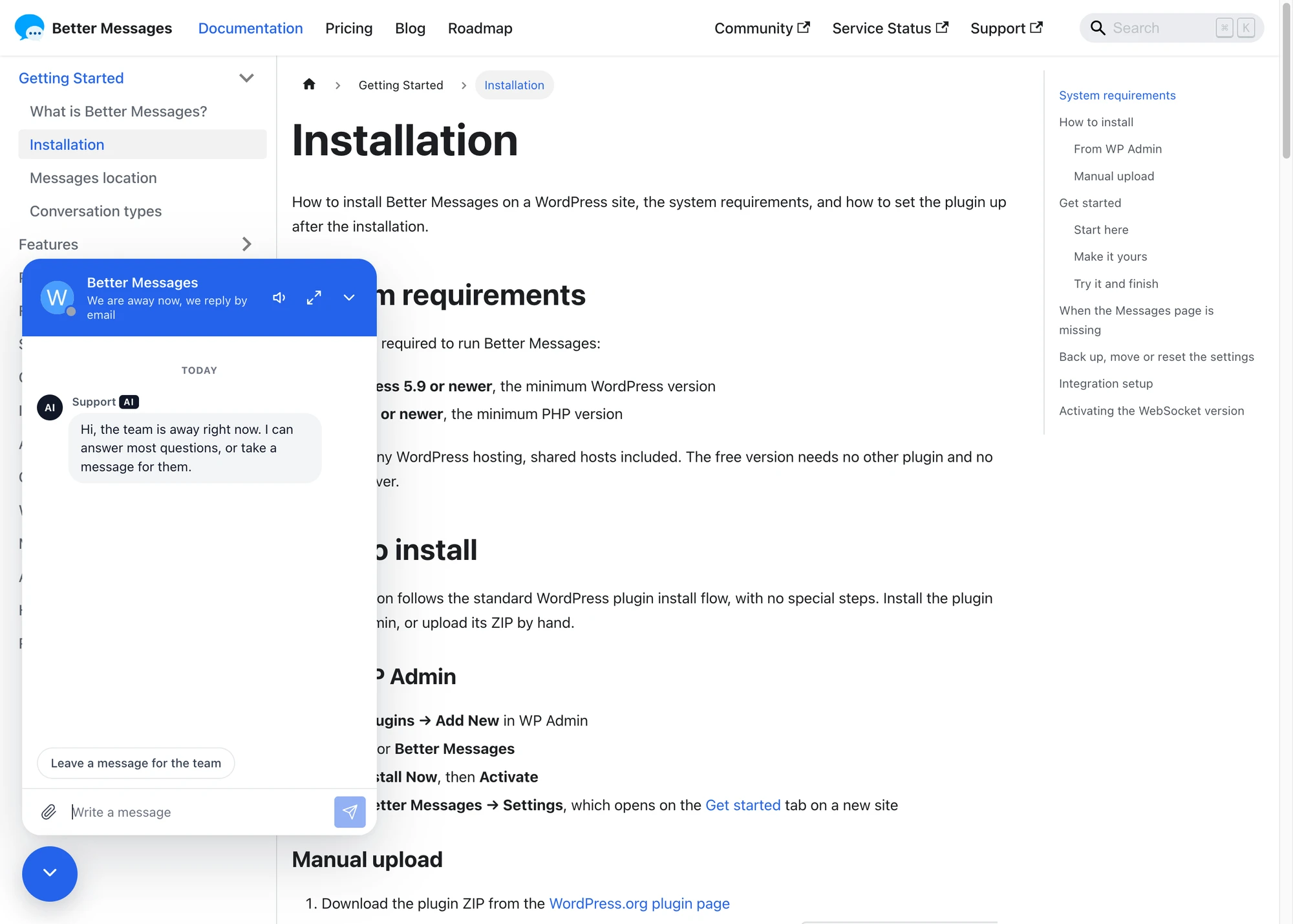
Evo Support is on its way to WordPress.org, and its group has the news.
Updating from 3.3.0#
- Nothing turns on by itself that changes what members see: Scheduled Messages, Download Transcript, the Browser Tab badge on the site icon, the AI badge and label, the spending limits and AI Noise Removal by Default are off until you turn them on.
- The database gets new tables for scheduled messages and the history of group calls when an administrator first opens WP Admin after the update.
- Chat rooms from before keep their access as it was. Open Chat Rooms once to see whether a room is marked as one nobody can join.
- The settings look different: the same settings under five headings, with a search. A link to a setting from before still opens it.
- A question about staging copies shows once on the Dashboard of WP Admin. WordPlus plugins now keep a staging copy apart from the live site, so the site says where it was recorded as the live site and asks whether it is a staging copy. On your live site, press It is the live site. A site answered as a staging copy touches no payment, file or member of the live site, until you say it is the live site again.
- The free version no longer installs the WebSocket version by itself after a purchase. The Upgrade page gives the download.
- The mobile apps keep working without a new build. The fixes of group call moderation reach them with a later build of the app.
- Translations of the new strings are not complete in every language yet. They show in English until they are.
The full list is in the changelog. If something does not work as it should, Better Messages → Support in WP Admin reaches me, and so does the Better Messages group.