Video and Audio Rooms
A video or audio room is a chat room whose call is the room. Nobody starts it and nobody is rung: whoever opens the room is in its call at once, with the camera and microphone off, and turns them on when they want to talk. The chat of the room stays beside the call, so people can write while they listen.

It suits a lounge that is always open, office hours of a teacher or a support team, a study room, or a community's weekly call. Video and audio rooms are in the WebSocket version.
Making a room a video or audio room#
- Go to WP Admin → Better Messages → Chat Rooms and open a room, or create one.
- On the Calls tab of the room, set Room format to Video or Audio.
- Press Save.

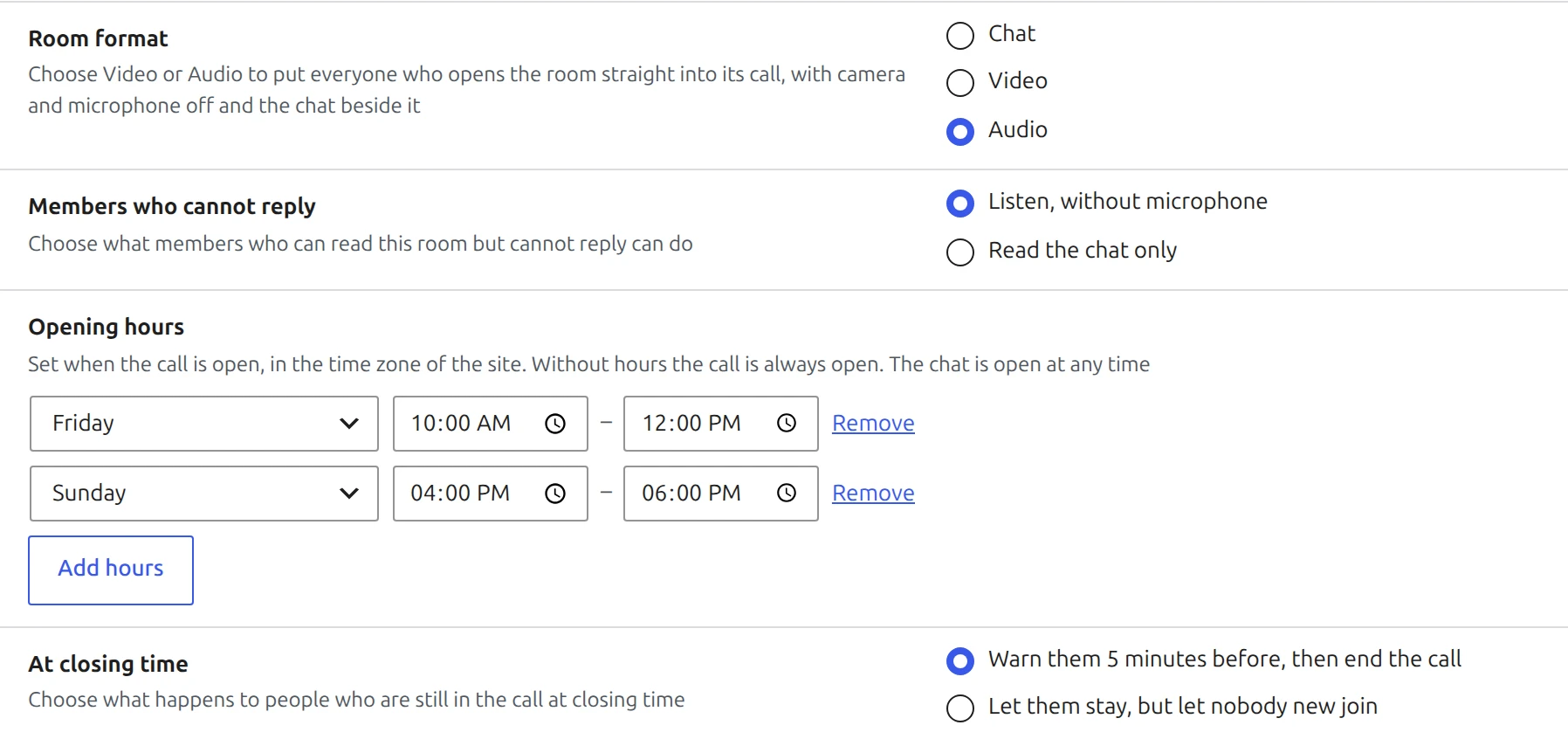
A Video room is a group video call, an Audio room a group audio call. The room type decides which, so the Group video calls and Group audio calls switches of the room are not shown for these rooms. Group video calls or group audio calls for chat rooms must be on in Settings → Group Calls: when one is off, the editor greys that type and links to the setting.
Everything else of a chat room works as before: who may join and reply, guests, moderators, bans, the members list, the online list and the shortcode or block that puts the room on a page.
What a visitor sees#
- On opening the room, once they may join it (after the Join button, the guest form or the captcha the room asks for), they are in the call with the camera and microphone off. The call fills the room and the chat sits beside it. On a phone the chat opens from the call's controls.
- The browser may hold the sound back until the visitor clicks somewhere on the page. The call then says so and turns the sound on with one click.
- Leaving the call keeps the visitor in the room's chat. A banner above the messages shows who is in the call and a Join Video or Join Audio button. They are not put back in on their own while the page is open.
- In a call already, in this tab or another tab of the site, the visitor is not moved: the room shows its Join button instead.
- There is no Start call button and no ringing, and the room writes no "started a group call" line in the chat.

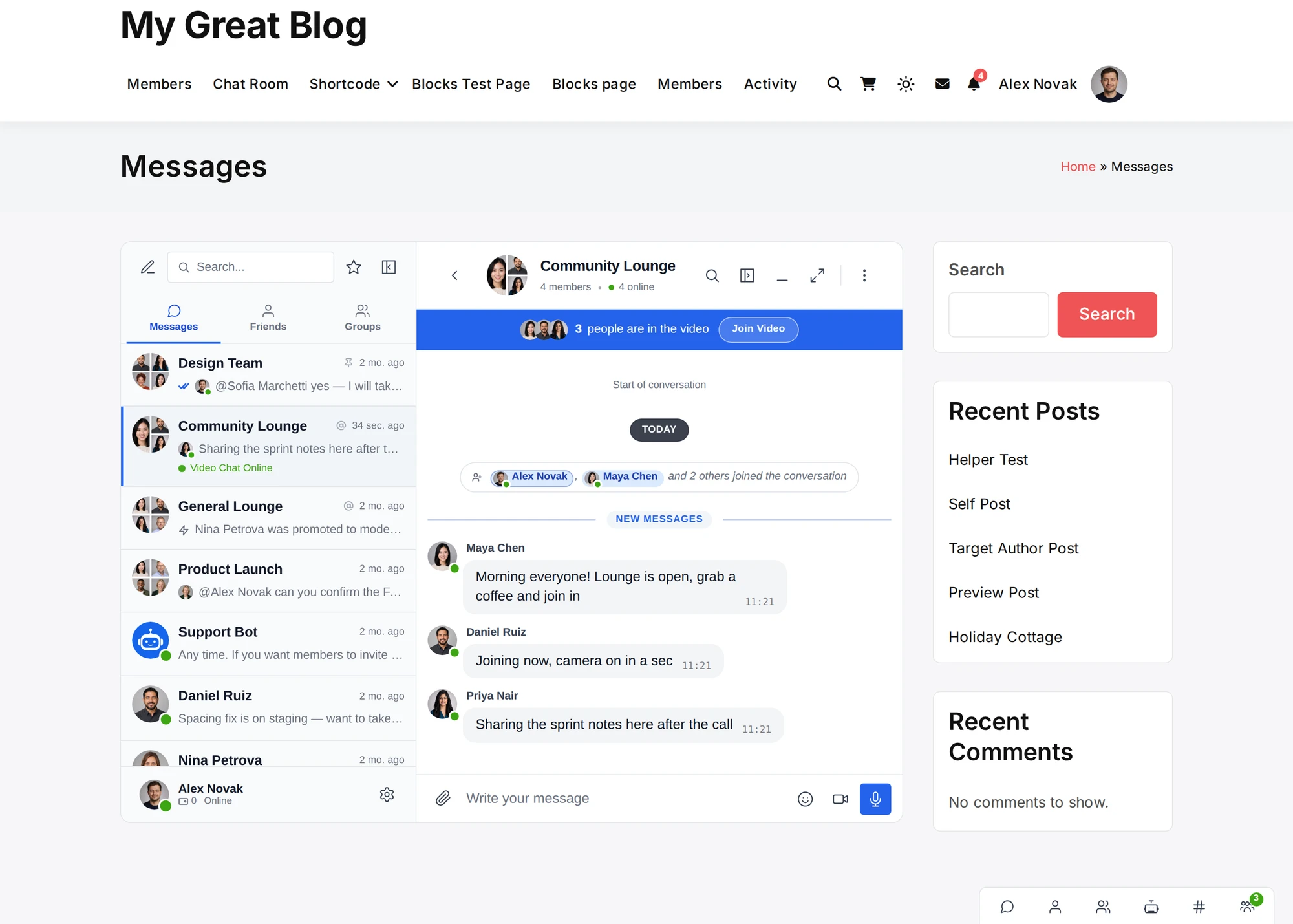
A video or audio room opened in a floating chat window of the mini widget shows the same banner, and its Join button opens the room in full. In the mobile app the room opens as a chat room with the same banner, and Join opens the app's own call screen.
Members who can read but not write#
A member may be allowed to read a room but not to reply in it, by the room's Can reply roles. Members who cannot reply decides what they get in a video or audio room:
| Choice | What they get |
|---|---|
| Watch and listen (the default) | They are in the call as listeners, with no camera or microphone, and read the chat |
| Read the chat only | They read the chat, with a notice that the call is for the members who can write |
A moderator can still promote a listener to speaker in the call, as in any group call.
Opening hours#
With no hours the call of the room is always open. Opening hours limits it to times of the week:
- Press Add hours, choose the day and the time it opens and closes.
- Add a row for each day or period. Rows on the same day can overlap or follow each other, and a row that closes earlier than it opens, such as 22:00 to 02:00, runs past midnight into the next day.
- Press Save.
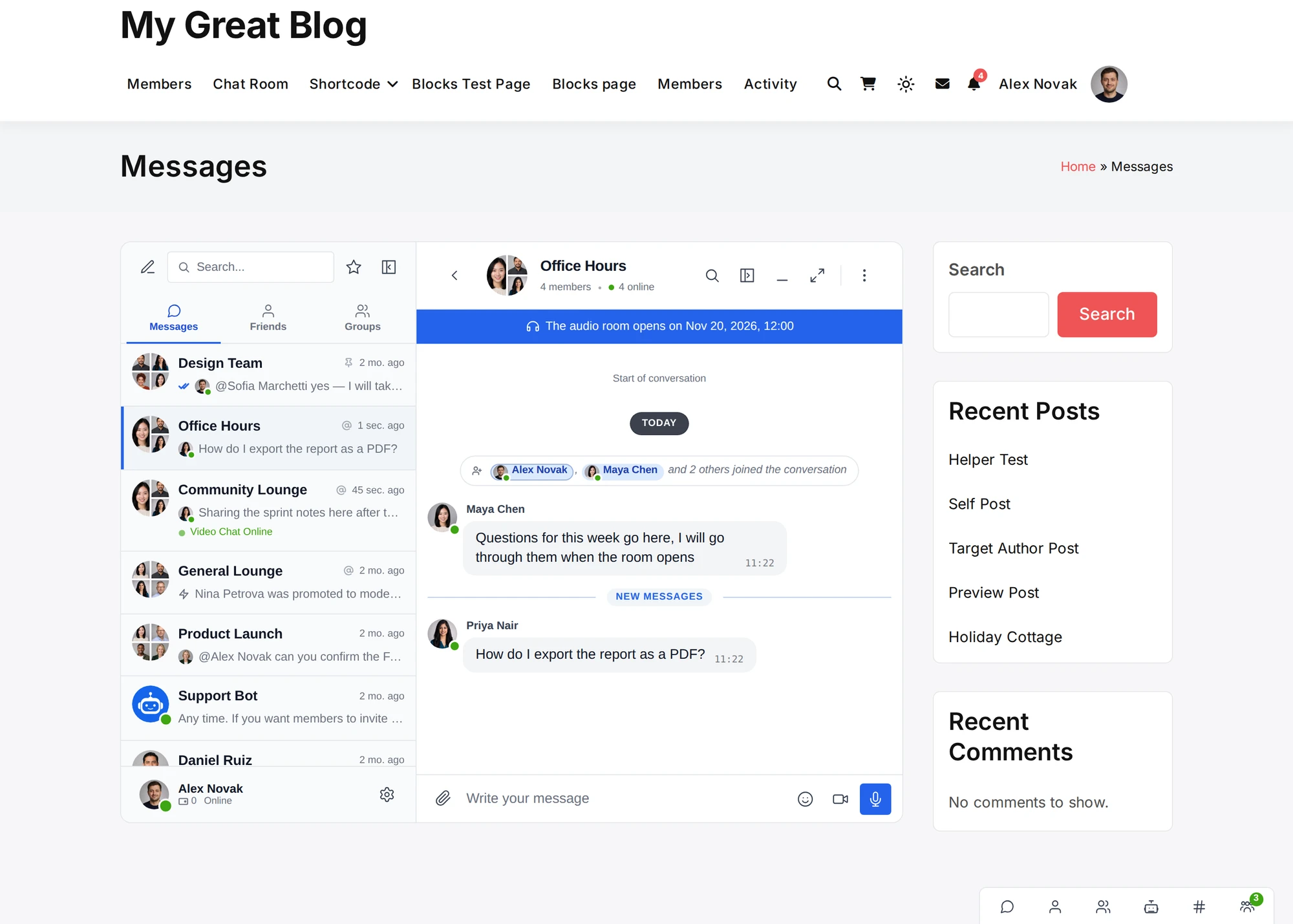
The hours are in the site's time zone (Settings → General → Timezone of WordPress). Outside them the room's banner says when the call opens next, in the visitor's own time zone, and nobody can join it. The chat of the room stays open at all hours. At opening time the call opens for those who have the room on screen, with no reload.

At closing time decides what happens to the people still in the call:
| Choice | What happens |
|---|---|
| Warn them 5 minutes before, then end the call (the default) | Everyone in the call is told 5 minutes before, and the call ends at the time |
| Let them stay, but let nobody new join | The people in the call stay as long as they like, and nobody else joins until the room opens again |
Seats and credits#
Everyone in the call of a video or audio room counts as a person in a group call from the moment they open the room, with their camera and microphone on or off: a video seat in a video room and an audio seat, half a video seat, in an audio room. The site's group calls share the same allowance and credits as any other group call.