Better Messages for Motors: Buyer ↔ Dealer Live Chat for Car Listings
The Motors integration for Better Messages adds a Live Chat button on the single car listing page, a LIVE CHAT pill on inventory list cards, a Live Chat row on the dealer profile, and a MESSAGES tab inside the dealer dashboard. Supports the Motors Multi-Listing add-on for motorcycles, boats, trucks, RVs and other vehicle types. Theme accent colors are inherited automatically. Works on both the free and WebSocket versions.
To install the plugin ensure that your website running:
- WordPress 5.9 or newer
- PHP 7.4 or newer
Installation#
How to install Motors#
Download Motors – Car Dealer, Classifieds & Listing from the WordPress.org plugin directory and follow the standard WordPress installation process. The free Motors Starter Theme (or any of Stylemix's commercial Motors themes) is recommended for the polished out-of-the-box layout the screenshots below use.
How to install Better Messages with Motors#
- Install Better Messages through the WordPress plugins screen or upload the plugin files to the
/wp-content/plugins/bp-better-messagesdirectory. - Activate the plugin through the Plugins screen in WordPress.
- Use the Better Messages → Settings menu to configure the plugin.
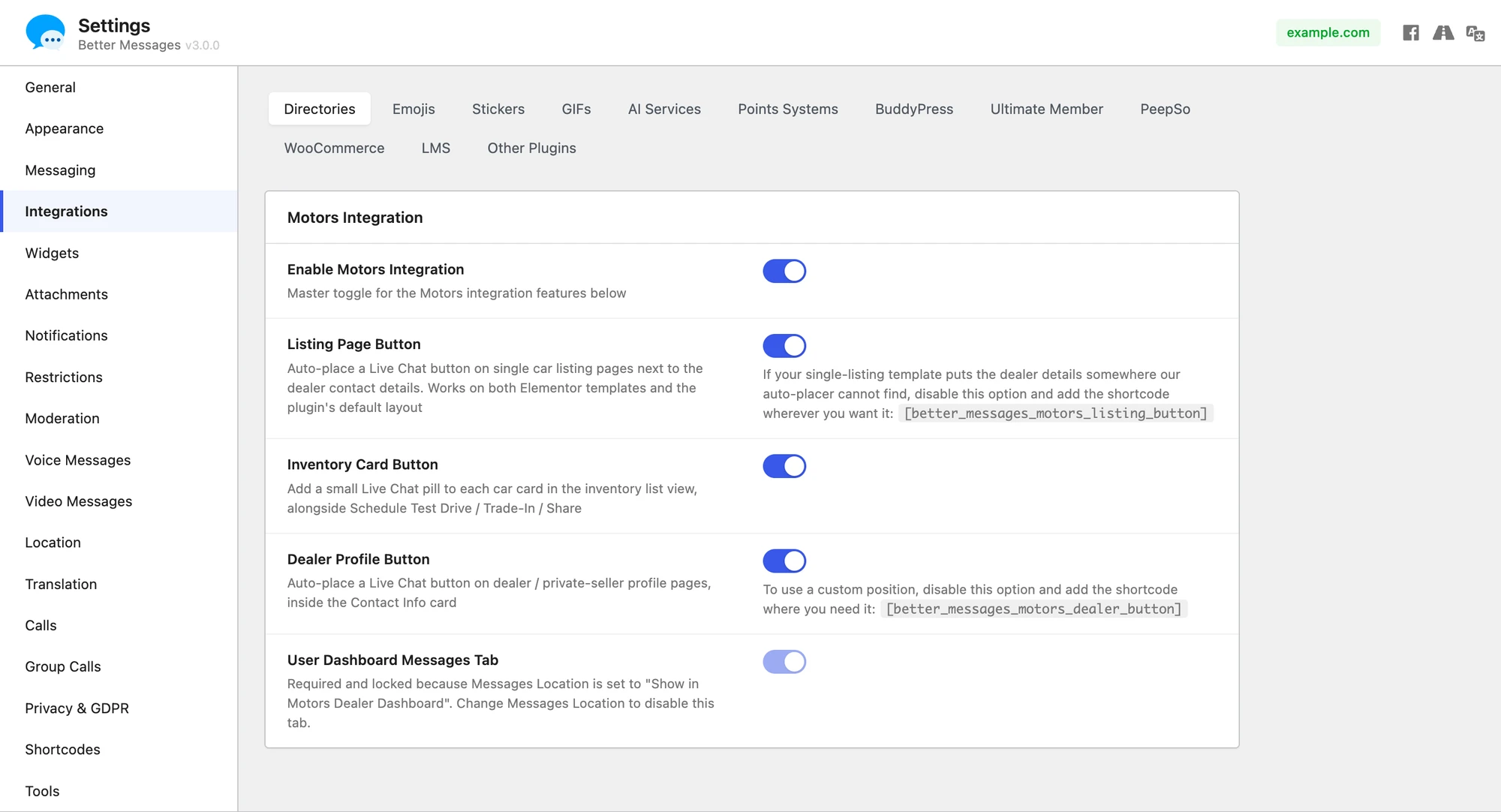
- Go to Integrations → Directories and enable the Enable Motors Integration toggle. Each placement below has its own toggle so you can enable only the ones you want.
Setting the Motors dealer dashboard as the messages location#
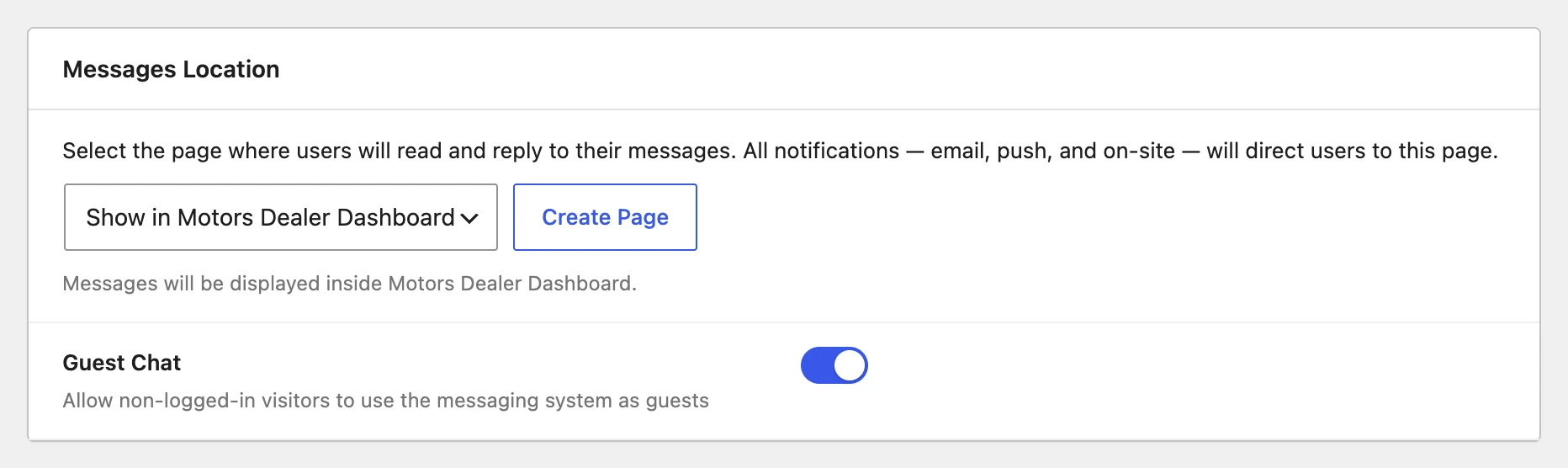
Better Messages → Settings → General has a Messages Location dropdown that controls which page hosts the user inbox. Selecting Show in Motors Dealer Dashboard routes every "open inbox" link in the plugin (notification emails, on-site links, push notifications, the floating bubble, etc.) into the MESSAGES tab on the dealer's own dashboard at /author/<username>/?page=better-messages. The dashboard tab is force-enabled and locked while this option is selected — change the Messages Location away from Motors to unlock it again.

Supported features#
Live Chat button on the single listing page#
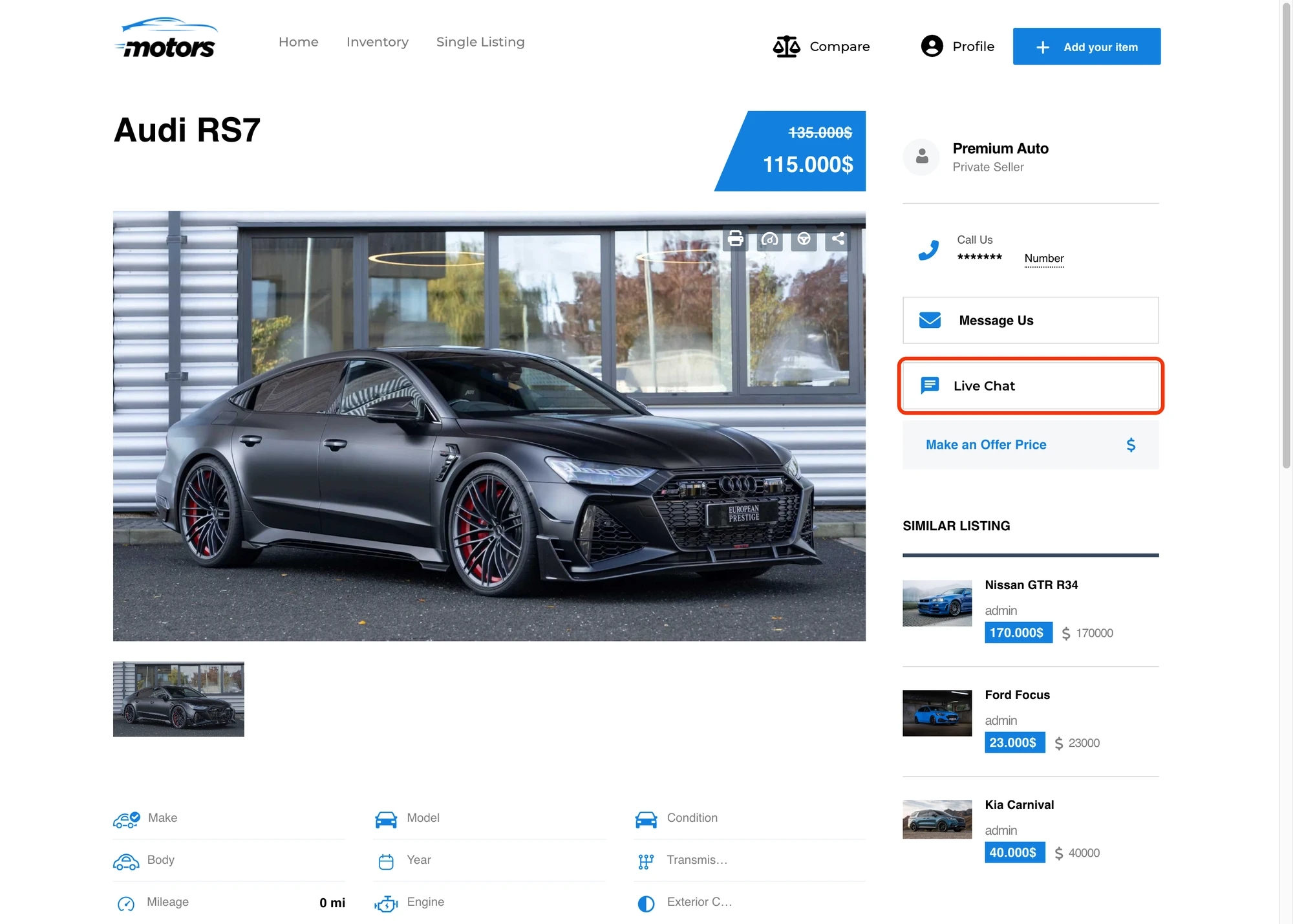
Renders inside the dealer card on the single-listing page, alongside Motors' Message Us and Make an Offer Price buttons. The button is hidden when the listing is unpublished or when the visitor is also the listing's author.

Live Chat pill on inventory list cards#
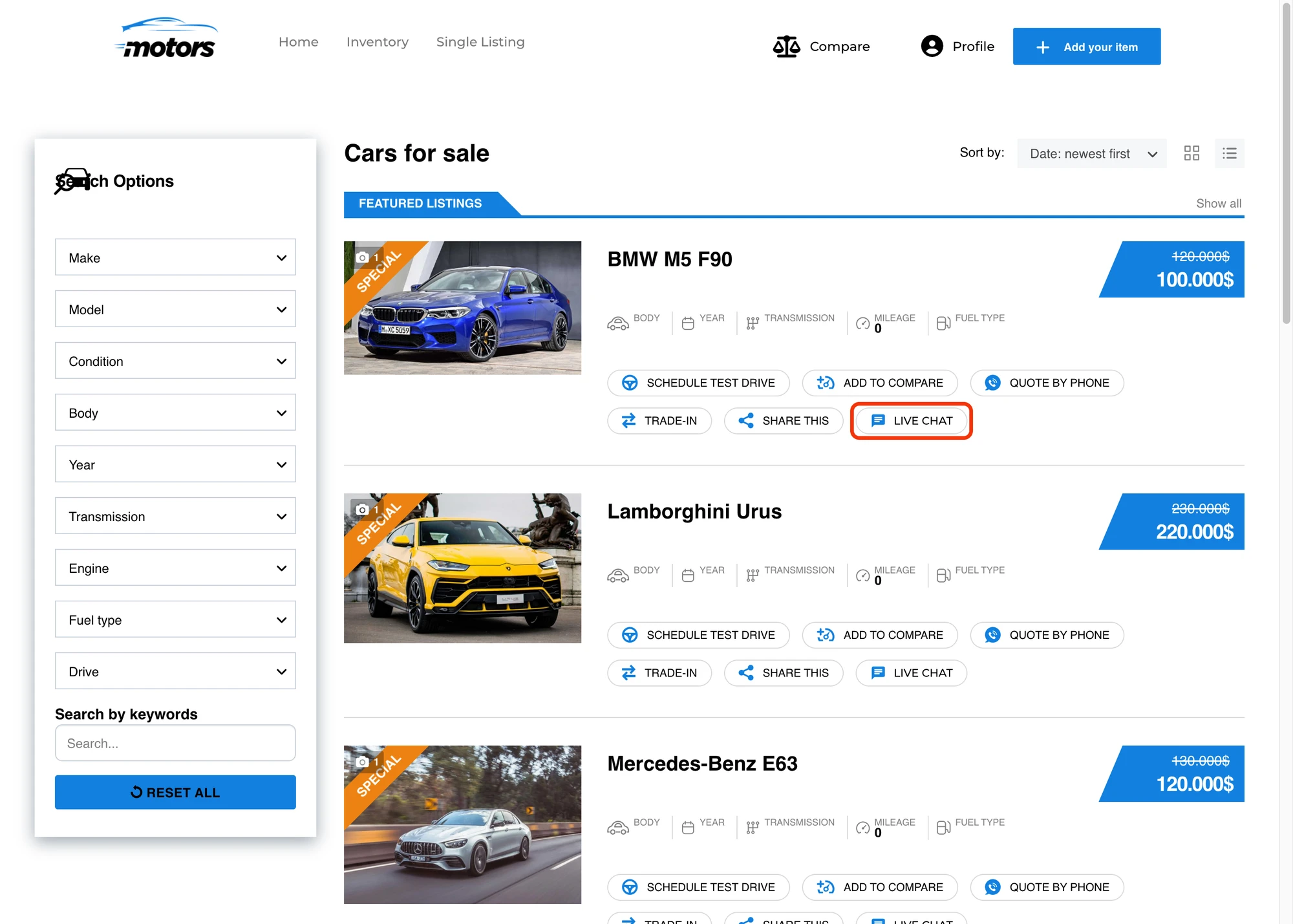
Adds a small LIVE CHAT pill to each card in the inventory list view, inline with the native Schedule Test Drive / Add to Compare / Quote by Phone / Trade-In / Share This actions. Hidden for cards owned by the current visitor.

Live Chat button on the dealer profile page#
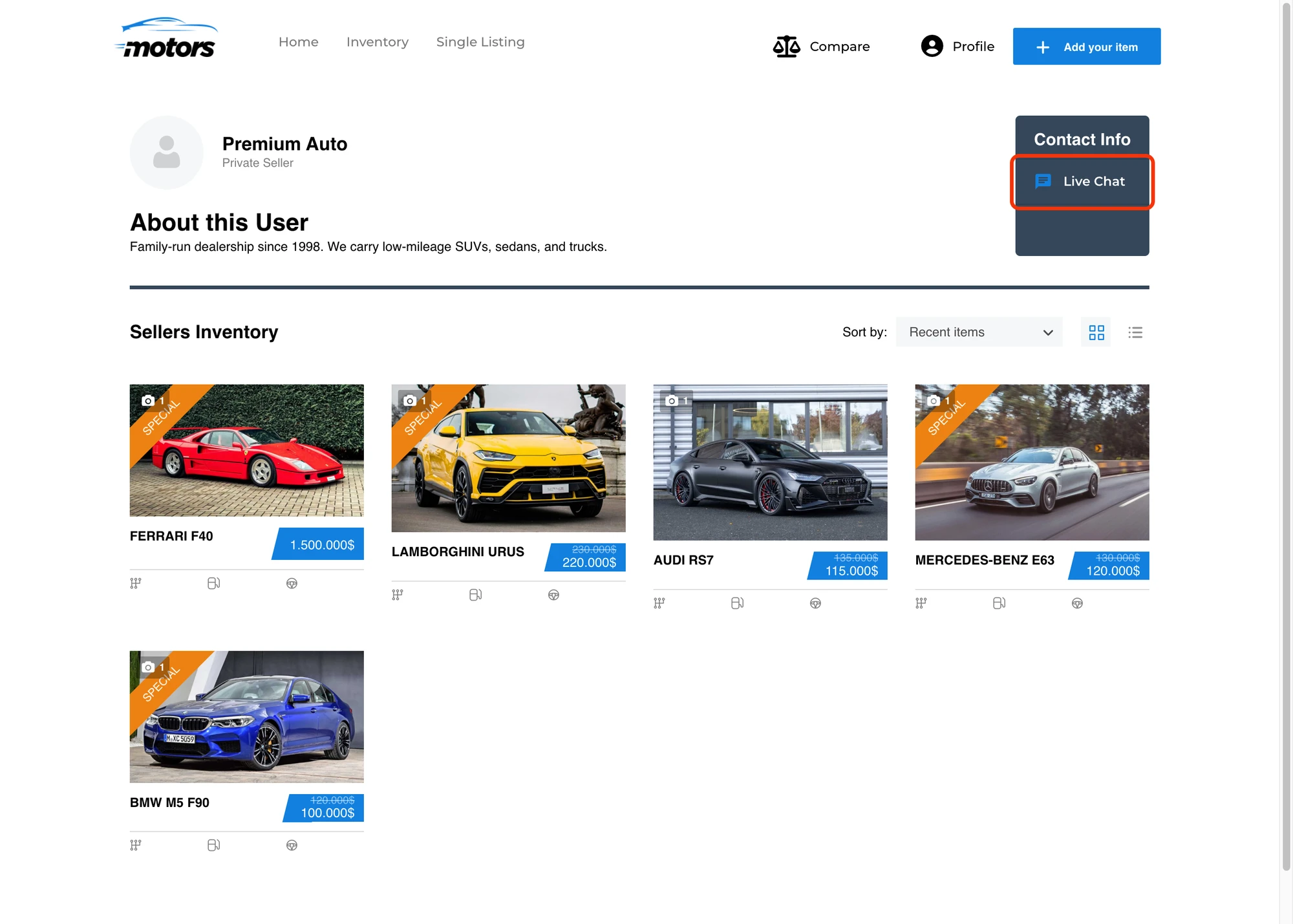
Adds a Live Chat row to the Contact Info card on the dealer / private-seller profile page. Hidden when the dealer has no published listings or when the dealer is viewing their own profile.

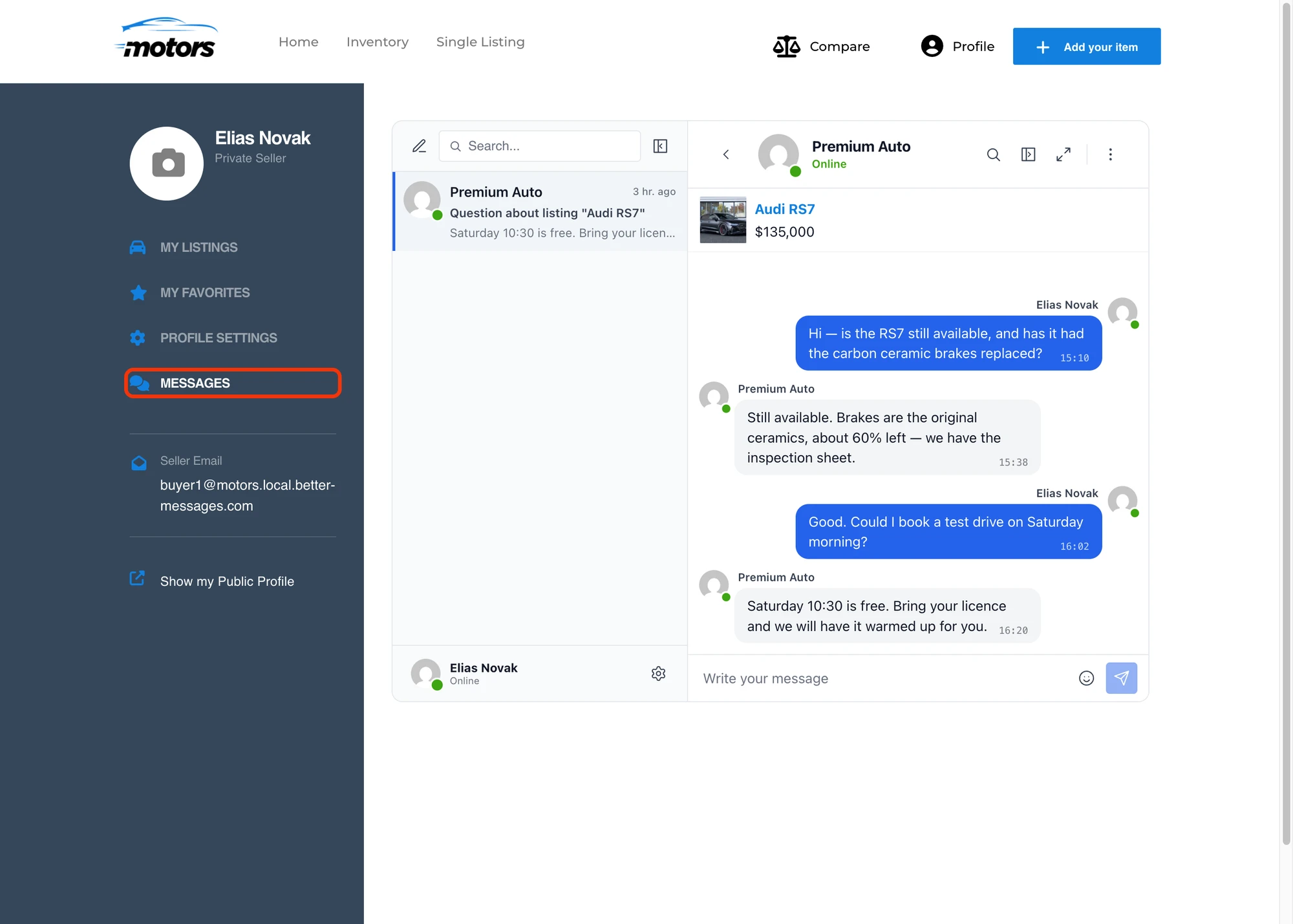
Messages tab inside the dealer dashboard#
Adds a MESSAGES tab to the dealer dashboard sidebar at /author/<username>/, alongside MY LISTINGS / MY FAVORITES / PROFILE SETTINGS. The tab loads the full Better Messages inbox inline so dealers can read and reply without leaving their dashboard.

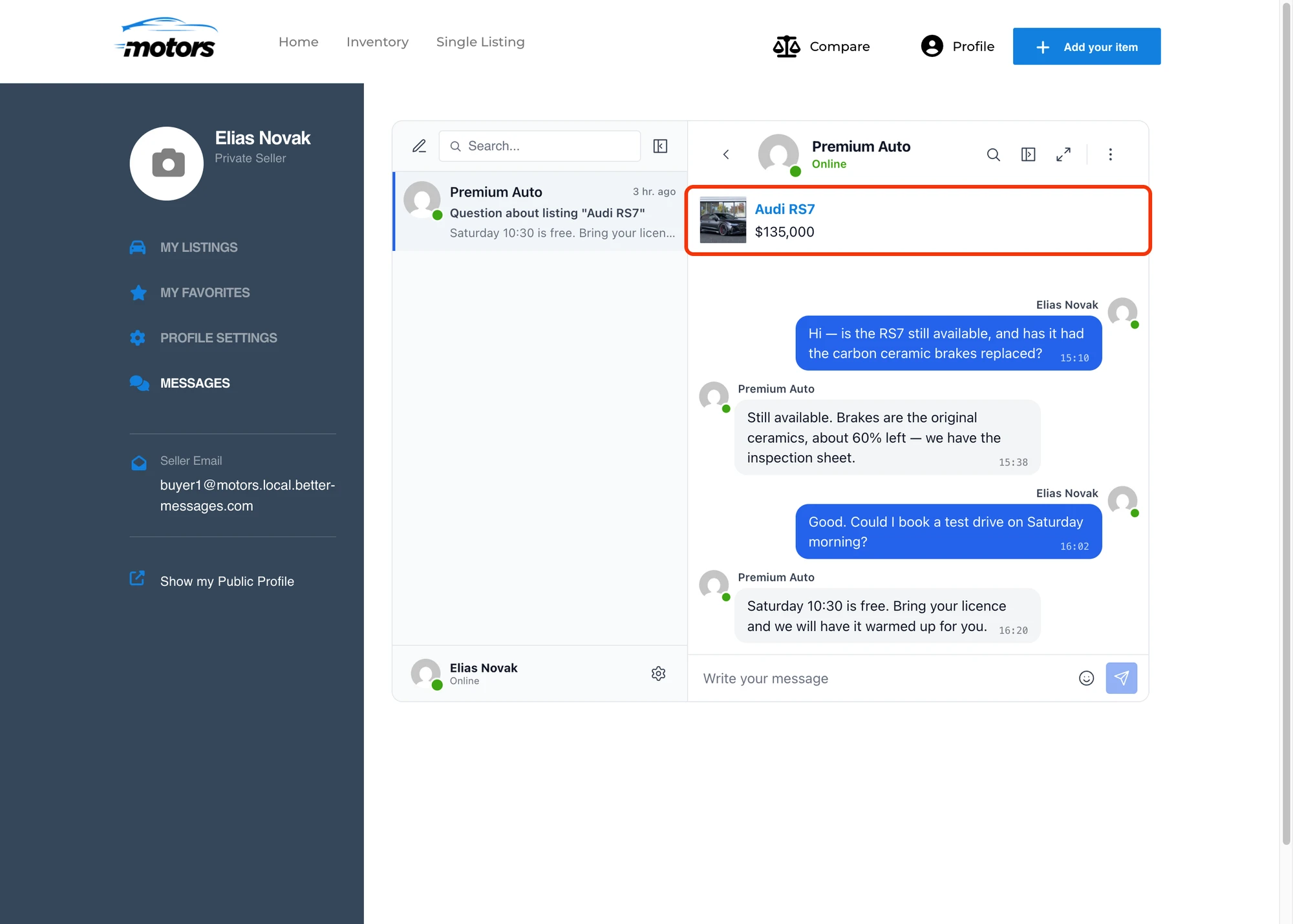
Listing info card inside the conversation#
Conversations started from a Motors listing show the car's image, title and price inside the messenger's thread-info card. Clicking the dealer's name or avatar in a conversation opens their Motors author profile page rather than the default WordPress author archive.

The buttons inherit the Motors theme's accent and text colors automatically — if you customize the theme palette through Motors' settings, the Live Chat buttons pick up the new colors with no extra configuration.
Shortcodes for custom placement#
If the auto-injected buttons don't land where you want them (custom Elementor template, sidebar widget, theme override, etc.), drop the matching shortcode wherever you need.
Disable the corresponding toggle (Listing Page Button / Inventory Card Button / Dealer Profile Button) before placing the shortcode, otherwise the button will be rendered twice — once auto-injected and once by the shortcode.
[better_messages_motors_listing_button]#
Renders the Live Chat button targeted at the listing's author. Uses the current car listing when no listing_id is supplied.
| Attribute | Default | Notes |
|---|---|---|
listing_id | current listing | Override the listing the button targets |
text | Live Chat | Override the button label |
[better_messages_motors_listing_button]
[better_messages_motors_listing_button listing_id="2530"]
[better_messages_motors_listing_button text="Contact seller"]
[better_messages_motors_dealer_button]#
Renders the Live Chat button targeted at a specific dealer or private seller. Uses the current author when placed on a dealer profile page, or accepts an explicit user_id attribute when used elsewhere.
| Attribute | Default | Notes |
|---|---|---|
user_id | profile author | Override the message recipient |
text | Live Chat | Override the button label |
[better_messages_motors_dealer_button]
[better_messages_motors_dealer_button user_id="2"]
[better_messages_motors_dealer_button text="Chat with this dealer"]
Multi-listing support#
If you also use the Motors Multi-Listing add-on with extra vehicle types (motorcycles, boats, trucks, etc.), every placement above works for those listings automatically — no extra configuration needed.
Frequently asked questions#
Does it work with all Motors theme variants?#
Yes — Better Messages works with the standard Motors plugin regardless of which Stylemix theme you use. Theme accent colors are inherited automatically.
Does it work with the Motors Multi-Listing add-on?#
Yes — every placement works for motorcycles, boats, trucks, RVs, and any custom vehicle type the Multi-Listing add-on registers.
Can buyers chat without registering?#
Optional — enable Guest Chat in Better Messages → Settings → General → Guest Chat.
What happens when a car listing is unpublished?#
The Live Chat button is hidden when the listing is not published. Existing threads remain readable.
Can I move the LIVE CHAT pill to a different position on inventory cards?#
The pill renders inline with Motors' standard inventory-card action row. A custom hook priority can reorder if needed.
See also#
- Motors car dealer chat — full feature write-up
- WordPress real estate chat — adjacent real-estate use case
- Classified Listing integration — for general classifieds sites
- HivePress integration
- Directorist integration