Better Messages for GamiPress: Charge Points to Message or Call
The GamiPress integration allows charging users for messaging and private calls using GamiPress point types — per-message, per-new-thread, per-call, per-role, and per-conversation-type. The user's balance can be displayed inline in the messenger with a configurable URL where they can manage or top up points. Supported through a unified Points System with provider abstraction, shared with MyCred.
To install the plugin ensure that your website running:
- WordPress 5.9 or newer
- PHP 7.4 or newer
Installation#
How to install GamiPress#
Download GamiPress from official website and install following standard WordPress installation process.
How to install Better Messages with GamiPress#
- Install the plugin through the WordPress plugins screen directly or upload the plugin files to the
/wp-content/plugins/bp-better-messagesdirectory. - Activate the plugin through the Plugins screen in WordPress.
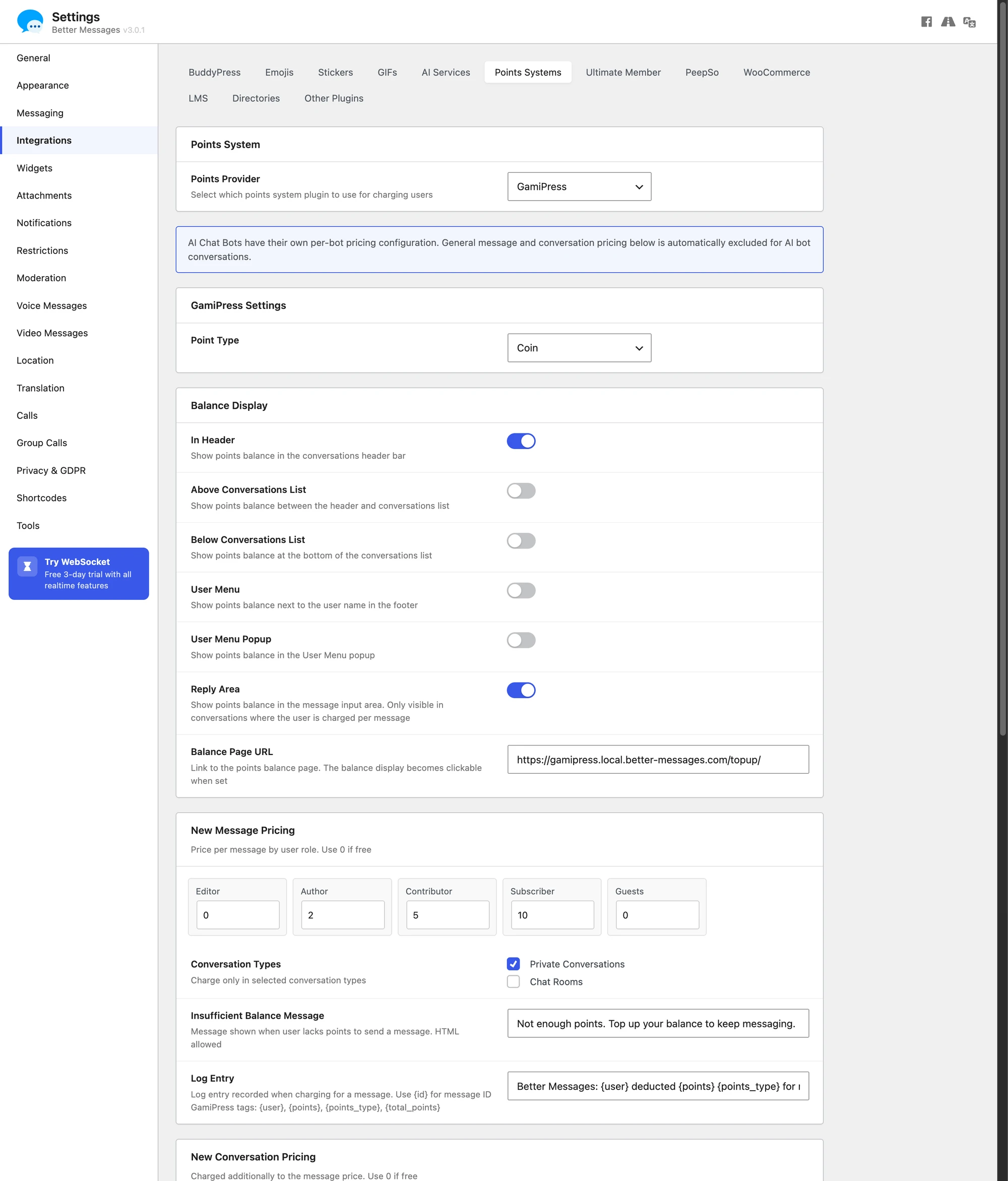
- Use the Better Messages → Settings → Integrations → Points Systems menu to configure the integration.
Configuration#
Point Type#
Select which GamiPress point type to use for charging.
Charge Types#
- New message — charge when a user sends a message
- New thread — charge when a user creates a new conversation
Charge Categories#
Different rates can be configured for each conversation type:
- Private threads — one-on-one conversations
- Groups — group conversations
- Chat rooms — chat room messages
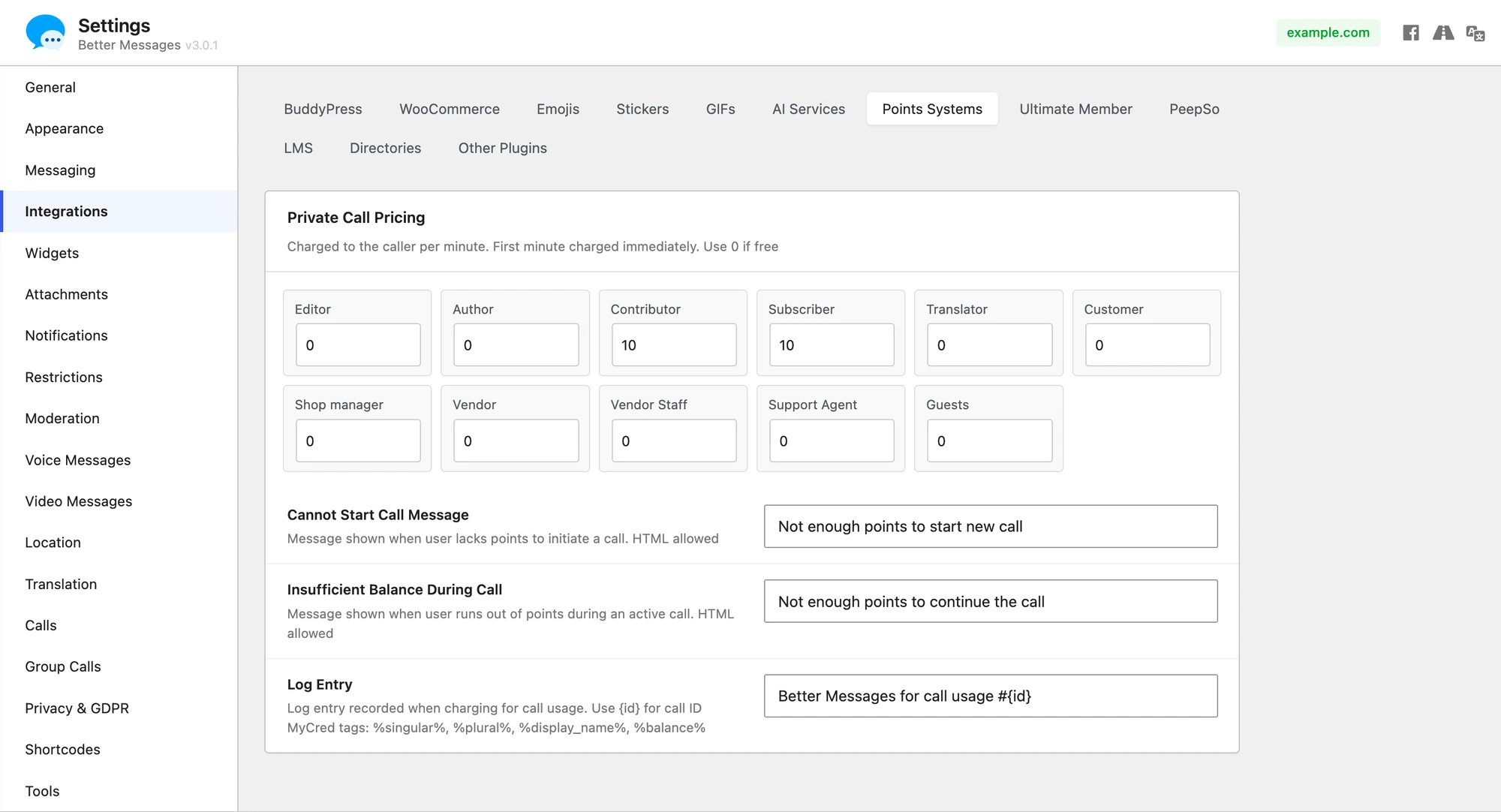
Per-Role Pricing#
Different charge amounts can be set per WordPress user role for messages, new threads, and calls. Voice and video calls bill per call minute (first minute charged at start, and calls end gracefully if the balance drops below one more minute mid-call).

AI Usage Charging#
Points can be charged for AI bot responses. This is configured per-bot in the AI Bots settings.
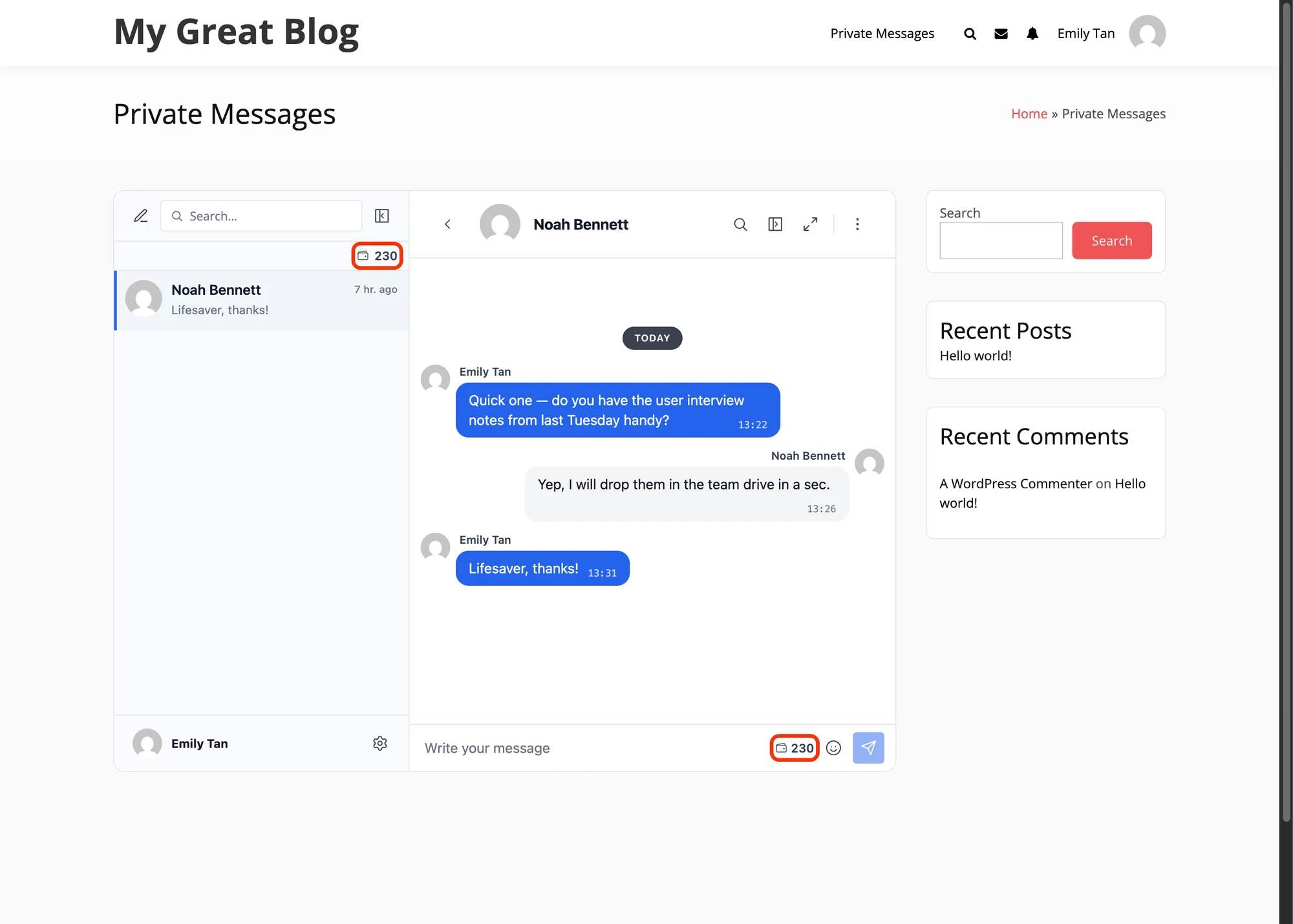
Balance Display#
The user's point balance can be shown in multiple locations:
- Chat header
- Threads list (top)
- Threads list (bottom)
- User menu
- User menu popup
- Reply form area
Balance URL#
A configurable external URL can be set where users can manage or purchase points. The balance pill in the messenger links to this URL — typically a WooCommerce points-top-up product or a custom checkout.

See also#
- Pay-to-Message with MyCred and GamiPress — canonical feature reference (shared across both providers)
- GamiPress pay-to-message — full feature write-up
- Build a monetized DM platform — vertical walk-through with per-message + per-call billing
- MyCred integration — same feature on the MyCred points engine
- AI Chat Bots — for charging points per AI bot response
- Role-based access — for per-role pricing setup