GIFs
Better Messages supports GIFs through two providers — GIPHY and KLIPY — giving users a fun way to express themselves in conversations with animated images.

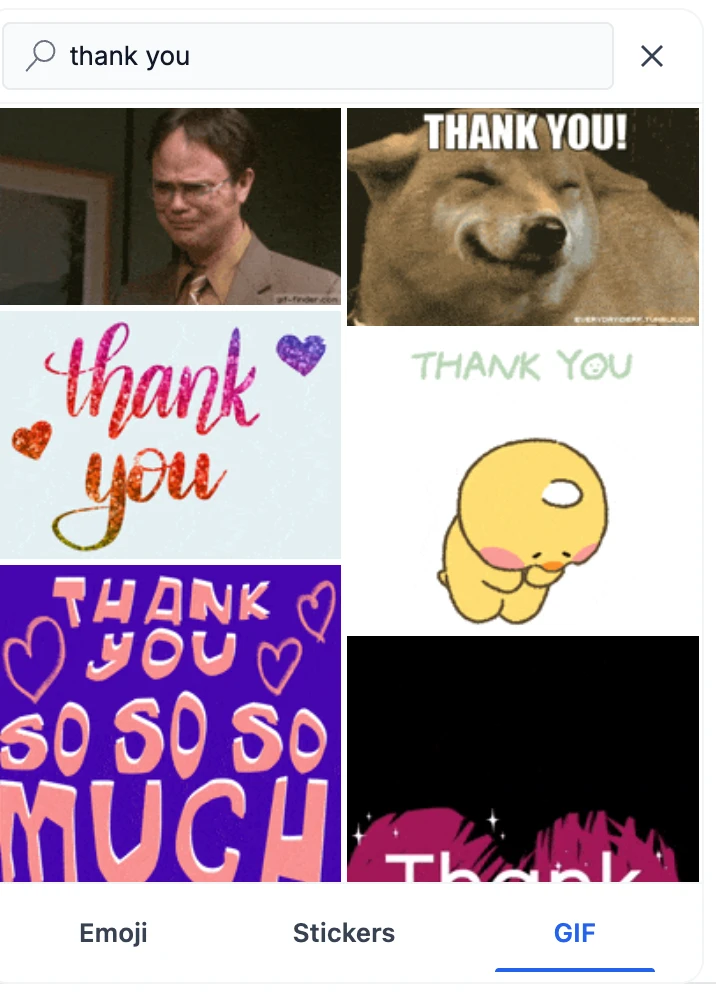
How it works#
GIFs live in the message input's picker button, alongside emoji and stickers. Clicking it opens a popover with an Emoji · Stickers · GIF tab strip along the bottom. The GIF tab is where users can:
- Browse trending GIFs — the default view shows currently popular GIFs
- Search by keyword — type in the search bar to find specific GIFs
- Send with one click — tap any GIF to send it instantly. The picker closes immediately
2.x had a separate GIF button that opened a full-width panel across the bottom of the chat. 3.0 folds emoji, stickers and GIFs into the one picker button, and the GIF tab only appears when a provider is configured.


The GIF grid uses a stable masonry layout — new results load as you scroll down without repositioning existing items, so the browsing experience stays smooth.
Providers#
Better Messages supports one GIF provider at a time. Choose the one that best fits your site.
GIPHY#
The world's largest GIF library with billions of GIFs. Free API keys are available.

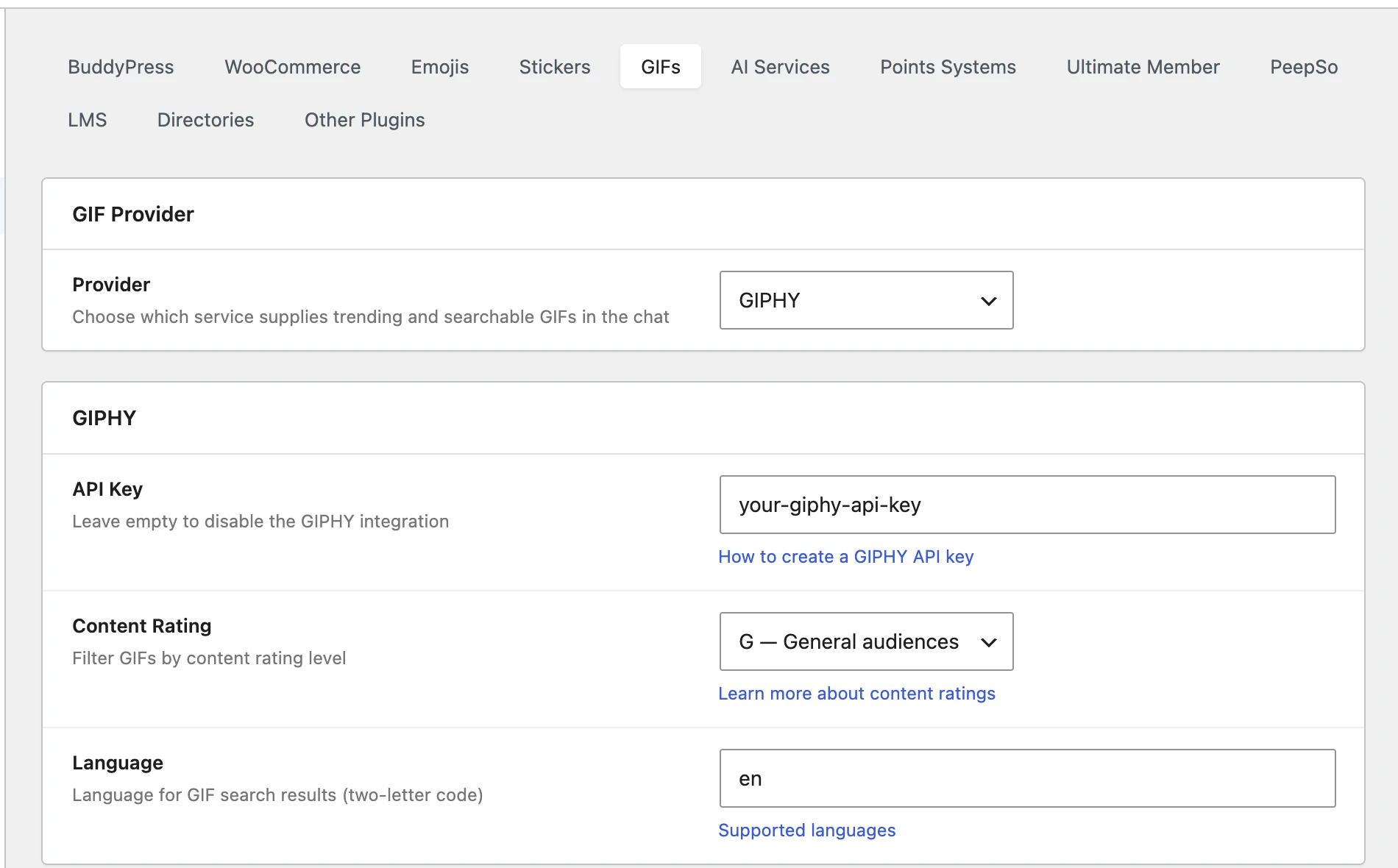
Settings (at Settings → Integrations → GIFs, select GIPHY):
| Setting | Description |
|---|---|
| API Key | Your GIPHY API key. Leave empty to disable. Get a free key |
| Content Rating | Filter GIFs by rating level: G — General audiences (default), PG — Parental guidance, PG-13 — Teens, R — Restricted. Learn more |
| Language | Two-letter language code for search results (e.g. en, es, fr). Supported languages |
GIPHY's free tier is generous — it supports up to 1,000 API calls per hour and 42 calls per minute, which is enough for most messaging sites.
KLIPY#
A newer GIF platform with curated content.

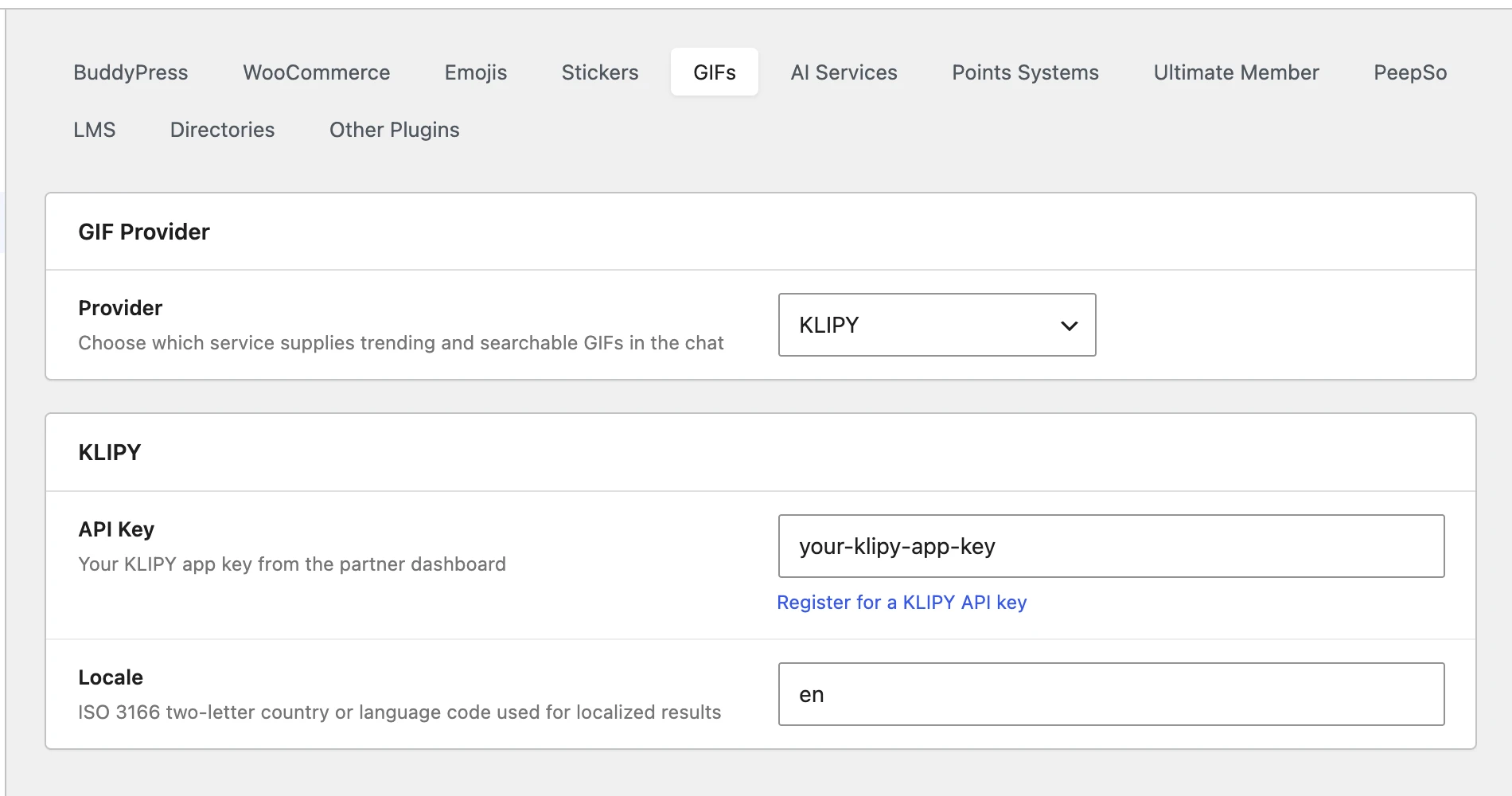
Settings (at Settings → Integrations → GIFs, select KLIPY):
| Setting | Description |
|---|---|
| API Key | Your KLIPY app key from the partner dashboard. Register for a key |
| Locale | Two-letter country or language code for localized results (e.g. en, fr). Defaults to en |
Attribution#
GIPHY and KLIPY both ask an app to credit them before they grant a production API key. Since 3.0.13 Better Messages credits whichever provider is active, with nothing to set up:
| GIPHY | KLIPY | |
|---|---|---|
| Search field | Reads Search GIPHY… | Reads Search KLIPY…, the one thing KLIPY requires |
| GIF tab | Powered By GIPHY mark in the bottom right-hand corner | Powered by KLIPY mark in the bottom right-hand corner |
| Sent GIFs | Powered By GIPHY watermark in the corner, in place of the "GIF" tag | KLIPY watermark in the corner, in place of the "GIF" tag |
A sent GIF is credited by where it is hosted, not by the provider the site uses now, so a GIF keeps its own mark after a switch and GIFs sent before the update get one too. The marks are the providers' official files and ship inside the plugin, so nothing loads from another server.
How to enable#
- Navigate to WP Admin → Better Messages → Settings → Integrations → GIFs
- Select a Provider from the dropdown (GIPHY or KLIPY)
- Enter your API Key for the selected provider
- Configure content rating and language preferences
- A GIF tab appears in the message picker for all users
Key capabilities#
- Trending GIFs — popular content shown by default when the picker opens
- Keyword search — real-time search with debounced input for responsive results
- Stable masonry grid — items never reposition when new results load on scroll
- Optimistic send — the picker closes immediately on selection. The GIF appears in the conversation as soon as the server confirms
- Content filtering — GIPHY's content rating system lets you control what's appropriate for your audience
- Transient caching — trending results are cached server-side to reduce API calls (30 minutes for GIPHY trending, 15 minutes for search)
- Works everywhere — private messages, group conversations, and chat rooms
- Attribution built in — the search field, the GIF tab and every sent GIF credit the provider the way a production key requires
Switching providers#
You can switch between GIPHY and KLIPY at any time by changing the Provider dropdown. Only one provider can be active at a time. Previously sent GIFs from either provider will continue to display correctly in chat history regardless of which provider is currently active — the GIF URLs are stored directly in the message content.
Frequently asked questions#
Does the GIF feature cost money?#
GIPHY's free tier is generous (1,000 API calls per hour, 42 per minute) — enough for most sites. KLIPY is also free for standard use. Heavy-traffic sites should review their provider's pricing tiers.
Can I disable GIFs without removing the API key?#
Yes — set the Provider dropdown to Disabled. That hides the GIF button without removing the saved API key, so you can re-enable later without rotating credentials.
Are GIFs included in the bad-words filter?#
The GIF URL is included in the message text. If a banned word appears in the URL it would be caught. The GIF visual content isn't moderated by the bad-words filter. For that, use the AI content moderation (WebSocket version) — it can flag inappropriate images.
Do GIFs work in voice / video calls?#
GIFs are sent as messages, separate from the call media stream. A user in a call can still send GIFs in the conversation alongside the active call.
Can I host my own GIFs instead of using GIPHY / KLIPY?#
For custom branded animated content, use Stickers — they let you upload sticker packs as images stored locally.
See also#
- Stickers — custom sticker packs (alternative to GIFs)
- Emoji selector — emoji picker
- oEmbed support — embed YouTube and other media inline
- WordPress chat GIF blog post — feature overview
- File sharing — for static images and other files