Polls
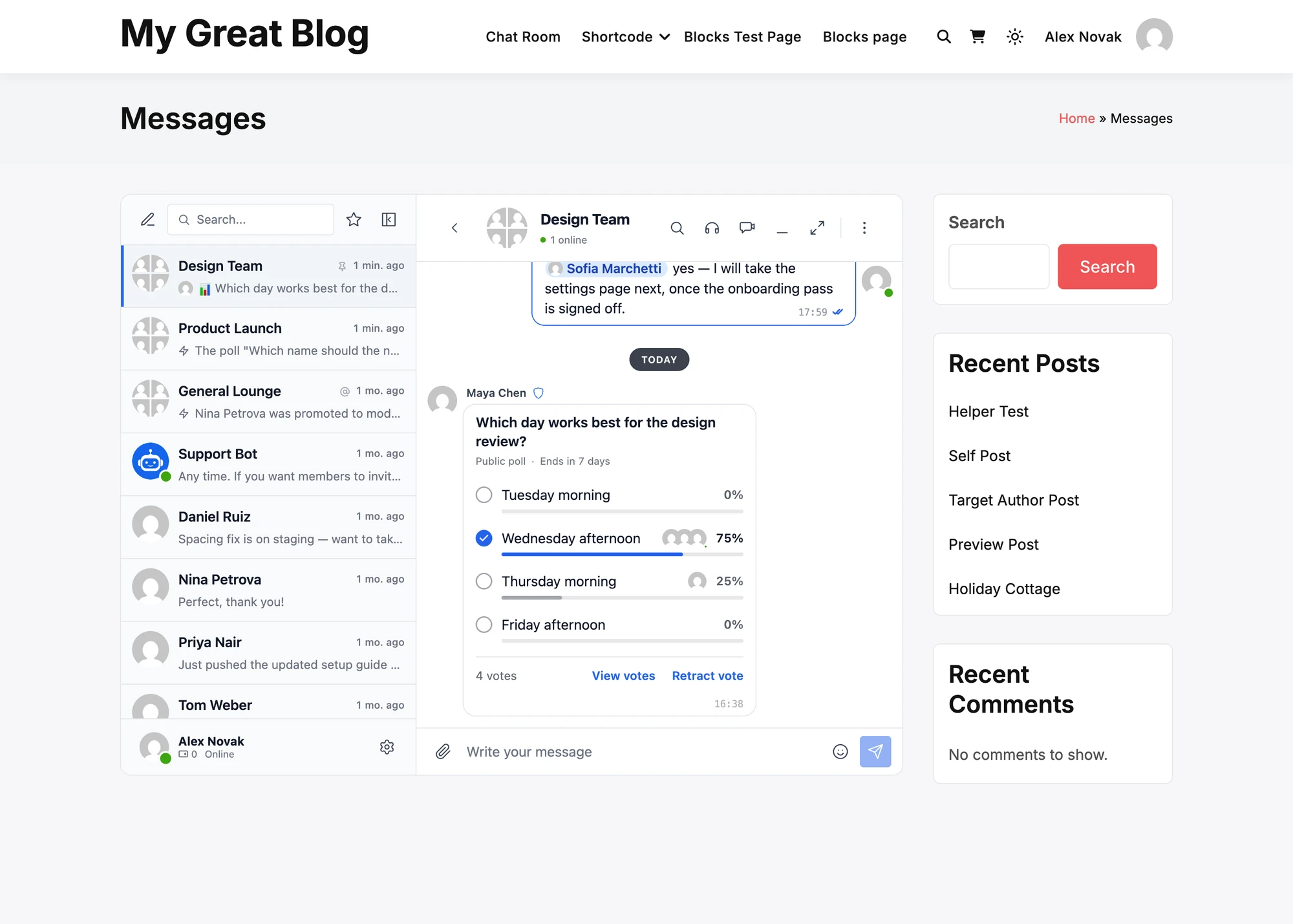
A member asks a question with a few options, and everyone in the conversation votes on it with one tap. The poll is a message of its own: it shows the votes as bars and percentages, and its numbers change for everyone as votes come in.
Polls are in both the free version and the WebSocket version, and are on by default in group conversations, chat rooms, community groups and course chats.
What it adds#
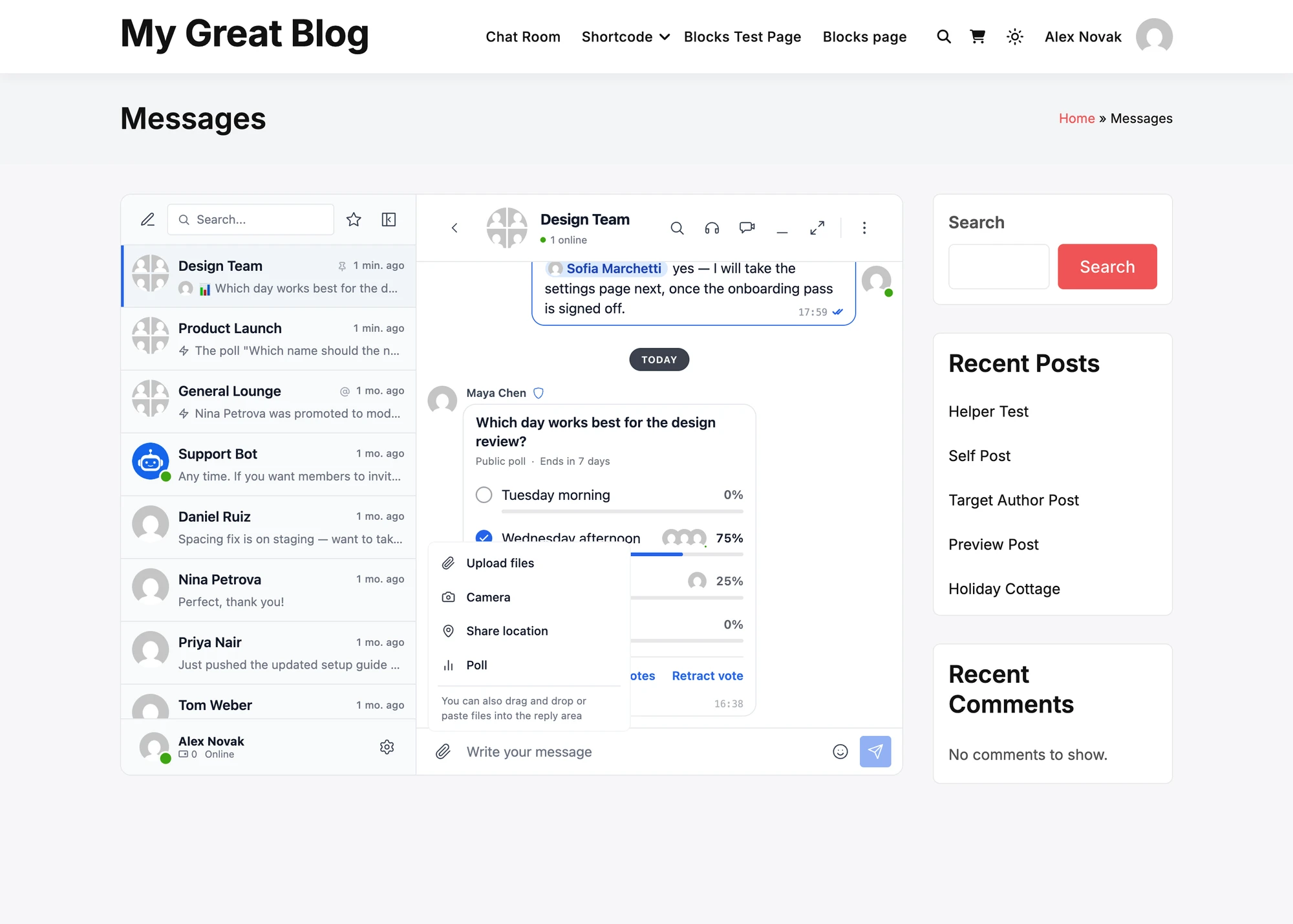
- Poll in the attachment menu of the composer, where the conversation allows it
- A form for the question and 2 to 12 options, with switches for anonymous voting, multiple answers, options added by members, hidden results and quiz mode, and an end time
- A poll card in the conversation: tap an option to vote, tap another to change it, Retract vote to take it back
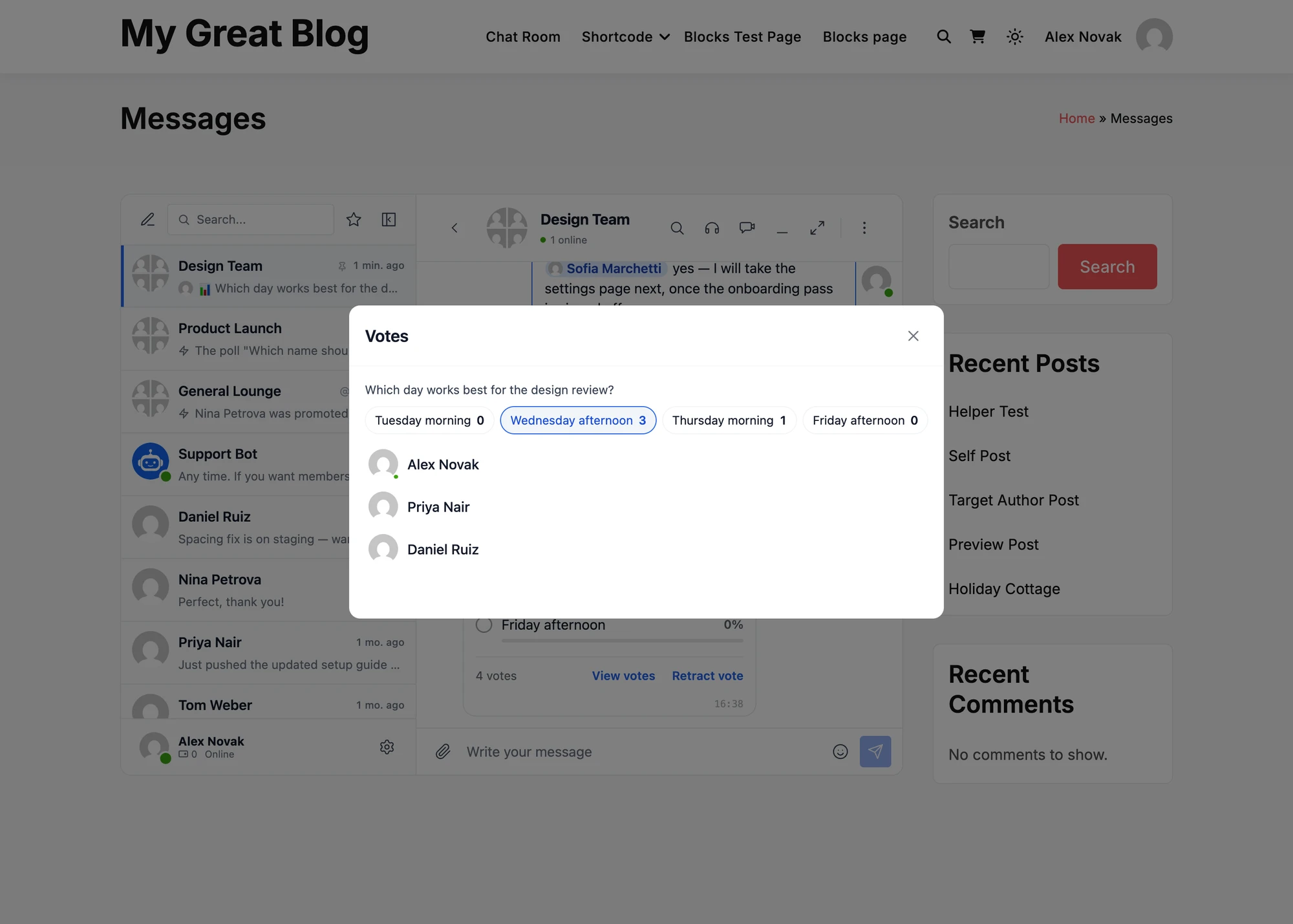
- View votes for a public poll: who picked each option
- End poll for its creator and the moderators of the conversation, and a Poll ended card with the final results when it ends
- Settings for where polls can be made and which roles can make them
Creating a poll#
In a conversation, press the paperclip of the composer and choose Poll.

The New poll form opens. Write the question, then the options. A new empty option appears under the last one as you type, and the cross beside an option removes it.

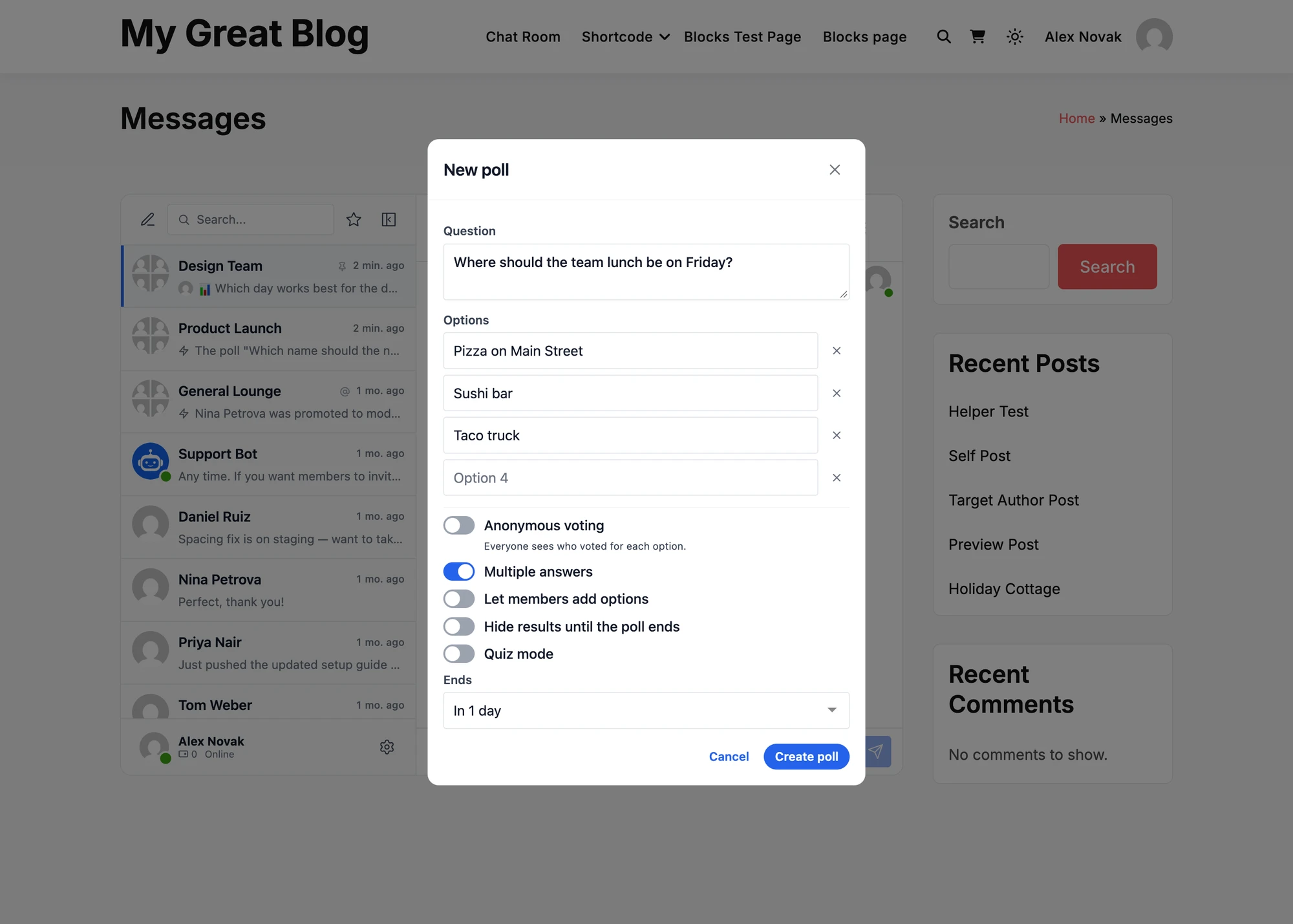
| Field | What it does | Default |
|---|---|---|
| Question | What the poll asks, up to 255 characters | — |
| Options | 2 to 12 answers, up to 100 characters each. The same answer cannot be there twice | 2 empty options |
| Anonymous voting | Nobody sees who voted for what in the messenger, the administrator included. Each vote is still recorded, so each person votes once. Off makes it a public poll, where everyone sees who voted for each option | On |
| Multiple answers | Members tick several options and press Vote | Off |
| Let members add options | Anyone who can vote adds an option while the poll is open, up to 12 options in all. An added option names who added it | Off |
| Hide results until the poll ends | Everyone sees how many voted, and the results only once the poll ends, so early votes do not sway later ones | Off |
| Quiz mode | One option is the right answer, marked with the circle beside it, with an optional explanation of up to 200 characters. Each person answers once, and sees the right answer and the explanation right after | Off |
| Ends | Never, In 1 hour, In 1 day, In 1 week, or At a time I choose: at least a minute from now and within a year | Never |
Create poll sends it. Quiz mode turns off Multiple answers and Let members add options, as a quiz has one answer.
Voting#
A tap on an option is a vote. A tap on another option moves it there, and Retract vote takes it back. In a poll with multiple answers, members tick their options and press Vote, and Update vote after a change. An answer in a quiz is final.
The bars and percentages show once a member has voted, when the poll has ended, and to its creator from the first vote. Everyone else sees the options to pick from until then. Votes reach every member of the conversation at once in the WebSocket version, and with the next check for new messages in the free version.
In a public poll, the faces of the latest voters stand beside each option, and View votes lists everyone by option. A guest or a member who can read a chat room but not write in it can still vote.

Ending a poll#
A poll ends at its end time, or when someone presses End poll and confirms. That can be its creator, a moderator of the conversation or a site administrator. Nobody can vote after it ends, and everyone sees the final results.
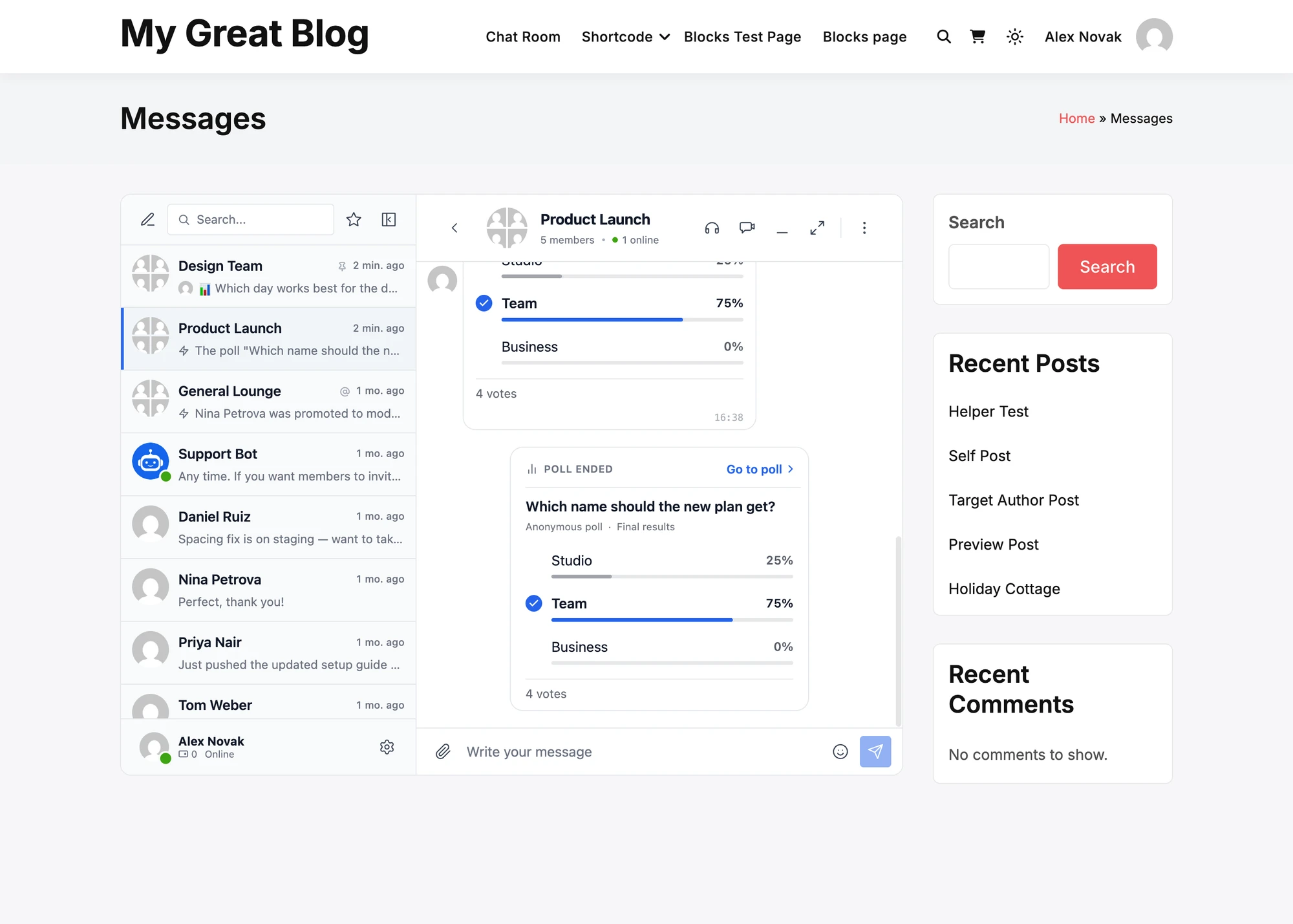
When a poll ends, the conversation gets a Poll ended card with the final results, the vote of the member marked, and Go to poll to scroll up to the poll itself. For its creator it counts as an unread message, with a notification, unless they ended it themselves. For everyone else it is simply there in the conversation. In the list of conversations and in notifications it reads The poll "Which name should the new plan get?" ended. Most votes: Team. A quiz names its right answer instead.

On a phone and in the app#
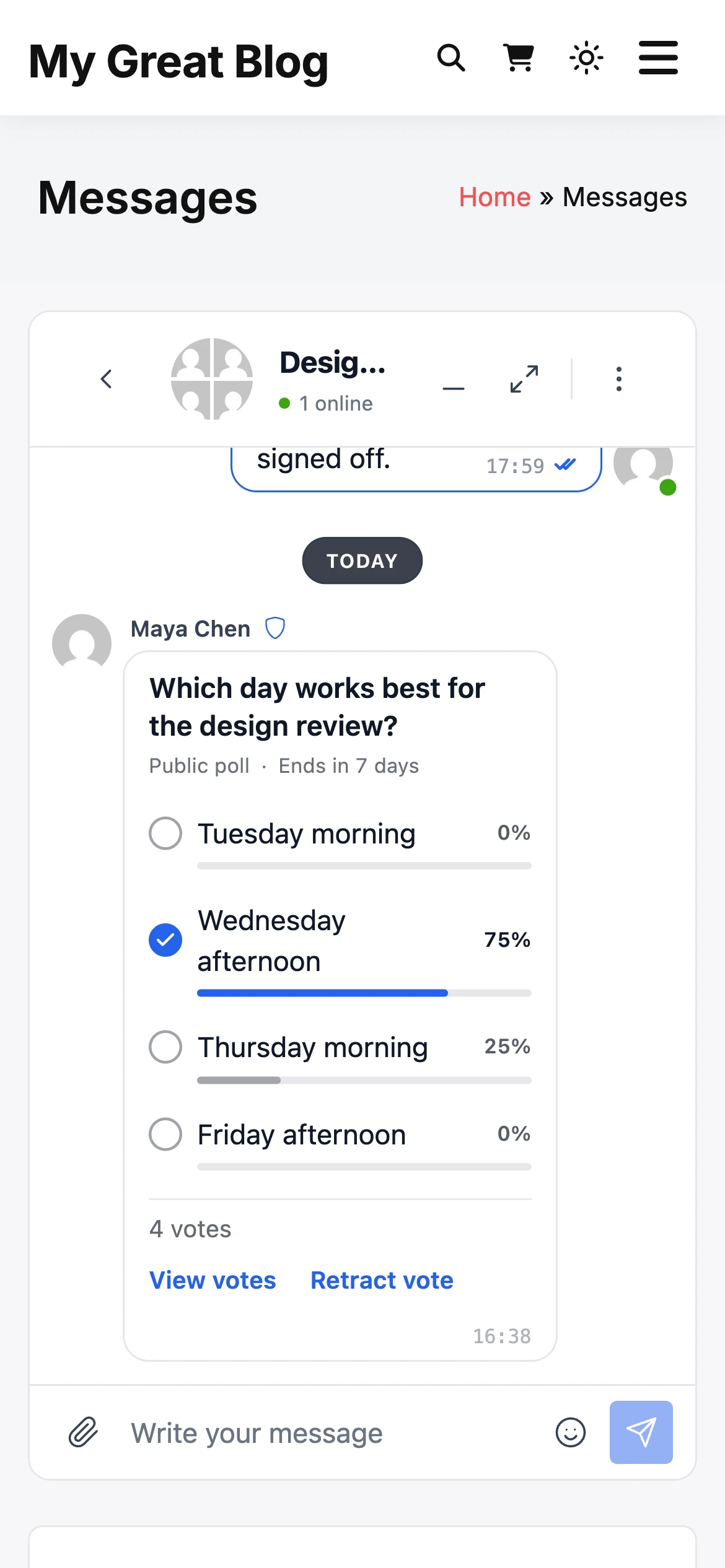
The card takes the width of the conversation, and an option with a long answer wraps to a second line. The faces of the voters are left out where the card is narrow, and View votes still lists them. The same card shows in mini chats and in the Better Messages mobile app, which runs the same messenger.

Polls in emails, notifications and search#
The text of a poll message is its question after a chart sign: 📊 Which day works best for the design review? That is what the list of conversations, email notifications, push notifications, replies, pinned messages and search show. Only the messenger draws the card with its options.
Settings#

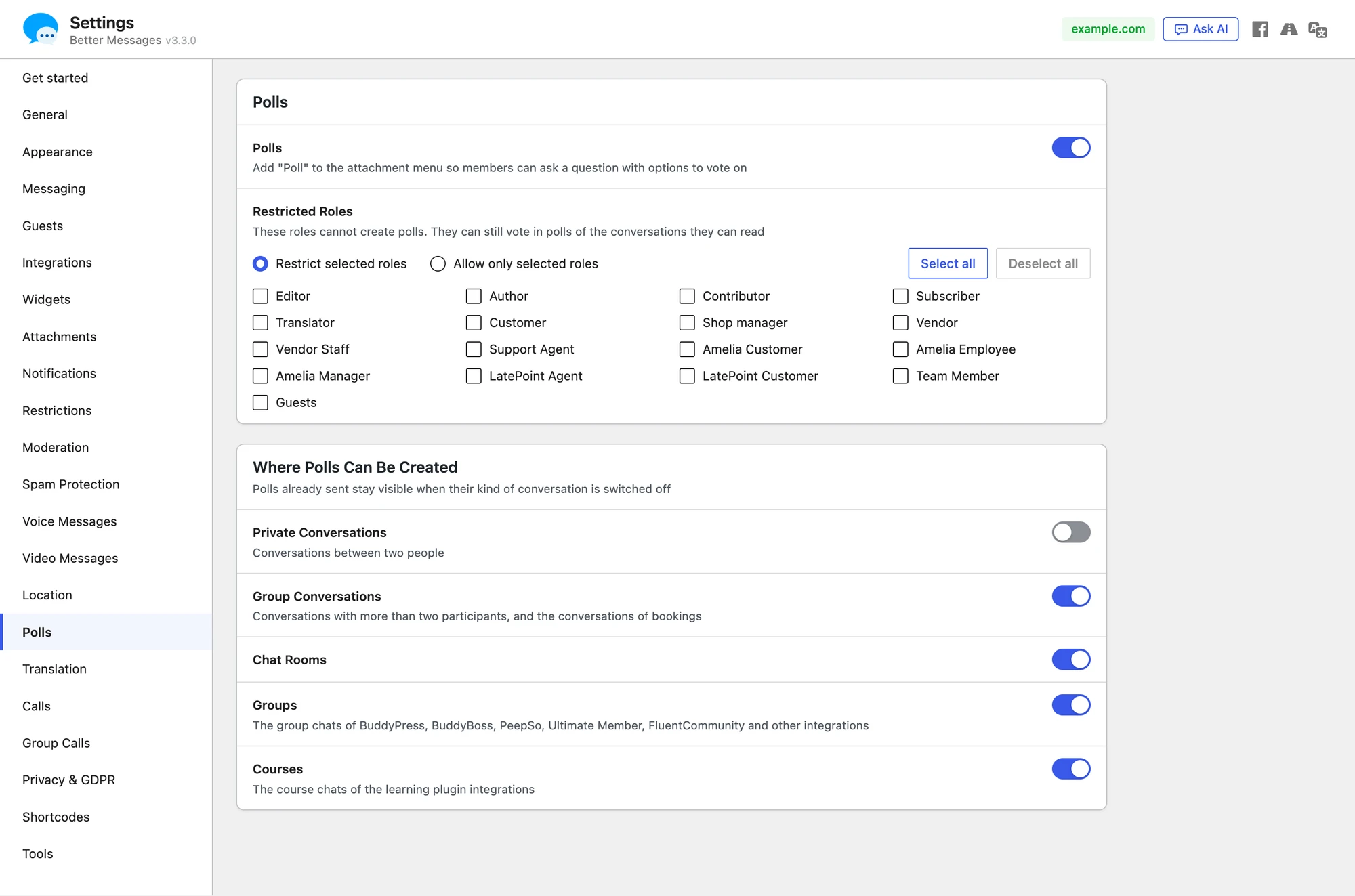
Navigate to WP Admin → Better Messages → Settings → Polls, and press Save Settings after a change.
| Setting | What it does | Default |
|---|---|---|
| Polls | Adds Poll to the attachment menu | On |
| Restricted Roles | The roles that cannot create polls. They can still vote in the polls of the conversations they can read | None |
| Private Conversations | Polls in conversations between two people | Off |
| Group Conversations | Polls in conversations with more than two participants, and in the conversations of bookings | On |
| Chat Rooms | Polls in chat rooms | On |
| Groups | Polls in the group chats of BuddyPress, BuddyBoss, PeepSo, Ultimate Member, FluentCommunity and other integrations | On |
| Courses | Polls in the course chats of the learning plugin integrations | On |
The role list has two choices. Restrict selected roles keeps the ticked roles from creating polls. Allow only selected roles lets only the ticked roles create them, and with no role ticked only administrators can. Guests are the role Guests in the list.
What switching something off does#
- A kind of conversation switched off: the Poll entry leaves its composer. Polls already sent there stay, and members can still vote in them.
- Polls switched off: the entry leaves every composer, and polls already sent show as their question alone, with no options and no voting. Turning Polls on again brings them back with their votes.
Where a poll cannot be created#
- In a conversation with end-to-end encryption. The site could not count votes it cannot read
- In a conversation where the member cannot write
- By a role the setting above keeps out
Frequently asked questions#
Can a poll be edited after it is sent?#
No. The question, the options and the votes stay as they are, and a poll cannot be forwarded. Its creator can delete the message, which removes the poll and its votes.
Who sees who voted?#
In a public poll, everyone in the conversation, through the faces beside each option and View votes. In an anonymous poll nobody, the site administrator included.
Can guests vote?#
Yes, in the conversations they are in. A guest creates polls where guests can send messages, unless the Guests role is restricted. A guest ends only the polls they created.
Can a member change their vote?#
Yes, until the poll ends: a tap on another option, or Retract vote. A quiz answer is final.
What happens when a member is deleted?#
Their votes are removed, and the counts of the polls they voted in change with it.
See also#
- Group conversations
- Chat rooms
- Location sharing, the other entry of the attachment menu that is turned on in its own tab
- Realtime messaging