Message Requests
Spam Protection stops what looks like spam. Message requests make whatever still gets through silent: a conversation someone a member never talked to starts waits in Message requests until the member accepts it.
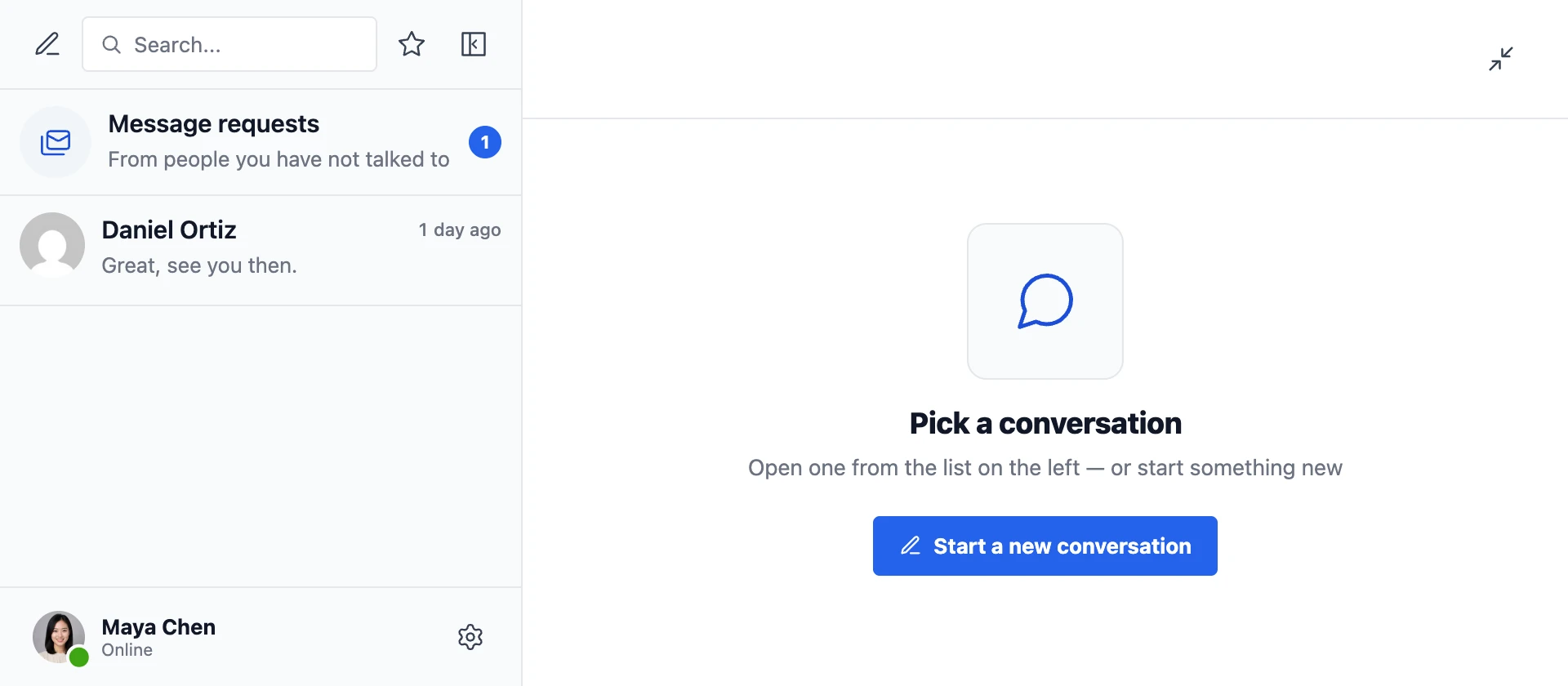
What a member sees#
- A Message requests row on top of the conversations, with how many there are. Requests are not in the conversations list itself. Where the list is narrowed to photos only, an envelope with the count among its buttons opens them.
- No push notification, no email, no sound, no pop-up and nothing added to the unread count.
- Inside a request, a bar: Lena Fischer wants to message you, with Accept, Delete, Block and Report spam.

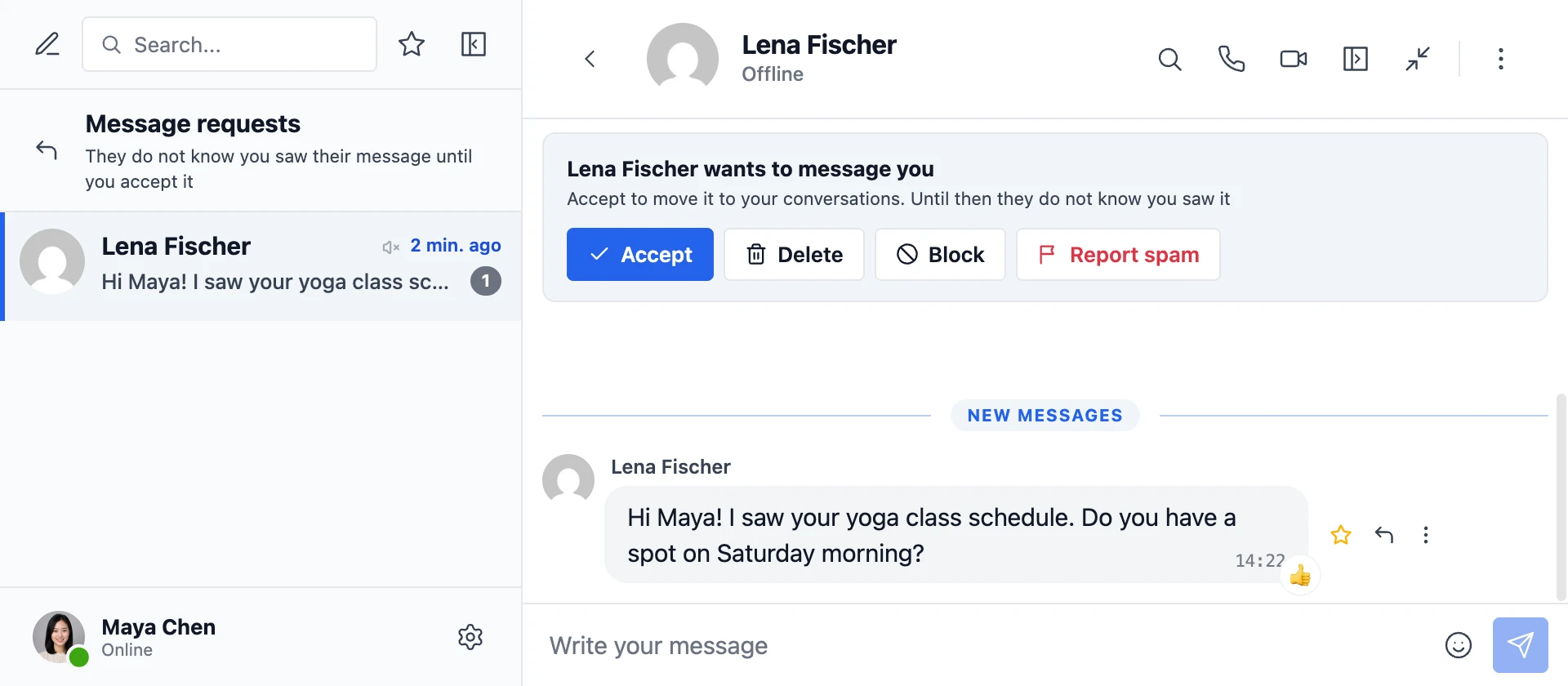
Accept, or simply replying, moves it to the conversations, and from then on it is an ordinary conversation. Delete takes it out of the list, and if the sender writes in it again, it comes back to Message requests as a new request, as on the big messaging apps. Block deletes it and blocks the sender, so they can not write in it any more, and Report spam blocks them and reports them to Spam Protection. Unblocking the sender later brings nothing back by itself: their next message comes in as a request.
What the sender sees#
The conversation as usual. They are not told it is a request, and they get no read receipt until it is accepted, so nobody can probe whether a member saw their message.
Declined requests count against the sender: three in a day (two at Strict) put the account under review.
Who sends requests#

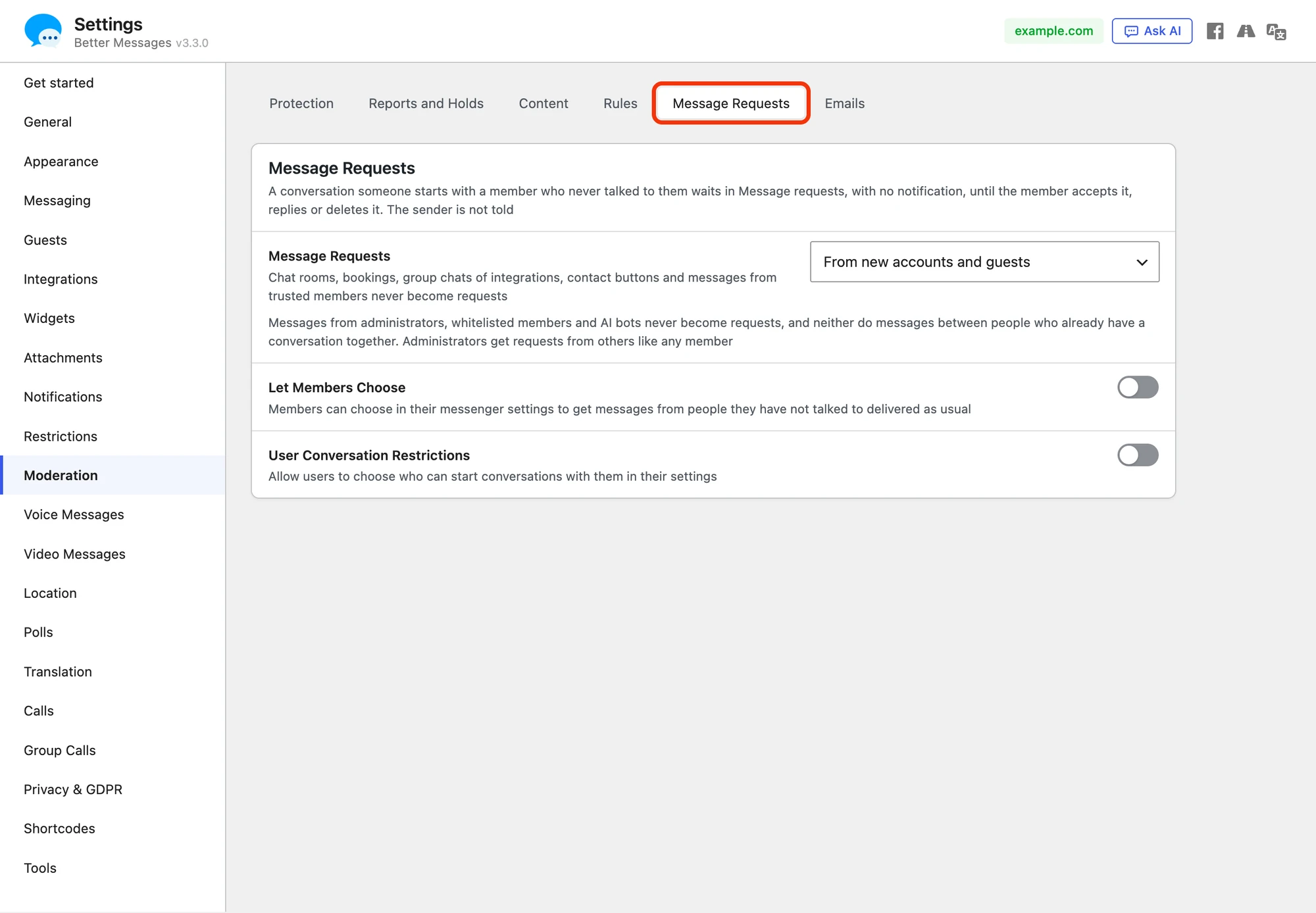
Navigate to WP Admin → Better Messages → Settings → Moderation → Message Requests:
| Choice | A first message becomes a request when it comes |
|---|---|
| Off (the default on every site) | never |
| From new accounts and guests | from accounts that count as new, and from guests |
| From anyone new to the member | from anyone the member shares no conversation with, except trusted members |
Let Members Choose, shown once requests are on, adds Messages from people you have not talked to to the messenger settings of each member: Keep them in Message requests or Deliver them as usual.
User Conversation Restrictions, on the same card from 3.3.0 (on Restrictions before it), lets each member choose who can start a conversation with them at all, whether requests are on or off.
Never a request#
- Chat rooms, bookings, the group chats of integrations (BuddyPress, PeepSo, Ultimate Member, FluentCommunity) and course chats
- Conversations started from the site's own contact buttons: the live chat button, and the product, listing, order and booking buttons, so a marketplace keeps its customer to vendor messages direct
- Messages from administrators, the roles that can access Administration, trusted accounts and AI chat bots
- Messages between people who already share a conversation
These are about who sends the message. Nobody is left out of requests as a recipient: an administrator gets requests from new members like any other member, in the same Message requests row.
Being added to a group conversation by someone a member never talked to makes that group a request for them. Accept moves it to the conversations, Delete hides it, and new messages in the group do not bring it back.
Frequently asked questions#
Do old messenger versions and the apps show requests?#
An app or a page with an older bundle sees a request as a muted conversation, so it stays quiet there too.
Can a member undo Delete?#
Not from the list. A declined request stays hidden until the sender writes in it again, and then it is a request again, with all its messages. The sender is not told either way. To stop someone writing, use Block.
Does it work in end-to-end encrypted conversations?#
Yes. Only who wrote to whom is used, never the text.